20.2.3 Defining Email Template with Directives
Define an email template with placeholders and directives for conditional email content.
Using an email template simplifies the job by separating the formatting from
the data and attachments that change with each use. When you send a mail, you can
reference an existing template, set values for any placeholders it contains, and include
any optional attachments required. The Employee Salary Lottery Winner email
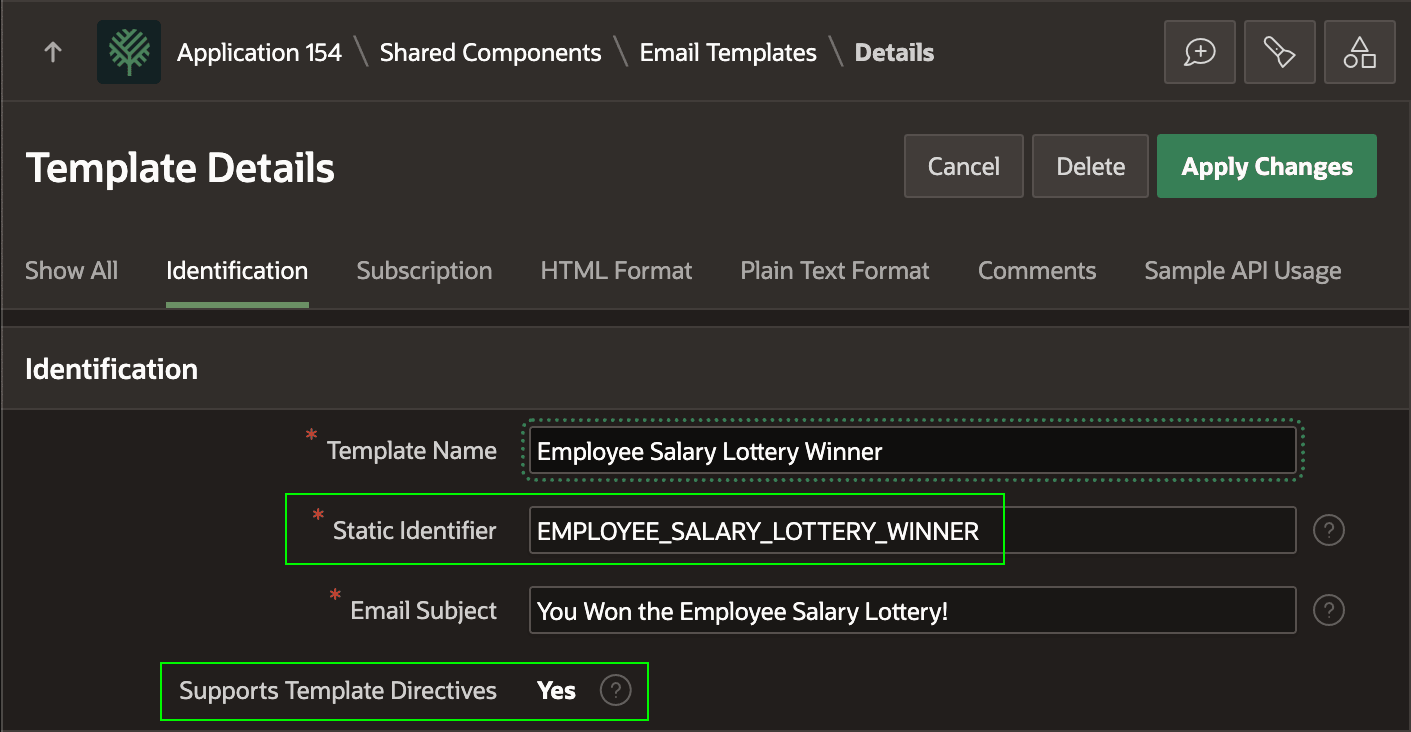
template from the example in Defining Automation Actions in Sequence appears below. Notice its Static Identifier that's used when
using the APEX_MAIL.SEND API, and that it supports HTML Template
Directives for conditional formatting in the email body text and HTML markup.
Figure 20-27 Template Has Static ID for API Use and Can Use Template Directives
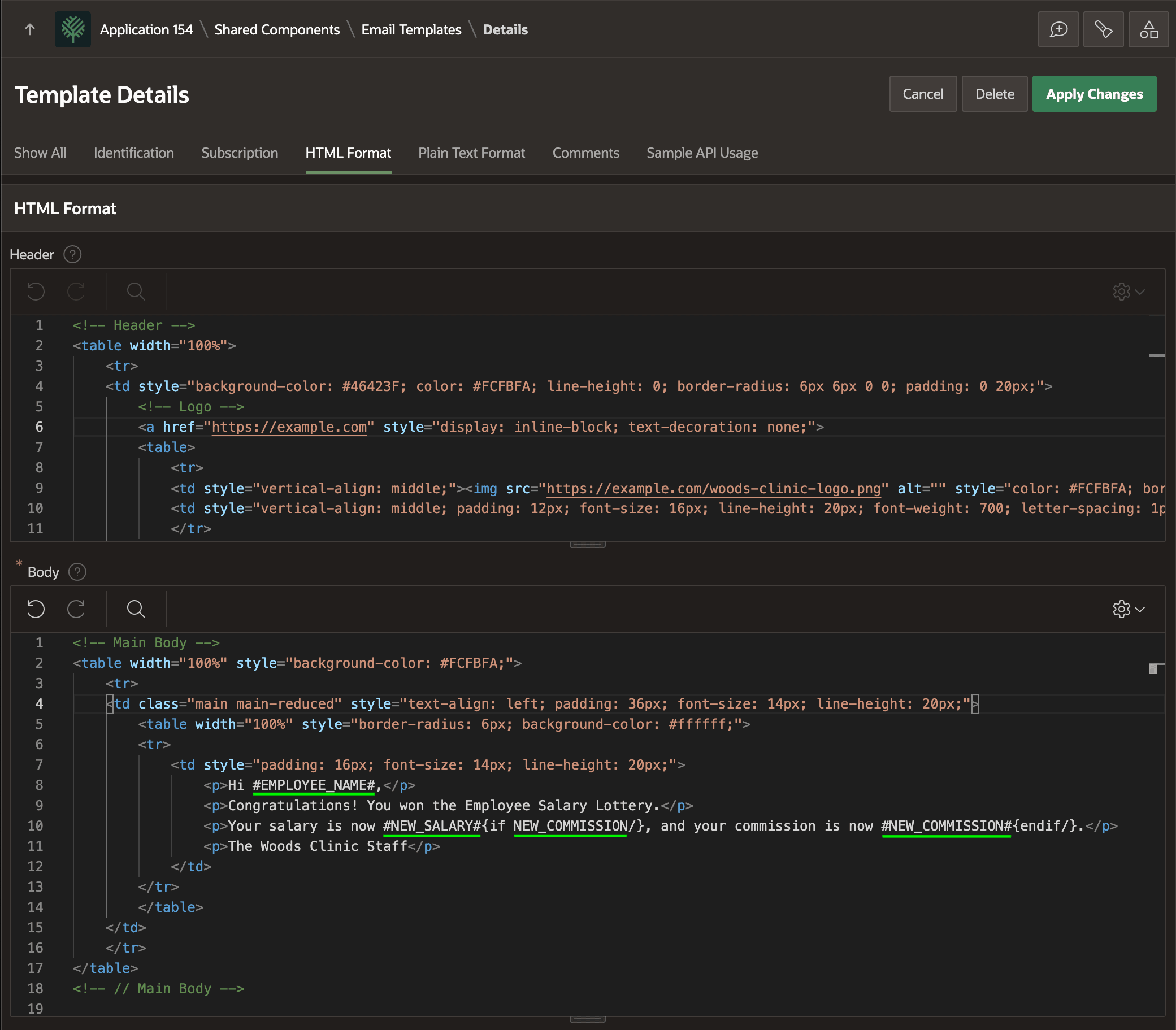
This email template specifies the HTML markup for the Header and Body sections, and includes placeholders EMPLOYEE_NAME, NEW_SALARY, and NEW_COMMISSION underlined for emphasis in the template Body. Notice the body uses the {if/}⋯{endif/} template directive to conditionally include the phrase about a new commission only if NEW_COMMISSION has a value.
{if NEW_COMMISSION/}, and your commission is now #NEW_COMMISSION#{endif/}Figure 20-28 Defining an Email Template with Placeholders
Parent topic: Sending Emails with Templates