25.2.6.7 Emailing Users a Rejection
Notify rejected patients with an email template populated from workflow data.
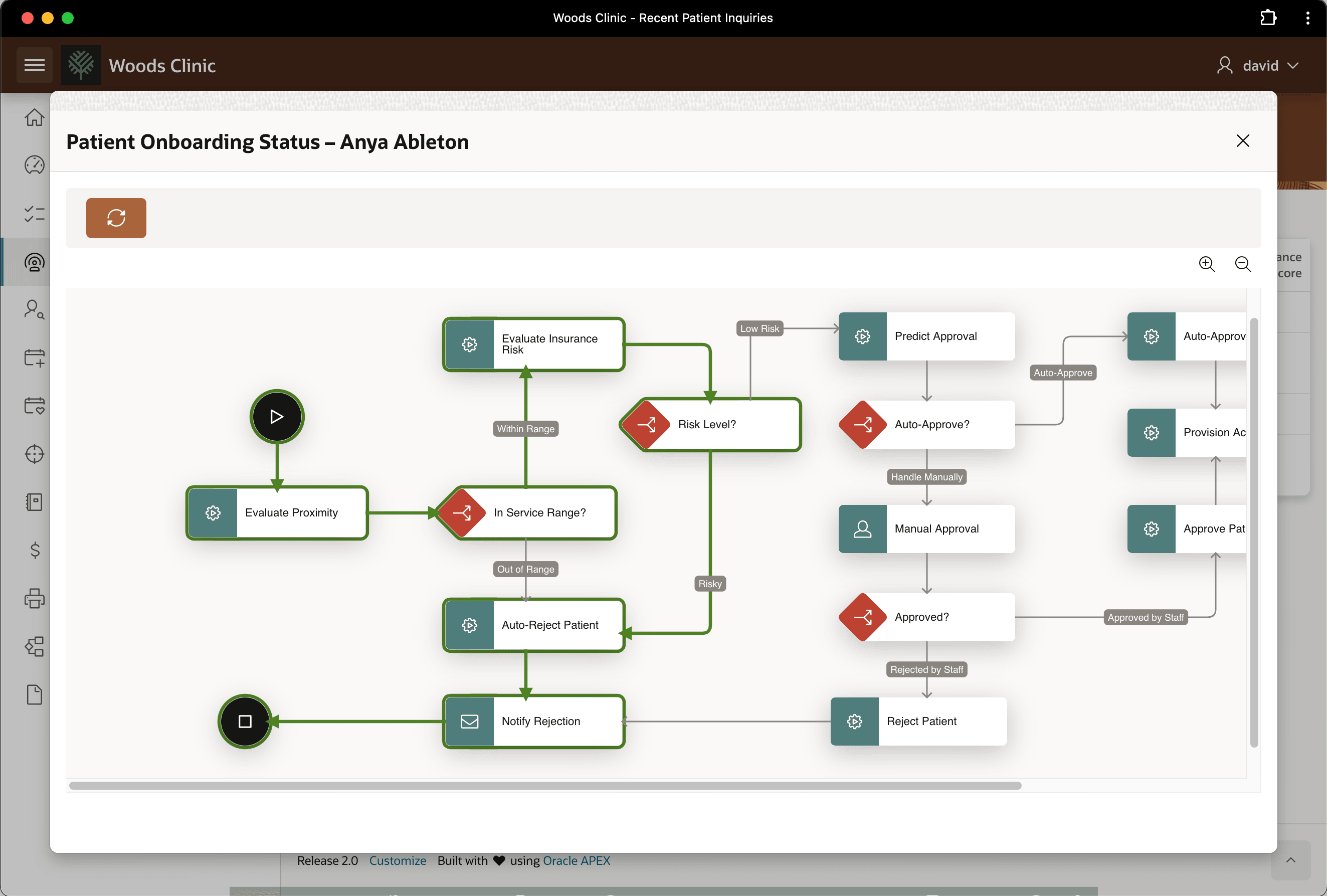
From the Recent Patient Inquiries page, as shown below, David can see that patient Anya Ableton's request was automatically rejected. The figure shows a Woods Clinic backoffice application modal dialog with a Workflow Diagram region. The dialog title shows "Patient Onboarding Status - Anya Ableton". The workflow diagram is an end-user-friendly view of the same workflow Patient Onboarding diagram from App Builder Workflow Designer. The color and bolder style of certain activity shape outlines and connection arrows help the user understand the progress. In this example, David sees the Risk Level? decision followed the Risky path to the Auto-Reject Patient activity and on to the Notify Rejection activity.
Figure 25-94 Anya Ableton's Procedure Request Was Rejected for Being Too Risky
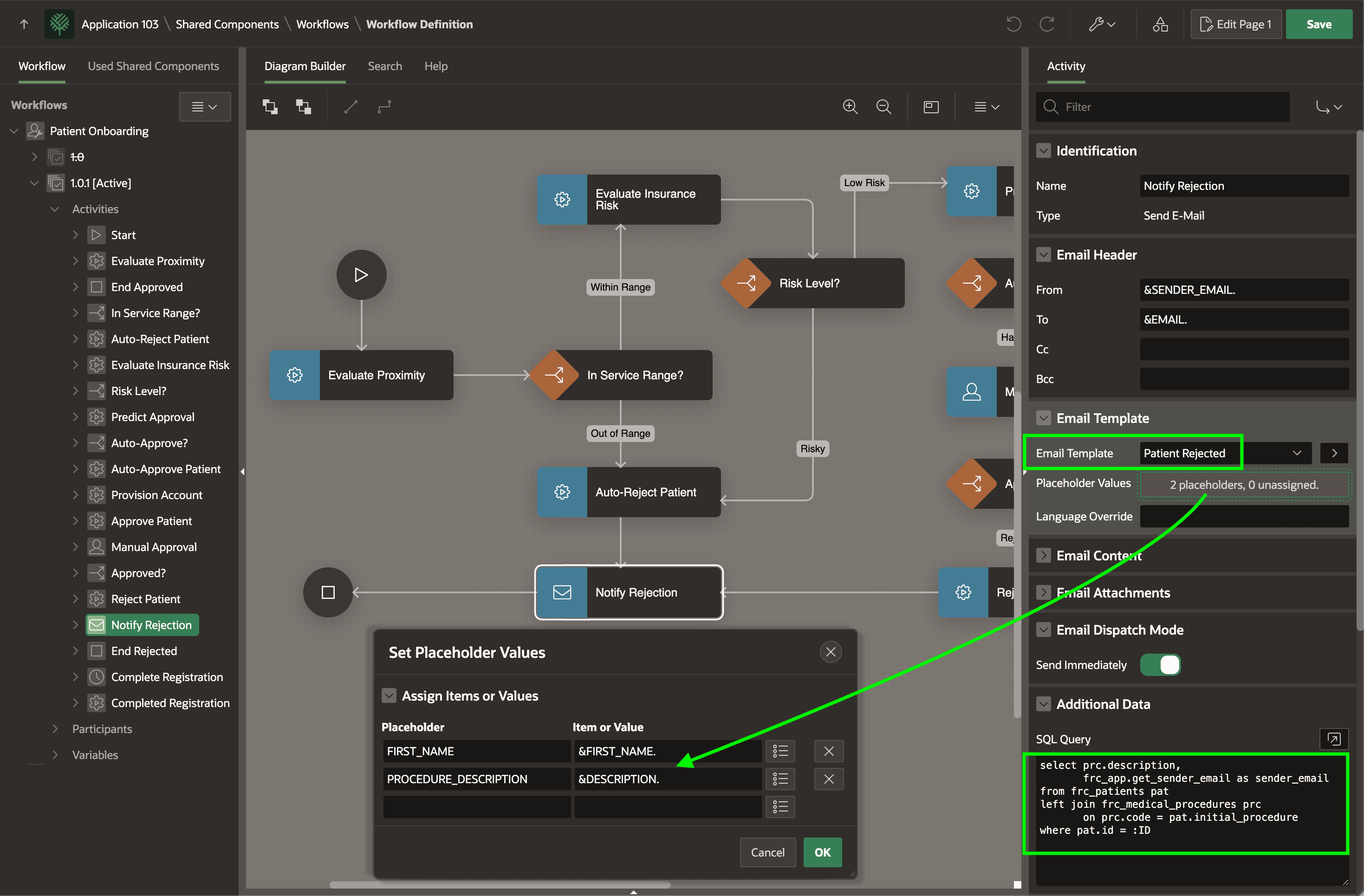
In the Patient Onboarding workflow, your Notify Rejection activity of type Send E-Mail uses the Patient Rejected email template above, and passes &FIRST_NAME. and &DESCRIPTION. as the values of the template's two placeholders. Notice the From field references the &SENDER_EMAIL. column from the activity's Additional Data query. The value of &DESCRIPTION. used for the placeholder also comes from that query.
Figure 25-95 Configuring Send Email Activity and Email Template Placeholders
- Emailing or Push Notifying Users
Notify workflow users with email or push notification activities. - Using Email Template with Placeholders
Use an email template with placeholders for workflow notification content. - Querying Activity Data On Demand
Query activity-level data to supply email fields and template placeholders. - Receiving the Rejection Email
Receive an automatic rejection email when the workflow denies a patient request.
Parent topic: Building Patient Onboarding Visually