24.4 Importing APEXlang in App Builder
To import an APEXlang application, use the Import wizard.
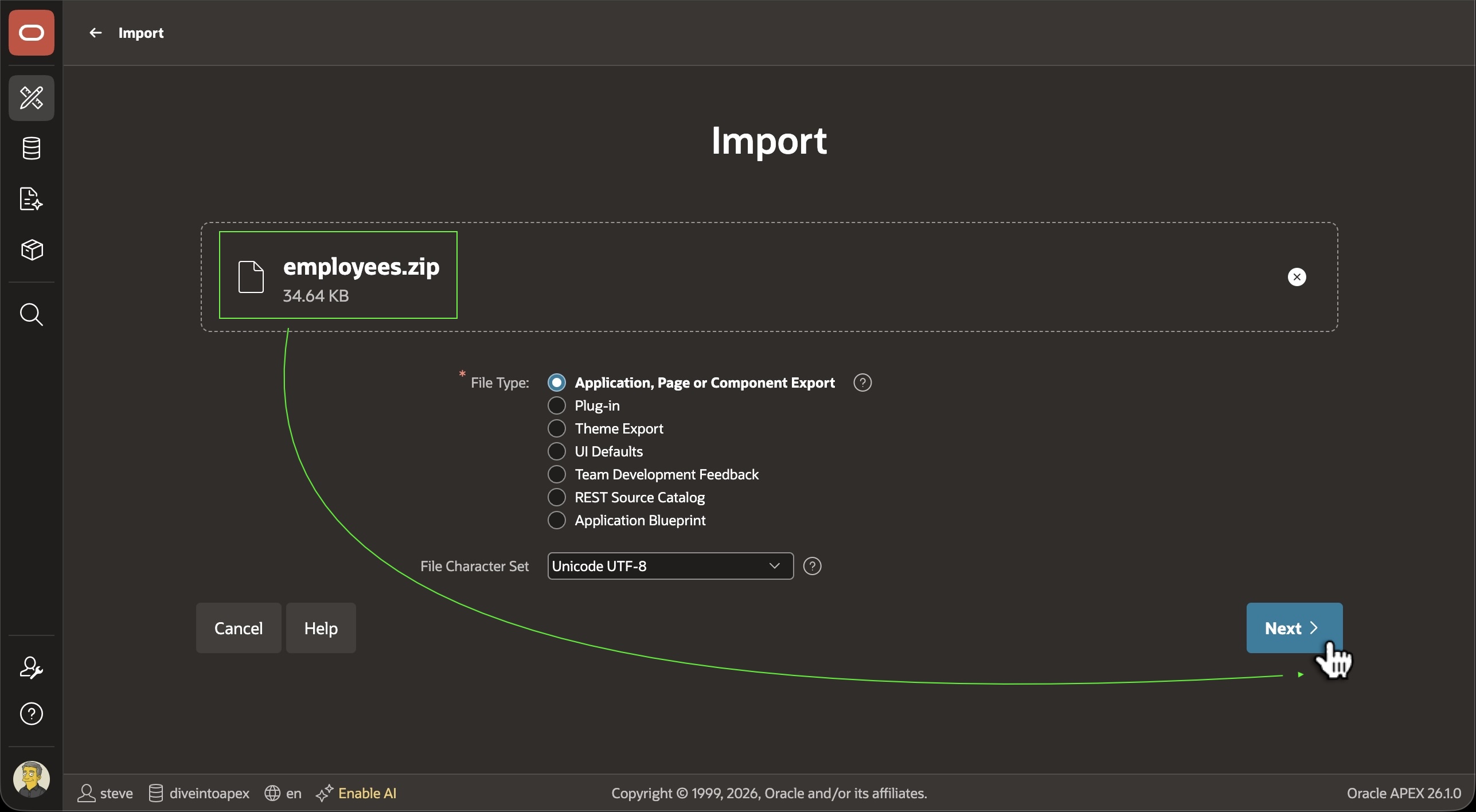
App Builder can import an application in APEXlang format. Just drag or select its zip file on the Import page and continue through the wizard.
Figure 24-3 Importing an Application in APEXlang Format in App Builder
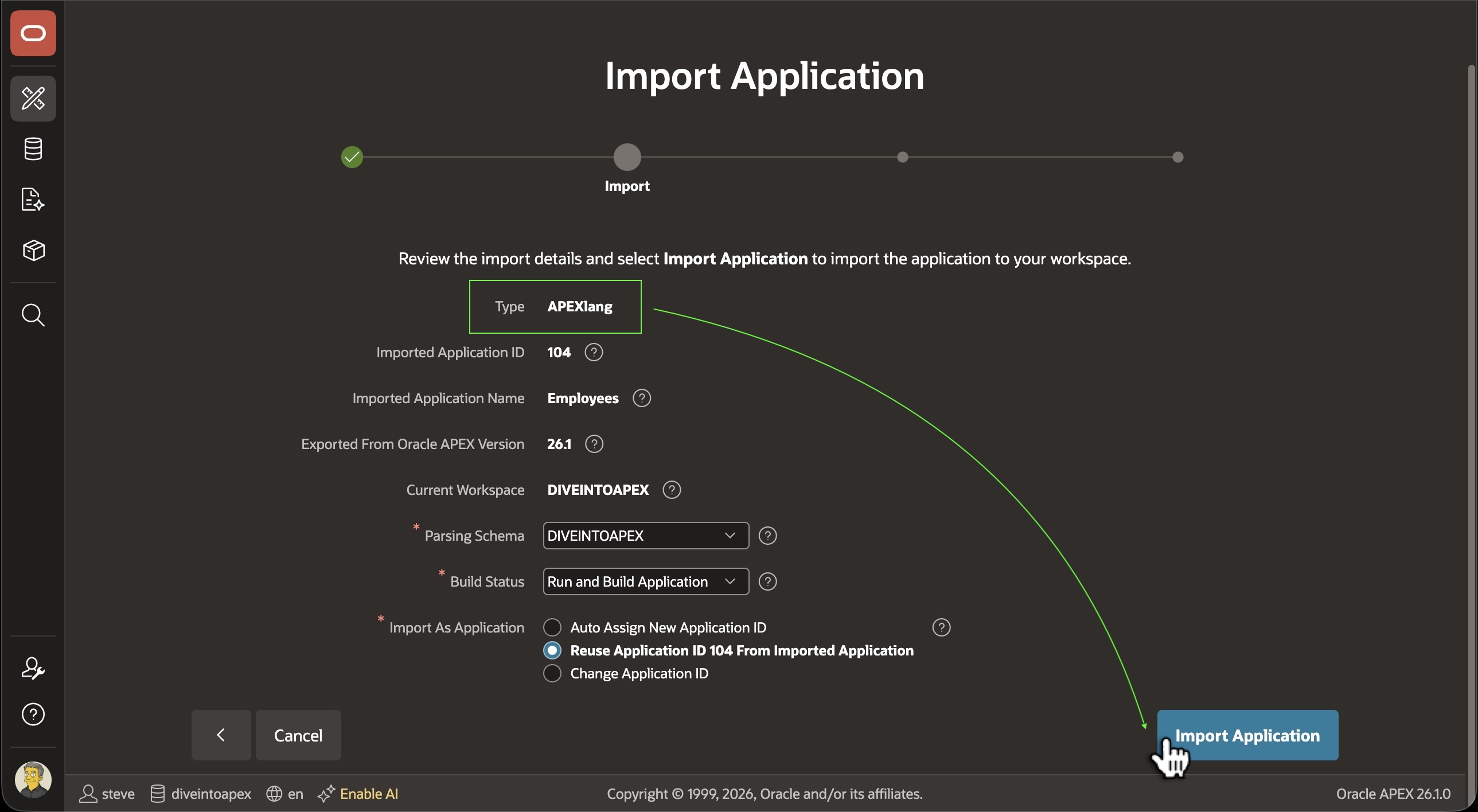
The Import wizard confirms the Type is APEXlang and lets you choose the application ID. Just click (Import Application) to proceed. App Builder validates and compiles the APEXlang source. If no errors are raised, the application imports successfully.
Figure 24-4 Previewing the Application to Import and Choosing an Application ID
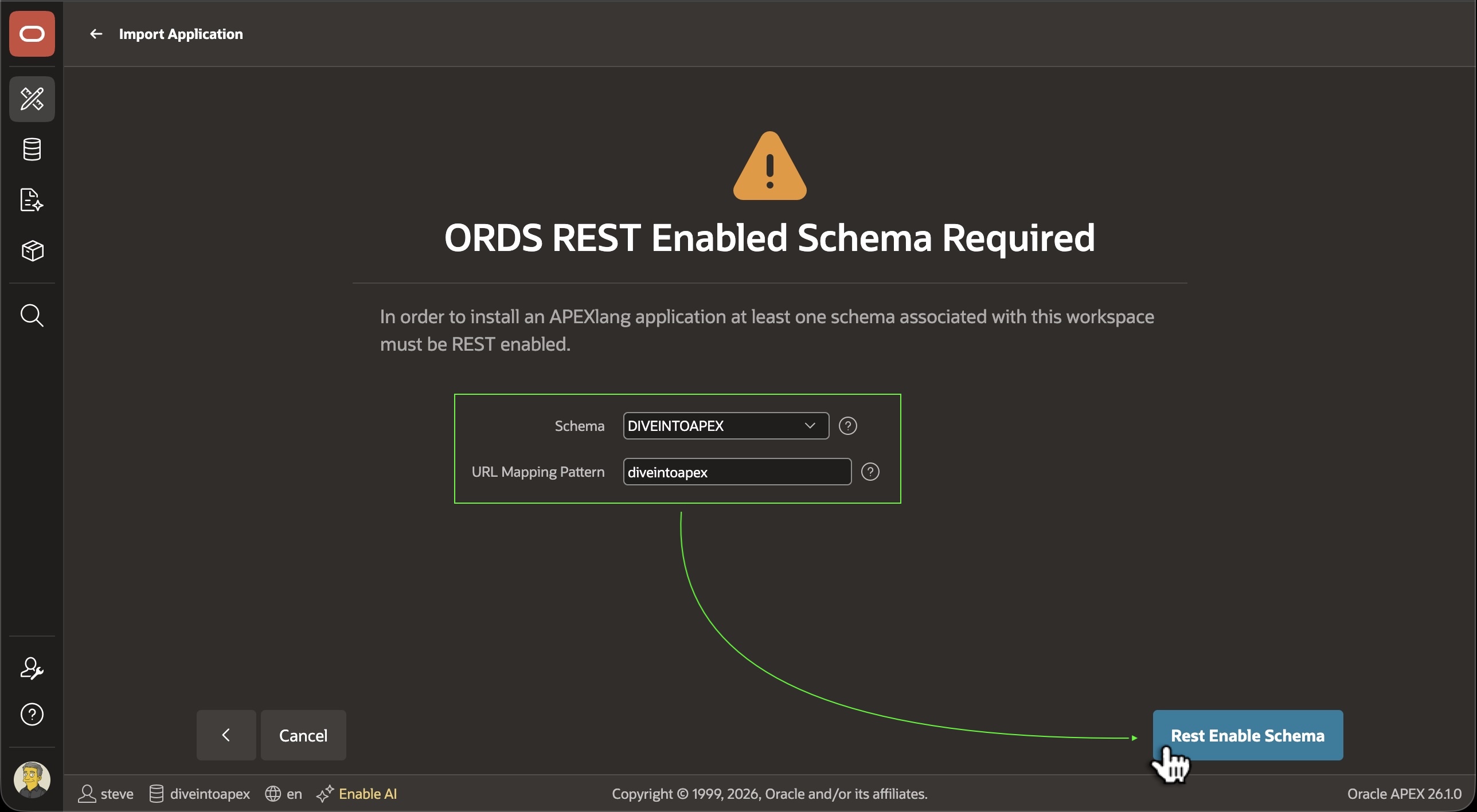
App Builder uses a dedicated ORDS endpoint with Builder authentication to compile APEXlang artifacts. So, the first time you import an APEXlang format app in a workspace, you may be prompted to enable your workspace’s parsing schema for ORDS REST services. Just click the REST Enable Schema button and the wizard proceeds to the next step to continue the import.
Figure 24-5 Enabling Workspace Parsing Schema for ORDS REST Services if Needed
Parent topic: Working with APEXlang