17.4.3.3 Letting User Select Worksheet
Understand how the generated Data Loading page lets users choose a worksheet when an Excel file has more than one.
The P32_XLSX_WORKSHEET select list has a server-side condition so it
displays only when the uploaded file contains multiple worksheets. The
Function Body type condition below references the unique uploaded file name
in P32_FILE in a SQL query that counts the number of worksheets. It
joins the APEX_APPLICATION_TEMP_FILES table with the results of the
GET_XLSX_WORKSHEETS function in the
APEX_DATA_PARSER package. Then, it returns true to display
the select list if the sheet count is greater than one.
declare
    l_sheet_count number;
begin
    select count(*)
      into l_sheet_count
      from apex_application_temp_files f,
           table( apex_data_parser.get_xlsx_worksheets(
                     p_content => f.blob_content ) ) p
     where f.name = :P32_FILE;

     -- display if the XSLX file contains multiple worksheets
    return ( l_sheet_count > 1 );
exception
    when others then
        return false;
end;P32_FILE bind variable in the following query to show the list of worksheet names for the user to pick from:select p.sheet_display_name,
p.sheet_file_name
from apex_application_temp_files f,
table( apex_data_parser.get_xlsx_worksheets( p_content => f.blob_content ) ) p
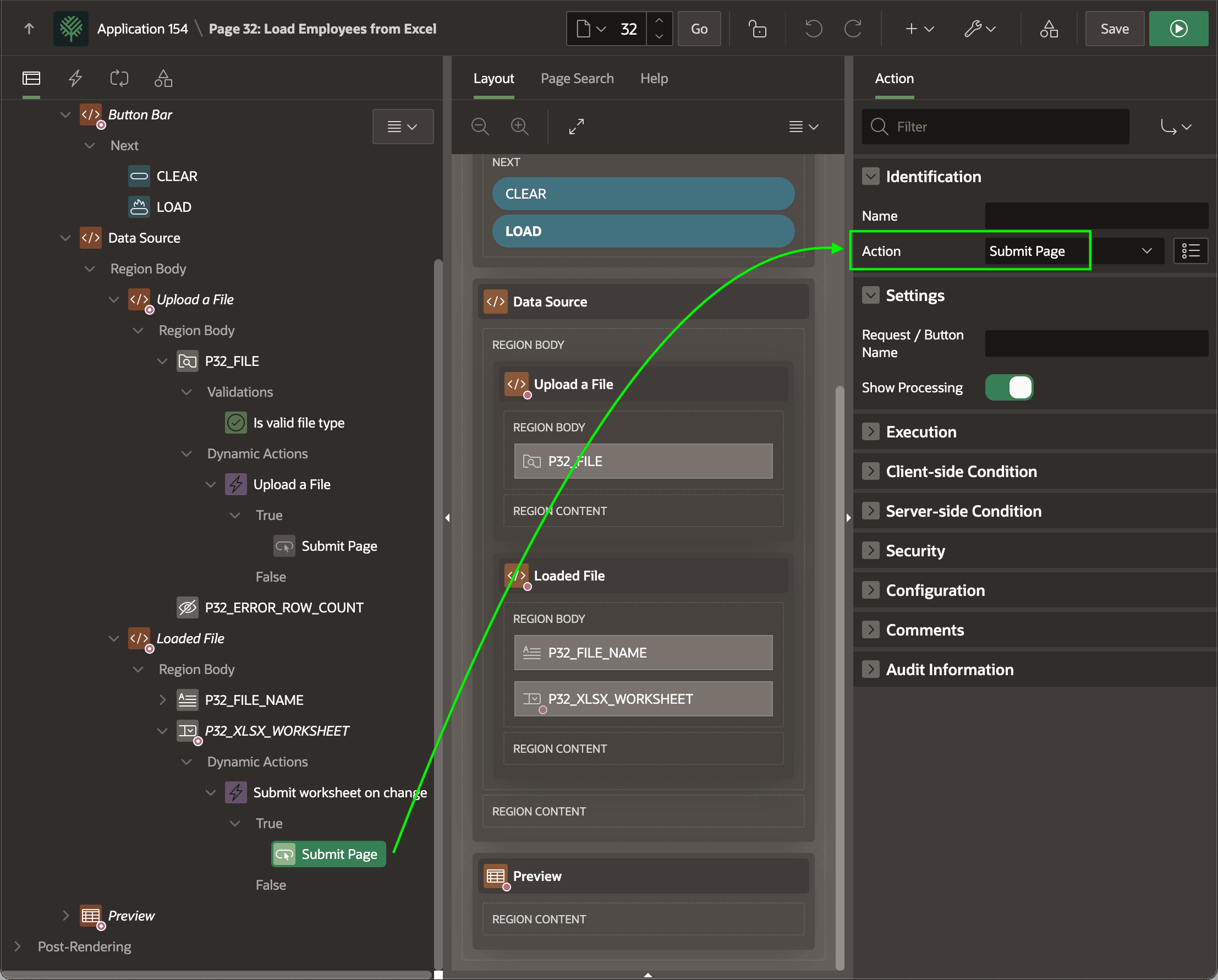
where f.name = :P32_FILESince the data to load is different on each sheet, a dynamic action shown below
reacts to the value change in the P32_XLSX_WORKSHEET_NAME select list
to submit the page. When the page re-renders after this submit, the Preview
region displays the data preview for the newly selected sheet. The figure shows the
Submit Page dynamic action step selected in the components
tree and highlights its Submit Page action.
Figure 17-17 Selecting Worksheet to Load When Multiple Ones Exist
Parent topic: Understanding Data Loading Pages