17.4.3.4 Previewing External Data Before Loading
Understand how the generated Data Loading page previews uploaded data before loading it.
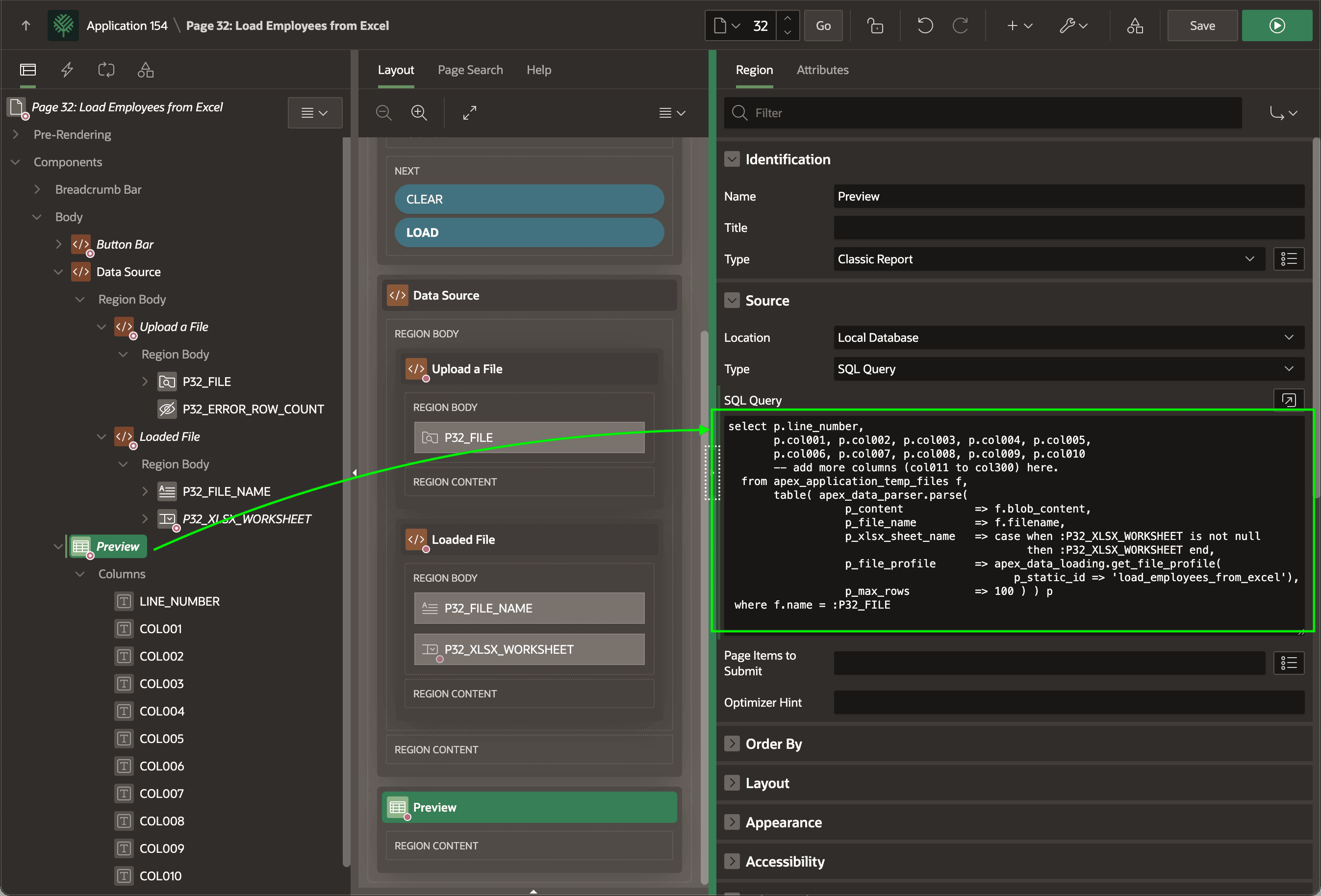
The Preview region is a Classic Report with a server-side condition to
display only when the P32_FILE Item is not null. In
other words, it shows only after the user uploads a file. Its query below shows up to
100 rows of data from the file using APEX_DATA_PARSER.PARSE to read
the data using the file profile in the Data Load Definition with static ID
load_employees_from_excel. The query uses the unique uploaded
file name in the File Upload page item P32_FILE to access the
uploaded spreadsheet BLOB_CONTENT from the
APEX_APPLICATION_TEMP_FILES table. It passes in the
user-selected sheet name by referencing the P32_XLSX_WORKSHEET_NAME
page item.
select p.line_number,
       p.col001, p.col002, p.col003, p.col004, p.col005,
       p.col006, p.col007, p.col008, p.col009, p.col010
       -- add more columns (col011 to col300) here.
  from apex_application_temp_files f,
       table( apex_data_parser.parse(
                  p_content         => f.blob_content,
                  p_file_name       => f.filename,
                  p_xlsx_sheet_name => case when :P32_XLSX_WORKSHEET is not null
                                            then :P32_XLSX_WORKSHEET end,
                  p_file_profile    => apex_data_loading.get_file_profile(
                                          p_static_id => 'load_employees_from_excel'),
                  p_max_rows        => 100 ) ) p
 where f.name = :P32_FILE
The figure shows the Preview classic report region selected in the component tree and highlights its data source SQL query it uses to preview the data from the uploaded file.
Figure 17-18 Previewing the Data to Load with APEX_DATA_PARSER.PARSE
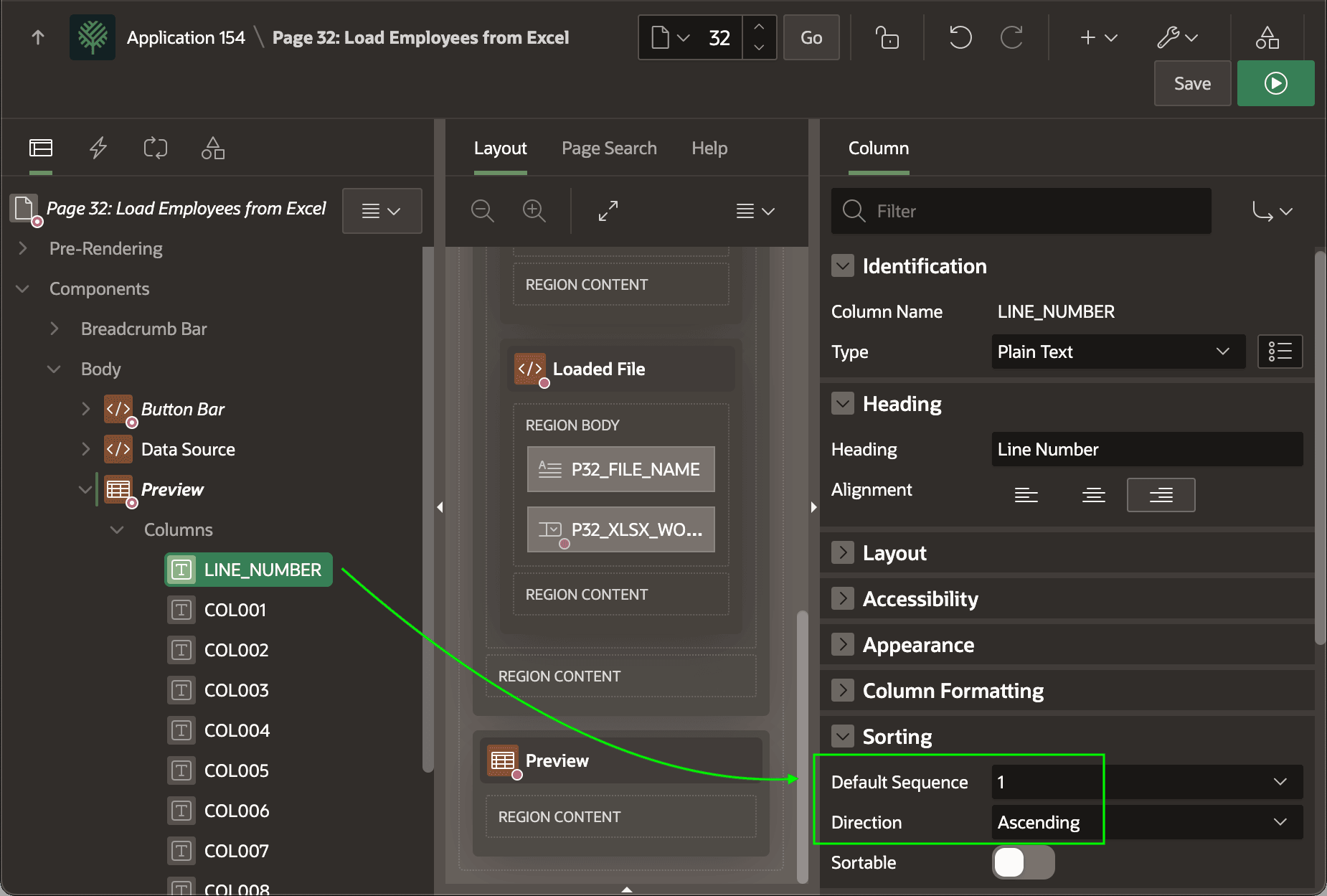
The Preview region has its Heading > Type set to None on the Attributes tab of the Property Editor. As shown below, ensure the Sorting > Default Sequence of the LINE_NUMBER column is set to one (1) with Ascending sort direction so the user sees the data preview in line number order.
Figure 17-19 Ensuring Preview Sorts by Line Number
Parent topic: Understanding Data Loading Pages