3.9.3 Nest Regions to Create Any Layout
A region can contain other regions in addition to its primary content.
Both the Layout pane and the component tree display this relationship. Sub-regions have a Parent Region property you can see and change in the Property Editor. By nesting regions inside other regions and applying the grid layout rules, you can quickly produce any kind of layout.
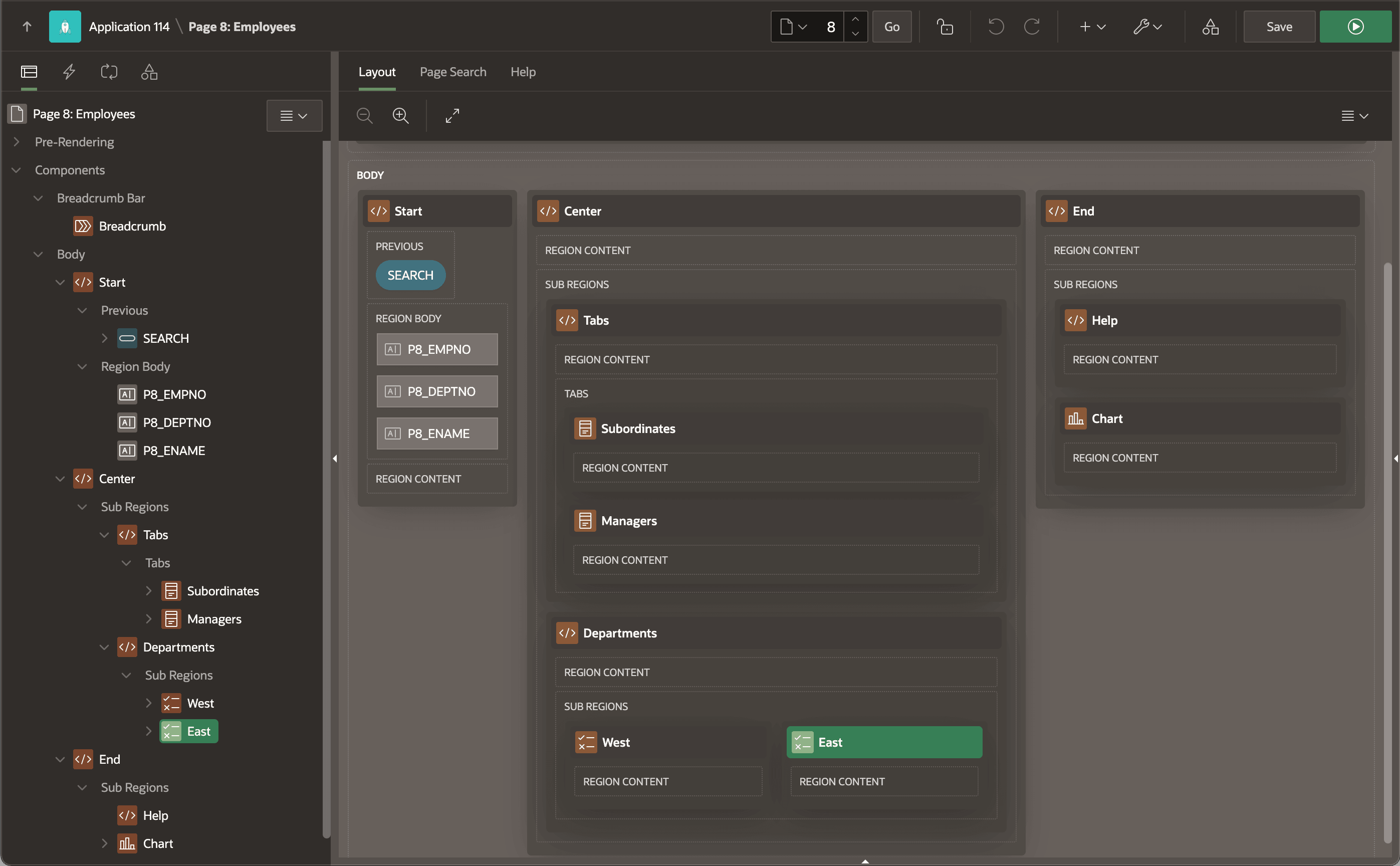
While any region can contain other regions, empty Static Content regions are most common for layout needs. For example, in the figure below, the page's Body slot has three static content regions named Start, Center, and End. Each uses the Blank with Attributes template, so none shows a header or borders. The Start region contains page items in its Body slot, while Center and End act as invisible containers for the regions inside.
These three top-level regions are in the same grid row of the page Body, so you can divide up the space in the 12-column grid by setting each region's Column Span. The Start region has Column Span of two (2) and also contains a (Search) button in its Previous slot. The Center region spans six columns and nests a Tabs region and a Departments region. The End region contains a Help region showing an informational message and a Chart region in two grid rows one above the other. The Tabs region contains two Cards regions: Subordinates and Managers, while Departments nests two Content Row regions in the same row side by side.
Figure 3-62 Regions Can Contain Other Regions and Items
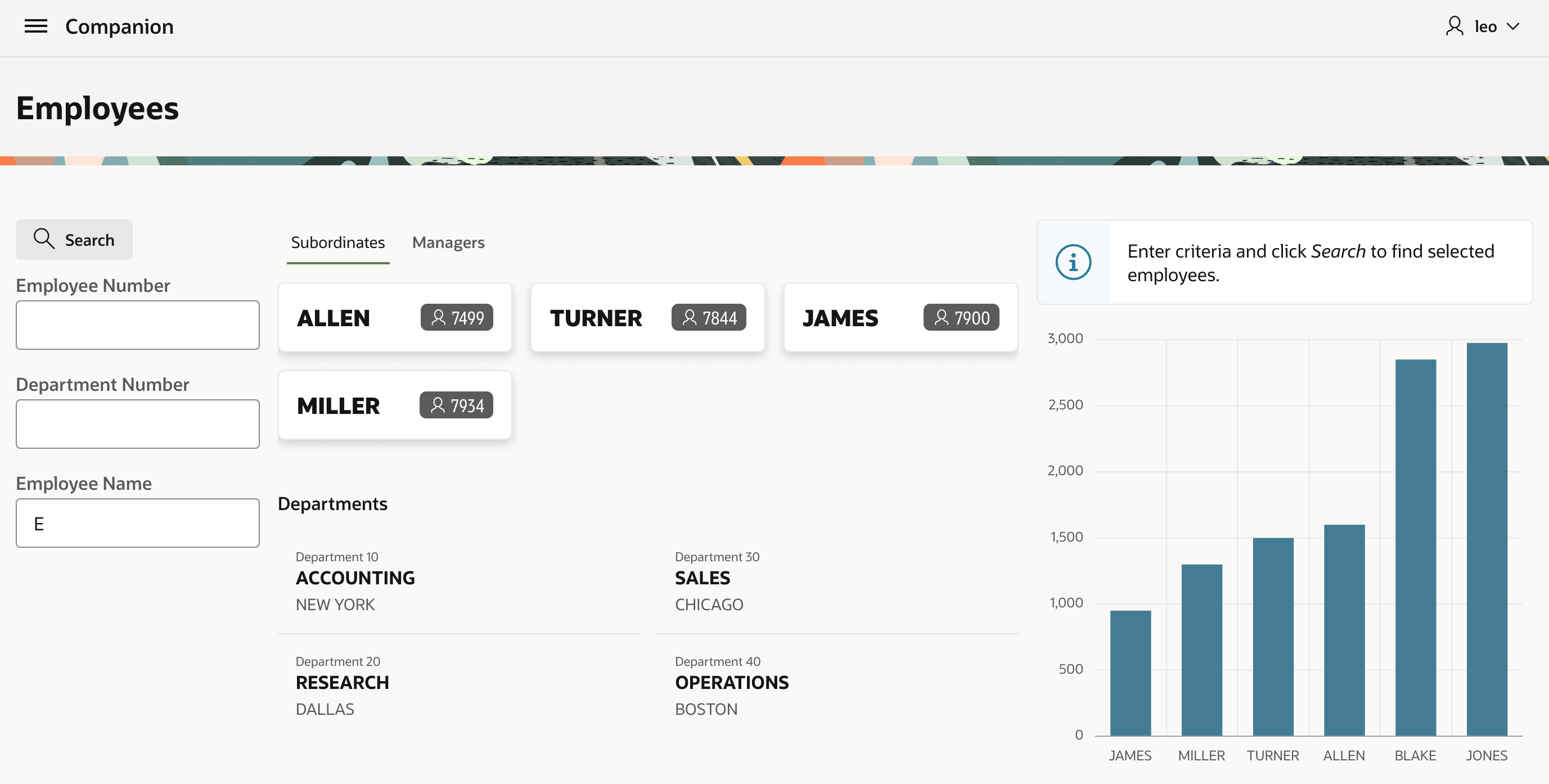
The figure below shows how the page looks at runtime. It shows how the three top-level regions divide up the page's horizontal space according to their column span. Within each one, the nested region content are stacked vertically and horizontally as indicated in Page Designer. You'll quickly develop an intuition for using the grid layout rules with region nesting to create any layout you need to.
Figure 3-63 Responsive APEX Web Page With Nested Regions
Parent topic: Simple Layout for Any Screen Size