25.1.9.2.8 Signaling to Continue and Returning Data
Continue a waiting workflow activity and return submitted values to workflow variables.
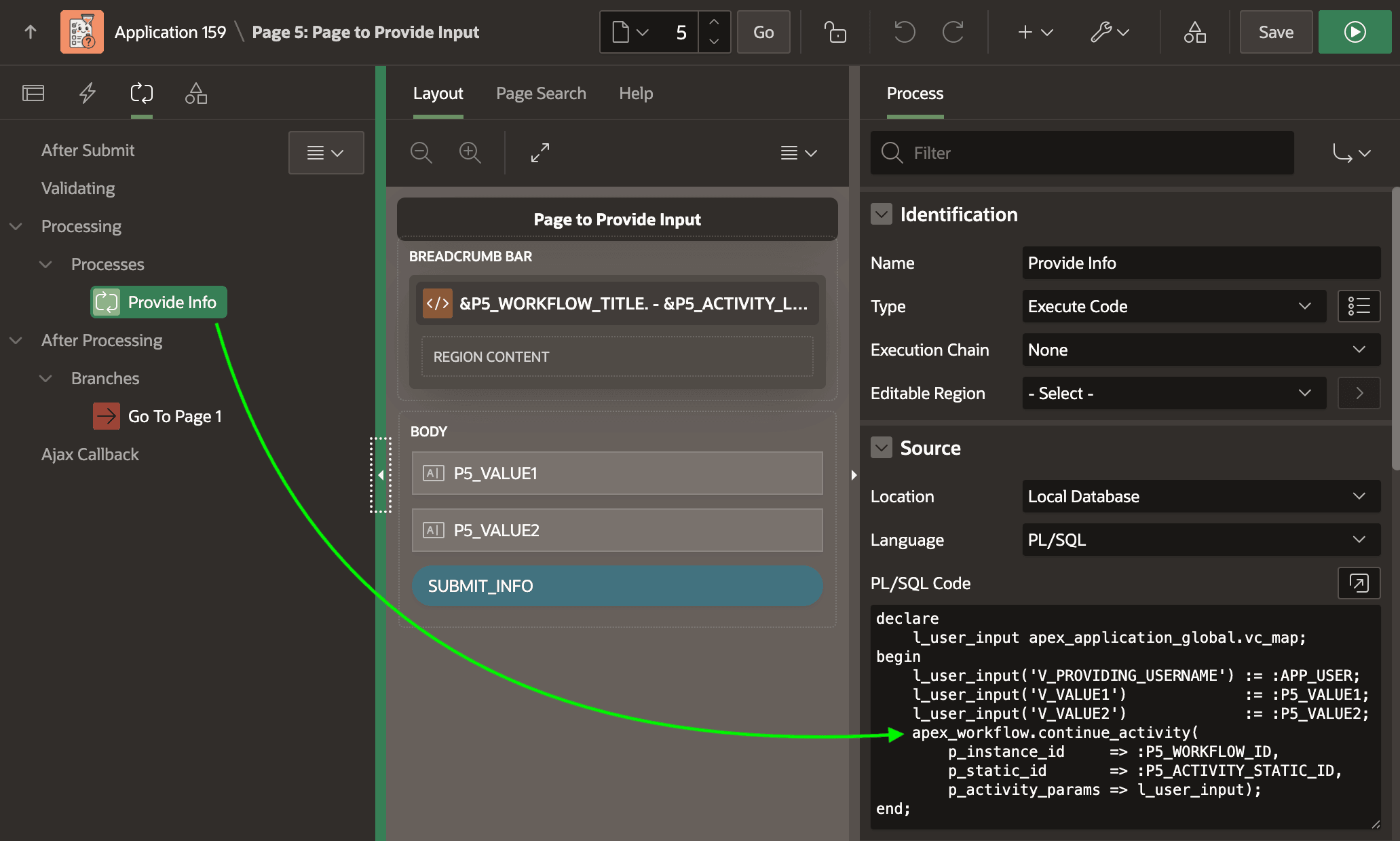
The page below contains hidden page items P5_WORKFLOW_ID and
P5_ACTIVITY_STATIC_ID. When the user clicks the (Submit
Information) button, a Provide Info page process in the Processing
section executes a small block of PL/SQL code.
It first populates a parameter map containing the user's submitted values.
Then it calls CONTINUE_ACTIVITY, passing the workflow ID, activity
static ID, and the parameter map. The map is a set of key/value pairs. Notice that the
keys are the Static ID values of three workflow variables. Any workflow variable
whose Static ID matches a key in the parameter map is assigned its corresponding
value when the activity continues.
declare
    l_user_input apex_application_global.vc_map;
begin
    l_user_input('V_PROVIDING_USERNAME') := :APP_USER;
    l_user_input('V_VALUE1')             := :P5_VALUE1;
    l_user_input('V_VALUE2')             := :P5_VALUE2;
    apex_workflow.continue_activity(
        p_instance_id     => :P5_WORKFLOW_ID,
        p_static_id       => :P5_ACTIVITY_STATIC_ID,
        p_activity_params => l_user_input);
end;
Figure 25-69 Page Process Calls CONTINUE_ACTIVITY, Passing Data in Parameter Map
Tip:
Passing workflow variable values back through the CONTINUE_ACTIVITY procedure is only one way to capture end user input in a workflow. Depending on your use case, your page could instead populate the data into columns of an appropriate application table row directly. Using the workflow ID, you can lookup the primary key value of the associated business entity row by retrieving the DETAIL_PK value from the APEX_WORKFLOWS table where the WORKFLOW_ID equals the value you know.
Parent topic: Waiting for a Signal to Continue