22.3 Understanding Initial Text Message Sync
Understand how the first translation sync replaces inline text with Text Message references.
When adding the first app translation language, App Builder automatically creates a Text Message component for each unique translatable string it finds in all your pages. It also updates every place it found translatable text inline to instead reference a new corresponding text message. Lastly, it creates a mirrored entry for every text message in the new target language. This process is known as synchronizing your application's translatable text. It happens automatically when you add a language. You can also trigger it on-demand later when needed.
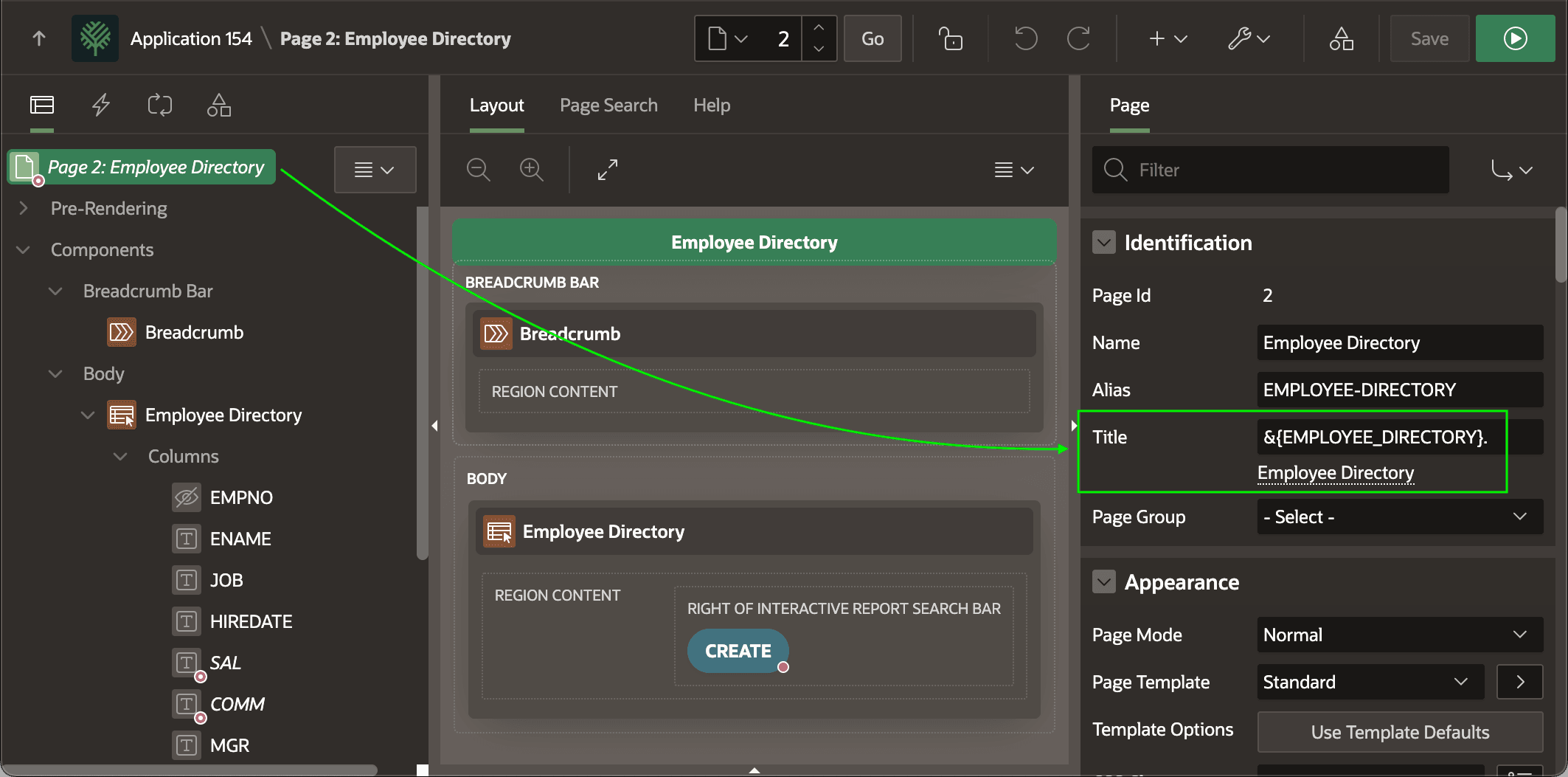
For example, the Employee Directory page's Title property started as the simple, inline text "Employee Directory". As shown below, after adding the first translatable language the Title property now references a new EMPLOYEE_DIRECTORY text message name using the syntax below. Page Designer shows the translated text "Employee Directory" just below in the Property Editor.
&{EMPLOYEE_DIRECTORY}.Figure 22-6 Page Title Changed to Reference Translatable Text Message by Name
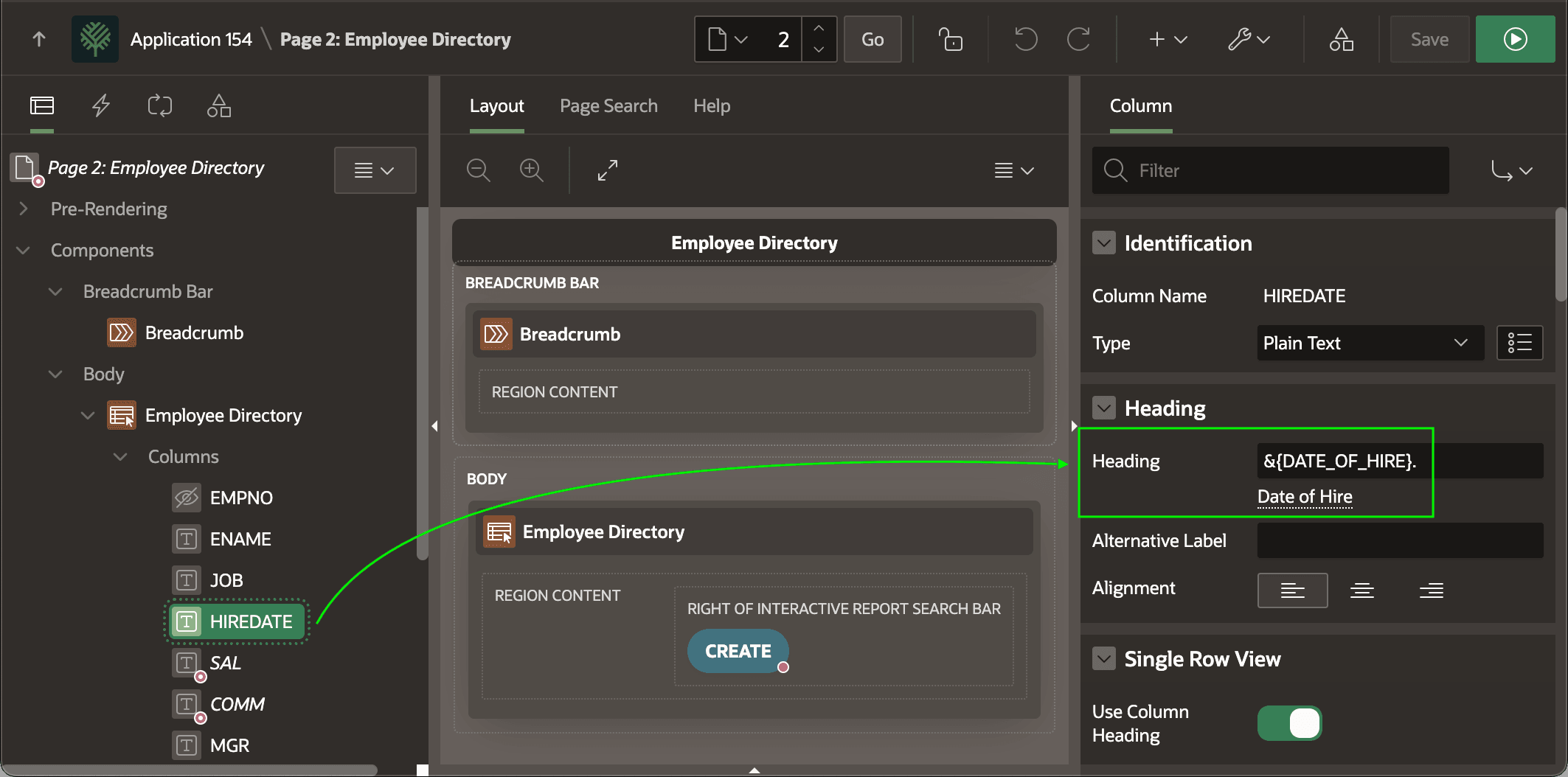
Similarly, column headings on this page like HIREDATE's undergo the same transformation.
Figure 22-7 All Translatable Text Undergoes Same Transformation
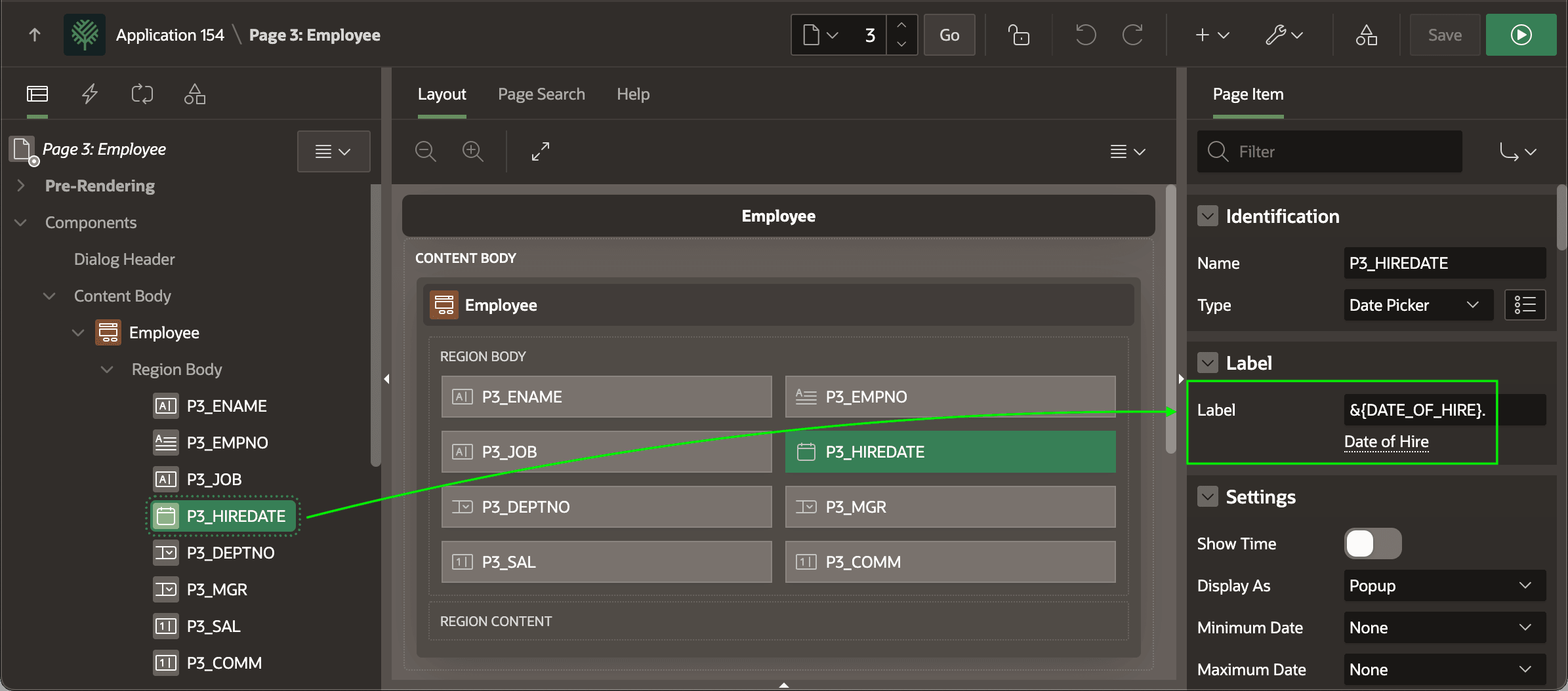
If the exact same text appears in multiple pages, all usages get updated to reference the same Text Message component. For example, the P3_HIREDATE page item on the Employee page now also uses the same DATE_OF_HIRE text message as shown below.
Figure 22-8 Identical Text References the Same Translatable Text Message
Parent topic: Translating Your Application