Explain Plan Settings
You can how execution plans are displayed by using these settings.
Accessing the Explain Plan Settings
To access the Explain Plan Settings right click on a Database Connection node in Server Explorer. Then select Explain Plan Settings. Select the tab for "Explain Plan (grid)" if you wish to modify grid output settings. Select the tab for "Explain Plan (text)" if you wish to modify text output settings.
Using the Explain Plan Settings
The Explain Plan Settings page appears similar to the following:
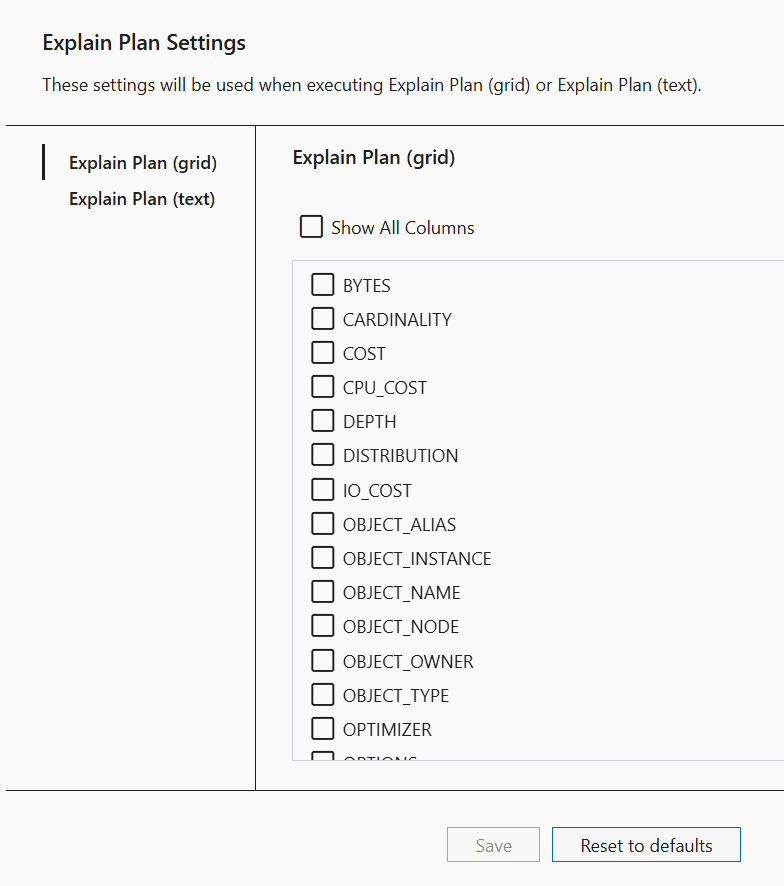
The controls of the Explain Plan Settings page are as follows:
| Control | Description |
|---|---|
|
Show all columns (Grid output only) |
Selects all possible columns |
|
Column checkboxes (Grid output only) |
Select the Explain Plan columns you wish to display |
|
Format Type (Text output only) |
Selects the formatting that is used |
|
Customize keywords (Text output only) |
Enables you to be able to select which keywords you wish to use |
|
Keyword checkboxes (Text output only) |
Select the Explain Plan keywords you wish to display |