6 Workflows
Workflows enable you to design machine learning processes using a drag-and-drop canvas composed of nodes and connectors. Each node represents a task or step in the machine learning workflow. The connectors define the flow between these steps.
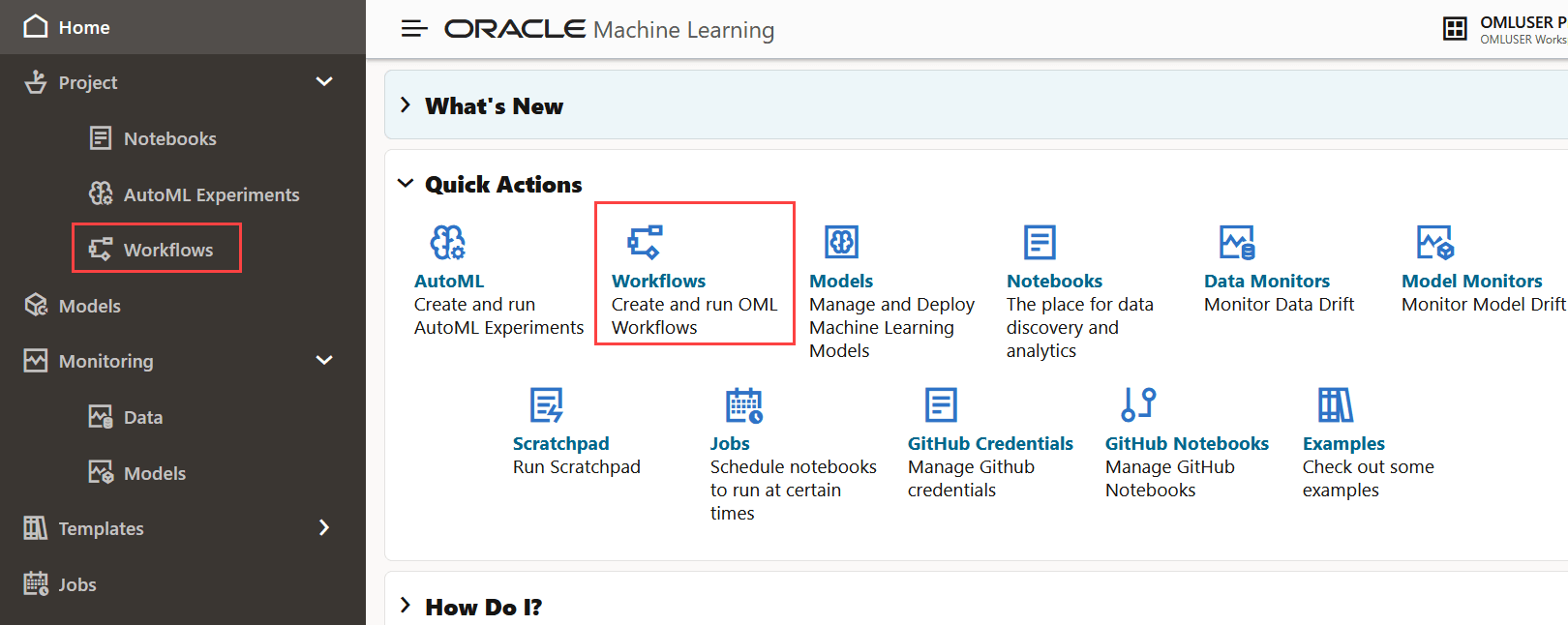
To access Workflows, click Workflows on your OML UI home page. Alternatively, you can select Workflows under Project on the left navigation menu to open the Workflows page.
Figure 6-1 Home page with Workflows icon highlighted
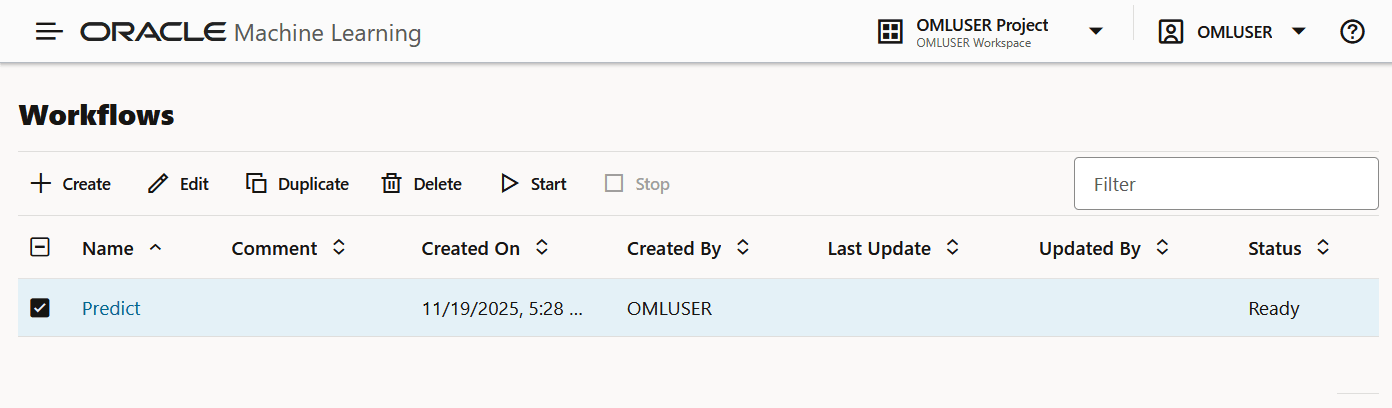
- Create: Click Create to create a new workflow.
- Edit: Select a workflow from the list and click Edit to edit it.
- Duplicate: Select any workflow from the
list and click Duplicate to create a copy. The
duplicated workflow will immediately appear with a
Readystatus. - Delete: Select any workflow from the list and click Delete to remove it. You cannot delete a workflow that is currently running. You must stop it before attempting to delete.
- Start: If you have created a workflow but have not run it, click Start to run the workflow.
- Stop: If a workflow is running, select it and click Stop to halt the running of the workflow.
- High-Level Steps to Create a Workflow
This topic lists the high-level steps to create a workflow. - Create a Workflow
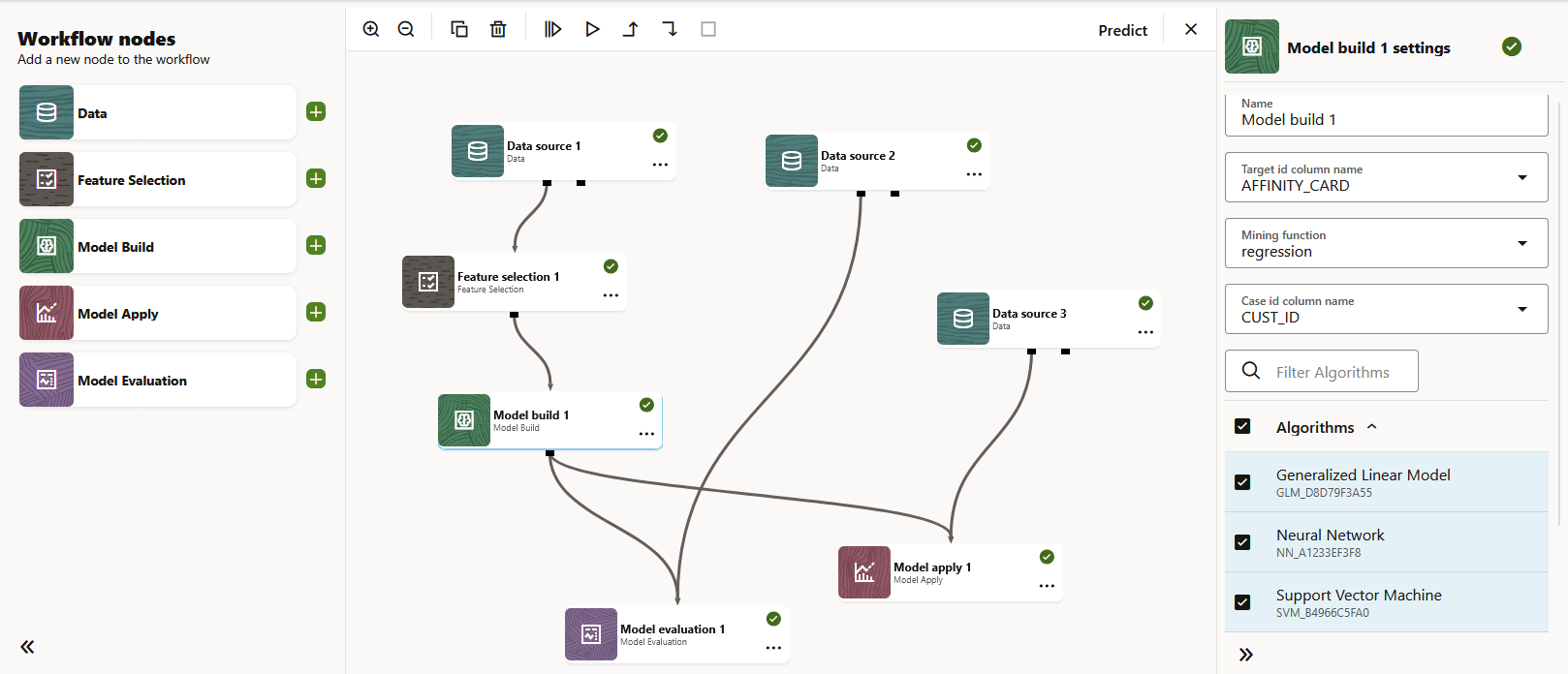
A workflow is a collection of interconnected machine learning tasks or operations, represented by workflow nodes. Each node represents a distinct computational task—such as data import, data transformation, feature selection, model training, model evaluation, or model scoring—within the workflow. Connectors define the sequence and dependencies between nodes. - Workflow Nodes
A workflow node is an individual computational component in a workflow. Each node represents a specific task or operation, such as importing and preparing data, training a model, or evaluating results.
6.1 High-Level Steps to Create a Workflow
This topic lists the high-level steps to create a workflow.
- Open an existing workflow, or click Create on the Workflow listing page.
- Add workflow nodes to the canvas by dragging them from the
palette or by clicking their Add buttons.
Note:
This is a typical flow of nodes. The nodes can be used in multiple ways and you need not use all the nodes in a workflow. - Configure the settings for each node.
- Run the nodes individually, or click Run All to run the entire workflow.
Parent topic: Workflows
6.2 Create a Workflow
A workflow is a collection of interconnected machine learning tasks or operations, represented by workflow nodes. Each node represents a distinct computational task—such as data import, data transformation, feature selection, model training, model evaluation, or model scoring—within the workflow. Connectors define the sequence and dependencies between nodes.
- On the Oracle Machine Learning UI home page, click Workflows. Alternatively, open the
left navigation menu, expand Project and then click
Workflows. This opens the Workflows listing page.
Figure 6-5 Home page with Workflows options highlighted
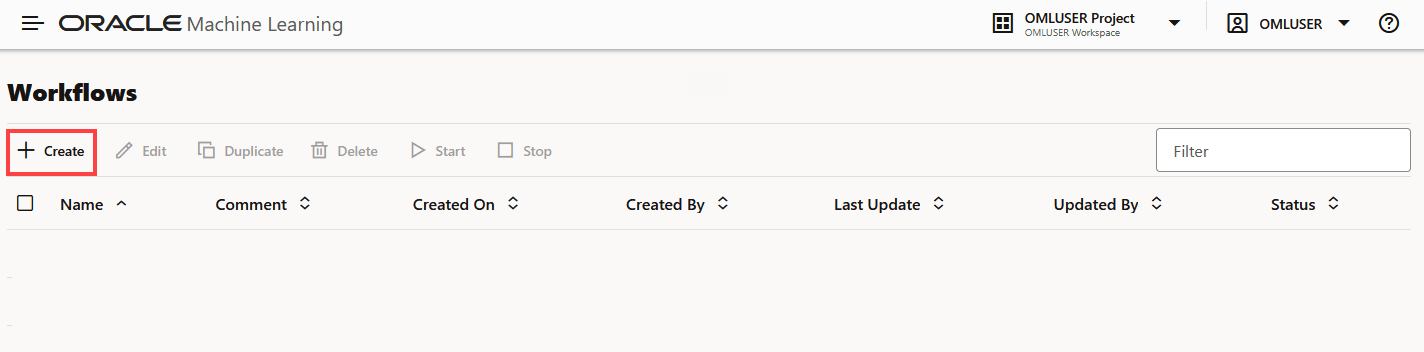
- On the Workflows listing page, click Create.This opens the Create Workflow dialog.
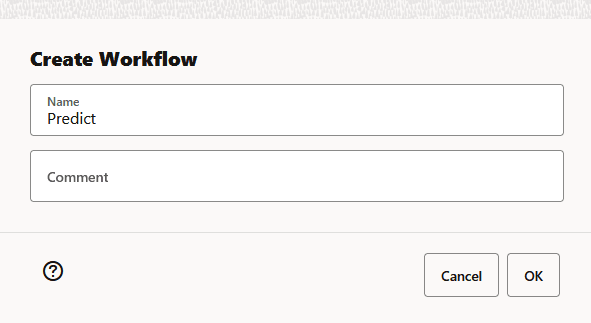
- In the Create Workflow dialog, enter these details:
- Name: Enter a name for the workflow. In this
example, the name of the workflow is
Predict. - Comment: Enter comments, if any.
- Click OK. A blank workflow is created and it
opens in the workflow editor. In the workflow editor, you can drag and
drop the nodes from the Workflow nodes palette to
the canvas, or simply click
 to add the nodes to the canvas and run it.
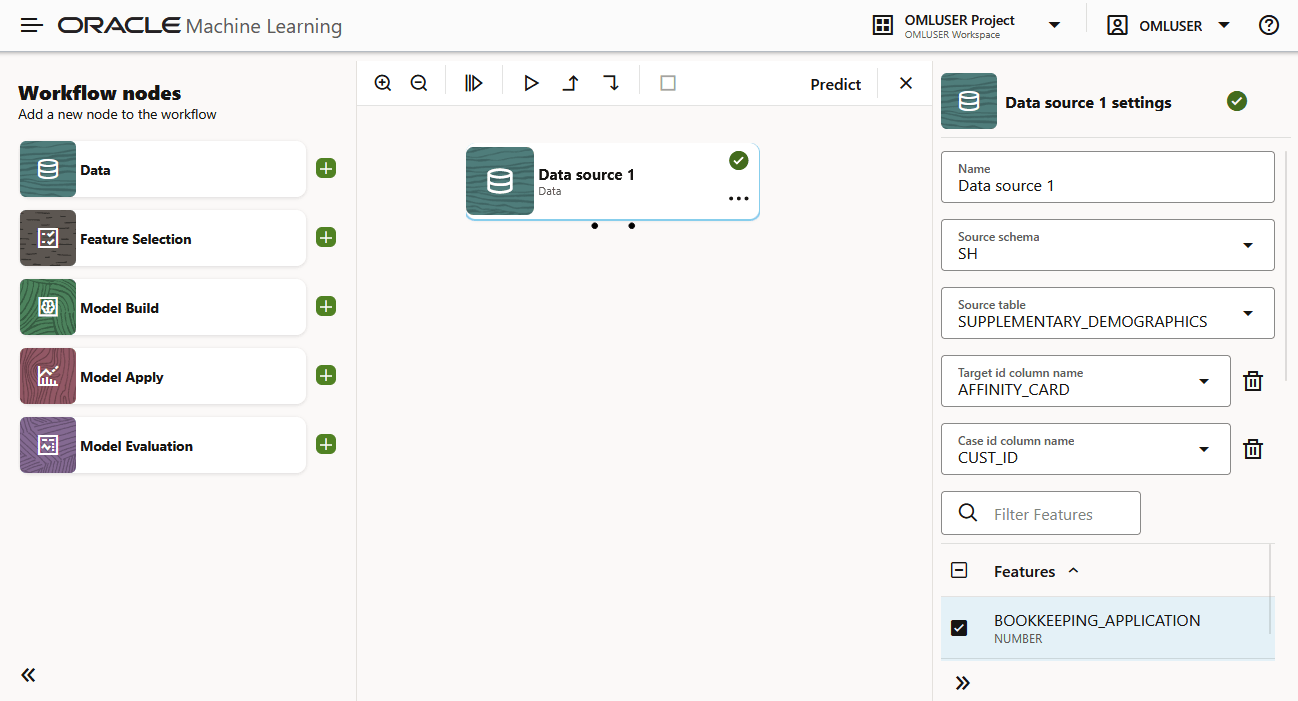
On the Workflows editor:- To the left is the Workflow Nodes palette. This is where all the workflow nodes are available.
- At the center is the canvas. This is where you create a workflow.
- To the right is the Settings pane.
This pane opens specific settings for the nodes that you select. By
default, this pane is collapsed. Click
 to expand the pane. In the screenshot above, the Model apply
node is selected, and the settings pane of this node is visible to the
right.
to expand the pane. In the screenshot above, the Model apply
node is selected, and the settings pane of this node is visible to the
right.
- At the top is the canvas toolbar.

- Click
 for a broader view of the canvas.
- Click
 for a closer view of the canvas.
- Click
 to run all the nodes in the workflow.
Note:
To use this option, ensure that all the nodes in the workflow are defined correctly. - Click
 to run a selected node.
- Click
 to run the nodes with dependencies—run all parents
nodes (upstream nodes in the workflow) along with selected
nodes, if any.
to run the nodes with dependencies—run all parents
nodes (upstream nodes in the workflow) along with selected
nodes, if any.
- Click
 to run the node with dependents—run children nodes
(downstream nodes) along with selected nodes, if any.
to run the node with dependents—run children nodes
(downstream nodes) along with selected nodes, if any.
- Click
 to stop a workflow or a node that is running.
- Click
 to exit the canvas. This takes you back to the
Workflows listing page.
to exit the canvas. This takes you back to the
Workflows listing page.
- Click
- Name: Enter a name for the workflow. In this
example, the name of the workflow is
Parent topic: Workflows
6.3 Workflow Nodes
A workflow node is an individual computational component in a workflow. Each node represents a specific task or operation, such as importing and preparing data, training a model, or evaluating results.
- Data Source Node: Specifies the workflow’s data source (schema and table). This node supports data-related tasks such as data import, data splitting, and computing basic statistics. It typically serves as the starting point of the workflow.
- Feature Selection Node: Identifies and selects a subset of the most important features (columns) to help improve model performance. This node evaluates attribute importance during model training.
- Model Build Node: Trains machine learning or statistical models using supported algorithms. This node manages model training and model creation for downstream evaluation and scoring.
- Model Evaluation Node: Measures model performance by running evaluation tasks.
- Model Apply Node: Applies a trained model to input data to generate predictions or scores.
- Open an existing workflow, or click Create on the Workflow listing page.
- Drag and drop the required workflow nodes from the palette onto the canvas.
- Configure settings for each node as needed.
- Run individual nodes or click Run all to run the entire workflow.
- Data Source Node
The Data source node defines the workflow’s data source by specifying the schema and table. It supports data-related tasks such as data import, data splitting, and basic statistical computations. This node typically serves as the starting point of a workflow. - Feature Selection Node
The Feature Selection node selects a subset of relevant features (columns) to help improve model performance. It uses attribute-importance results generated during model training to guide feature selection. - Model Build Node
The Model Build node builds and trains machine learning or statistical models using supported algorithms. - Model Evaluation Node
The Model Evaluation node evaluates model performance using available evaluation metrics and reports. - Model Apply Node
The Model Apply node applies a trained model to input data to generate predictions or scores. - Deploy a model
Deploying a model creates an Oracle Machine Learning Services endpoint that can be used for scoring.
Parent topic: Workflows
6.3.1 Data Source Node
The Data source node defines the workflow’s data source by specifying the schema and table. It supports data-related tasks such as data import, data splitting, and basic statistical computations. This node typically serves as the starting point of a workflow.
- Upstream node: None
- Downstream node: Feature Selection node, Model Build node, Model Evaluation node
- On the Workflows editor, drag and drop the
Data Source node from the palette to the canvas. Alternatively, you may also click icon next to the Data Source node to add it to the canvas.
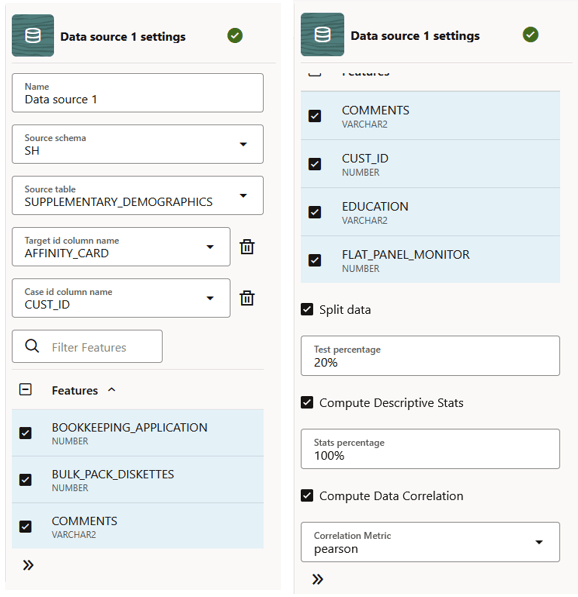
- Adding a node automatically opens the settings pane on the right.Here, define the data source:
- After defining the node, click on the ellipses on the node or right-click to open the
menu. Click Run. Once the node runs successfully, it is indicated by the
 icon.
icon.
Note:
You also have the option to add all the nodes to the workflow first, define the settings and connections for each node, and then run all the nodes by clicking Run all. - Click on the ellipses on the node or right click on the node and click
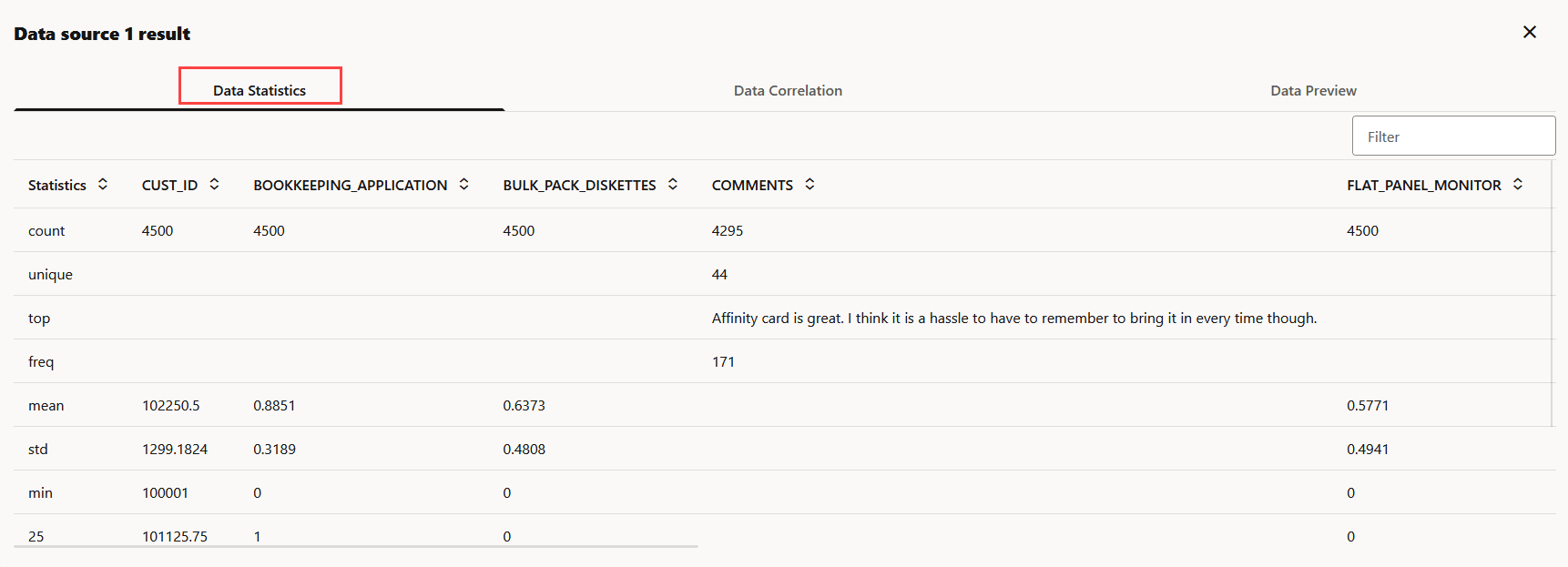
Results to to view the results.
- The Data Statistics tab displays the basic statistics computed for the selected features (columns). The computed statistics are Distinct Count, Number of Unique values, Top N, Frequent values, Mean, Std deviation, Min, 25, 50, 75 quantiles, and Max.
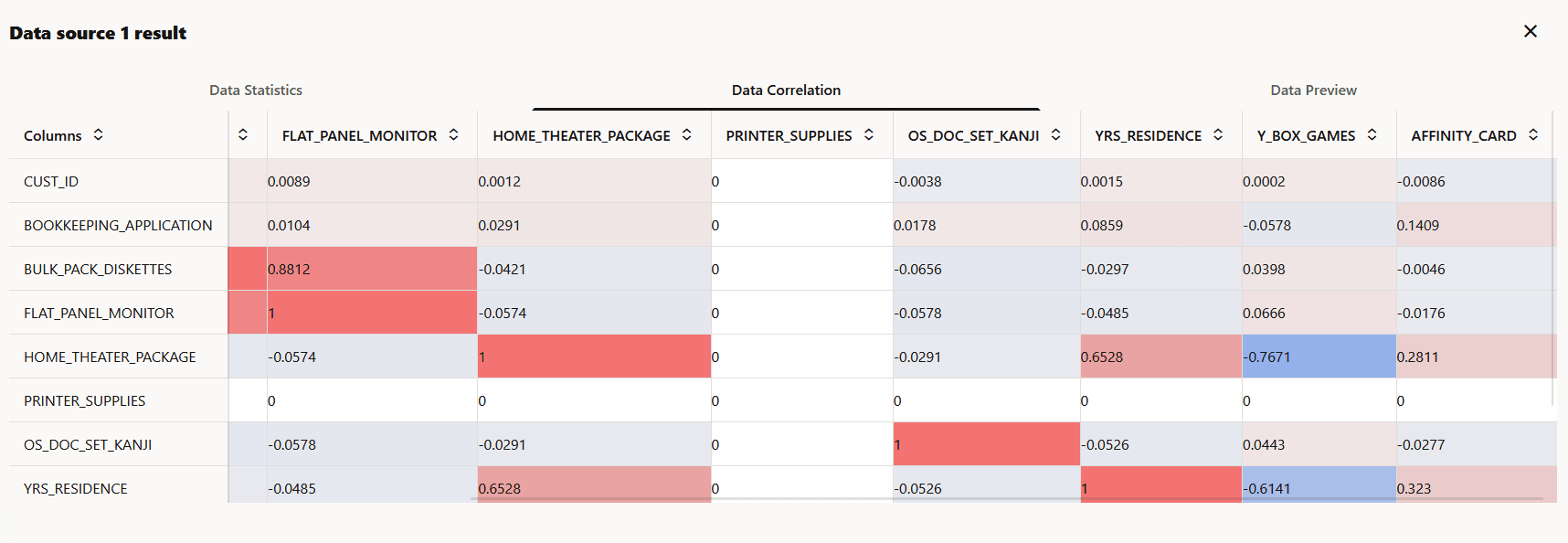
- The Data Correlation tab displays the
correlation level between the columns. Positive values indicate positive correlation,
and the different shades of red indicate the different levels of positive correlation.
Negative values indicate negative correlation, and the different shades of blue indicate
the levels of negative correlation. A value of
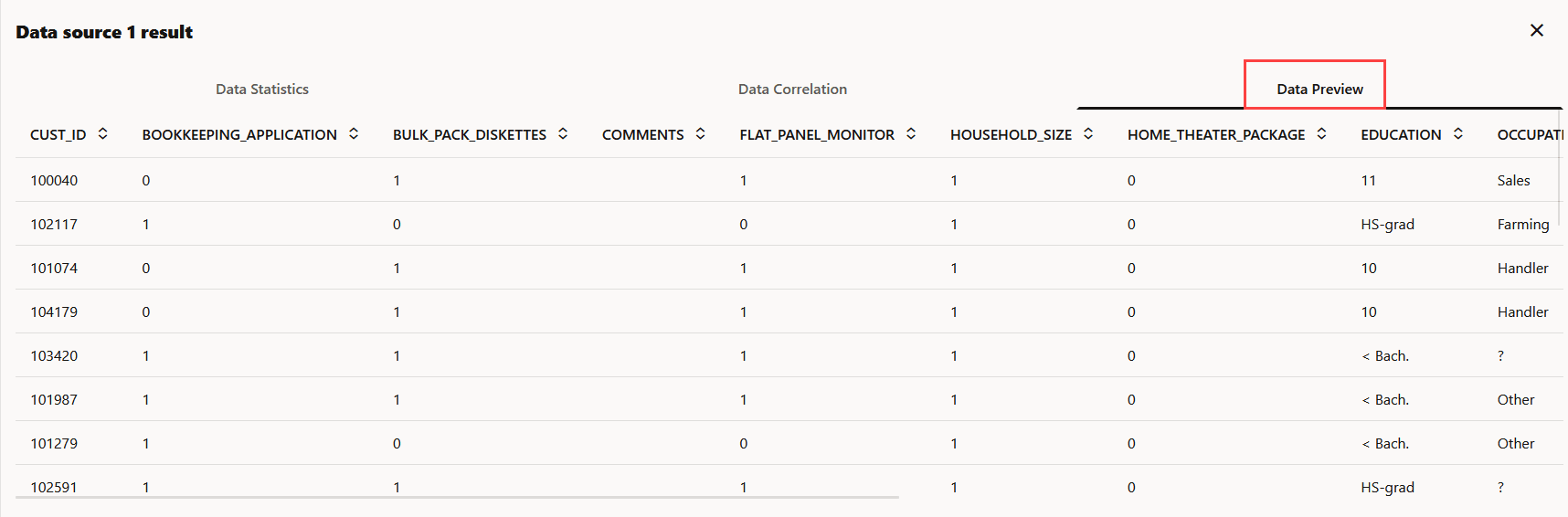
1indicates perfect positive correlation and a value of-1indicates perfect negative correlation. See screenshot below: - The Data Preview tab shows the preview of the data set used for the workflow.
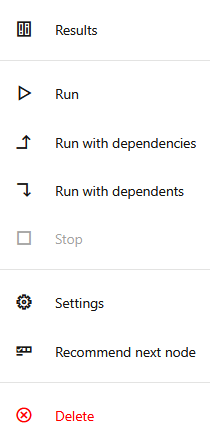
- You may now proceed to add the next node in the flow. If you need suggestions, click
the ellipses on the Data Source node or right-click to open the available options, and
click Recommend next node. The applicable nodes are displayed.
Click on the one that applies to add it to the canvas. Here you have two options:
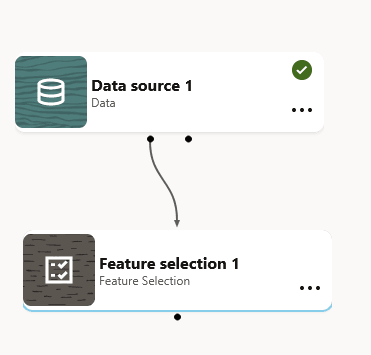
- Add node manually: Drag and drop the node from the palette to the canvas. In this example, the Feature Selection node is added. You must now connect the Data Source node to the Feature Selection node. For this, click on the connection port indicated by the dot on the Upstream node. A connector appears. Drag the connector to the downstream node to establish the connection.
- Click Recommend next node: Click this option to view the list of recommended nodes.
Parent topic: Workflow Nodes
6.3.2 Feature Selection Node
The Feature Selection node selects a subset of relevant features (columns) to help improve model performance. It uses attribute-importance results generated during model training to guide feature selection.
- Upstream node: Data Source node
- Downstream nodes: Feature Selection Node, Model Evaluation node, Model Apply node
- You can add the Feature Selection node to the workflow in two ways:
- From the workflow palette, drag and drop the Feature
Selection node to the canvas. Alternatively, you may also click on the node.
- You may also click Recommend next node on the
upstream node (Data Source node) and then click Feature
Selection.
Note:
Using the Recommend next node option automatically connects the nodes.
- From the workflow palette, drag and drop the Feature
Selection node to the canvas. Alternatively, you may also click
- If you manually add the node, you must establish a connection from the Data Source node
(upstream node) to the Feature Selection node (downstream node). For this, click on the
connection port indicated by the dot on the Upstream node. A connector appears. Drag the
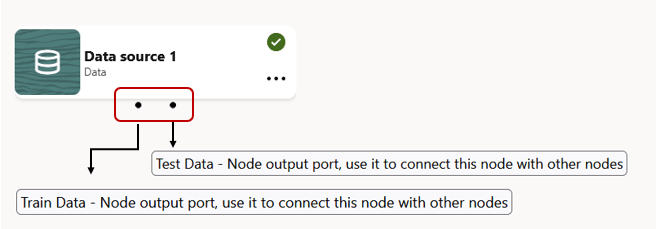
connector to the downstream node to establish the connection. The Data Source node has two connection ports. The one on the left is for Train dataset, and the one on the right is for Test dataset.
Figure 6-16 Connection ports on a Data Source node
- Once you connect the nodes, click on the Feature Selection node
to open the settings. If the Settings pane is not visible, click at the bottom to expand the pane.
Figure 6-17 Data Source and Feature Selection node connection
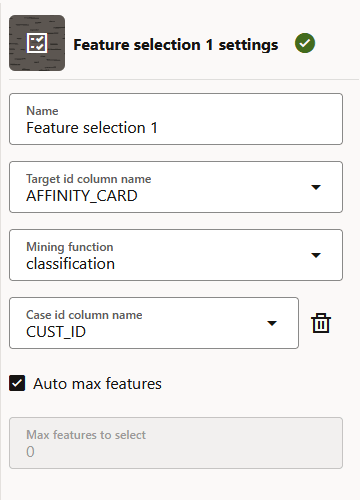
- On the Settings pane, define the settings for the node.
Figure 6-18 Settings - Feature Selection node
In this example,AFFINITY_CARDis selected as the target id column name andCUST_IDis the Case id column. The Mining function selected isClassification. The selection of mining function is automatic. It depends on the target you selected. However, you can override it. - Right click on the node or click on the ellipses and then click
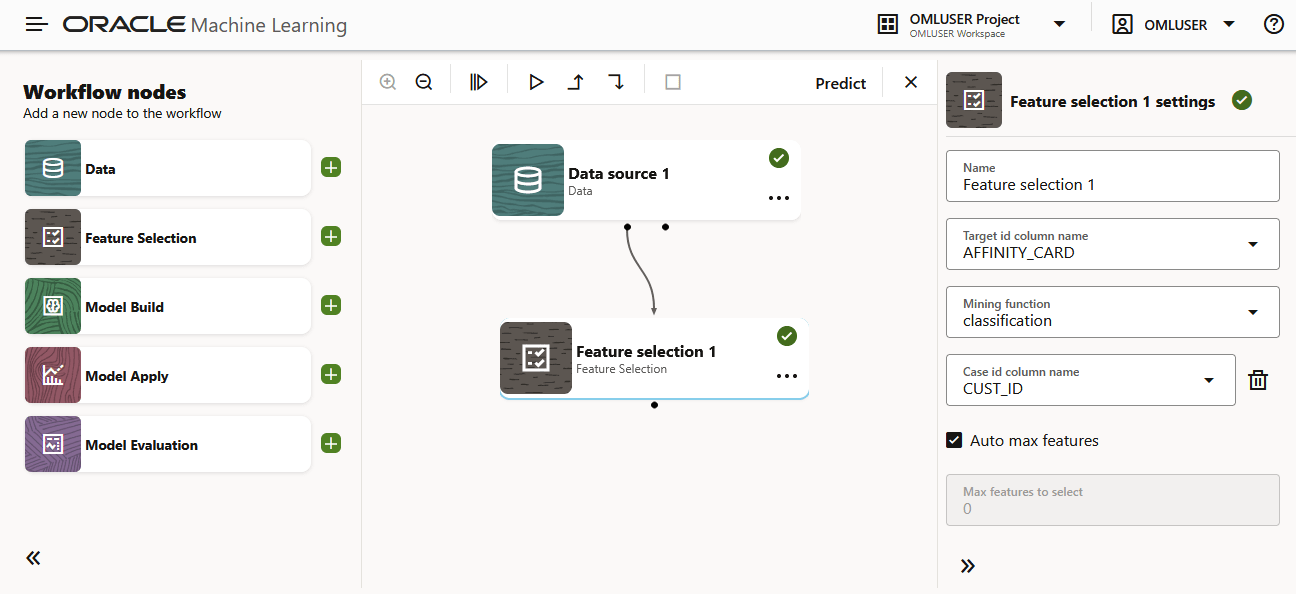
Run. Once the node runs successfully, it is indicated by the
icon, as shown in the screenshot below.
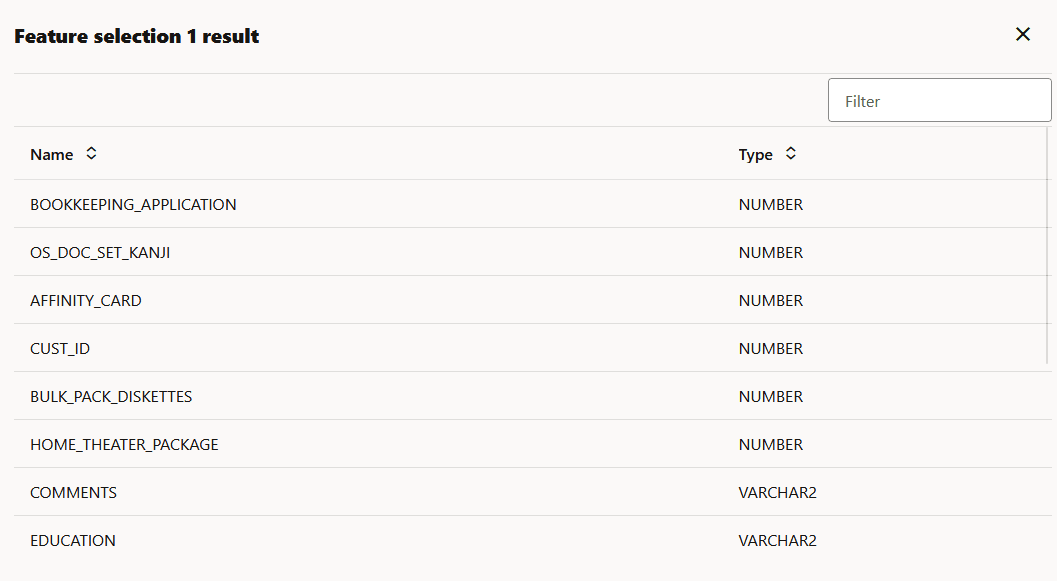
- Once the node is run successfully, right-click on the node and then click
Results to view the results.
- You may now add the next node in the workflow. If you need suggestions, right-click on
the node, and click Recommend next node to proceed with the
workflow. The recommended next node is the Model Build node.
Parent topic: Workflow Nodes
6.3.3 Model Build Node
The Model Build node builds and trains machine learning or statistical models using supported algorithms.
- Upstream nodes: Data Source node, Feature Selection node
- Downstream nodes: Model Evaluation node, Model Apply node
- From the Upstream node (Feature Selection node), establish a
connection to the Model Build node.
For this, click on the connection port indicated by the dot
on the Upstream node. A connector appears. Drag the
connector to the downstream node to establish the
connection.
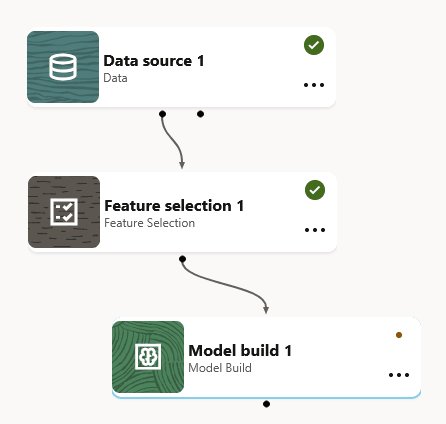
Figure 6-22 Model Build node in the workflow
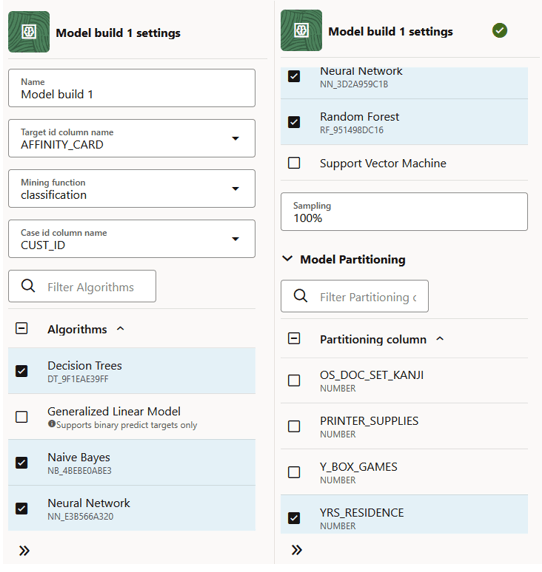
- Once you connect the nodes, define the settings. Click on the
Model Build node to open the
settings pane. If the Settings pane is not visible, click
on the bottom right to expand the pane. For the Model Build settings, the value for Target ID column name is set to
AFFINITY_CARD, Mining Function is set toClassification, Case ID isCUST_ID, Algorithms selected are Decision Tree, Naive Bayes, Neural Network, and Random Forest, andYRS_RESIDENCEis selected as the Partitioning column. The selection of mining function is automatic. It depends on the target you selected. However, you can override it. - Right click on the node or click on the ellipses, and then
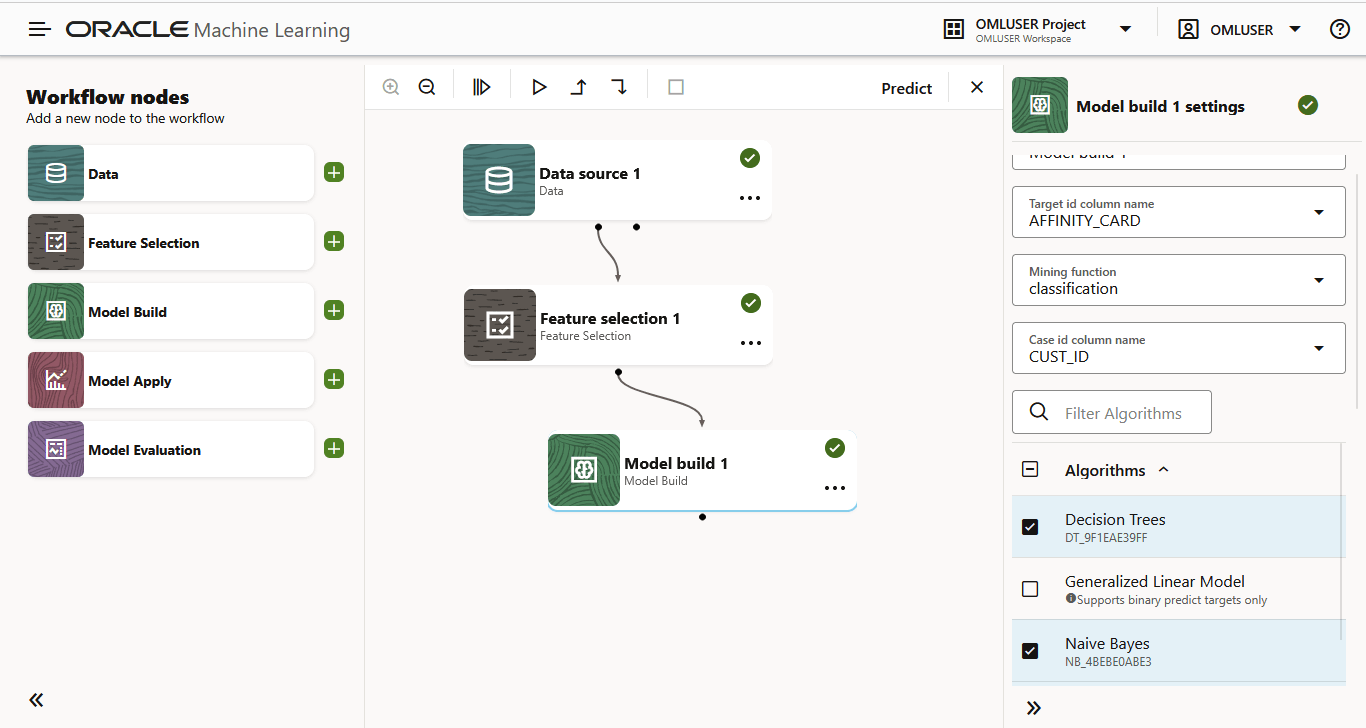
click Run. Once the node runs
successfully, it is indicated by the icon, as shown in the screenshot below.
Figure 6-24 Model Build node in the workflow
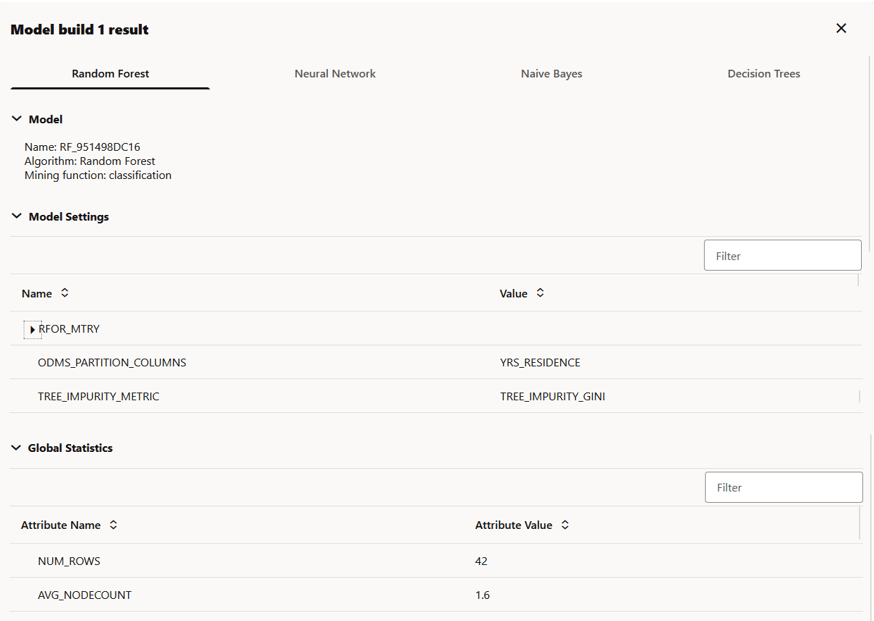
- Once the node is run successfully, right-click on the node and
then click Results to view the
results. The results computed by the selected algorithms are
displayed in respective tabs, as shown in the screenshot
here. The results for each algorithm are displayed in separate tabs. In this example, the results are displayed in separate tabs by the name—Random Forest, Neural Network, Naive Bayes, and Decision Tree. These are the algorithm selected in the settings for this node. Each tab displays the Model Details (model name, algorithm, mining function), Model Settings for the specific algorithm, and Global Statistics containing the attributes and attribute values, as shown in the screenshot above.
Note:
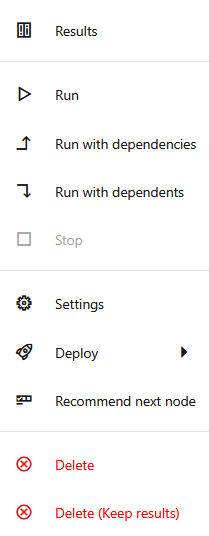
You cannot rename the underlying model. However, you can assign a name to a model deployed to OML Services. - You may now add the next node in the workflow. If you need
suggestions, right-click on the node and click
Recommend next node to
proceed with the workflow.The recommended next nodes are Model Evaluation node and Model Apply node.
Figure 6-26 Model Build node right-click options
On the Model Build node, you also have the option to Deploy the model.See Deploy a model for more information.
Parent topic: Workflow Nodes
6.3.4 Model Evaluation Node
The Model Evaluation node evaluates model performance using available evaluation metrics and reports.
- Upstream nodes: Data Source node, Model Build Node
- Downstream nodes: None
- In the Workflow editor, drag and drop a Model Evaluation
node from the palette to the canvas. Alternatively, you may also
click on the node.
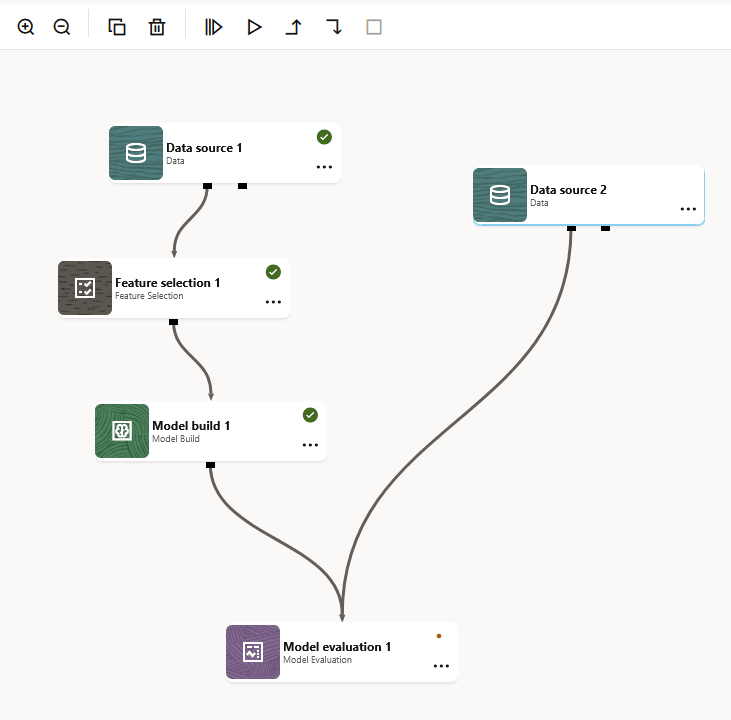
- Drag and drop another Data Source node and establish a connection to the Model
Evaluation node. Define the second Data Source node with the same settings.
Note:
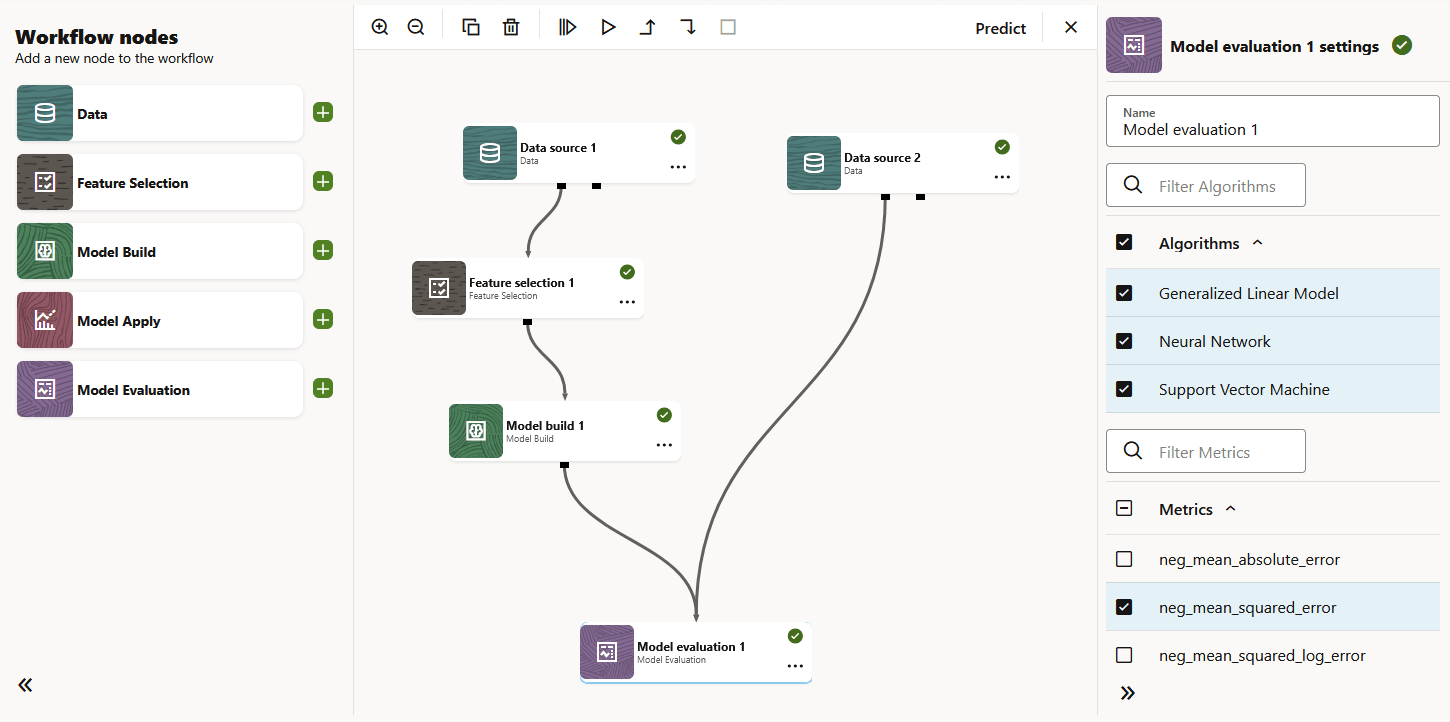
The second nub on theData source 1node can be a test data set for model evaluation. - Once you connect the nodes, define the settings. Click on the node to open the
settings pane. If the Settings pane is not visible, click at the bottom to expand the pane.
- Right click on the node or click on the ellipses and then click
Run. Once the node runs successfully, it is indicated
by the icon, as shown in the screenshot below.
Figure 6-28 Model Evaluation node in the workflow
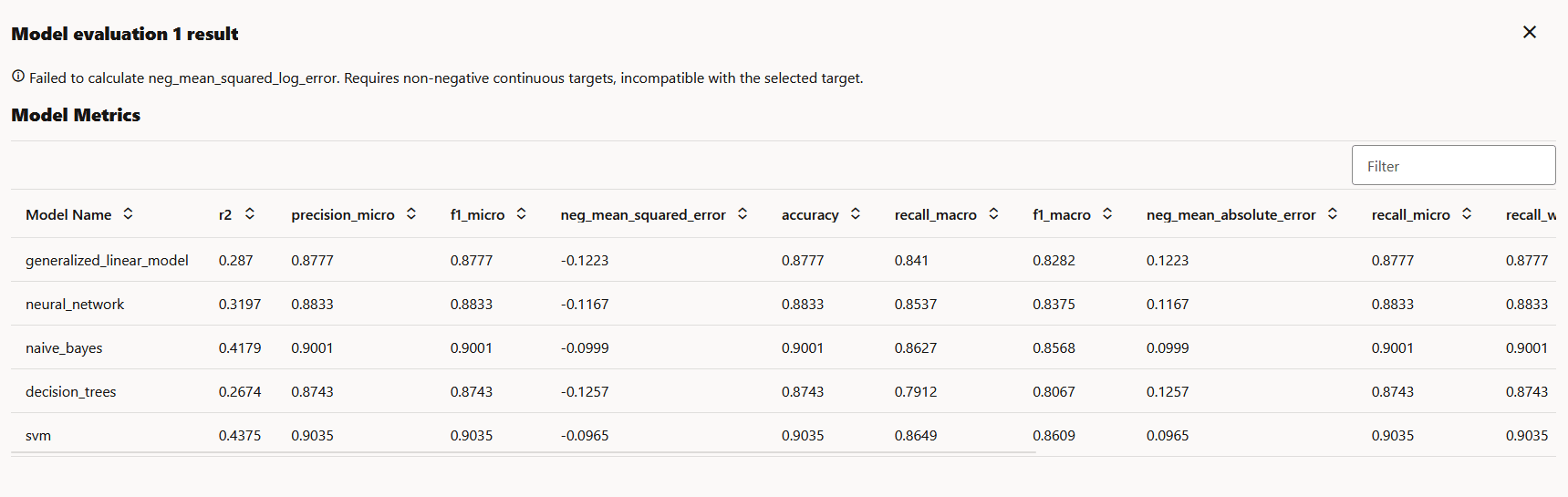
- Once the node is run successfully, right-click on the node and then click
Results to view the results.
Figure 6-29 Results - Model Evaluation node
Note:
The Model Evaluation node is a terminal node. You cannot add any downstream nodes to it.
Parent topic: Workflow Nodes
6.3.5 Model Apply Node
The Model Apply node applies a trained model to input data to generate predictions or scores.
- Upstream node: Data Source node, Model Build node.
- Downstream node: None.
- From the workflow palette, drag and drop the Model Apply node
to the canvas. Alternatively, you may also click on the node on the palette.
- Drag and drop another Data Source node to the palette.
Establish a connection from the Upstream node (Data Source
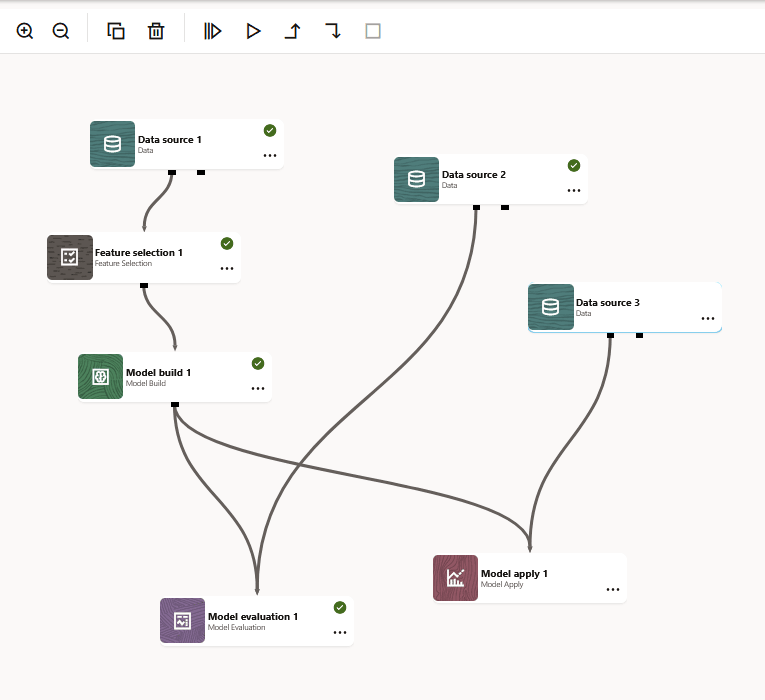
node) to the Downstream node (Model Apply node).You may add additional Data Source nodes for test and train datasets, as shown in the screenshot here.
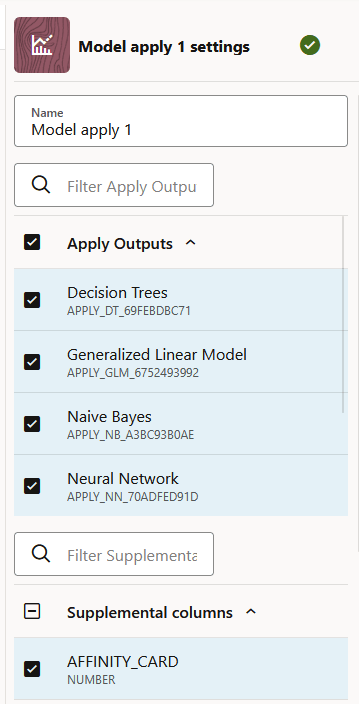
- Once you connect the nodes, define the settings. Click on the
node to open the settings pane. If the Settings pane is not
visible, click on the bottom right to expand the pane.
- Right click on the node or click on the ellipses and then click
Run. Once the node runs
successfully, it is indicated by the icon, as shown in the screenshot below.
Figure 6-32 Model Apply node in the workflow
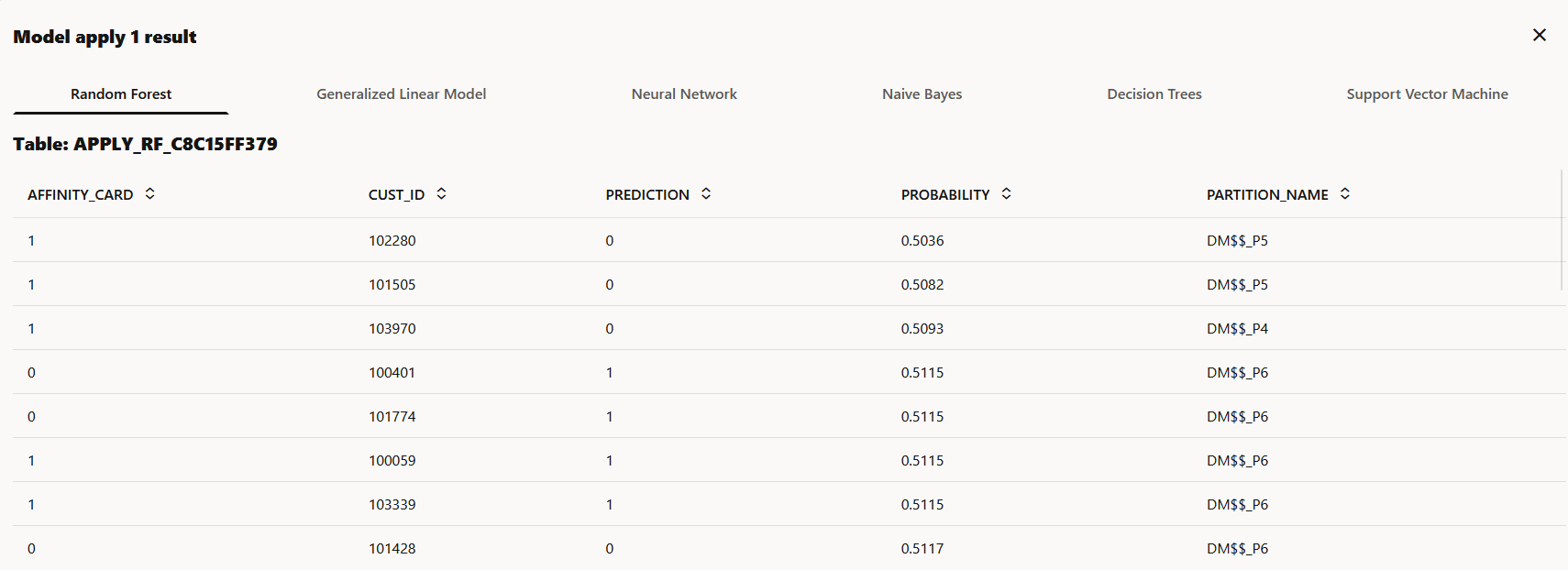
- Once the node is run successfully, right-click on the node and
then click Results to view the
results.
Note:
The Model Apply node is a terminal node. You cannot add any downstream nodes to it.
Parent topic: Workflow Nodes
6.3.6 Deploy a model
Deploying a model creates an Oracle Machine Learning Services endpoint that can be used for scoring.
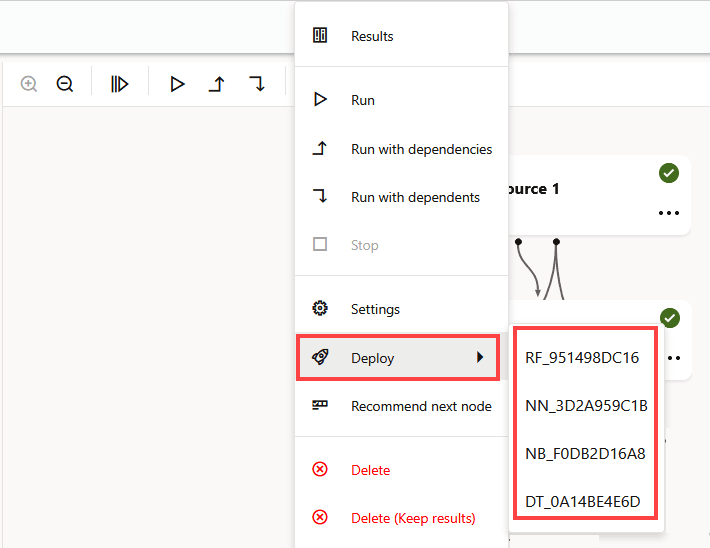
- Click Deploy. The models are listed.
Figure 6-34 Deploy option in Model Build node
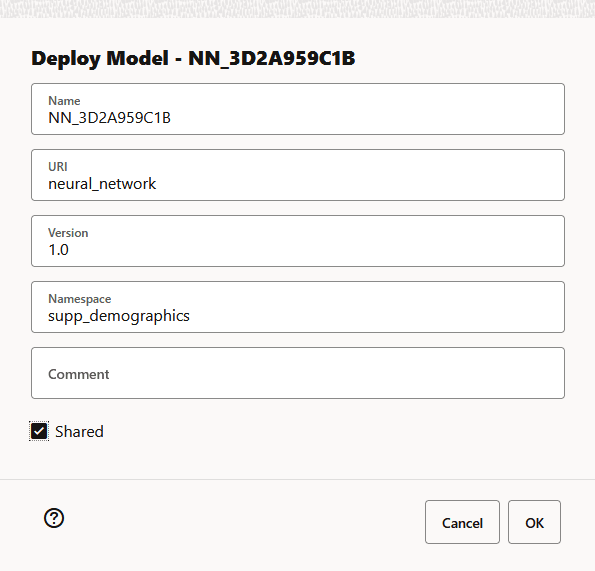
- In the Deploy Model dialog, define the following:
- In the Name field, the system-generated model name is displayed here by default. This is the name the model for use in OML Services. The in-database model name remains unchanged. You can edit this name, which must be a unique alphanumeric name with maximum 50 characters.
- In the URI field, enter a name for the model
URI. The URI must be alphanumeric, and the length must be max 200
characters. In the example here, the
neural_networkis the name provided for URI. - In the Version field, enter a version of the
model. The version must be in the format
x.xwherexis a number. - In the
Namespacefield, enter a name for the model namespace. In the example here,supp_demographicsis the name provided for Namespace. This is an optional field. - In the Comments field, you may enter any comments.
- Click Shared to allow users with access to the database schema to view and deploy the model.
- Click OK.
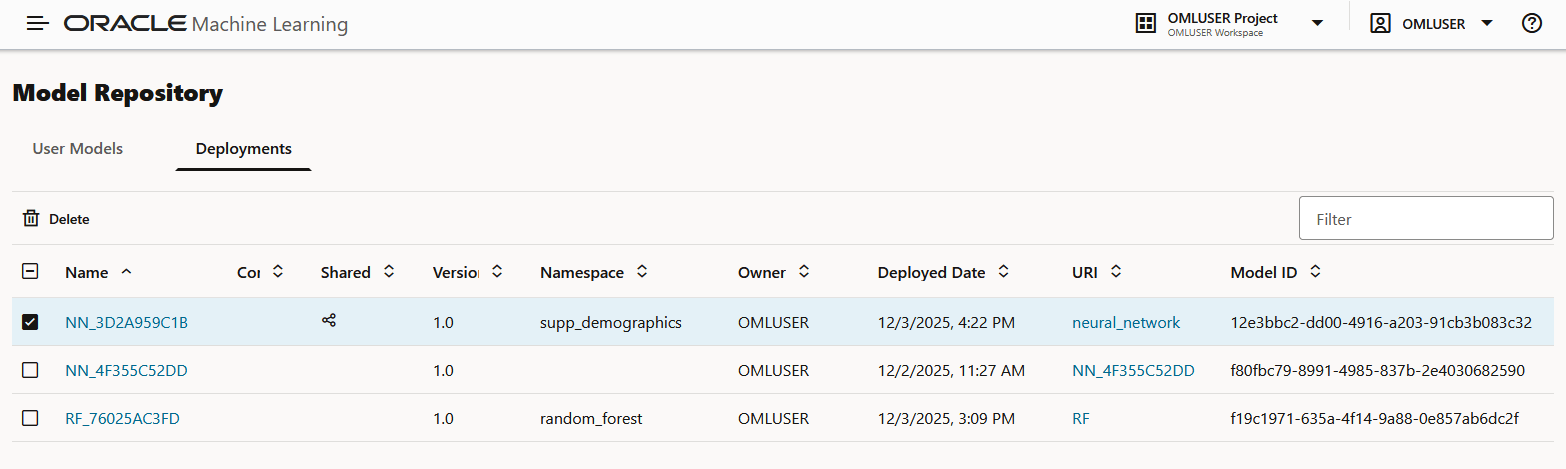
- After a model is successfully deployed, it is listed in the
Deployments tab on the Models
page.
Figure 6-36 Deployed models in the Deployments tab
In the screenshot here, the modelNN_3D2A959C1Bdeployed in steps 4 is listed on the Deployments tab.
Related Topics
Parent topic: Workflow Nodes