DBMS_CLOUD
The script content on this page is for navigation purposes only and does not alter the content in any way.
The DBMS_CLOUD package provides database routines for working with cloud resources.
Installing DBMS_CLOUD Packages
The DBMS_CLOUD family of packages is not pre-installed or configured with Oracle database. You need to manually install the DBMS_CLOUD packages and also configure users or roles to use this package.
For information on installation and configuration with Oracle Database 19c, Release 19.30 and above, see Using the DBMS_CLOUD Family of Packages.
For installing the DBMS_CLOUD packages and configuring users or roles for Oracle Database 19c, Releases prior to 19.30, see the MOS-NOTE with Doc ID 2748362.1. Note that earlier releases provide limited DBMS_CLOUD functionality only.
DBMS_CLOUD Endpoint Management
The DBMS_CLOUD package supports a number of object store and REST endpoints that are all pre-configured for the service. This package also allows you to access additional non-preconfigured endpoints after properly enabling such endpoints through network access control lists (ACLs).
The authentication for pre-configured endpoints is automatically understood and derived in DBMS_CLOUD. In order to know the proper authentication type for additional, customer-managed endpoints, DBMS_CLOUD supports URI schemes to indicate the authentication type for the URI endpoint. The URI endpoint must support HTTPS on port 443 for secure HTTP requests.
-
For more information on pre-configured URIs, see DBMS_CLOUD URI Formats.
-
For more information on customer-managed URIs, see Additional Customer-Managed URI Formats.
DBMS_CLOUD Subprograms and REST APIs
This section covers the DBMS_CLOUD subprograms and REST APIs provided with Oracle Database.
The DBMS_CLOUD package is made up of the following:
DBMS_CLOUD for Access Management
The subprograms for credential management within the DBMS_CLOUD package, including creating, deleting, and updating credentials.
| Subprogram | Description |
|---|---|
| CREATE_CREDENTIAL Procedure | This procedure stores cloud service credentials in Oracle Database. |
| DROP_CREDENTIAL Procedure | This procedure removes an existing credential from Oracle Database. |
| UPDATE_CREDENTIAL Procedure | This procedure updates cloud service credential attributes in Oracle Database. |
CREATE_CREDENTIAL Procedure
This procedure stores cloud service credentials in Oracle database.
Use stored cloud service credentials to access the cloud service for data loading, for querying external data residing in the cloud, or for other cases when you use DBMS_CLOUD procedures with a credential_name parameter. This procedure is overloaded:
- Use the Oracle Cloud Infrastructure-related parameters, including:
user_ocid,tenancy_ocid,private_key, andfingerprintonly when you are using Oracle Cloud Infrastructure Signing Keys authentication.
Syntax
DBMS_CLOUD.CREATE_CREDENTIAL (
      credential_name   IN VARCHAR2,
      username          IN VARCHAR2,
      password          IN VARCHAR2 DEFAULT NULL);


DBMS_CLOUD.CREATE_CREDENTIAL (
      credential_name IN VARCHAR2,
      user_ocid       IN VARCHAR2,
      tenancy_ocid    IN VARCHAR2,
      private_key     IN VARCHAR2,
      fingerprint     IN VARCHAR2);
Parameters
| Parameter | Description |
|---|---|
credential_name |
The name of the credential to be stored. The credential_name parameter must conform to Oracle object naming conventions, which do not allow spaces or hyphens. |
username |
The username and password arguments together specify your cloud service credentials. See the usage notes for what to specify for the username and password for different cloud services. |
password |
The username and password arguments together specify your cloud service credentials. |
user_ocid |
Specifies the user’s OCID. See Where to Get the Tenancy’s OCID and User’s OCID for details on obtaining the User’s OCID. |
tenancy_ocid |
Specifies the tenancy’s OCID. See Where to Get the Tenancy’s OCID and User’s OCID for details on obtaining the Tenancy’s OCID. |
private_key |
Specifies the generated private key. Private keys generated with a passphrase are not supported. You need to generate the private key without a passphrase. See How to Generate an API Signing Key for details on generating a key pair in PEM format. |
fingerprint |
Specifies a fingerprint. After a generated public key is uploaded to the user’s account the fingerprint is displayed in the console. Use the displayed fingerprint for this argument. See How to Get the Key’s Fingerprint and How to Generate an API Signing Key for more details. |
Usage Notes
-
This operation stores the credentials in the database in an encrypted format.
-
You can see the credentials in your schema by querying the
user_credentialstable. -
A privileged user can see all the credentials by querying the
dba_credentialstable. -
You only need to create credentials once unless your cloud service credentials change. Once you store the credentials you can then use the same credential name for
DBMS_CLOUDprocedures that require acredential_nameparameter. -
This procedure is overloaded. If you provide one of the key based authentication attributes,
user_ocid,tenancy_ocid,private_key, orfingerprint, the call is assumed to be an Oracle Cloud Infrastructure Signing Key based credential. -
You can list credentials from the view
ALL_CREDENTIALS. For example, run the following command to list credentials:SELECT credential_name, username, comments FROM all_credentials;
Oracle Cloud Infrastructure Credentials (Auth Tokens)
For Oracle Cloud Infrastructure the username is your Oracle Cloud Infrastructure user name. The password is your Oracle Cloud Infrastructure auth token. See Working with Auth Tokens.
For example:
BEGIN
  DBMS_CLOUD.CREATE_CREDENTIAL(
    credential_name => 'DEF_CRED_NAME',
    username => 'adb_user@example.com',
    password => 'password' );
END;
/
Use Auth Token based credentials when you are authenticating calls to . For calls to any other type of Oracle Cloud Infrastructure cloud service, use Oracle Cloud Infrastructure Signing Key Based Credentials.
For , username parameter value must include the Identity domain and the user name from your profile. You can find the Identity domain associated with a user in the Oracle Cloud Infrastructure Console.
For example:
oracleidentitycloudservice/adb_user@example.comWith the default Identity domain you are not required to include the domain name Default. For example:
adb_user@example.comOracle Cloud Infrastructure Signing Key Based Credentials
Use the Oracle Cloud Infrastructure signing key related parameters, including: user_ocid, tenancy_ocid, private_key, and fingerprint with Oracle Cloud Infrastructure Signing Keys authentication.
For example:
BEGIN
   DBMS_CLOUD.CREATE_CREDENTIAL (
       credential_name => 'OCI_KEY_CRED',
       user_ocid       => 'ocid1.user.oc1..aaaaaaaauq54mi7zdyfhw33ozkwuontjceel7fok5nq3bf2vwetkpqsoa',
       tenancy_ocid    => 'ocid1.tenancy.oc1..aabbbbbbaafcue47pqmrf4vigneebgbcmmoy5r7xvoypicjqqge32ewnrcyx2a',
       private_key     => 'MIIEogIBAAKCAQEAtUnxbmrekwgVac6FdWeRzoXvIpA9+0r1.....wtnNpESQQQ0QLGPD8NM//JEBg=',
       fingerprint     => 'f2:db:f9:18:a4:aa:fc:94:f4:f6:6c:39:96:16:aa:27');
END;
/
Private keys generated with a passphrase are not supported. You need to generate the private key without a passphrase. See How to Generate an API Signing Key for more information.
Oracle Cloud Infrastructure Object Storage Classic Credentials
If your source files reside in Oracle Cloud Infrastructure Object Storage Classic, the username is your Oracle Cloud Infrastructure Classic user name and the password is your Oracle Cloud Infrastructure Classic password.
Amazon Web Services (AWS) Credentials
If your source files reside in Amazon S3 or you are calling an AWS API, the username is your AWS access key ID and the password is your AWS secret access key. See AWS Identity and Access Management.
Microsoft Azure Credentials
If your source files reside in Azure Blob Storage or you are calling an Azure API, the username is your Azure storage account name and the password is an Azure storage account access key. See About Azure storage accounts.
GitHub Personal Access Token
If your source files reside in a GitHub repository or you are calling a GitHub API, the username is your GitHub email and the password is your GitHub personal access token. See Creating a personal access token for more information.
For example:
BEGIN
  DBMS_CLOUD.CREATE_CREDENTIAL(
    credential_name => 'MY_GITHUB_CRED',
    username => 'user@example.com',
    password => 'your_personal_access_token' );
END;
/
DROP_CREDENTIAL Procedure
This procedure removes an existing credential from Oracle database.
Syntax
DBMS_CLOUD.DROP_CREDENTIAL (
   credential_name     IN VARCHAR2);
Parameters
| Parameter | Description |
|---|---|
credential_name |
The name of the credential to be removed. |
UPDATE_CREDENTIAL Procedure
This procedure updates an attribute with a new value for a specified credential_name.
Use stored credentials for data loading, for querying external data residing in the Cloud, or wherever you use DBMS_CLOUD procedures with a credential_name parameter.
Syntax
DBMS_CLOUD.UPDATE_CREDENTIAL (
    credential_name   IN VARCHAR2,
    attribute         IN VARCHAR2,
    value             IN VARCHAR2);
Parameters
| Parameter | Description |
|---|---|
credential_name |
The name of the credential to be updated. |
attribute |
Name of attribute to update. For a username/password type credential, the valid See CREATE_CREDENTIAL Procedure for more information. |
value |
New value for the specified attribute. |
Usage Notes
-
The username value is case sensitive. It cannot contain double quotes or spaces.
-
A user with DBA privileges can see all the credentials by querying
dba_credentials. -
You only need to create credentials once unless your cloud service credentials change. Once you store the credentials you can then use the same credential name for
DBMS_CLOUDprocedures that require acredential_nameparameter. -
You can list credentials from the view
ALL_CREDENTIALS. For example, run the following command to list credentials:SELECT credential_name, username, comments FROM all_credentials;
Examples
BEGIN
  DBMS_CLOUD.UPDATE_CREDENTIAL(
     credential_name => 'OBJ_STORE_CRED',
     attribute => 'PASSWORD',
     value => 'password');
END;
/
BEGIN
DBMS_CLOUD.UPDATE_CREDENTIAL(
credential_name => 'ARN_CRED',
attribute => 'aws_role_arn',
value => 'NEW_AWS_ARN');
END;
/DBMS_CLOUD for Objects and Files
The subprograms for object and file management within the DBMS_CLOUD package.
| Subprogram | Description |
|---|---|
| COPY_DATA Procedure | This procedure loads data into existing Oracle Database tables either from Cloud Object Storage or from files in a directory. |
| COPY_DATA Procedure for Avro or Parquet Files | This procedure with the format parameter type set to the value orc, parquet, or avro loads data into existing Oracle Database tables from ORC, Parquet, or Avro files in the Cloud or from ORC, Parquet, or Avro files in a directory.<p>Similar to text files, the data is copied from the source ORC, Parquet, or Avro file into the preexisting internal table.</p> |
| COPY_OBJECT Procedure | This procedure copies files from one Cloud Object Storage bucket to another. |
| CREATE_EXTERNAL_TABLE Procedure | This procedure creates an external table on files in the Cloud or on files in a directory. This allows you to run queries on external data from Oracle Database. |
| CREATE_EXTERNAL_TABLE Procedure for Avro or Parquet Files | This procedure with the format parameter type set to the value parquet, orc, or avro, creates an external table with either Parquet, ORC, or Avro format files in the Cloud or in a directory. <p>This allows you to run queries on external data from Oracle Database. </p> |
| CREATE_EXTERNAL_PART_TABLE Procedure | This procedure creates an external partitioned table on files in the Cloud. This allows you to run queries on external data from Oracle Database. |
| CREATE_HYBRID_PART_TABLE Procedure | This procedure creates a hybrid partitioned table. This allows you to run queries on hybrid partitioned data from Oracle Database. |
| DELETE_ALL_OPERATIONS Procedure | This procedure clears either all data load operations logged in the user_load_operations table in your schema or clears all the data load operations of the specified type, as indicated with the type parameter. |
| DELETE_FILE Procedure | This procedure removes the specified file from the specified directory on Oracle Database |
| DELETE_OBJECT Procedure | This procedure deletes the specified object on object store. |
| DELETE_OPERATION Procedure | This procedure accepts an operation_id as input and deletes the logs associated with the specified operation_id. |
| GET_OBJECT Procedure and Function | This procedure is overloaded. The procedure form reads an object from Cloud Object Storage and copies it to Oracle Database. The function form reads an object from Cloud Object Storage and returns a BLOB to Oracle Database. |
| LIST_FILES Function | This function lists the files in the specified directory. The results include the file names and additional metadata about the files such as file size in bytes, creation timestamp, and the last modification timestamp. |
| LIST_OBJECTS Function | This function lists objects in the specified location on object store. The results include the object names and additional metadata about the objects such as size, checksum, creation timestamp, and the last modification timestamp. |
| MOVE_OBJECT Procedure | This procedure moves an object from one Cloud Object Storage bucket to another one. |
| PUT_OBJECT Procedure | This procedure is overloaded. In one form the procedure copies a file from Oracle Database to the Cloud Object Storage. In another form the procedure copies a BLOB from Oracle Database to the Cloud Object Storage. |
| SYNC_EXTERNAL_PART_TABLE Procedure | This procedure simplifies updating an external partitioned table from files in the Cloud. Run this procedure whenever new partitions are added or when partitions are removed from the Object Store source for the external partitioned table. |
| VALIDATE_EXTERNAL_TABLE Procedure | This procedure validates the source files for an external table, generates log information, and stores the rows that do not match the format options specified for the external table in a badfile table on Oracle Database. |
| VALIDATE_EXTERNAL_PART_TABLE Procedure | This procedure validates the source files for an external partitioned table, generates log information, and stores the rows that do not match the format options specified for the external table in a badfile table on Oracle Database. |
| VALIDATE_HYBRID_PART_TABLE Procedure | This procedure validates the source files for a hybrid partitioned table, generates log information, and stores the rows that do not match the format options specified for the hybrid table in a badfile table on Oracle Database. |
COPY_DATA Procedure
This procedure loads data into existing Oracle Database tables from files in the Cloud, or from files in a directory. The overloaded form enables you to use the operation_id parameter.
Syntax
DBMS_CLOUD.COPY_DATA (
    table_name        IN VARCHAR2,
    credential_name   IN VARCHAR2 DEFAULT NULL,
    file_uri_list     IN CLOB,
    schema_name       IN VARCHAR2,
    field_list        IN CLOB,
    format            IN CLOB);

DBMS_CLOUD.COPY_DATA (
    table_name        IN VARCHAR2,
    credential_name   IN VARCHAR2 DEFAULT NULL,
    file_uri_list     IN CLOB DEFAULT NULL,
    schema_name       IN VARCHAR2 DEFAULT NULL,
    field_list        IN CLOB DEFAULT NULL,
    format            IN CLOB DEFAULT NULL
    operation_id      OUT NOCOPY NUMBER);
Parameters
| Parameter | Description |
|---|---|
table_name |
The name of the target table on the database. The target table needs to be created before you run COPY_DATA. |
credential_name |
The name of the credential to access the Cloud Object Storage. This parameter is not used when you specify a directory or Pre-Authenticated Request (PAR) URL with |
file_uri_list |
This parameter specifies one of the following:
You can use wildcards as well as regular expressions in the file names in Cloud source file URIs. Cloud source file URIs This parameter specifies either a comma-delimited list of source file URIs or one or more directories and source files. Regular expressions can only be used when the The characters "*" and "?" are considered wildcard characters when the Regular expression patterns are only supported for the file name or subfolder path in your URIs and the pattern matching is identical to that performed by the For example: The format of the URIs depends on the Cloud Object Storage service you are using, for details see DBMS_CLOUD URI Formats. Pre-Authenticated Request (PAR) URL You can create an external table on the following:
A comma-delimited list of Pre-Authenticated Request (PAR) URLs, you must ensure that all included PAR URLs must have the same column names, column order, and column data types. For example: Directory You can specify one directory and one or more file names or use a comma separated list of directories and file names. The format to specify a directory is: Regular expressions are not supported when specifying the file names in a directory. You can only use wildcards to specify file names in a directory. The character "*" can be used as the wildcard for multiple characters, and the character "?" can be used as the wildcard for a single character. For example: To specify multiple directories, use a comma separated list of directories: For example: Use double quotes to specify a case-sensitive directory name. For example: To include a quote character, use two quotes. For example: |
schema_name |
The name of the schema where the target table resides. The default value is NULL meaning the target table is in the same schema as the user running the procedure. |
field_list |
Identifies the fields in the source files and their data types. The default value is NULL meaning the fields and their data types are determined by the target table definition. This argument's syntax is the same as the For an example using |
format |
The options describing the format of the source, log, and bad files. For the list of the options and how to specify the values see DBMS_CLOUD Package Format Options. For Avro or Parquet file format options, see DBMS_CLOUD Package Format Options for Avro or Parquet. |
operation_id |
Use this parameter to track the progress and final status of the load operation as the corresponding ID in the USER_LOAD_OPERATIONS view. |
Usage Note
The default record delimiter is detected newline. With detected newline, DBMS_CLOUD tries to automatically find the correct newline character to use as the record delimiter. DBMS_CLOUD first searches for the Windows newline character \r\n. If it finds the Windows newline character, this is used as the record delimiter for all files in the procedure. If a Windows newline character is not found, DBMS_CLOUD searches for the UNIX/Linux newline character \n, and if it finds one it uses \n as the record delimiter for all files in the procedure. If the source files use a combination of different record delimiters, you may encounter an error such as, “KUP-04020: found record longer than buffer size supported”. In this case, you need to either modify the source files to use the same record delimiter or only specify the source files that use the same record delimiter.
See DBMS_CLOUD Package Format Options for information on the recorddelmiter format option.
Examples
BEGIN
 DBMS_CLOUD.COPY_DATA(
    table_name =>'CHANNELS',
    credential_name =>'DEF_CRED_NAME',
    file_uri_list =>'https://objectstorage.us-phoenix-1.oraclecloud.com/n/namespace-string/b/bucketname/o/channels.txt',
    format => json_object('delimiter' value ',')
 );
END;
/
BEGIN
DBMS_CLOUD.COPY_DATA(
table_name => 'ORDERS',
schema_name => 'TEST_SCHEMA',
credential_name => 'DEF_CRED_NAME',
file_uri_list => 'https://objectstorage.us-phoenix-1.oraclecloud.com/n/adbexample/b/json/o/orde[r]s.tbl.1'
format => json_object('ignoreblanklines' value TRUE,
'rejectlimit' value '0',
'dateformat' value 'yyyy-mm-dd',
'regexuri' value TRUE)
);
END;
/COPY_DATA Procedure for Avro or Parquet Files
This procedure with the format parameter type set to the value avro or parquet loads data into existing Oracle Database tables from Avro or Parquet files in the Cloud or from files in a directory.
Similar to text files, the data is copied from the source Avro or Parquet file into the preexisting internal table.
Syntax
DBMS_CLOUD.COPY_DATA (
    table_name        IN VARCHAR2,
    credential_name   IN VARCHAR2 DEFAULT NULL,
    file_uri_list     IN CLOB,
    schema_name       IN VARCHAR2 DEFAULT,
    field_list        IN CLOB DEFAULT,
    format            IN CLOB DEFAULT);
Parameters
| Parameter | Description |
|---|---|
table_name |
The name of the target table on the database. The target table needs to be created before you run COPY_DATA. |
credential_name |
The name of the credential to access the Cloud Object Storage. This parameter is not used when you specify a directory with |
file_uri_list |
This parameter specifies either a comma-delimited list of source file URIs or one or more directories and source files. Cloud source file URIs You can use wildcards as well as regular expressions in the file names in Cloud source file URIs. Regular expressions can only be used when the The characters "*" and "?" are considered wildcard characters when the Regular expression patterns are only supported for the file name or subfolder path in your URIs and the pattern matching is identical to that performed by the For example: The format of the URIs depends on the Cloud Object Storage service you are using, for details see DBMS_CLOUD URI Formats. Directory You can specify one directory and one or more file names or use a comma separated list of directories and file names. The format to specify a directory is: Regular expressions are not supported when specifying the file names in a directory. You can only use wildcards to specify file names in a directory. The character "*" can be used as the wildcard for multiple characters, and the character "?" can be used as the wildcard for a single character. For example: To specify multiple directories, use a comma separated list of directories: For example: Use double quotes to specify a case-sensitive directory name. For example: To include a quote character, use two quotes. For example: |
schema_name |
The name of the schema where the target table resides. The default value is NULL meaning the target table is in the same schema as the user running the procedure. |
field_list |
Ignored for Avro or Parquet files. The fields in the source match the external table columns by name. Source data types are converted to the external table column data type. For Parquet files, see DBMS_CLOUD Package Parquet to Oracle Data Type Mapping for details on mapping. For Avro files, see DBMS_CLOUD Package Avro to Oracle Data Type Mapping for details on mapping. |
format |
The options describing the format of the source files. For Avro or Parquet files, only two options are supported: see DBMS_CLOUD Package ORC to Oracle Data Type Mapping. |
Usage Notes
-
As with other data files, Avro and Parquet data loads generate logs that are viewable in the tables
dba_load_operationsanduser_load_operations. Each load operation adds a record todba[user]_load_operationsthat indicates the table containing the logs.The log table provides summary information about the load.
-
For Avro or Parquet, when the
formatparametertypeis set to the valueavroorparquet, theBADFILE_TABLEtable is always empty.-
For Parquet files,
PRIMARY KEYconstraint errors throw anORAerror. -
If data for a column encounters a conversion error, for example, the target column is not large enough to hold the converted value, the value for the column is set to
NULL. This does not produce a rejected record.
-
COPY_OBJECT Procedure
This procedure copies an object from one Cloud Object Storage bucket or folder to another.
The source and target bucket or folder can be in the same or different Cloud Object store provider.
When the source and target are in distinct Object Stores or have different accounts with the same cloud provider, you can give separate credential names for the source and target locations.
The source credential name is by default also used by the target location when target credential name is not provided.
Syntax
DBMS_CLOUD.COPY_OBJECT (
    source_credential_name  IN  VARCHAR2 DEFAULT NULL,
    source_object_uri       IN  VARCHAR2,
    target_object_uri       IN  VARCHAR2,
    target_credential_name  IN  VARCHAR2 DEFAULT NULL
);
Parameters
| Parameter | Description |
|---|---|
source_credential_name |
The name of the credential to access the source Cloud Object Storage. If you do not supply a |
source_object_uri |
Specifies URI, that point to the source Object Storage bucket or folder location. This parameter is mandatory. The format of the URIs depends on the Cloud Object Storage service. See DBMS_CLOUD URI Formats for more information. |
target_object_uri |
Specifies the URI for the target Object Store. This parameter is mandatory. The format of the URIs depends on the Cloud Object Storage service. See DBMS_CLOUD URI Formats for more information. |
target_credential_name |
The name of the credential to access the target Cloud Object Storage location. If you do not supply a |
Example
BEGIN
DBMS_CLOUD.COPY_OBJECT (
    source_credential_name => 'OCI_CRED',
    source_object_uri    => 'https://objectstorage.us-phoenix-1.oraclecloud.com/n/namespace-string/b/bucketname1/bgfile.csv',
    target_object_uri    => 'https://objectstorage.us-phoenix-1.oraclecloud.com/n/namespace-string/b/bucketname2/myfile.csv'
);
END;
/
CREATE_EXTERNAL_PART_TABLE Procedure
This procedure creates an external partitioned table on files in the Cloud, or from files in a directory. This allows you to run queries on external data from Oracle Database.
Syntax
DBMS_CLOUD.CREATE_EXTERNAL_PART_TABLE (
    table_name           IN VARCHAR2,
    credential_name      IN VARCHAR2,
    partitioning_clause  IN CLOB,
    column_list          IN CLOB,
    field_list           IN CLOB DEFAULT,
    format               IN CLOB DEFAULT);


DBMS_CLOUD.CREATE_EXTERNAL_PART_TABLE (
    table_name           IN VARCHAR2,
    credential_name      IN VARCHAR2,
    file_uri_list        IN VARCHAR2,
    column_list          IN CLOB,
    field_list           IN CLOB DEFAULT,
    format               IN CLOB DEFAULT);
Parameters
| Parameter | Description |
|---|---|
table_name |
The name of the external table. |
credential_name |
The name of the credential to access the Cloud Object Storage. |
partitioning_clause |
Specifies the complete partitioning clause, including the location information for individual partitions. If you use the |
file_uri_list |
This parameter specifies one of the following:
Cloud source file URIs You can use wildcards as well as regular expressions in the file names in Cloud source file URIs. Regular expressions can only be used when the The characters "*" and "?" are considered wildcard characters when the Regular expression patterns are only supported for the file name or subfolder path in your URIs and the pattern matching is identical to that performed by the This option is only supported with external tables that are created on a file in the Object Storage. For example: If you use the parameter The format of the URIs depends on the Cloud Object Storage service. See DBMS_CLOUD URI Formats for more information. Pre-Authenticated Request (PAR) URL You can create an external table on the following:
A comma-delimited list of Oracle Database Pre-Authenticated Request (PAR) URLs, you must ensure that all included PAR URLs must have the same column names, column order, and column data types in the same schema. For example: |
column_list |
Comma-delimited list of column names and data types for the external table. This parameter has the following requirements, depending on the type of the data files specified with the
|
field_list |
Identifies the fields in the source files and their data types. The default value is NULL meaning the fields and their data types are determined by the column_list parameter. This argument’s syntax is the same as the field_list clause in regular Oracle external tables. For more information about field_list see Oracle® Database Utilities. |
format |
The format option
If the data files are unstructured and the For object names that are not based on hive format, the order of the To see all the |
Usage Notes
-
You cannot call this procedure with both
partitioning_clauseandfile_uri_listparameters. -
Specifying the
column_listparameter is optional with structured data files, including Avro, Parquet, or ORC data files. Ifcolumn_listis not specified, theformatparameterpartition_columnsoption must include bothnameandtype. -
The
column_listparameter is required with unstructured data files, such as CSV text files. -
The procedure
DBMS_CLOUD.CREATE_EXTERNAL_PART_TABLEsupports external partitioned files in the supported cloud object storage services, including:-
Oracle Cloud Infrastructure Object Storage
-
Azure Blob Storage
-
Amazon S3
-
GitHub Repository
See DBMS_CLOUD URI Formats for more information.
-
-
The procedure
DBMS_CLOUD.CREATE_EXTERNAL_PART_TABLEsupports external partitioned files in directories, either in a local file system or in a network file system. -
When you call
DBMS_CLOUD.CREATE_EXTERNAL_PART_TABLEwith thefile_uri_listparameter, the types for columns specified in the Cloud Object Store file name must be one of the following types:VARCHAR2(n) NUMBER(n) NUMBER(p,s) NUMBER DATE TIMESTAMP(9) -
The default record delimiter is
detected newline. Withdetected newline,DBMS_CLOUDtries to automatically find the correct newline character to use as the record delimiter.DBMS_CLOUDfirst searches for the Windows newline character\r\n. If it finds the Windows newline character, this is used as the record delimiter for all files in the procedure. If a Windows newline character is not found,DBMS_CLOUDsearches for the UNIX/Linux newline character\n, and if it finds one it uses\nas the record delimiter for all files in the procedure. If the source files use a combination of different record delimiters, you may encounter an error such as, “KUP-04020: found record longer than buffer size supported”. In this case, you need to either modify the source files to use the same record delimiter or only specify the source files that use the same record delimiter.See DBMS_CLOUD Package Format Options for information on the
recorddelmiterformat option.
Examples
Example using the partitioning_clause parameter:
BEGIN
   DBMS_CLOUD.CREATE_EXTERNAL_PART_TABLE(
      table_name =>'PET1',
      credential_name =>'OBJ_STORE_CRED',
      format => json_object('delimiter' value ',', 'recorddelimiter' value 'newline', 'characterset' value 'us7ascii'),
      column_list => 'col1 number, col2 number, col3 number',
      partitioning_clause => 'partition by range (col1)
                                (partition p1 values less than (1000) location
                                    ( ''&base_URL//file_11.txt'')
                                 ,
                                 partition p2 values less than (2000) location
                                    ( ''&base_URL/file_21.txt'')
                                 ,
                                 partition p3 values less than (3000) location
                                    ( ''&base_URL/file_31.txt'')
                                 )'
     );
   END;
/


BEGIN
    DBMS_CLOUD.CREATE_EXTERNAL_PART_TABLE(
       table_name          => 'PET',
       format              => json_object('delimiter'value ','),
       column_list         => 'name varchar2(20), gender varchar2(10), salary number',
       partitioning_clause => 'partition by range (salary)
              (   -- Use test1.csv in the DEFAULT DIRECTORY DATA_PUMP_DIR
                  partition p1 values less than (100) LOCATION (''test1.csv''),
                   -- Use test2.csv in a specified directory MY_DIR
                  partition p2 values less than (300) DEFAULT DIRECTORY MY_DIR LOCATION (''test2.csv'')        )'   );
END;
/
Example using the file_uri_list without the column_list parameter with structured data files:
BEGIN
  DBMS_CLOUD.CREATE_EXTERNAL_PART_TABLE(
  table_name => 'MYSALES',
  credential_name => 'DEF_CRED_NAME',
  DBMS_CLOUD.CREATE_EXTERNAL_PART_TABLE(
    table_name      => 'MYSALES',
    credential_name => 'DEF_CRED_NAME',
    file_uri_list   => 'https://objectstorage.us-phoenix-1.oraclecloud.com/n/namespace-string/b/bucketname/o/*.parquet',
    format          =>
        json_object('type' value 'parquet', 'schema' value 'first',
                    'partition_columns' value
                          json_array(
                                json_object('name' value 'country', 'type' value 'varchar2(100)'),
                                json_object('name' value 'year', 'type' value 'number'),
                                json_object('name' value 'month', 'type' value 'varchar2(2)')
                          )
         )
    );
END;
/
CREATE_EXTERNAL_TABLE Procedure
This procedure creates an external table on files in the Cloud or from files in a directory. This allows you to run queries on external data from Oracle Database.
Syntax
DBMS_CLOUD.CREATE_EXTERNAL_TABLE (
    table_name       IN VARCHAR2,
    credential_name  IN VARCHAR2 DEFAULT NULL,
    file_uri_list    IN CLOB,
    column_list      IN CLOB,
    field_list       IN CLOB DEFAULT,
    format           IN CLOB DEFAULT);
Parameters
| Parameter | Description |
|---|---|
table_name |
The name of the external table. |
credential_name |
The name of the credential to access the Cloud Object Storage. This parameter is not used when you specify a directory or Pre-Authenticated Request (PAR) URL with |
file_uri_list |
This parameter specifies one of the following:
Cloud source file URIs You can use wildcards as well as regular expressions in the file names in Cloud source file URIs. Regular expressions can only be used when the The characters "*" and "?" are considered wildcard characters when the Regular expression patterns are only supported for the file name or subfolder path in your URIs and the pattern matching is identical to that performed by the This option is only supported with external tables that are created on a file in the Object Storage. For example:
The format of the URIs depends on the Cloud Object Storage service you are using, for details see DBMS_CLOUD URI Formats. Pre-Authenticated Request (PAR) URL You can create an external table on the following:
A comma-delimited list of Oracle Database Pre-Authenticated Request (PAR) URLs, you must ensure that all included PAR URLs must have the same column names, column order, and column data types in the same schema. For example: You can specify one directory and one or more file names or use a comma separated list of directories and file names. The format to specify a directory is: Regular expressions are not supported when specifying the file names in a directory. You can only use wildcards to specify file names in a directory. The character "*" can be used as the wildcard for multiple characters, and the character "?" can be used as the wildcard for a single character. For example: To specify multiple directories, use a comma separated list of directories: For example: Use double quotes to specify a case-sensitive directory name. For example: To include a quote character, use two quotes. For example: |
column_list |
Comma-delimited list of column names and data types for the external table. |
field_list |
Identifies the fields in the source files and their data types. The default value is NULL meaning the fields and their data types are determined by the column_list parameter. This argument’s syntax is the same as the field_list clause in regular Oracle Database external tables. For more information about field_list see ORACLE_LOADER Access Driver field_list under field_definitions Clause inOracle Database Utilities. |
format |
The options describing the format of the source files. For the list of the options and how to specify the values see DBMS_CLOUD Package Format Options. For Avro or Parquet format files, see CREATE_EXTERNAL_TABLE Procedure for Avro or Parquet Files. |
Usage Notes
-
The procedure
DBMS_CLOUD.CREATE_EXTERNAL_TABLEsupports external partitioned files in the supported cloud object storage services, including:-
Oracle Cloud Infrastructure Object Storage
-
Azure Blob Storage
-
Amazon S3
-
GitHub Repository
The credential is a table level property; therefore, the external files must be on the same object store.
See DBMS_CLOUD URI Formats for more information.
-
-
The default record delimiter is
detected newline. Withdetected newline,DBMS_CLOUDtries to automatically find the correct newline character to use as the record delimiter.DBMS_CLOUDfirst searches for the Windows newline character\r\n. If it finds the Windows newline character, this is used as the record delimiter for all files in the procedure. If a Windows newline character is not found,DBMS_CLOUDsearches for the UNIX/Linux newline character\n, and if it finds one it uses\nas the record delimiter for all files in the procedure. If the source files use a combination of different record delimiters, you may encounter an error such as, “KUP-04020: found record longer than buffer size supported”. In this case, you need to either modify the source files to use the same record delimiter or only specify the source files that use the same record delimiter.See DBMS_CLOUD Package Format Options for information on the
recorddelimiterformat option.
Example
BEGIN
   DBMS_CLOUD.CREATE_EXTERNAL_TABLE(
      table_name =>'WEATHER_REPORT_DOUBLE_DATE',
      credential_name =>'OBJ_STORE_CRED',
      file_uri_list =>'&base_URL/Charlotte_NC_Weather_History_Double_Dates.csv',
      format => json_object('type' value 'csv', 'skipheaders' value '1'),
      field_list => 'REPORT_DATE DATE''mm/dd/yy'',
                     REPORT_DATE_COPY DATE ''yyyy-mm-dd'',
                     ACTUAL_MEAN_TEMP,
                     ACTUAL_MIN_TEMP,
                     ACTUAL_MAX_TEMP,
                     AVERAGE_MIN_TEMP,
                     AVERAGE_MAX_TEMP,
                     AVERAGE_PRECIPITATION',
      column_list => 'REPORT_DATE DATE,
                     REPORT_DATE_COPY DATE,
                     ACTUAL_MEAN_TEMP NUMBER,
                     ACTUAL_MIN_TEMP NUMBER,
                     ACTUAL_MAX_TEMP NUMBER,
                     AVERAGE_MIN_TEMP NUMBER,
                     AVERAGE_MAX_TEMP NUMBER,
                     AVERAGE_PRECIPITATION NUMBER');
   END;
/

SELECT * FROM WEATHER_REPORT_DOUBLE_DATE where
   actual_mean_temp > 69 and actual_mean_temp < 74
CREATE_EXTERNAL_TABLE Procedure for Avro or Parquet Files
This procedure with the format parameter type set to the value avro or parquet creates an external table with either Avro or Parquet format files in the Cloud or in a directory.
This allows you to run queries on external data from Oracle Database.
Syntax
DBMS_CLOUD.CREATE_EXTERNAL_TABLE (
    table_name       IN VARCHAR2,
    credential_name  IN VARCHAR2 DEFAULT NULL,
    file_uri_list    IN CLOB,
    column_list      IN CLOB,
    field_list       IN CLOB DEFAULT,
    format           IN CLOB DEFAULT);
Parameters
| Parameter | Description |
|---|---|
table_name |
The name of the external table. |
credential_name |
The name of the credential to access the Cloud Object Storage. This parameter is not used when you specify a directory with |
file_uri_list |
This parameter specifies either a comma-delimited list of source file URIs or one or more directories and source files. Cloud source file URIs You can use wildcards as well as regular expressions in the file names in Cloud source file URIs. Regular expressions can only be used when the The characters "*" and "?" are considered wildcard characters when the Regular expression patterns are only supported for the file name or subfolder path in your URIs and the pattern matching is identical to that performed by the This option is only supported with external tables that are created on a file in the Object Storage. For example: The format of the URIs depends on the Cloud Object Storage service you are using, for details see DBMS_CLOUD URI Formats. Directory You can specify one directory and one or more file names or use a comma separated list of directories and file names. The format to specify a directory is: Regular expressions are not supported when specifying the file names in a directory. You can only use wildcards to specify file names in a directory. The character "*" can be used as the wildcard for multiple characters, and the character "?" can be used as the wildcard for a single character. For example: To specify multiple directories, use a comma separated list of directories: For example: Use double quotes to specify a case-sensitive directory name. For example: To include a quote character, use two quotes. For example: |
column_list |
(Optional) This field, when specified, overrides the When the For Parquet files, see DBMS_CLOUD Package Parquet to Oracle Data Type Mapping for details. For Avro files, see DBMS_CLOUD Package Avro to Oracle Data Type Mapping for details. |
field_list |
Ignored for Avro or Parquet files. The fields in the source match the external table columns by name. Source data types are converted to the external table column data type. For Parquet files, see DBMS_CLOUD Package Parquet to Oracle Data Type Mapping for details. For Avro files, see DBMS_CLOUD Package Avro to Oracle Data Type Mapping for details. |
format |
For Avro or Parquet type source files, see DBMS_CLOUD Package Format Options for Avro or Parquet for details. |
Examples Avro
format => '{"type":"avro", "schema": "all"}'format => json_object('type' value 'avro', 'schema' value 'first')Examples Parquet
format => '{"type":"parquet", "schema": "all"}'format => json_object('type' value 'parquet', 'schema' value 'first')Avro or Parquet Column Name Mapping to Oracle Column Names
See DBMS_CLOUD Package Avro and Parquet to Oracle Column Name Mapping for information on column name mapping and column name conversion usage in Oracle SQL.
CREATE_HYBRID_PART_TABLE Procedure
This procedure creates a hybrid partitioned table. This allows you to run queries on hybrid partitioned data from Oracle Database using database objects and files in the Cloud, or database objects and files in a directory.
Syntax
DBMS_CLOUD.CREATE_HYBRID_PART_TABLE (
    table_name           IN VARCHAR2,
    credential_name      IN VARCHAR2,
    partitioning_clause  IN CLOB,
    column_list          IN CLOB,
    field_list           IN CLOB DEFAULT,
    format               IN CLOB DEFAULT);
Parameters
| Parameter | Description |
|---|---|
table_name |
The name of the external table. |
credential_name |
The name of the credential to access the Cloud Object Storage. |
partitioning_clause |
Specifies the complete partitioning clause, including the location information for individual partitions. To use directories, the partitioning clause supports the You can use wildcards as well as regular expressions in the file names in Cloud source file URIs. Regular expressions can only be used when the The characters "*" and "?" are considered wildcard characters when the Regular expression patterns are only supported for the file name or subfolder path in your URIs and the pattern matching is identical to that performed by the For example: You can use a Pre-Authenticated Request (PAR) URL to create an external table as follows:
|
column_list |
Comma-delimited list of column names and data types for the external table. |
field_list |
Identifies the fields in the source files and their data types. The default value is NULL meaning the fields and their data types are determined by the column_list parameter. This argument’s syntax is the same as the field_list clause in regular Oracle external tables. For more information about field_list see Oracle® Database Utilities. |
format |
The options describing the format of the source files. For the list of the options and how to specify the values see DBMS_CLOUD Package Format Options. |
Usage Notes
-
The procedure
DBMS_CLOUD.CREATE_HYBRID_PART_TABLEsupports external partitioned files in the supported cloud object storage services, including:-
Oracle Cloud Infrastructure Object Storage
-
Azure Blob Storage
-
Amazon S3
-
GitHub Repository
The credential is a table level property; therefore, the external files must be on the same object store.
See DBMS_CLOUD URI Formats for more information.
-
-
The procedure
DBMS_CLOUD.CREATE_HYBRID_PART_TABLEsupports hybrid partitioned files in directories, either in a local file system or in a network file system. -
The external partitioned tables you create with
DBMS_CLOUD.CREATE_HYBRID_PART_TABLEinclude two invisible columnsfile$pathandfile$name. These columns help identify which file a record is coming from.-
file$path: Specifies the file path text up to the beginning of the object name. -
file$name: Specifies the object name, including all the text that follows the bucket name.
-
Examples
BEGIN
   DBMS_CLOUD.CREATE_HYBRID_PART_TABLE(
      table_name =>'HPT1',
      credential_name =>'OBJ_STORE_CRED',
      format => json_object('delimiter' value ',', 'recorddelimiter' value 'newline', 'characterset' value 'us7ascii'),
      column_list => 'col1 number, col2 number, col3 number',
      partitioning_clause => 'partition by range (col1)
                                (partition p1 values less than (1000) external location
                                    ( ''&base_URL/file_11.txt'')
                                 ,
                                 partition p2 values less than (2000) external location
                                    ( ''&base_URL/file_21.txt'')
                                 ,
                                 partition p3 values less than (3000)
                                 )'
     );
   END;
/


BEGIN
   DBMS_CLOUD.CREATE_HYBRID_PART_TABLE(
    table_name  => 'HPT1',
    format      => json_object('delimiter'value ',', 'recorddelimiter'value 'newline'),
    column_list => 'NAME VARCHAR2(30), GENDER VARCHAR2(10), BALANCE number',
    partitioning_clause => 'partition by range (B  2  ALANCE)
               (partition p1 values less than (1000) external DEFAULT DIRECTORY DATA_PUMP_DIR LOCATION (''Scott_male_1000.csv''),
                partition p2 values less than (2000) external DEFAULT DIRECTORY DATA_PUMP_DIR LOCATION (''Mary_female_3000.csv''),
                partition p3 values less than (3000))' );
END;
/
DELETE_ALL_OPERATIONS Procedure
This procedure clears either all data load operations logged in the user_load_operations table in your schema or clears all the data load operations of the specified type, as indicated with the type parameter.
Syntax
DBMS_CLOUD.DELETE_ALL_OPERATIONS (
	type      IN VARCHAR DEFAULT NULL);
Parameters
| Parameter | Description |
|---|---|
type |
Specifies the type of operation to delete. Type values can be found in the If no |
Usage Note
DBMS_CLOUD.DELETE_ALL_OPERATIONSdoes not delete currently running operations (operations in a “Running” status).
DELETE_FILE Procedure
This procedure removes the specified file from the specified directory on Oracle database.
Syntax
DBMS_CLOUD.DELETE_FILE (
      directory_name     IN VARCHAR2,
      file_name          IN VARCHAR2);
Parameters
| Parameter | Description |
|---|---|
directory_name |
The name of the directory on the Oracle database instance. |
file_name |
The name of the file to be removed. |
Note:
To run
DBMS_CLOUD.DELETE_FILE
, you need to grant write privileges on the directory that contains the file to the user. For example, run the following command as a privileged user to grant write privileges to
db_user
:
GRANT WRITE ON DIRECTORY data_pump_dir TO db_user;Example
BEGIN
   DBMS_CLOUD.DELETE_FILE(
      directory_name =>  'DATA_PUMP_DIR',
      file_name => 'exp1.dmp' );
   END;
/
DELETE_OBJECT Procedure
This procedure deletes the specified object on object store.
Syntax
DBMS_CLOUD.DELETE_OBJECT (
       credential_name      IN VARCHAR2,
       object_uri           IN VARCHAR2,
       force                IN BOOLEAN DEFAULT FALSE);
Parameters
| Parameter | Description |
|---|---|
credential_name |
The name of the credential to access the Cloud Object Storage. |
object_uri |
Object or file URI for the object to delete. The format of the URI depends on the Cloud Object Storage service you are using, for details see DBMS_CLOUD URI Formats. |
force |
Ignore and do not report errors if object does not exist. Valid values are: TRUE and FALSE. The default value is FALSE. |
Example
BEGIN
   DBMS_CLOUD.DELETE_OBJECT(
       credential_name => 'DEF_CRED_NAME',
       object_uri => 'https://objectstorage.us-ashburn-
1.oraclecloud.com/n/namespace-string/b/bucketname/o/exp1.dmp' );
   END;
/
DELETE_OPERATION Procedure
This procedure clears the data load entries for the specified operation ID logged in the user_load_operations or dba_load_operations tables in your schema.
Syntax
DBMS_CLOUD.DELETE_OPERATION (
	id      IN NUMBER);
Parameters
| Parameter | Description |
|---|---|
id |
Specifies the operation ID associated with the log file entries you want to delete. |
Example
SELECT id FROM user_load_operations WHERE type LIKE '%BAD%';
EXEC DBMS_CLOUD.DELETE_OPERATION(id);
GET_OBJECT Procedure and Function
This procedure is overloaded. The procedure form reads an object from Cloud Object Storage and copies it to Oracle Database. The function form reads an object from Cloud Object Storage and returns a BLOB to Oracle Database.
Syntax
DBMS_CLOUD.GET_OBJECT (
       credential_name      IN VARCHAR2,
       object_uri           IN VARCHAR2,
       directory_name       IN VARCHAR2,
       file_name            IN VARCHAR2 DEFAULT  NULL,
       startoffset          IN NUMBER DEFAULT  0,
       endoffset            IN NUMBER DEFAULT  0,
       compression          IN VARCHAR2 DEFAULT  NULL);


DBMS_CLOUD.GET_OBJECT(
       credential_name      IN VARCHAR2 DEFAULT NULL,
       object_uri           IN VARCHAR2,
       startoffset          IN NUMBER DEFAULT  0,
       endoffset            IN NUMBER DEFAULT  0,
       compression          IN VARCHAR2 DEFAULT  NULL)
RETURN BLOB;
Parameters
| Parameter | Description |
|---|---|
credential_name |
The name of the credential to access the Cloud Object Storage. |
object_uri |
Object or file URI. The format of the URI depends on the Cloud Object Storage service you are using, for details see DBMS_CLOUD URI Formats. |
directory_name |
The name of the directory on the database. Foot 1You can use a Pre-Authenticated Request (PAR) URL to create an external table as follows:
|
file_name |
Specifies the name of the file to create. If file name is not specified, the file name is taken from after the last slash in the object_uri parameter. For special cases, for example when the file name contains slashes, use the file_name parameter. |
startoffset |
The offset, in bytes, from where the procedure starts reading. |
endoffset |
The offset, in bytes, until where the procedure stops reading. |
compression |
Specifies the compression used to store the object. When compression is set to 'AUTO' the file is uncompressed (the value 'AUTO' implies the object specified with object_uri is compressed with Gzip). |
Footnote 1
Note:
To run DBMS_CLOUD.GET_OBJECT, you need to grant WRITE privileges on the directory to that user. For example, run the following command as a priviledged user to grant write privileges to db_user:
GRANT WRITE ON DIRECTORY data_pump_dir TO db_user;Return Values
The function form reads from Object Store and DBMS_CLOUD.GET_OBJECT returns a BLOB.
Examples
BEGIN
   DBMS_CLOUD.GET_OBJECT(
     credential_name => 'OBJ_STORE_CRED',
     object_uri => 'https://objectstorage.us-phoenix-1.oraclecloud.com/n/namespace-string/b/bucketname/o/file.txt',
     directory_name => 'DATA_PUMP_DIR');
END;
/
To read character data from a file in Object Store:
SELECT to_clob(
     DBMS_CLOUD.GET_OBJECT(
       credential_name => 'OBJ_STORE_CRED',
       object_uri => 'https://objectstorage.us-phoenix-1.oraclecloud.com/n/namespace-string/b/bucketname/o/file.txt'))
FROM DUAL;
To add an image stored on Object Store in a BLOB in the database:
DECLARE
   l_blob BLOB := NULL;
BEGIN
   l_blob := DBMS_CLOUD.GET_OBJECT(
     credential_name => 'OBJ_STORE_CRED',
     object_uri => 'https://objectstorage.us-phoenix-1.oraclecloud.com/n/namespace-string/b/bucketname/o/MyImage.gif' );
END;
/
In this example, namespace-string is the Oracle Cloud Infrastructure object storage namespace and bucketname is the bucket name. See Understanding Object Storage Namespaces for more information.
LIST_FILES Function
This function lists the files in the specified directory. The results include the file names and additional metadata about the files such as file size in bytes, creation timestamp, and the last modification timestamp.
Syntax
DBMS_CLOUD.LIST_FILES (
	directory_name      IN VARCHAR2)
       RETURN TABLE;
Parameters
| Parameter | Description |
|---|---|
directory_name |
The name of the directory on the database. |
Usage Notes
-
DBMS_CLOUD.LIST_FILESis only supported for directory objects mapping to Oracle File System (OFS) or Database File System (DBFS) file systems. -
To run
DBMS_CLOUD.LIST_FILES, you need to grant read privileges on the directory to the user. For example, run the following command as a privileged user to grant read privileges todb_user:
GRANT READ ON DIRECTORY data_pump_dir TO db_user;-
This is a pipelined table function with return type as
DBMS_CLOUD_TYPES.list_object_ret_t. -
DBMS_CLOUD.LIST_FILESdoes not obtain the checksum value and returnsNULLfor this field.
Example
This is a pipelined function that returns a row for each file. For example, use the following query to use this function:
SELECT * FROM DBMS_CLOUD.LIST_FILES('DATA_PUMP_DIR');

OBJECT_NAME       BYTES   CHECKSUM      CREATED              LAST_MODIFIED
------------ ---------- ----------    ---------------------  ---------------------
cwallet.sso        2965               2018-12-12T18:10:47Z   2019-11-23T06:36:54Z
LIST_OBJECTS Function
This function lists objects in the specified location on object store. The results include the object names and additional metadata about the objects such as size, checksum, creation timestamp, and the last modification timestamp.
Syntax
DBMS_CLOUD.LIST_OBJECTS (
       credential_name      IN VARCHAR2,
       location_uri         IN VARCHAR2)
   RETURN TABLE;
Parameters
| Parameter | Description |
|---|---|
credential_name |
The name of the credential to access the Cloud Object Storage. |
location_uri |
Object or file URI. The format of the URI depends on the Cloud Object Storage service you are using, for details see DBMS_CLOUD URI Formats. |
Usage Notes
-
Depending on the capabilities of the object store,
DBMS_CLOUD.LIST_OBJECTSdoes not return values for certain attributes and the return value for the field isNULLin this case.All supported Object Stores return values for the
OBJECT_NAME,BYTES, andCHECKSUMfields.The following table shows support for the fields
CREATEDandLAST_MODIFIEDby Object Store:Object Store CREATEDLAST_MODIFIEDOracle Cloud Infrastructure Native Returns timestamp Returns timestamp Oracle Cloud Infrastructure Swift Returns NULLReturns timestamp Oracle Cloud Infrastructure Classic Returns NULLReturns timestamp Amazon S3 Returns NULLReturns timestamp Azure Returns timestamp Returns timestamp GitHub Repository -
The checksum value is the MD5 checksum. This is a 32-character hexadecimal number that is computed on the object contents.
-
This is a pipelined table function with return type as
DBMS_CLOUD_TYPES.list_object_ret_t.
Example
This is a pipelined function that returns a row for each object. For example, use the following query to use this function:
SELECT * FROM DBMS_CLOUD.LIST_OBJECTS('OBJ_STORE_CRED',
    'https://objectstorage.us-phoenix-1.oraclecloud.com/n/namespace-string/b/bucketname/o/');


OBJECT_NAME   BYTES              CHECKSUM                       CREATED         LAST_MODIFIED
------------ ---------- -------------------------------- --------------------- --------------------
cwallet.sso   2965      2339a2731ba24a837b26d344d643dc07 2019-11-23T06:36:54Z
In this example, namespace-string is the Oracle Cloud Infrastructure object storage namespace and bucketname is the bucket name. See Understanding Object Storage Namespaces for more information.
MOVE_OBJECT Procedure
This procedure moves an object from one Cloud Object Storage bucket or folder to another.
The source and target bucket or folder can be in the same or different Cloud Object store provider.
When the source and target are in distinct Object Stores or have different accounts with the same cloud provider, you can give separate credential names for the source and target locations.
The source credential name is by default also used by the target location when target credential name is not provided.
Syntax
DBMS_CLOUD.MOVE_OBJECT (
    source_credential_name  IN  VARCHAR2 DEFAULT NULL,
    source_object_uri       IN  VARCHAR2,
    target_object_uri       IN  VARCHAR2,
    target_credential_name  IN  VARCHAR2 DEFAULT NULL
);
Parameters
| Parameter | Description |
|---|---|
source_credential_name |
The name of the credential to access the source Cloud Object Storage. If you do not supply a |
source_object_uri |
Specifies URI, that point to the source Object Storage bucket or folder location. This parameter is mandatory. The format of the URIs depends on the Cloud Object Storage service. See DBMS_CLOUD URI Formats for more information. |
target_object_uri |
Specifies the URI for the target Object Storage bucket or folder, where the files need to be moved. This parameter is mandatory. The format of the URIs depends on the Cloud Object Storage service. See DBMS_CLOUD URI Formats for more information. |
target_credential_name |
The name of the credential to access the target Cloud Object Storage location. If you do not supply a |
Example
BEGIN
DBMS_CLOUD.MOVE_OBJECT (
    source_credential_name => 'OCI_CRED',
    source_object_uri    => 'https://objectstorage.us-phoenix-1.oraclecloud.com/n/namespace-string/b/bucketname1/bgfile.csv',
    target_object_uri    => 'https://objectstorage.us-phoenix-1.oraclecloud.com/n/namespace-string/b/bucketname2/myfile.csv'
);
END;
/
PUT_OBJECT Procedure
This procedure is overloaded. In one form the procedure copies a file from Oracle Database to the Cloud Object Storage. In another form the procedure copies a BLOB from Oracle Database to the Cloud Object Storage.
Syntax
DBMS_CLOUD.PUT_OBJECT (
       credential_name      IN VARCHAR2,
       object_uri           IN VARCHAR2,
       directory_name       IN VARCHAR2,
       file_name            IN VARCHAR2
       compression          IN VARCHAR2 DEFAULT  NULL);


DBMS_CLOUD.PUT_OBJECT (
       credential_name      IN VARCHAR2,
       object_uri           IN VARCHAR2,
       contents             IN BLOB
       compression          IN VARCHAR2 DEFAULT  NULL);
Parameters
| Parameter | Description |
|---|---|
credential_name |
The name of the credential to access the Cloud Object Storage. |
object_uri |
Object or file URI. The format of the URI depends on the Cloud Object Storage service you are using, for details see DBMS_CLOUD URI Formats. |
directory_name |
<p>The name of the directory on the Oracle Database. </p>Foot 2 |
contents |
Specifies the BLOB to copy from Oracle Database to the Cloud Object Storage. |
file_name |
The name of the file in the specified directory. |
compression |
Specifies the compression used to store the object. Default value: |
Footnote 2
Note:
To run DBMS_CLOUD.PUT_OBJECT, you need to grant read privileges on the directory to the user. For example, run the following command as a privileged user to grant read privileges to db_user:
GRANT READ ON DIRECTORY data_pump_dir TO db_user;Example
To handle BLOB data after in-database processing and then store the data directly into a file in the object store:
DECLARE
      my_blob_data BLOB;
BEGIN
 /* Some processing producing BLOB data and populating my_blob_data */
DBMS_CLOUD.PUT_OBJECT(
     credential_name => 'OBJ_STORE_CRED',
     object_uri => 'https://objectstorage.us-phoenix-1.oraclecloud.com/n/namespace-string/b/bucketname/o/my_new_file',
     contents => my_blob_data));
END;
/
Usage Notes
Depending on your Cloud Object Storage, the size of the object you transfer is limited as follows:
| Cloud Object Storage Service | Object Transfer Size Limit |
|---|---|
| Oracle Cloud Infrastructure Object Storage | 50 GB |
| Amazon S3 | 5 GB |
| Azure Blob Storage | 256 MB |
Oracle Cloud Infrastructure object store does not allow writing files into a public bucket without supplying credentials (Oracle Cloud Infrastructure allows users to download objects from public buckets). Thus, you must supply a credential name with valid credentials to store an object in an Oracle Cloud Infrastructure public bucket using PUT_OBJECT.
See DBMS_CLOUD URI Formats for more information.
SYNC_EXTERNAL_PART_TABLE Procedure
This procedure simplifies updating an external partitioned table from files in the Cloud. Run this procedure whenever new partitions are added or when partitions are removed from the Object Store source for the external partitioned table.
Syntax
DBMS_CLOUD.SYNC_EXTERNAL_PART_TABLE (
	table_name        IN VARCHAR2,
	schema_name       IN VARCHAR2 DEFAULT,
	update_columns    IN BOOLEAN DEFAULT);
Parameters
| Parameter | Description |
|---|---|
table_name |
The name of the target table. The target table needs to be created before you run DBMS_CLOUD.SYNC_EXTERNAL_PART_TABLE. |
schema_name |
The name of the schema where the target table resides. The default value is NULL meaning the target table is in the same schema as the user running the procedure. |
update_columns |
The new files may introduce a change to the schema. Updates supported include: new columns, deleted columns. Updates to existing columns, for example a change in the data type throw errors. Default Value: False |
VALIDATE_EXTERNAL_PART_TABLE Procedure
This procedure validates the source files for an external partitioned table, generates log information, and stores the rows that do not match the format options specified for the external table in a badfile table on Oracle Database. The overloaded form enables you to use the operation_id parameter.
Syntax
DBMS_CLOUD.VALIDATE_EXTERNAL_PART_TABLE (
       table_name                 IN VARCHAR2,
       partition_name             IN CLOB DEFAULT,
       subpartition_name          IN CLOB DEFAULT,
       schema_name                IN VARCHAR2 DEFAULT,
       rowcount                   IN NUMBER DEFAULT,
       partition_key_validation   IN BOOLEAN DEFAULT,
       stop_on_error              IN BOOLEAN DEFAULT);


DBMS_CLOUD.VALIDATE_EXTERNAL_PART_TABLE (
       table_name                 IN VARCHAR2,
       operation_id               OUT NUMBER,
       partition_name             IN CLOB DEFAULT,
       subpartition_name          IN CLOB DEFAULT,
       schema_name                IN VARCHAR2 DEFAULT,
       rowcount                   IN NUMBER DEFAULT,
       partition_key_validation   IN BOOLEAN DEFAULT,
       stop_on_error              IN BOOLEAN DEFAULT);
Parameters
| Parameter | Description |
|---|---|
table_name |
The name of the external table. |
operation_id |
Use this parameter to track the progress and final status of the load operation as the corresponding ID in the USER_LOAD_OPERATIONS view. |
partition_name |
If defined, then only a specific partition is validated. If not specified then read all partitions sequentially until rowcount is reached. |
subpartition_name |
If defined, then only a specific subpartition is validated. If not specified then read from all external partitions or subpartitions sequentially until rowcount is reached. |
schema_name |
The name of the schema where the external table resides. The default value is NULL meaning the external table is in the same schema as the user running the procedure. |
rowcount |
Number of rows to be scanned. The default value is NULL meaning all the rows in the source files are scanned. |
partition_key_validation |
For internal use only. Do not use this parameter. |
stop_on_error |
Determines if the validate should stop when a row is rejected. The default value is TRUE meaning the validate stops at the first rejected row. Setting the value to FALSE specifies that the validate does not stop at the first rejected row and validates all rows up to the value specified for the rowcount parameter. |
VALIDATE_EXTERNAL_TABLE Procedure
This procedure validates the source files for an external table, generates log information, and stores the rows that do not match the format options specified for the external table in a badfile table on Oracle Database. The overloaded form enables you to use the operation_id parameter.
Syntax
DBMS_CLOUD.VALIDATE_EXTERNAL_TABLE (
	table_name      IN VARCHAR2,
	schema_name     IN VARCHAR2 DEFAULT,
	rowcount        IN NUMBER DEFAULT,
	stop_on_error   IN BOOLEAN DEFAULT);


DBMS_CLOUD.VALIDATE_EXTERNAL_TABLE(
	table_name      IN VARCHAR2,
	operation_id    OUT NOCOPY NUMBER,
	schema_name     IN VARCHAR2 DEFAULT NULL,
	rowcount        IN NUMBER DEFAULT 0,
	stop_on_error   IN BOOLEAN DEFAULT TRUE);
Parameters
| Parameter | Description |
|---|---|
table_name |
The name of the external table. |
operation_id |
Use this parameter to track the progress and final status of the load operation as the corresponding ID in the USER_LOAD_OPERATIONS view. |
schema_name |
The name of the schema where the external table resides. The default value is NULL meaning the external table is in the same schema as the user running the procedure. |
rowcount |
Number of rows to be scanned. The default value is NULL meaning all the rows in the source files are scanned. |
stop_on_error |
Determines if the validate should stop when a row is rejected. The default value is If the external table refers to Avro or Parquet files then the validate stops at the first rejected row. When the external table specifies the |
Usage Notes
DBMS_CLOUD.VALIDATE_EXTERNAL_TABLEworks with both partitioned external tables and hybrid partitioned tables. This potentially reads data from all external partitions untilrowcountis reached orstop_on_errorapplies. You do not have control over which partition, or parts of a partition, is read in which order.
VALIDATE_HYBRID_PART_TABLE Procedure
This procedure validates the source files for a hybrid partitioned table, generates log information, and stores the rows that do not match the format options specified for the hybrid table in a badfile table on Oracle Database. The overloaded form enables you to use the operation_id parameter.
Syntax
DBMS_CLOUD.VALIDATE_HYBRID_PART_TABLE (
       table_name                 IN VARCHAR2,
       partition_name             IN CLOB DEFAULT,
       subpartition_name          IN CLOB DEFAULT,
       schema_name                IN VARCHAR2 DEFAULT,
       rowcount                   IN NUMBER DEFAULT,
       partition_key_validation   IN BOOLEAN DEFAULT,
       stop_on_error              IN BOOLEAN DEFAULT);


DBMS_CLOUD.VALIDATE_HYBRID_PART_TABLE (
       table_name                 IN VARCHAR2,
       operation_id               OUT NUMBER,
       partition_name             IN CLOB DEFAULT,
       subpartition_name          IN CLOB DEFAULT,
       schema_name                IN VARCHAR2 DEFAULT,
       rowcount                   IN NUMBER DEFAULT,
       partition_key_validation   IN BOOLEAN DEFAULT,
       stop_on_error              IN BOOLEAN DEFAULT);
Parameters
| Parameter | Description |
|---|---|
table_name |
The name of the external table. |
operation_id |
Use this parameter to track the progress and final status of the load operation as the corresponding ID in the USER_LOAD_OPERATIONS view. |
partition_name |
If defined, then only a specific partition is validated. If not specified then read from all external partitions sequentially until rowcount is reached. |
subpartition_name |
If defined, then only a specific subpartition is validated. If not specified then read from all external partitions or subpartitions sequentially until rowcount is reached. |
schema_name |
The name of the schema where the external table resides. The default value is NULL meaning the external table is in the same schema as the user running the procedure. |
rowcount |
Number of rows to be scanned. The default value is NULL meaning all the rows in the source files are scanned. |
partition_key_validation |
For internal use only. Do not use this parameter. |
stop_on_error |
Determines if the validate should stop when a row is rejected. The default value is TRUE meaning the validate stops at the first rejected row. Setting the value to FALSE specifies that the validate does not stop at the first rejected row and validates all rows up to the value specified for the rowcount parameter. |
DBMS_CLOUD for Bulk File Management
The subprograms for bulk file operations within the DBMS_CLOUD package.
| Subprogram | Description |
|---|---|
| BULK_COPY Procedure | This procedure copies files from one Cloud Object Storage bucket to another. |
| BULK_DELETE Procedure | The procedure deletes files from Cloud Object Storage bucket or folder. |
| BULK_DOWNLOAD Procedure | This procedure downloads files from Cloud Object store bucket to a directory in your database. |
| BULK_MOVE Procedure | This procedure moves files from one Cloud Object Storage bucket to another. |
| BULK_UPLOAD Procedure | This procedure uploads files from a directory in your database to the Cloud Object Storage. |
BULK_COPY Procedure
This procedure bulk copies files from one Cloud Object Storage bucket to another. The overloaded form enables you to use the operation_id parameter.
You can filter the list of files to be deleted using a regular expression pattern compatible with REGEXP_LIKE operator.
The source and target bucket or folder can be in the same or different Cloud Object store provider.
When the source and target are in distinct Object Stores or have different accounts with the same cloud provider, you can give separate credential names for the source and target locations.
The source credential name is by default also used by the target location.
Syntax
DBMS_CLOUD.BULK_COPY (
      source_credential_name  IN  VARCHAR2 DEFAULT NULL,
      source_location_uri     IN  VARCHAR2,
      target_location_uri     IN  VARCHAR2,
      target_credential_name  IN  VARCHAR2 DEFAULT NULL,
      regex_filter            IN  VARCHAR2 DEFAULT NULL,
      format                  IN  CLOB     DEFAULT NULL
);

DBMS_CLOUD.BULK_COPY (
      source_credential_name  IN  VARCHAR2 DEFAULT NULL,
      source_location_uri     IN  VARCHAR2,
      target_location_uri     IN  VARCHAR2,
      target_credential_name  IN  VARCHAR2 DEFAULT NULL,
      regex_filter            IN  VARCHAR2 DEFAULT NULL,
      format                  IN  CLOB     DEFAULT NULL,
      operation_id            OUT NUMBER
);
Parameters
| Parameter | Description |
|---|---|
source_credential_name |
The name of the credential to access the Cloud Object Storage. If you do not supply a |
source_location_uri |
Specifies URI, that point to the source Object Storage bucket or folder location. This parameter is mandatory. The format of the URIs depends on the Cloud Object Storage service. See DBMS_CLOUD URI Formats for more information. |
target_location_uri |
Specifies the URI for the target Object Storage bucket or folder, where the files need to be copied. This parameter is mandatory. The format of the URIs depends on the Cloud Object Storage service. See DBMS_CLOUD URI Formats for more information. |
target_credential_name |
The name of the credential to access the target Cloud Object Storage location. If you do not supply a |
regex_filter |
Specifies the REGEX expression to filter files. The REGEX expression pattern must be compatible with the If you do not supply a |
format |
Specifies the additional configuration options for the file operation. These options are specified as a JSON string. The supported format options are:
If you do not supply a |
operation_id |
Use this parameter to track the progress and final status of the load operation as the corresponding ID in the USER_LOAD_OPERATIONS view. |
Usage Notes
- An error is returned when the source and target URI point to the same Object Storage bucket or folder.
Example
BEGIN
DBMS_CLOUD.BULK_COPY (
     source_credential_name => 'OCI_CRED',
     source_location_uri    => 'https://objectstorage.us-phoenix-1.oraclecloud.com/n/namespace-string/b/bucketname1/o',
     target_location_uri    => 'https://objectstorage.us-phoenix-1.oraclecloud.com/n/namespace-string/b/bucketname2/o',
     format       => JSON_OBJECT ('logretention' value 7, 'logprefix' value 'BULKOP')
);
END;
/
BULK_DELETE Procedure
This procedure bulk deletes files from the Cloud Object Storage. The overloaded form enables you to use the operation_id parameter. You can filter the list of files to be deleted using a regular expression pattern compatible with REGEXP_LIKE operator.
Syntax
 DBMS_CLOUD.BULK_DELETE(
     credential_name  IN  VARCHAR2 DEFAULT NULL,
     location_uri     IN  VARCHAR2,
     regex_filter     IN  VARCHAR2 DEFAULT NULL,
     format           IN  CLOB     DEFAULT NULL
);

DBMS_CLOUD.BULK_DELETE (
     credential_name  IN  VARCHAR2 DEFAULT NULL,
     location_uri     IN  VARCHAR2,
     regex_filter     IN  VARCHAR2 DEFAULT NULL,
     format           IN  CLOB     DEFAULT NULL,
     operation_id     OUT NUMBER
);
Parameters
| Parameter | Description |
|---|---|
credential_name |
The name of the credential to access the Cloud Object Storage. If you do not supply a |
location_uri |
Specifies URI, that point to an Object Storage location. This parameter is mandatory. The format of the URIs depends on the Cloud Object Storage service. See DBMS_CLOUD URI Formats for more information. |
regex_filter |
Specifies the REGEX expression to filter files. The REGEX expression pattern must be compatible with the If you do not supply a |
format |
Specifies the additional configuration options for the file operation. These options are specified as a JSON string. The supported format options are:
If you do not supply a |
operation_id |
Use this parameter to track the progress and final status of the load operation as the corresponding ID in the USER_LOAD_OPERATIONS view. |
Example
BEGIN
DBMS_CLOUD.BULK_DELETE (
     credential_name => 'OCI_CRED',
     location_uri    => 'https://objectstorage.us-phoenix-1.oraclecloud.com/n/namespace-string/b/bucketname/o',
     format          => JSON_OBJECT ('logretention' value 5, 'logprefix' value 'BULKDEL')
);
END;
/
BULK_DOWNLOAD Procedure
This procedure downloads files into a directory of your database. The overloaded form enables you to use the operation_id parameter. You can filter the list of files to be downloaded using a regular expression pattern compatible with REGEXP_LIKE operator.
Syntax
DBMS_CLOUD.BULK_DOWNLOAD (
     credential_name  IN  VARCHAR2 DEFAULT NULL,
     location_uri     IN  VARCHAR2,
     directory_name   IN  VARCHAR2,
     regex_filter     IN  VARCHAR2 DEFAULT NULL,
     format           IN  CLOB     DEFAULT NULL
);

DBMS_CLOUD.BULK_DOWNLOAD (
     credential_name  IN  VARCHAR2 DEFAULT NULL,
     location_uri     IN  VARCHAR2,
     directory_name   IN  VARCHAR2,
     regex_filter     IN  VARCHAR2 DEFAULT NULL,
     format           IN  CLOB     DEFAULT NULL,
     operation_id     OUT NUMBER
);
Parameters
| Parameter | Description |
|---|---|
credential_name |
The name of the credential to access the Cloud Object Storage. If you do not supply a |
location_uri |
Specifies URI, that point to an object storage location. This parameter is mandatory. The format of the URIs depends on the Cloud Object Storage service. See DBMS_CLOUD URI Formats for more information. |
directory_name |
The name of the directory of your database from where you want to download the files. This parameter is mandatory. |
regex_filter |
Specifies the REGEX expression to filter files. The REGEX expression pattern must be compatible with the If you do not supply a |
format |
Specifies the additional configuration options for the file operation. These options are specified as a JSON string. The supported format options are:
If you do not supply a |
operation_id |
Use this parameter to track the progress and final status of the load operation as the corresponding ID in the USER_LOAD_OPERATIONS view. |
Example
BEGIN
DBMS_CLOUD.BULK_DOWNLOAD (
     credential_name => 'OCI_CRED',
     location_uri    => 'https://objectstorage.us-phoenix-1.oraclecloud.com/n/namespace-string/b/bucketname/o',
     directory_name  => 'BULK_TEST',
     format          => JSON_OBJECT ('logretention' value 7, 'logprefix' value 'BULKOP')
 );
END;
/
BULK_MOVE Procedure
This procedure bulk moves files from one Cloud Object Storage bucket or folder to another. The overloaded form enables you to use the operation_id parameter.
You can filter the list of files to be deleted using a regular expression pattern compatible with REGEXP_LIKE operator.
The source and target bucket or folder can be in the same or different Cloud Object store provider.
When the source and target are in distinct Object Stores or have different accounts with the same cloud provider, you can give separate credential names for the source and target locations.
The source credential name is by default also used by the target location when target credential name is not provided.
The first step in moving files is copying them to the target location, then deleting the source files, once they are successfully copied.
The object is renamed rather than moved if Object Store allows renaming operations between source and target locations.
Syntax
DBMS_CLOUD.BULK_MOVE (
      source_credential_name  IN  VARCHAR2 DEFAULT NULL,
      source_location_uri     IN  VARCHAR2,
      target_location_uri     IN  VARCHAR2,
      target_credential_name  IN  VARCHAR2 DEFAULT NULL,
      regex_filter            IN  VARCHAR2 DEFAULT NULL,
      format                  IN  CLOB     DEFAULT NULL
);

DBMS_CLOUD.BULK_MOVE (
      source_credential_name  IN  VARCHAR2 DEFAULT NULL,
      source_location_uri     IN  VARCHAR2,
      target_location_uri     IN  VARCHAR2,
      target_credential_name  IN  VARCHAR2 DEFAULT NULL,
      regex_filter            IN  VARCHAR2 DEFAULT NULL,
      format                  IN  CLOB     DEFAULT NULL,
      operation_id            OUT NUMBER
);
Parameters
| Parameter | Description |
|---|---|
source_credential_name |
The name of the credential to access the source Cloud Object Storage. If you do not supply a |
source_location_uri |
Specifies URI, that point to the source Object Storage bucket or folder location. This parameter is mandatory. The format of the URIs depends on the Cloud Object Storage service. See DBMS_CLOUD URI Formats for more information. |
target_location_uri |
Specifies the URI for the target Object Storage bucket or folder, where the files need to be moved. This parameter is mandatory. The format of the URIs depends on the Cloud Object Storage service. See DBMS_CLOUD URI Formats for more information. |
target_credential_name |
The name of the credential to access the target Cloud Object Storage location. If you do not supply a |
regex_filter |
Specifies the REGEX expression to filter files. The REGEX expression pattern must be compatible with the If you do not supply a |
format |
Specifies the additional configuration options for the file operation. These options are specified as a JSON string. The supported format options are:
If you do not supply a |
operation_id |
Use this parameter to track the progress and final status of the load operation as the corresponding ID in the USER_LOAD_OPERATIONS view. |
Example
BEGIN
DBMS_CLOUD.BULK_MOVE (
     source_credential_name => 'OCI_CRED',
     source_location_uri    => 'https://objectstorage.us-phoenix-1.oraclecloud.com/n/namespace-string/b/bucketname1/o',
     target_location_uri    => 'https://objectstorage.us-phoenix-1.oraclecloud.com/n/namespace-string/b/bucketname2/o',
     format                 => JSON_OBJECT ('logretention' value 7, 'logprefix' value 'BULKMOVE')
);
END;
/- Note: An error is returned when the source and target URI point to the same Object Storage bucket or folder.
- .infoboxnote}
BULK_UPLOAD Procedure
This procedure copies files into Cloud Object Storage from a directory of your database. The overloaded form enables you to use the operation_id parameter.
Syntax
DBMS_CLOUD.BULK_UPLOAD (
     credential_name  IN  VARCHAR2 DEFAULT NULL,
     location_uri     IN  VARCHAR2,
     directory_name   IN  VARCHAR2,
     regex_filter     IN  VARCHAR2 DEFAULT NULL,
     format           IN  CLOB     DEFAULT NULL
);

DBMS_CLOUD.BULK_UPLOAD (
     credential_name  IN  VARCHAR2 DEFAULT NULL,
     location_uri     IN  VARCHAR2,
     directory_name   IN  VARCHAR2,
     regex_filter     IN  VARCHAR2 DEFAULT NULL,
     format           IN  CLOB     DEFAULT NULL,
     operation_id     OUT NUMBER
);
Parameters
| Parameter | Description |
|---|---|
credential_name |
The name of the credential to access the Cloud Object Storage. If you do not supply a |
location_uri |
Specifies URI, that points to an Object Storage location to upload files. This parameter is mandatory. The format of the URIs depends on the Cloud Object Storage service. See DBMS_CLOUD URI Formats for more information. |
directory_name |
The name of the directory of your database from where you upload files. This parameter is mandatory. |
regex_filter |
Specifies the REGEX expression to filter files. The REGEX expression pattern must be compatible with If you do not supply a |
format |
Specifies the additional configuration options for the file operation. These options are specified as a JSON string. The supported format options are:
If you do not supply a |
operation_id |
Use this parameter to track the progress and final status of the load operation as the corresponding ID in the USER_LOAD_OPERATIONS view. |
Example
BEGIN
DBMS_CLOUD.BULK_UPLOAD (
     credential_name => 'OCI_CRED',
     location_uri    => 'https://objectstorage.us-phoenix-1.oraclecloud.com/n/namespace-string/b/bucketname/o',
     directory_name  => 'BULK_TEST',
     format          => JSON_OBJECT ('logretention' value 5, 'logprefix' value 'BULKUPLOAD')
 );
END;
/
DBMS_CLOUD REST APIs
This section covers the DBMS_CLOUD REST APIs provided with DBMS_Cloud installation.
| REST API | Description |
|---|---|
| GET_RESPONSE_HEADERS Function | This function returns the HTTP response headers as JSON data in a JSON object in Oracle Database. |
| GET_RESPONSE_RAW Function | This function returns the HTTP response in RAW format Oracle Database. This is useful if the HTTP response is expected to be binary format. |
| GET_RESPONSE_STATUS_CODE Function | This function returns the HTTP response status code as an integer in Oracle Database. The status code helps to identify if the request is successful. |
| GET_RESPONSE_TEXT Function | This function returns the HTTP response in TEXT format (VARCHAR2 or CLOB) in Oracle Database. Usually, most Cloud REST APIs return JSON response in text format. This function is useful if you expect the HTTP response is in text format. |
| GET_API_RESULT_CACHE_SIZE Function | This function returns the configured result cache size. |
| SEND_REQUEST Function and Procedure | This function begins an HTTP request, gets the response, and ends the response in Oracle Database. This function provides a workflow for sending a Cloud REST API request with arguments and a return response code and payload. |
| SET_API_RESULT_CACHE_SIZE Procedure | This procedure sets the maximum cache size for current session. |
DBMS_CLOUD REST API Overview
When you use PL/SQL in your application and you need to call Cloud REST APIs you can use DBMS_CLOUD.SEND_REQUEST to send the REST API requests.
The DBMS_CLOUD REST API functions allow you to make HTTP requests using DBMS_CLOUD.SEND_REQUEST and obtain and save results. These functions provide a generic API that lets you call any REST API with the following supported cloud services:
-
Oracle Cloud Infrastructure
See API Reference and Endpoints for information on Oracle Cloud Infrastructure REST APIs.
-
Amazon Web Services (AWS)
See Guides and API References for information on Amazon Web Services REST APIs.
-
Azure Cloud Foot 3
See Azure REST API Reference for information on Azure REST APIs.
-
Oracle Cloud Infrastructure Classic
See All REST Endpoints for information on Oracle Cloud Infrastructure Classic REST APIs.
-
GitHub Repository
See GitHub REST API for more information.
DBMS_CLOUD REST API Constants
Describes the DBMS_CLOUD constants for making HTTP requests using DBMS_CLOUD.SEND_REQUEST.
DBMS_CLOUD supports GET, PUT, POST, HEAD and DELETE HTTP methods. The REST API method to be used for an HTTP request is typically documented in the Cloud REST API documentation.
| Name | Type | Value |
|---|---|---|
METHOD_DELETE |
VARCHAR2(6) |
'DELETE' |
METHOD_GET |
VARCHAR2(3) |
'GET' |
METHOD_HEAD |
VARCHAR2(4) |
'HEAD' |
METHOD_POST |
VARCHAR2(4) |
'POST' |
METHOD_PUT |
VARCHAR2(3) |
'PUT' |
DBMS_CLOUD REST API Results Cache
You can save DBMS_CLOUD REST API results when you set the cache parameter to true with DBMS_CLOUD.SEND_REQUEST. The SESSION_CLOUD_API_RESULTS view describes the columns you can use when REST API results are saved.
By default DBMS_CLOUD REST API calls do not save results for your session. In this case you use the DBMS_CLOUD.SEND_REQUEST function to return results.
When you use DBMS_CLOUD.SEND_REQUEST and set the cache parameter to TRUE, results are saved and you can view past results in the SESSION_CLOUD_API_RESULTS view. Saving and querying historical results of DBMS_CLOUD REST API requests can help you when you need to work with your previous results in your applications.
For example, to query recent DBMS_CLOUD REST API results, use the view SESSION_CLOUD_API_RESULTS:
SELECT timestamp FROM SESSION_CLOUD_API_RESULTS;When you save DBMS_CLOUD REST API results with DBMS_CLOUD.SEND_REQUEST the saved data is only available within the same session (connection). After the session exits, the saved data is no longer available.
Use DBMS_CLOUD.GET_API_RESULT_CACHE_SIZE and DBMS_CLOUD.SET_API_RESULT_CACHE_SIZE to view and set the DBMS_CLOUD REST API cache size, and to disable caching.
GET_RESPONSE_HEADERS Function
This function returns the HTTP response headers as JSON data in a JSON object.
Syntax
DBMS_CLOUD.GET_RESPONSE_HEADERS(
       resp          IN DBMS_CLOUD_TYPES.resp)
   RETURN JSON_OBJECT_T;
Parameters
| Parameter | Description |
|---|---|
resp |
HTTP Response type returned from DBMS_CLOUD.SEND_REQUEST. |
Exceptions
| Exception | Error | Description |
|---|---|---|
invalid_response |
ORA-20025 |
Invalid response type object passed to DBMS_CLOUD.GET_RESPONSE_HEADERS. |
GET_RESPONSE_RAW Function
This function returns the HTTP response in RAW format. This is useful if the HTTP response is expected to be binary format.
Syntax
DBMS_CLOUD.GET_RESPONSE_RAW(
       resp          IN DBMS_CLOUD_TYPES.resp)
   RETURN BLOB;
Parameters
| Parameter | Description |
|---|---|
resp |
HTTP Response type returned from DBMS_CLOUD.SEND_REQUEST. |
Exceptions
| Exception | Error | Description |
|---|---|---|
invalid_response |
ORA-20025 |
Invalid response type object passed to DBMS_CLOUD.GET_RESPONSE_RAW. |
GET_RESPONSE_STATUS_CODE Function
This function returns the HTTP response status code as an integer. The status code helps to identify if the request is successful.
Syntax
DBMS_CLOUD.GET_RESPONSE_STATUS_CODE(
       resp          IN DBMS_CLOUD_TYPES.resp)
   RETURN PLS_INTEGER;
Parameters
| Parameter | Description |
|---|---|
resp |
HTTP Response type returned from DBMS_CLOUD.SEND_REQUEST. |
Exceptions
| Exception | Error | Description |
|---|---|---|
invalid_response |
ORA-20025 |
Invalid response type object passed to DBMS_CLOUD.GET_RESPONSE_STATUS_CODE. |
GET_RESPONSE_TEXT Function
This function returns the HTTP response in TEXT format (VARCHAR2 or CLOB). Usually, most Cloud REST APIs return JSON response in text format. This function is useful if you expect the HTTP response is in text format.
Syntax
DBMS_CLOUD.GET_RESPONSE_TEXT(
       resp          IN DBMS_CLOUD_TYPES.resp)
   RETURN CLOB;
Parameters
| Parameter | Description |
|---|---|
resp |
HTTP Response type returned from DBMS_CLOUD.SEND_REQUEST. |
Exceptions
| Exception | Error | Description |
|---|---|---|
invalid_response |
ORA-20025 |
Invalid response type object passed to DBMS_CLOUD.GET_RESPONSE_TEXT. |
GET_API_RESULT_CACHE_SIZE Function
This function returns the configured result cache size. The cache size value only applies for the current session.
Syntax
DBMS_CLOUD.GET_API_RESULT_CACHE_SIZE()
   RETURN NUMBER;
SEND_REQUEST Function and Procedure
This function and procedure begins an HTTP request, gets the response, and ends the response. This function provides a workflow for sending a cloud REST API request with arguments and the function returns a response code and payload. If you use the procedure, you can view results and response details from the saved results with the SESSION_CLOUD_API_RESULTS view.
Syntax
DBMS_CLOUD.SEND_REQUEST(
       credential_name    IN VARCHAR2,
       uri                IN VARCHAR2,
       method             IN VARCHAR2,
       headers            IN CLOB DEFAULT NULL,
       async_request_url  IN VARCHAR2 DEFAULT NULL,
       wait_for_states    IN DBMS_CLOUD_TYPES.wait_for_states_t DEFAULT NULL,
       timeout            IN NUMBER DEFAULT 0,
       cache              IN PL/SQL BOOLEAN DEFAULT FALSE,
       cache_scope        IN VARCHAR2 DEFAULT 'PRIVATE',
       body               IN BLOB DEFAULT NULL)
   RETURN DBMS_CLOUD_TYPES.resp;

DBMS_CLOUD.SEND_REQUEST(
       credential_name    IN VARCHAR2,
       uri                IN VARCHAR2,
       method             IN VARCHAR2,
       headers            IN CLOB DEFAULT NULL,
       async_request_url  IN VARCHAR2 DEFAULT NULL,
       wait_for_states    IN DBMS_CLOUD_TYPES.wait_for_states_t DEFAULT NULL,
       timeout            IN NUMBER DEFAULT 0,
       cache              IN PL/SQL BOOLEAN DEFAULT FALSE,
       cache_scope        IN VARCHAR2 DEFAULT 'PRIVATE',
       body               IN BLOB DEFAULT NULL);
Parameters
| Parameter | Description |
|---|---|
credential_name |
The name of the credential for authenticating with the corresponding cloud native API. |
uri |
HTTP URI to make the request. |
method |
HTTP Request Method: See DBMS_CLOUD REST API Constants for more information. |
headers |
HTTP Request headers for the corresponding cloud native API in JSON format. The authentication headers are set automatically, only pass custom headers. |
async_request_url |
An asynchronous request URL. To obtain the URL select your request API from the list of APIs (see https://docs.cloud.oracle.com/en-us/iaas/api/). Then, navigate to find the API for your request in the left pane. For example, Database Services API → Autonomous Database → StopAutonomousDatabase. This page shows the API home (and shows the base endpoint). Then, append the base endpoint with the relative path obtained for your work request WorkRequest link. |
wait_for_states |
Wait for states is a status of type: Multiple states are allowed for |
timeout |
Specifies the timeout, in seconds, for asynchronous requests with the parameters Default value is |
cache |
If The default value is |
cache_scope |
Specifies whether everyone can have access to this request result cache. Valid values: "PRIVATE" and "PUBLIC". The default value is "PRIVATE". |
body |
HTTP Request Body for PUT and POST requests. |
Exceptions
| Exception | Error | Description |
|---|---|---|
invalid_req_method |
ORA-20023 |
Request method passed to DBMS_CLOUD.SEND_REQUEST is invalid. |
invalid_req_header |
ORA-20024 |
Request headers passed to DBMS_CLOUD.SEND_REQUEST are not in valid JSON format. |
Usage Notes
-
If you are using Oracle Cloud Infrastructure, you must use a Signing Key based credential value for the
credential_name. See CREATE_CREDENTIAL Procedure for more information. -
The optional parameters
async_request_url,wait_for_states, andtimeoutallow you to handle long running requests. Using this asynchronous form ofsend_request, the function waits for the completion status specified inwait_for_statesbefore returning. With these parameters in the send request, you pass the expected return states in thewait_for_statesparameter, and you use theasync_request_urlparameter to specify an associated work request, the request does not return immediately. Instead, the request probes theasync_request_urluntil the return state is one of the expected states or thetimeoutis exceeded (timeoutis optional). If notimeoutis specified, the request waits until a state found inwait_for_statesoccurs.
SET_API_RESULT_CACHE_SIZE Procedure
This procedure sets the maximum cache size for current session. The cache size value only applies for the current session.
Syntax
DBMS_CLOUD.SET_API_RESULT_CACHE_SIZE(
       cache_size          IN NUMBER);
Parameters
| Parameter | Description |
|---|---|
cache_size |
Set the maximum cache size to the specified value If the cache size is set to The default cache size is |
Exceptions
| Exception | Error | Description |
|---|---|---|
invalid API result cache size |
ORA-20032 |
The minimum value is 0 and the maximum value is 10000. This exception is shown when the input value is less than 0 or is larger than 10000. |
Example
EXEC DBMS_CLOUD.SET_API_RESULT_CACHE_SIZE(101);DBMS_CLOUD REST API Examples
Shows examples using DBMS_CLOUD.SEND_REQUEST to create and delete an Oracle Cloud Infrastructure Object Storage bucket, and an example to list all compartments in the tenancy.
Note:
These examples show Oracle Cloud Infrastructure request APIs and require that you use a Signing Key based credential for the credential_name. Oracle Cloud Infrastructure Signing Key based credentials include the private_key and fingerprint arguments.
For example:
BEGIN

DBMS_CLOUD.CREATE_CREDENTIAL (

credential_name => 'OCI_KEY_CRED',

user_ocid => 'ocid1.user.oc1..aaaaaaaauq54mi7zdyfhw33ozkwuontjceel7fok5nq3bf2vwetkpqsoa',

tenancy_ocid => 'ocid1.tenancy.oc1..aabbbbbbaafcue47pqmrf4vigneebgbcmmoy5r7xvoypicjqqge32ewnrcyx2a',

private_key => 'MIIEogIBAAKCAQEAtUnxbmrekwgVac6FdWeRzoXvIpA9+0r1.....wtnNpESQQQ0QLGPD8NM//JEBg=',

fingerprint => 'f2:db:f9:18:a4:aa:fc:94:f4:f6:6c:39:96:16:aa:27');

END;

/
See
for information on
DBMS_CLOUD.CREATE_CREDENTIAL
.
Create Bucket Example
Shows an example using DBMS_CLOUD.SEND_REQUEST with HTTP POST method to create an object store bucket named bucketname.
See CreateBucket for details on the Oracle Cloud Infrastructure Object Storage Service API for this example.
SET SERVEROUTPUT ON
DECLARE
  resp DBMS_CLOUD_TYPES.resp;
BEGIN
  -- Send request
  resp := DBMS_CLOUD.send_request(
            credential_name => 'OCI_KEY_CRED',
            uri => 'https://objectstorage.region.oraclecloud.com/n/namespace-string/b/',
            method => DBMS_CLOUD.METHOD_POST,
            body => UTL_RAW.cast_to_raw(
                        JSON_OBJECT('name' value 'bucketname',
                                    'compartmentId' value 'compartment_OCID'))
          );

  -- Response Body in TEXT format
  dbms_output.put_line('Body: ' || '------------' || CHR(10) ||
  DBMS_CLOUD.get_response_text(resp) || CHR(10));

  -- Response Headers in JSON format
  dbms_output.put_line('Headers: ' || CHR(10) || '------------' || CHR(10) ||
  DBMS_CLOUD.get_response_headers(resp).to_clob || CHR(10));

  -- Response Status Code
  dbms_output.put_line('Status Code: ' || CHR(10) || '------------' || CHR(10) ||
  DBMS_CLOUD.get_response_status_code(resp));

END;
/
Notes:
-
In this example,
namespace-stringis the Oracle Cloud Infrastructure object storage namespace andbucketnameis the bucket name. See Understanding Object Storage Namespaces for more information. -
Where: region is an endpoint region. See Object Storage API reference in API Reference and Endpoints for more information. For example, where region is:
us-phoenix-1.
Delete Bucket Example
Shows an example using DBMS_CLOUD.SEND_REQUEST with HTTP DELETE method to delete an object store bucket named bucketname.
See DeleteBucket for details on the Oracle Cloud Infrastructure Object Storage Service API for this example.
SET SERVEROUTPUT ON
DECLARE
  resp DBMS_CLOUD_TYPES.resp;
BEGIN
  -- Send request
  resp := DBMS_CLOUD.send_request(
            credential_name => 'OCI_KEY_CRED',
            uri => 'https://objectstorage.region.oraclecloud.com/n/namespace-string/b/bucketname',
            method => DBMS_CLOUD.METHOD_DELETE
          );

  -- Response Body in TEXT format
  dbms_output.put_line('Body: ' || '------------' || CHR(10) ||
  DBMS_CLOUD.get_response_text(resp) || CHR(10));

  -- Response Headers in JSON format
  dbms_output.put_line('Headers: ' || CHR(10) || '------------' || CHR(10) ||
  DBMS_CLOUD.get_response_headers(resp).to_clob || CHR(10));

  -- Response Status Code
  dbms_output.put_line('Status Code: ' || CHR(10) || '------------' || CHR(10) ||
  DBMS_CLOUD.get_response_status_code(resp));

END;
/
Notes:
-
In this example,
namespace-stringis the Oracle Cloud Infrastructure object storage namespace andbucketnameis the bucket name. See Understanding Object Storage Namespaces for more information. -
Where: region is an endpoint region. See Object Storage API reference in API Reference and Endpoints for more information. For example, where region is:
us-phoenix-1.
List Compartments Example
Shows an example using DBMS_CLOUD.SEND_REQUEST with HTTP GET method to list all compartments in the tenancy (root compartment). This example shows how to pass request headers in the DBMS_CLOUD.SEND_REQUEST.
See ListCompartments for details on the Oracle Cloud Infrastructure Identity and Access Management Service API for this example.
--
-- List compartments
--
DECLARE
  resp DBMS_CLOUD_TYPES.resp;
  root_compartment_ocid VARCHAR2(512) := '&1';
BEGIN
  -- Send request
  dbms_output.put_line('Send Request');
  resp := DBMS_CLOUD.send_request(
            credential_name => 'OCI_KEY_CRED',
            uri => 'https://identity.region.oraclecloud.com/20160918/compartments?compartmentId=' || root_compartment_ocid,
            method => DBMS_CLOUD.METHOD_GET,
            headers => JSON_OBJECT('opc-request-id' value 'list-compartments')
          );
  dbms_output.put_line('Body: ' || '------------' || CHR(10) || DBMS_CLOUD.get_response_text(resp) || CHR(10));
  dbms_output.put_line('Headers: ' || CHR(10) || '------------' || CHR(10) || DBMS_CLOUD.get_response_headers(resp).to_clob || CHR(10));
  dbms_output.put_line('Status Code: ' || CHR(10) || '------------' || CHR(10) || DBMS_CLOUD.get_response_status_code(resp));
  dbms_output.put_line(CHR(10));
END;
/
Where: region is an endpoint region. See Identity and Access Management (IAM) API reference in API Reference and Endpoints for more information. For example, where region is: uk-london-1.
Asynchronous Request Example
Shows an example using DBMS_CLOUD.SEND_REQUEST with HTTP POST method to perform the Autonomous AI Database stop operation and wait for status. This example shows how to use DBMS_CLOUD.SEND_REQUEST with the async_request_url, wait_for_states, and timeout parameters.
--
-- Sent Work Request Autonomous Database Stop Request with Wait for Status
DECLARE
    l_resp DBMS_CLOUD_TYPES.resp;
    l_resp_json JSON_OBJECT_T;
    l_key_shape JSON_OBJECT_T;
    l_body JSON_OBJECT_T;
    status_array DBMS_CLOUD_TYPES.wait_for_states_t;
BEGIN
  status_array := DBMS_CLOUD_TYPES.wait_for_states_t('SUCCEEDED');
  l_body := JSON_OBJECT_T('{}');
  l_body.put('autonomousDatabaseId', 'ocid');
-- Send request
  dbms_output.put_line(l_body.to_clob);
  dbms_output.put_line('Send Request');
  l_resp := DBMS_CLOUD.send_request(
                       credential_name    => 'NATIVE_CRED_OCI',
                       uri                => 'https://database.region.oraclecloud.com/20160918/autonomousDatabases/ocid/actions/stop',
                       method             => DBMS_CLOUD.METHOD_POST,
                       body               => UTL_RAW.cast_to_raw(l_body.to_clob),
                       async_request_url  => 'https://iaas.region.oraclecloud.com/20160918/workRequests',
                       wait_for_states    => status_array,
                       timeout            => 600
                  );
   dbms_output.put_line('resp body: '||DBMS_CLOUD.get_response_text(l_resp));
   dbms_output.put_line('resp headers: '||DBMS_CLOUD.get_response_headers(l_resp).to_clob);
END;
/
Where: region is an endpoint region. See Identity and Access Management (IAM) API reference in API Reference and Endpoints for more information. For example, where region is: uk-london-1.
The ocid is the Oracle Cloud Infrastructure resource identifier. See Resource Identifiers for more information.
DBMS_CLOUD URI Formats
Describes the format of the source file URIs in operations with DBMS_CLOUD. The format depends on the object storage service you are using.
DBMS_CLOUD guarantees secure communication and any URI that you specify must use HTTPS, with https:// as the prefix for the URI.
Oracle Cloud Infrastructure Object Storage Native URI Format
If your source files reside on Oracle Cloud Infrastructure Object Storage in the commercial realm (OC1), it is recommended that you use the following URI format which uses Object Storage Dedicated Endpoints. See Object Storage Dedicated Endpoints, for further information.
https://namespace-string.objectstorage.region.oci.customer-oci.com/n/namespace-string/b/bucketname/o/filenameNote: OCI Object Store dedicated endpoint URLs are only supported in commercial realms (OC1).
If your source files reside on Oracle Cloud Infrastructure Object Storage and are not in the commercial realm (OC1), you must use the following format:
https://objectstorage.region.oraclecloud.com/n/namespace-string/b/bucket/o/filenameFor example, in the commercial realm (OC1) the Native URI for the file channels.txt in the bucketname bucket in the Phoenix data center is:
https://namespace.objectstorage.region.oci.customer-oci.com/n/namespace/b/bucketname/o/channels.txtIn this example, namespace-string is the Oracle Cloud Infrastructure object storage namespace and bucketname is the bucket name. See Understanding Object Storage Namespaces for more information.
You can find the URI from the Oracle Cloud Infrastructure Object Storage “Object Details” in the right hand side ellipsis menu in the Object Store:
-
Open the Oracle Cloud Infrastructure Console by clicking the
 next to Oracle Cloud.
 -
From the Oracle Cloud Infrastructure left navigation menu click Core Infrastructure. Under Object Storage, click Object Storage.
-
Under List Scope, select a Compartment.
-
From the Name column, select a bucket.
-
In the Objects area, click View Object Details.
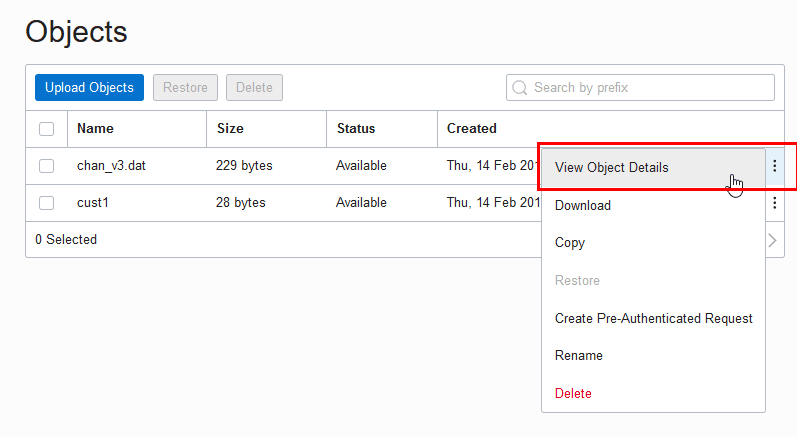
-
On the Object Details page, the URL Path (URI) field shows the URI to access the object.
- Note: The source files need to be stored in an Object Storage tier bucket. Oracle Database does not support buckets in the Archive Storage tier. See Overview of Object Storage for more information.
- .infoboxnote}
Oracle Cloud Infrastructure Object Storage Swift URI Format
If your source files reside on Oracle Cloud Infrastructure Object Storage in the commercial realm (OC1), it is recommended that you use the following URI format which uses Object Storage Dedicated Endpoints. See Object Storage Dedicated Endpoints, for further information.
https://namespace-string.swiftobjectstorage.region.oci.customer-oci.com/v1/namespace-string/bucket/filenameNote: OCI Object Store dedicated endpoint URLs are only supported in the commercial realms (OC1).
If your source files reside on Oracle Cloud Infrastructure Object Storage and are not in the commercial realm (OC1), you must use the following format:
https://swiftobjectstorage.region.oraclecloud.com/v1/namespace-string/bucket/filenameFor example, in the commercial realm (OC1) the Swift URI for the file channels.txt in the bucketname bucket in the Phoenix data center is:
https://namespace-string.swiftobjectstorage.us-phoenix-
1.oci.customer-oci.com/v1/namespace-string/bucketname/channels.txt
In this example, namespace-string is the Oracle Cloud Infrastructure object storage namespace and bucketname is the bucket name. See Understanding Object Storage Namespaces for more information.
- Note: The source files need to be stored in an Object Storage tier bucket. Oracle Database does not support buckets in the Archive Storage tier. See Overview of Object Storage for more information.
- .infoboxnote}
Oracle Cloud Infrastructure Object Storage URI Format Using Pre-Authenticated Request URL
If your source files reside on the Oracle Cloud Infrastructure Object Storage you can use Oracle Cloud Infrastructure pre-authenticated URIs. When you create a pre-authenticated request, a unique URL is generated. You can then provide the unique URL to users in your organization, partners, or third parties to access the Object Storage resource target identified in the pre-authenticated request.
Note: Carefully assess the business requirement for and the security ramifications of pre‑authenticated access. When you create the pre-authenticated request URL, note the Expiration and the Access Type to make sure they are appropriate for your use. A pre-authenticated request URL gives anyone who has the URL access to the targets identified in the request for as long as the request is active. In addition to considering the operational needs of pre-authenticated access, it is equally important to manage its distribution.
If your source files reside on Oracle Cloud Infrastructure Object Storage in the commercial realm (OC1), it is recommended that you use the following URI format which uses Object Storage Dedicated Endpoints. See Object Storage Dedicated Endpoints, for further information.
https://namespace-string.objectstorage.region.oci.customer-oci.com/p/encrypted_string/n/namespace-string/b/bucket/o/filenameNote: OCI Object Store dedicated endpoint URLs are only supported in the commercial realms (OC1).
If your source files reside on Oracle Cloud Infrastructure Object Storage and are not in the commercial realm (OC1), you must use the following format:
https://objectstorage.region.oraclecloud.com.com/p/encrypted_string/n/namespace-string/b/bucket/o/filenameFor example, in the commercial realm (OC1) a sample pre-authenticated URI for the file channels.txt in the bucketname bucket in the Phoenix data center is:
https://namespace-string.objectstorage.us-phoenix-
1.oci.customer-oci.com/p/2xN-uDtWJNsiD910UCYGue/n/namespace-string/b/bucketname/o/channels.txt
In this example, namespace-string is the Oracle Cloud Infrastructure object storage namespace and bucketname is the bucket name. See Understanding Object Storage Namespaces for more information.
You can use a pre-authenticated URL in any DBMS_CLOUD procedure that takes a URL to access files in Oracle Cloud Infrastructure object store, without the need to create a credential. You need to either specify the credential_name parameter as NULL or not supply a credential_name parameter.
For example:
BEGIN
  DBMS_CLOUD.COPY_DATA(
     table_name =>'CHANNELS',
     file_uri_list =>'https://objectstorage.us-phoenix-1.oraclecloud.com/p/unique-pre-authenticated-string/n/namespace-string/b/bucketname/o/channels.txt',
     format => json_object('delimiter' value ',') );
END;
/- Note: A list of mixed URLs is valid. If the URL list contains both pre-authenticated URLs and URLs that require authentication,
DBMS_CLOUDuses the specifiedcredential_nameto access the URLs that require authentication and for the pre-authenticated URLs the specifiedcredential_nameis ignored. - .infoboxnote}
See Using Pre-Authenticated Requests for more information.
URI Format Using Public URL
If your source files reside on an Object Store that provides public URLs, you can use public URLs with DBMS_CLOUD procedures. Public means the Object Storage service supports anonymous, unauthenticated access to the Object Store files. See your Cloud Object Storage service for details on how to make an object public in a supported Object Store.
Note: Carefully assess the business requirement for and the security ramifications of using public URLs. When you use public URLs, due to the file content not being authenticated, make sure this is appropriate for your use.
You can use a public URL in any DBMS_CLOUD procedure that takes a URL to access files in your object store, without the need to create a credential. You need to either specify the credential_name parameter as NULL or not supply a credential_name parameter.
For example the following uses DBMS_CLOUD.COPY_DATA without a credential_name:
BEGIN
  DBMS_CLOUD.COPY_DATA(
     table_name =>'CHANNELS',
     file_uri_list =>'https://objectstorage.us-ashburn-
1.oraclecloud.com/n/namespace-string/b/bucketname/o/chan_v3.dat',
     format => json_object('delimiter' value ',') );
END;
/
In this example, namespace-string is the Oracle Cloud Infrastructure object storage namespace and bucketname is the bucket name. See Understanding Object Storage Namespaces for more information.
- Note: A list of mixed URLs is valid. If the URL list contains both public URLs and URLs that require authentication,
DBMS_CLOUDuses the specifiedcredential_nameto access the URLs that require authentication and for the public URLs the specifiedcredential_nameis ignored. - .infoboxnote}
See Public Buckets for information on using Oracle Cloud Infrastructure public buckets.
Oracle Cloud Infrastructure Object Storage Classic URI Format
If your source files reside in Oracle Cloud Infrastructure Object Storage Classic, see the REST page for a description of the URI format for accessing your files: About REST URLs for Oracle Cloud Infrastructure Object Storage Classic Resources.
Amazon S3 URI Format
If your source files reside in Amazon S3, see the following for a description of the URI format for accessing your files: Accessing a bucket .
For example the following refers to the file channels.txt in the adb bucket in the us-west-2 region.
https://s3-us-west-
2.amazonaws.com/adb/channels.txt
You can use a presigned URL in any DBMS_CLOUD procedure that takes a URL to access files in Amazon S3 object store, without the need to create a credential. To use a presigned URL in any DBMS_CLOUD procedure, either specify the credential_name parameter as NULL, or do not supply a credential_name parameter.
- Note:
DBMS_CLOUDsupports the standard Amazon S3 endpoint syntax to access your buckets.DBMS_CLOUDdoes not support Amazon S3 legacy endpoints. - .infoboxnote}
Amazon S3 Compatible URI Format
DBMS_CLOUD supports object storage service implementations that support Amazon S3 compatible URLs, including the following services:
-
Oracle Cloud Infrastructure Object Storage with Amazon S3 compatible URL
-
Google Cloud Storage with Amazon S3 compatible URL
-
Wasabi Hot Cloud Storage with Amazon S3 compatible URL
Note: To use DBMS_CLOUD with an Amazon S3 compatible object store you need to provide valid credentials. See CREATE_CREDENTIAL Procedure for more information.
If your source files reside on a service that supports Amazon S3 compatible URIs, use the following URI format to access your files:
-
Oracle Cloud Infrastructure Object Storage S3 Compatible URL
If your source files reside on Oracle Cloud Infrastructure Object Storage in the commercial realm (OC1), it is recommended that you use the object URL and bucket URL formats listed below for commercial realm (OC1). See Object Storage Dedicated Endpoints, for further information.
Note: OCI Object Store dedicated endpoint URLs are only supported in the commercial realms (OC1).
Object URL Formats
-
Supported only in the commercial realm (OC1):
https://mynamespace.compat.objectstorage.region.oci.customer-oci.com/bucket_name/object_name -
Supported in all zones:
https://mynamespace.compat.objectstorage.region.oraclecloud.com/bucket_name/object_name
Bucket URL Formats:
-
Supported only in the commercial realm (OC1):
https://mynamespace.compat.objectstorage.region.oci.customer-oci.com/bucket_name -
Supported in all zones:
https://mynamespace.compat.objectstorage.region.oraclecloud.com/bucket_name
See Amazon S3 Compatibility and Object Storage Service API for more information.
-
-
Google Cloud Storage S3 Compatible URL
Object URL Format:
https://bucketname.storage.googleapis.com/object_nameBucket URL Format:
https://bucketname.storage.googleapis.com/See Migrating from Amazon S3 to Cloud Storage and Request Endpoints for more information.
-
Wasabi S3 Compatible URL
Object URL Format:
  https://bucketname.s
3.region.wasabisys.com/object_name
Bucket URL Format:
https://bucketname.s3.region.wasabisys.com/See Wasabi S3 API Reference and Service URLs for Wasabi’s Storage Regions for more information.
GitHub Raw URL Format
DBMS_CLOUD supports GitHub Raw URLs to access data from a GitHub Repository.
- Note: For
DBMS_CLOUDaccess with GitHub Raw URLs, repository access is limited to read-only functionality. TheDBMS_CLOUDAPIs such asDBMS_CLOUD.PUT_OBJECTthat write data are not supported withDBMS_CLOUDAPIs on a GitHub Repository. As an alternative, useDBMS_CLOUD_REPO.PUT_FILEto upload data to a GitHub Repository. - .infoboxnote}
Use GitHub Raw URLs with DBMS_CLOUD APIs to access source files that reside on a GitHub Repository. When you browse to a file on GitHub and click the Raw link, this shows the GitHub Raw URL. The raw.githubusercontent.com domain provides unprocessed versions of files stored in GitHub repositories.
For example, using DBMS_CLOUD.GET_OBJECT:
BEGIN
 DBMS_CLOUD.GET_OBJECT(
   credential_name => 'MY_CRED',
   object_uri      => 'https://raw.githubusercontent.com/myaccount/myrepo/master/data-management-library/autonomous-database/adb-loading.csv',
   directory_name  => 'DATA_PUMP_DIR'
  );
END;
/
For example, using DBMS_CLOUD.CREATE_EXTERNAL_TABLE:
BEGIN
  DBMS_CLOUD.CREATE_EXTERNAL_TABLE(
    credential_name => 'MY_CRED',
    table_name      => 'EMPLOYEES_EXT',
    file_uri_list   => 'https://raw.githubusercontent.com/myaccount/myrepo/master/data-management-library/autonomous-database/*.csv',
    column_list     => 'name varchar2(30), gender varchar2(30), salary number',
    format          => JSON_OBJECT('type' value 'csv')
  );
END;
/
SELECT * FROM employees_ext;
DBMS_CLOUD procedures that take a URL to access a GitHub Repository do not require credentials with public visibility GitHub repositories. To use a public visibility URL you can specify the credential_name parameter as NULL or not supply a credential_name parameter. See Setting repository visibility for more information.
Additional Customer-Managed URI Formats
| URI Scheme | Authentication Type | Access Method Description | URI Example |
|---|---|---|---|
| basic:// | Basic authentication | Username and password stored in database credential object is used to authenticate the HTTP request | basic://api.github.com/users/myaccount |
| bearer:// | Bearer token authentication | Bearer token stored in the password field in database credential object is used to specify the Authorization header for the HTTP request | bearer://api.sendgrid.com/v3/resource |
| oci:// | OCI native | OCI signing key obtained from database credential object stored and used to sign requests using the OCI authentication protocol | oci://objectstorage.us-ashburn-1.oraclecloud.com |
| public:// | No authentication | Public URLs | public://cms.data.gov/ |
| s3:// | Amazon Web Services S3-compatible | Access key and secret key obtained from the username/password field of database credential object, and S3-compatible authentication performed for the HTTP request. | s3://bucket.myprivatesite.com/file1.csv |
Examples:
Customer-managed endpoint using S3-compatible authentication.
This example shows how for new URIs, customers can add the public or private host name pattern using DBMS_NETWORK_ACL_ADMIN package. The code block, executed by user ADMIN, enables HTTPS access for user SCOTT to endpoints in domain *.myprivatesite.com. It then shows how user SCOTT accesses the newly enabled endpoint. Note that credential MY_CRED for user SCOTT must store the access key and secret key for S3-compatible authentication performed for the HTTP request indicated by the URI prefix.
BEGIN
   DBMS_NETWORK_ACL_ADMIN.APPEND_HOST_ACE(
         host => '*.myprivatesite.com',
         ace => xs$ace_type(privilege_list => xs$name_list('http'),
                            principal_name => 'SCOTT',
                            principal_type => xs_acl.ptype_db),
         private_target => TRUE   );
END;
/

BEGIN
   DBMS_CLOUD.get_object(
       credential_name => 'MY_CRED',
       object_uri      => 's3://bucket.myprivatesite.com/file1.csv',
       directory_name  => 'MY_DIR'  );
END;
/
Customer-managed endpoint with public access
This example shows how to register the SCOTT user to access public REST APIs. A privileged user creates a network ACL for the host to provide access to SCOTT user.
BEGIN
   DBMS_NETWORK_ACL_ADMIN.APPEND_HOST_ACE(
         host => 'data.cms.gov',
         ace => xs$ace_type(privilege_list => xs$name_list('http'),
                            principal_name => 'SCOTT',
                            principal_type => xs_acl.ptype_db)
   );
END;
/

SELECT DBMS_CLOUD.get_response_text(
          DBMS_CLOUD.send_request(
              uri     => 'public://data.cms.gov/provider-data/api/1/datastore/imports/a',
              method  => DBMS_CLOUD.METHOD_GET,
              headers => JSON_OBJECT('Accept' VALUE 'application/json')
          )
       )
   FROM DUAL;
/
DBMS_CLOUD Package Format Options
The format argument in DBMS_CLOUD specifies the format of source files.
The two ways to specify the format argument are:
format => '{"format_option" : "format_value" }'And:
format => json_object('format_option' value 'format_value'))Examples:
format => json_object('type' VALUE 'CSV')To specify multiple format options, separate the values with a “,”.
For example:
format => json_object('ignoremissingcolumns' value 'true', 'removequotes' value 'true',
'dateformat' value 'YYYY-MM-DD-HH24-MI-SS', 'blankasnull' value 'true', 'logretention' value 7)- Note: For Avro or Parquet format options, see DBMS_CLOUD Package Format Options for Avro or Parquet.
- .infoboxnote}
| Format Option | Description | Syntax |
|---|---|---|
blankasnull |
When set to true, loads fields consisting of spaces as null. |
Default value: |
Valid with |
Specifies the characterset of source files |
Default value: Database characterset |
Only use with |
Array of JSON path expressions that correspond to the fields that need to be extracted from the JSON records. Each of the JSON path expressions in the array should follow the rules described in SQL/JSON Path Expressions. Only use with format JSON and |
JSON Array of json path expressions expressed in string format. For example: ‘columnpath’ value '["$.WEATHER_STATION_ID", "$.WEATHER_STATION_NAME"]' |
|
Specifies the compression type of the source file. ZIP archiving format is not supported. Specifying the value |
Default value: Null value meaning no compression. |
conversionerrors |
If a row is rejected because of data type conversion errors, the related columns are stored as null or the row is rejected. |
Default value: |
dateformat |
Specifies the date format in the source file. The format option J MM-DD-YYYYBC MM-DD-YYYY YYYYMMDD HHMISS YYMMDD HHMISS YYYY.DDD YYYY-MM-DD |
Default value: Database date format |
delimiter |
Specifies the field delimiter. To use a special character as the delimiter, specify the HEX value of the ASCII code of the character. For example, the following specifies the TAB character as the delimiter: |
Default value |
detectfieldorder |
Specifies that the fields in the external data files are in a different order than the columns in the table. Detect the order of fields using the first row of each external data file and map it to the columns of the table. The field names in external data files are compared in case insensitive manner with the names of the table columns. This format option is applicable for the following procedures:
Restrictions for
|
Default value: |
enablelogs |
The format option
For example: format => JSON_OBJECT('enablelogs' value FALSE) |
Default value: |
encryption |
The format option Use
The Block Cipher Chaining Modifiers and Block Cipher Padding Modifiers values defaults to The format option
For example: format => JSON_OBJECT('encryption' value json_object ('type' value DBMS_CRYPTO.ENCRYPT_AES256 + DBMS_CRYPTO.CHAIN_CBC + DBMS_CRYPTO.PAD_PKCS5, 'credential_name' value 'ENCRYPTION_CRED')) |
encryption:valueWhere value is a JSON string that provides additional parameters for encryption:
Specifies the encryption type.
Specifies the credential used to store the encryption key. user_defined_function: valueSpecifies a fully qualified user-defined function to decrypt or encrypt the specified BLOB (binary large object). |
endquote |
Data can be enclosed between two delimiters, specified with For example: format => JSON_OBJECT('quote' value '(', 'endquote' value ')') |
Default value: Null, meaning no |
escape |
The character “” is used as the escape character when specified. |
Default value: |
|
Blank lines are ignored when set to true. |
Default value: |
ignoremissingcolumns |
If there are more columns in the field_list than there are in the source files, the extra columns are stored as null. |
Default value |
language |
Specifies a language name (for example, FRENCH), from which locale-sensitive information can be derived. |
Default value: Null |
logdir |
Specifies a string value that determines the directory object name where the By default, the For example:
The
The |
Default value: |
logprefix |
Specifies a string value that determines the prefix for the The log table name format is: logprefix By default, the logprefix is in upper case, but the case is reserved when the specified value is enclosed in double-quotes. For example: format => JSON_OBJECT ('logprefix' value 'TEST')Log files then use the |
Default value: |
logretention |
Specifies a positive integer duration, in days, for which the Valid values: For example: format => JSON_OBJECT ('logretention' value 7) |
Default value: |
numericcharacters |
Specifies the characters to use as the group separator and decimal character. decimal_character: The decimal separates the integer portion of a number from the decimal portion. group_separator: The group separator separates integer groups (that is, thousands, millions, billions, and so on). |
Default value: |
numberformat |
Specifies the number format model. Number format models cause the number to be rounded to the specified number of significant digits. A number format model is composed of one or more number format elements. This is used in combination with |
Default value: is derived from the setting of the |
partition_columns |
The format option
If the data files are unstructured and the For object names that are not based on hive format, the order of the |
|
quote |
Specifies the quote character for the fields, the quote characters are removed during loading when specified. |
Default value: Null meaning no quote |
|
Specifies the record delimiter. By default, Specify this argument explicitly if you want to override the default behavior, for example: To indicate that there is no record delimiter you can specify a The |
Default value: detected newline |
regexuri |
The format option
When the value of The characters "*" and "?" are considered wildcard characters when the Regular expression patterns are only supported for the file name or subfolder path in your URIs and the pattern matching is identical to that performed by the For external tables, this option is only supported with the tables that are created on a file in the Object Storage. For example:
|
Default value : |
rejectlimit |
The operation will error out after specified number of rows are rejected. |
Default value: |
removequotes |
Removes any quotes that are around any field in the source file. |
Default value: |
skipheaders |
Specifies how many rows should be skipped from the start of the file. |
Default value: 0 if not specified, 1 if specified without a value |
territory |
Specifies a territory name to further determine input data characteristics. |
Default value: Null See Locale Data in Oracle Database Globalization Support Guide for a listing of Oracle-supported territories. |
timestampformat |
Specifies the timestamp format in the source file. The format option YYYY-MM-DD HH:MI:SS.FF YYYY-MM-DD HH:MI:SS.FF3 YYYY-MM-DD HH24:MI:SS.FF3 MM/DD/YYYY HH:MI:SS.FF3 |
Default value: Database timestamp format The string can contain wildcard characters such as "$". |
timestampltzformat |
Specifies the timestamp with local timezone format in the source file. The format option DD Mon YYYY HH:MI:SS.FF TZR MM/DD/YYYY HH:MI:SS.FF TZR YYYY-MM-DD HH:MI:SS+/-TZR YYYY-MM-DD HH:MI:SS.FF3 DD.MM.YYYY HH:MI:SS TZR |
Default value: Database timestamp with local timezone format |
timestamptzformat |
Specifies the timestamp with timezone format in the source file. The format option DD Mon YYYY HH:MI:SS.FF TZR MM/DD/YYYY HH:MI:SS.FF TZR YYYY-MM-DD HH:MI:SS+/-TZR YYYY-MM-DD HH:MI:SS.FF3 DD.MM.YYYY HH:MI:SS TZR |
Default value: Database timestamp with timezone format |
trimspaces |
Specifies how the leading and trailing spaces of the fields are trimmed. |
Default value: |
truncatecol |
If the data in the file is too long for a field, then this option will truncate the value of the field rather than reject the row. |
Default value: |
DBMS_CLOUD Avro and Parquet Support
This section covers the DBMS_CLOUD Avro and Parquet support provided with Oracle Database.
DBMS_CLOUD Package Format Options for Avro or Parquet
The format argument in DBMS_CLOUD specifies the format of source files.
The two ways to specify the format argument are:
format => '{"format_option" : "format_value" }'And:
format => json_object('format_option' value 'format_value'))Examples:
format => json_object('type' VALUE 'CSV')To specify multiple format options, separate the values with a “,”.
For example:
format => json_object('ignoremissingcolumns' value 'true', 'removequotes' value 'true', 'dateformat' value 'YYYY-MM-DD-HH24-MI-SS', 'blankasnull' value 'true')| Format Option | Description | Syntax |
|---|---|---|
regexuri |
When the value of The characters "*" and "?" are considered wildcard characters when the Regular expression patterns are only supported for the file name or subfolder path in your URIs and the pattern matching is identical to that performed by the For external tables, this option is only supported with the tables that are created on a file in the Object Storage. For example:
See REGEXP_LIKE Condition for more information on |
Default value: |
type |
Specifies the file type. | type : avro | parquet |
schema |
When schema is set to The column names will match those found in Avro or Parquet. The data types are converted from Avro or Parquet data types to Oracle data types. All columns are added to the table. The value The value Default: If Note: For Avro or Parquet format files the |
schema : first | all |
DBMS_CLOUD Package Avro to Oracle Data Type Mapping
Describes the mapping of Avro data types to Oracle data types.
- Note: Complex types, such as maps, arrays, and structs are supported starting with Oracle Database 19c. See DBMS_CLOUD Package Avro and Parquet Complex Types for information on using Avro complex types.
- .infoboxnote}
| Avro Type | Oracle Type |
|---|---|
| INT | NUMBER(10) |
| LONG | NUMBER(19) |
| BOOL | NUMBER(1) |
| UTF8 BYTE_ARRAY | RAW(2000) |
| FLT | BINARY_FLOAT |
| DBL | BINARY_DOUBLE |
| DECIMAL(p) | NUMBER(p) |
| DECIMAL(p,s) | NUMBER(p,s) |
| DATE | DATE |
| STRING | VARCHAR2 |
| TIME_MILLIS | VARCHAR2(20 BYTE) |
| TIME_MICROS | VARCHAR2(20 BYTE) |
| TIMESTAMP_MILLIS | TIMESTAMP(3) |
| TIMESTAMP_MICROS | TIMESTAMP(6) |
| ENUM | VARCHAR2(n) Where: “n” is the actual maximum length of the AVRO ENUM’s possible values |
| DURATION | RAW(2000) |
| FIXED | RAW(2000) |
| NULL | VARCHAR2(1) BYTE |
See DBMS_CLOUD Package Avro and Parquet Complex Types for information on using Avro complex types.
DBMS_CLOUD Package ORC to Oracle Data Type Mapping
Describes the mapping of ORC data types to Oracle data types.
See DBMS_CLOUD Package Avro and Parquet Complex Types for information on using ORC complex types.
| ORC Type | Oracle Type | More Information |
|---|---|---|
| array | VARCHAR2(n) JSON format | DBMS_CLOUD Package Avro and Parquet Complex Types |
| bigint (64 bit) | NUMBER(19) | |
| binary | BLOB | |
| boolean (1 bit) | NUMBER(1) | |
| char | CHAR(n) | |
| date | DATE | |
| double | BINARY_DOUBLE | |
| float | BINARY_FLOAT | |
| int (32 bit) | NUMBER(10) | |
| list | VARCHAR2(n) JSON format | DBMS_CLOUD Package Avro and Parquet Complex Types |
| map | VARCHAR2(n) JSON format | DBMS_CLOUD Package Avro and Parquet Complex Types |
| smallint (16 bit) | NUMBER(5) | |
| string | VARCHAR2(4000) or VARCHAR2(32767) | Depending on the value of the format parameter option maxvarchar and on the MAX_STRING_SIZE value. See DBMS_CLOUD Package Format Options for Avro or Parquet for more information. |
| struct | VARCHAR2(n) JSON format | DBMS_CLOUD Package Avro and Parquet Complex Types |
| timestamp | TIMESTAMP | |
| tinyint (8 bit) | NUMBER(3) | |
| union | VARCHAR2(n) JSON format | DBMS_CLOUD Package Avro and Parquet Complex Types |
| varchar | VARCHAR2(n) |
DBMS_CLOUD Package Parquet to Oracle Data Type Mapping
Describes the mapping of Parquet data types to Oracle data types.
- Note: Complex types, such as maps, arrays, and structs are supported starting with Oracle Database 19c. See DBMS_CLOUD Package Avro and Parquet Complex Types for information on using Parquet complex types.
- .infoboxnote}
| Parquet Type | Oracle Type |
|---|---|
| UINT_64 | NUMBER(20) |
| INT_64 | NUMBER(19) |
| UINT_32 | NUMBER(10) |
| INT_32 | NUMBER(10) |
| UINT_16 | NUMBER(5) |
| INT_16 | NUMBER(5) |
| UINT_8 | NUMBER(3) |
| INT_8 | NUMBER(3) |
| BOOL | NUMBER(1) |
| UTF8 BYTE_ARRAY | VARCHAR2(4000 BYTE) |
| FLT | BINARY_FLOAT |
| DBL | BINARY_DOUBLE |
| DECIMAL(p) | NUMBER(p) |
| DECIMAL(p,s) | NUMBER(p,s) |
| DATE | DATE |
| STRING | VARCHAR2(4000) or VARCHAR2(32767) Depending on the value of the format parameter option maxvarchar and the setting of MAX_STRING_SIZE of your database. See DBMS_CLOUD Package Format Options for Avro or Parquet for more information. |
| TIME_MILLIS | VARCHAR2(20 BYTE) |
| TIME_MILLIS_UTC | VARCHAR2(20 BYTE) |
| TIME_MICROS | VARCHAR2(20 BYTE) |
| TIME_MICROS_UTC | VARCHAR2(20 BYTE) |
| TIMESTAMP_MILLIS | TIMESTAMP(3) |
| TIMESTAMP_MILLIS_UTC | TIMESTAMP(3) |
| TIMESTAMP_MICROS | TIMESTAMP(6) |
| TIMESTAMP_MICROS_UTC | TIMESTAMP(6) |
| TIMESTAMP_NANOS | TIMESTAMP(9) |
See DBMS_CLOUD Package Avro and Parquet Complex Types for information on using Parquet complex types.
DBMS_CLOUD Package Oracle Data Type to Parquet Mapping
Describes the mapping of Oracle data types to Parquet data types.
| Oracle Type | Parquet Type |
|---|---|
| BINARY_DOUBLE | DBL |
| BINARY_FLOAT | FLT |
| DATE | DATE |
| NUMBER(p,s) | DECIMAL(p,s) |
| NUMBER(p) | DECIMAL(p) |
| TIMESTAMP(3) | TIMESTAMP_MILLIS |
| TIMESTAMP(3) | TIMESTAMP_MILLIS_UTC |
| TIMESTAMP(6) | TIMESTAMP_MICROS |
| TIMESTAMP(6) | TIMESTAMP_MICROS_UTC |
| TIMESTAMP(9) | TIMESTAMP_NANOS |
| VARCHAR2(4000) | STRING |
NLS Session Parameters
The NLS session parameters NLS_DATE_FORMAT, NLS_TIMESTAMP_FORMAT, NLS_TIMESTAMP_TZ_FORMAT and NLS_NUMERIC_CHARACTERS define how the date, timestamp, timestamp with time zone format, and radix separator for timestamp with decimal marker should be shown when a table with those column types are queried.
The NLS_SESSION_PARAMETERS parameters support an RR format mask (two character year specification).
DBMS_CLOUD Package Avro and Parquet Complex Types
Describes the mapping of Avro and Parquet complex data types to Oracle data types.
Oracle Database supports complex data types, including the following complex types:
-
struct
-
list
-
map
-
union
-
array
When you specify a source file type of Avro or Parquet and the source file includes complex columns, Oracle Database queries return JSON for the complex columns. This simplifies processing of query results; you can use Oracle’s powerful JSON parsing features consistently across the file types and data types. The following table shows the format for the complex types in Oracle Database:
- Note: The complex fields map to
VARCHAR2columns andVARCHAR2size limits apply. - .infoboxnote}
| Type | Parquet | Avro | Oracle |
|---|---|---|---|
| List: sequence of values | List | Array | VARCHAR2 (JSON format) |
| Map: list of objects with single key | Map | Map | VARCHAR2 (JSON format) |
| Union: values of different type | Not Available | Union | VARCHAR2 (JSON format) |
| Object: zero or more key-value pairs | Struct | Record | VARCHAR2 (JSON format) |
DBMS_CLOUD Package Avro and Parquet to Oracle Column Name Mapping
Describes rules for how Avro and Parquet column names are converted to Oracle column names.
The following are supported for Avro and Parquet column names, but may require use of double quotes for Oracle SQL references in external tables. Thus, for ease of use and to avoid having to use double quotes when referencing column names, if possible do not use the following in Avro and Parquet column names:
-
Embedded blanks
-
Leading numbers
-
Leading underscores
-
Oracle SQL reserved words
The following table shows various types of Avro and Parquet column names, and rules for using the column names in Oracle column names in external tables.
| Avro or Parquet Name | CREATE TABLE Name | Oracle CATALOG | Valid SQL | Notes |
|---|---|---|---|---|
| part, Part, or PART | part, Part, PART | PART |
|
Oracle implicitly uppercases unquoted column names |
| Ord No | “Ord No” | Ord No | select "Ord No" |
Double quotes are required when there are embedded blanks, which also preserves the character case |
| index_key | “index_key” | index_key | select "__index_key__" |
Double quotes are required when there is a leading underscore, which also preserves the character case |
| 6Way | “6Way” | 6Way | select "6Way" |
Double quotes are required when there is a leading numeric digit, which also preserves the character case |
| create, Create, or CREATE, and so on. (any case variation) partition, Partition, PARTITION, and so on (for an Oracle Reserved word) | “CREATE” “PARTITION” | CREATE PARTITION |
|
Double quotes are required around Oracle SQL Reserved words. These are forced to uppercase, but must always be double-quoted when used anywhere in SQL |
| rowid, Rowid, ROWid, and so on (for ROWID see notes) | rowid |
|
For ROWID, any mixed or lower-case variation of ROWID preserves the case and must always be double-quoted and use the original case variations. Due to the inherent conflict with Oracle ROWID for the table, if you specify upper-case ROWID, it is automatically stored as lower-case “rowid” and must always be double-quoted when referenced. |
Div:
Notes:
-
In general a column name in an external table can be referenced without double quotes.
-
Unless there is an embedded blank, a leading underscore (“_”) or leading numeric digit (“0” through “9”) in the column name, the original case of the column name is preserved, and it must always be referenced with double quotes and using the original case (upper, lower or mixed-case) of the Avro or Parquet column name.
-
After using
DBMS_CLOUD.CREATE_EXTERNAL_TABLEto create an external table with the format specified asavroorparquet, use theDESCRIBEcommand in SQL*Plus to view the table's column names. -
When Oracle SQL Reserved Words are used in Avro or Parquet column names, they must always be double-quoted when referenced anywhere in SQL.
DBMS_CLOUD Exceptions
The following table describes exceptions for DBMS_CLOUD.
| Exception | Code | Description |
|---|---|---|
reject_limit |
20003 | The reject limit of an external table was reached. |
credential_not_exist |
20004 | A credential object does not exist. |
table_not_exist |
20005 | A table does not exist. |
unsupported_obj_store |
20006 | An unsupported object store URI was provided. |
iden_too_long |
20008 | An identifier is too long. |
invalid_format |
20009 | A format argument is not valid. |
missing_credential |
20010 | Mandatory credential object information was not specified. |
invalid_object_uri |
20011 | An invalid object URI was provided. |
invalid_partitioning_clause |
20012 | An partitioning clause is missing or was not provided. |
unsupported_feature |
20013 | An unsupported feature was used that is not existent in the current database version. |
part_not_exist |
20014 | A partition or subpartition does not exist, or a table is not a partitioned external table or hybrid partitioned table. |
invalid_table_name |
20016 | An invalid table name was used. |
invalid_schema_name |
20017 | An invalid schema name was used. |
invalid_dir_name |
20018 | An invalid directory name was used. |
invalid_file_name |
20019 | An invalid file name was used. |
invalid_cred_attribute |
20020 | Invalid credential attributes were specified. |
table_exist |
20021 | A table already exists. |
credential_exist |
20022 | A credential object already exists. |
invalid_req_method |
20023 | A request method is either too long or invalid. |
invalid_req_header |
20024 | An invalid request header was specified. |
file_not_exist |
20025 | A file does not exist. |
invalid_response |
20026 | An HTTP response was not valid. |
invalid_operation |
20027 | An invalid task class or ID was specified. |
invalid_user_name |
20028 | An invalid username was specified. |
Footnote Legend
Footnote 3: Support for Azure Cloud REST API calls is limited to the domain “blob.windows.net”.