Introduction to SQL Property Graphs
You can work with SQL property graphs in any SQL based interface (such as SQL Developer, SQLPLUS, or SQLcl) or from a Java program using JDBC.
Using SQL statements, you can perform the following:
-
Create a SQL property graph from existing database objects in your schema, such as:
-
Tables.
-
See Special Instructions for Creating SQL Property Graphs with Advanced Table Features for certain tables that require special instructions.
-
See Limitations of Creating a SQL Property Graph for some exceptions.
-
-
Views.
See Creating a SQL Property Graph Using Database Views for more information.
-
Materialized views.
-
External tables.
-
Synonyms for any of the preceding database objects.
-
-
Create a synonym for a SQL property graph.
-
Revalidate a SQL property graph.
-
Rename a SQL property graph
-
Run graph pattern matching queries on a SQL property graph.
-
Drop a SQL property graph.
For example, the following figure shows the creation of a SQL property graph using the SQL Developer tool.
Figure: Using SQL Developer to Create a SQL Property Graph
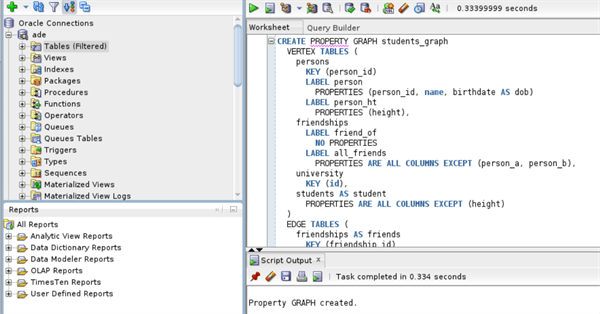
Description of the illustration sqldev_create_sql_pg.png
-
Quick Start for Working with SQL Property Graphs
This tutorial helps you get started on creating, querying, and running graph algorithms on a SQL property graph. -
Quick Start: Creating a SQL Property Graph by Importing Graph Data from Neo4j
Oracle Graph provides PL/SQL scripts that allow you to import Neo4j graph data and create a SQL property graph in either your Oracle Autonomous AI Database instance or an on-premises Oracle AI Database.