19.13.2.3 Install Add-in for Excel from Office Store
Describes how to install Oracle Database Add-in for Microsoft Excel from Microsoft Office Store online marketplace on a standalone Excel application in your system and also on Excel for the web.
Note:
Oracle recommends installing Spreadsheet Add-ins from an official store. If online stores are restricted or not available in your organization, you can download the add-in from Database Actions and install it manually.
For more information, see Download Spreadsheet Add-ins from Database Actions, Install Add-in for Microsoft Excel from Trusted Catalogs.
Prerequisites
You have Microsoft Excel 365 installed in your system.
To install an add-in on Excel for the web you must have an active Microsoft account or an account with access to Microsoft Office 365.
Installation Steps
-
Start the Excel application in your system and open a workbook.
Similarly, you can log in to your Microsoft account in a browser and open a workbook in Excel for the web. Oracle recommends using Microsoft Edge for better compatibility and performance.
-
On the Home tab select Add-ins.
Alternatively, you can enable the Developer menu and click the Add-ins option.
-
You can search Add-in for Excel using the following ways:
-
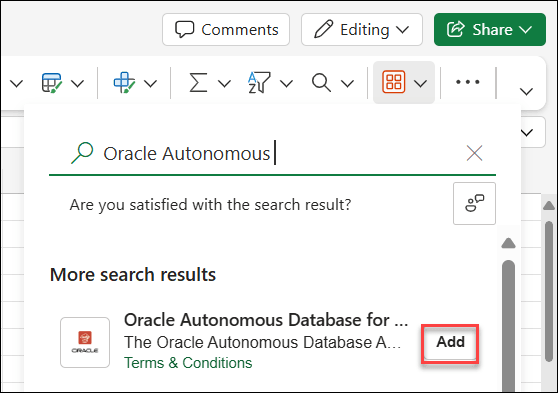
In the Search Add-ins field next to the magnifier icon enter Oracle Database or Oracle.
-
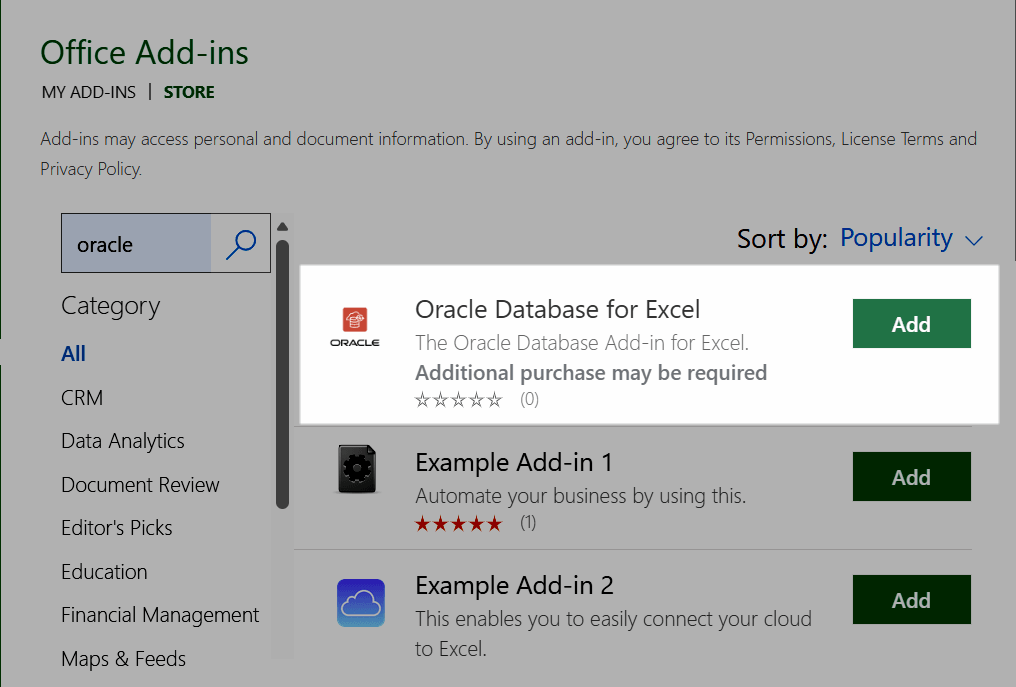
Alternatively, you can search the add-in in the STORE. Click Get Add-ins or More Add-ins, depending on the Microsoft Office version and search Oracle Database or Oracle Database.
The search result displays Oracle Database Add-in for Microsoft Excel.
-
-
Click Add to start the add-in installation.
-
The standalone Excel application installs the add-in immediately.
-
The first time you install the add-in on Excel for the web Microsoft Office Store displays a message regarding License terms and Privacy Policy. See Oracle's license terms and Privacy Policies and Contact Details.
If you agree click Continue to install the add-in.
-
On successful installation, Excel displays a new tab Oracle Database.
See Also:
To uninstall the add-in see Remove Spreadsheet Add-ins.