8.5.5 Deploying Application Packages to Domain
To add an application package to a domain, do the following steps:
- Click + beside the package entry you want to add to the Package List.
The Add Application Package popup dialog appears. In the dialog, the Machines drop-down list shows all machines added to this domain and are applicable for this package.
Note:
The + button is inactive if the package is not suitable for the machine. - Check the machine entry tooltip information and package entry respectively to make sure the OS type, machine architecture, and Tuxedo version all match.
- Click OK.
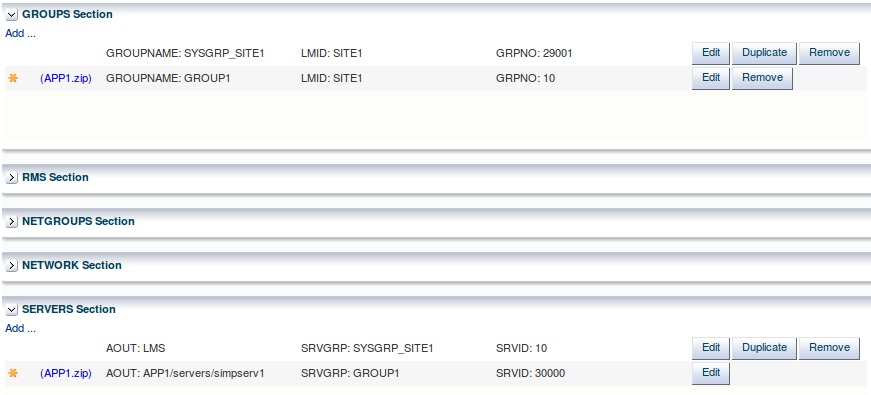
All entries described in Properties.xml of the package are added to the corresponding UBBCONFIG file sections as shown in figure below:
The (*) signs before the
The
GROUPS entry and SERVERS entry indicate new-added items to this domain that have not been deployed.
Figure 8-5 New Added Entries
GROUPNAME and GRPNO parameters are generated automatically when adding the package. All groups and their assets defined in Properties.xml are added to the domain. Unlike machine entries, one application package can be added more than one time.
The Tuxedo domain is ready to be deployed and monitored.
Parent topic: Deploying Application Packages to Tuxedo Domain