How to Enable OGL in CPQ
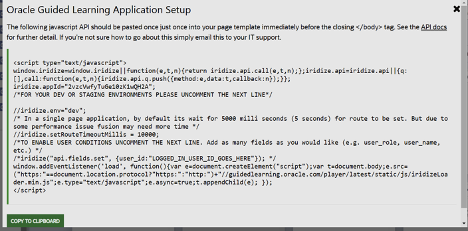
Because CPQ is a non-Fusion instance, we can use the default JS which is available in setup.
- Copy the code.
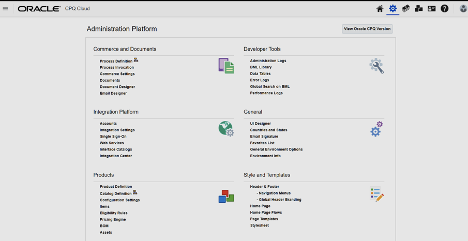
- In CPQ Cloud, from Administration Platform, select Header &
Footer from Style and Templates.
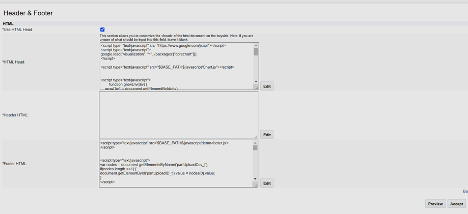
- In Header & Footer page add your JS (which is copied to either Header
HTML or Footer HTML).
To track user metric, replace the following line:
//iridize("api.fields.set",{user_id:"LOGGED_IN_USER_ID_GOES_HERE"});
with the following line of code:
iridize(“api.fields.set”, {user_id:_BM_USER_LOGIN});
- Select Accept.
Possible Errors:
Widget may not appear on any page except the header and footer page.
To fix this, add ths line of code just below the iridize.env line:
iridize.loadJQuery=true;
Note:
If you are trying to use a cross app functionality add the below line into JS.iridize.crossAppIframe=true;