Common CSS Rules in the Guided Learning Theme
Note:
This serves as a guideline.To update the colors of the Guided Learning tooltips, find the expected Hex codes, then replace them with your preferred codes:
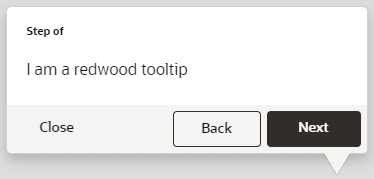
| Swatch | Find | Replace with |
|---|---|---|
 |
#3E3834 | Your own Hex code |
 |
#F5F4F2 | Your own Hex code |
Note: Perform a Find & Replace to quickly update
| Image Reference | CSS Rule |
|---|---|
 |
/*To change the color of the Help Widget*/

.ogl-rw-widget {
     background-color: ##3E3834;
}
|
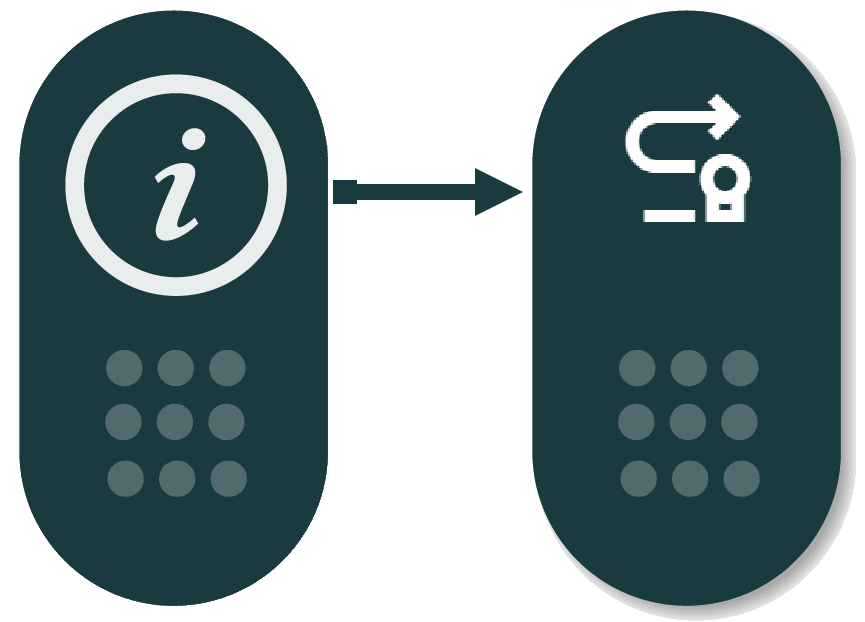 |
/*To change the Help Widget Icon*/

.ouc-widget__launch-icon {
     background-image: url(REPLACE_WITH_ICON_URL);
}
|
 |
/*To change color when you hover over the Help Widget*/

.ogl-rw-widget--launch a:hover {
     background-color: #F5F4F2;
}
|
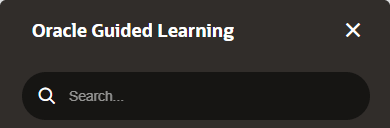 |
/*To change the Widget Help Panel header background*/

.ogl-rw-help-widget-header--upper {
     background-color: #3E3834;
}

/*To change the color of Widget Help Panel header (search bar area)*/

.ogl-rw-help-widget-header--lower {
     background-color: #3E3834;
}


/*To change the color of search bar input area*/

.rw-searchbar {
     display: flex;
     flex-direction: row;
     align-items: center;
     padding: 0 15px;
     font-family: Oracle Sans;
     background-color: #F5F4F2;
  }
|
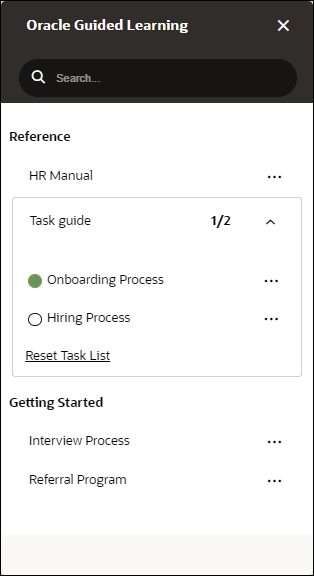 |
/*To change the font in help widget*/

.ogl-rw-help-widget-item--title {
    font-family: sans-serif;
}
.ogl-rw-help-widget--content-group--title {
    font-family: sans-serif;
}
.ogl-rw-task-list-item--title {
    font-family: sans-serif;
}
.ogl-rw-task-list--reset{
    font-family: sans-serif;
}
|
 |
/*To make changes to tip footer*/

div.sttip div.tooltip.ogl-rw-tip div.stFooter, div.sttip div.tooltip.ogl-rw-tip.ogl-rw-hovertip.showLaterBt div.stFooter {

background: #3E3834;

/*height: 48px;*/ /*For changing the padding height on tip footers*/

}

/*To make changes to Next Button, background colour and border color was changed to match with the button colour*/

div.sttip div.tooltip.ogl-rw-tip div.stFooter .next-btn {

    background-color: #F5F4F2;

    border: 1px solid #F5F4F2;

}

/*To change the colour of Close Button text*/
div.sttip div.ogl-rw-tip div[data-iridize-role='closeBtPane'] button {
    color: #FFFFFF;
}

/*Removing the Back Button Border and changing the colour of back button text*/
div.sttip div.tooltip.showPrevBt.ogl-rw-tip .stFooter .default-prev-btn {
    color: #FFFFFF;
    border: none;
}
|
|
Figure 5-1 Left side tip pointer 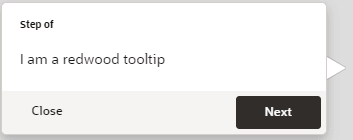 |
/*To make changes tip pointers, to match the colour of the tip pointers with either buttons or tip footer background*/

/*Left side tip pointer*/

div.sttip div.tooltip.ogl-rw-tip.in.top.top-left div.tooltip-arrow.second-arrow {

    border-top-color: #3E3834;

}
|
|
Figure 5-2 Right side tip pointer 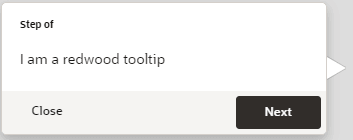 |
/*To make changes to second arrow*/

div.sttip div.tooltip.ogl-rw-tip.in.top div.tooltip-arrow.second-arrow {

    border-top-color: #3E3834;

}

/*To make changes to right side arrow*/

div.sttip div.tooltip.ogl-rw-tip.ir-hoverTip.in.top div.tooltip-arrow.second-arrow {

    border-top-color: #3E3834;

}
|
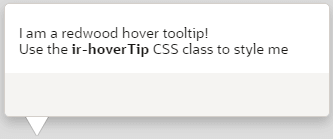 |
/*Smart-tip color*/ div.ir-marker { background-color: #3E3834; } /*Changing the icon of the smartitp*/ div.ir-marker:after { content: '?';(Change the "?" to any other special character) } |
 |
/*To change the Remind me later button color, border color and background color*/

div.sttip div.tooltip.ogl-rw-tip.showLaterBt button[data-iridize-role='laterBt']{
    border: solid 1px #F5F4F2;
    background: #F5F4F2;
}
|
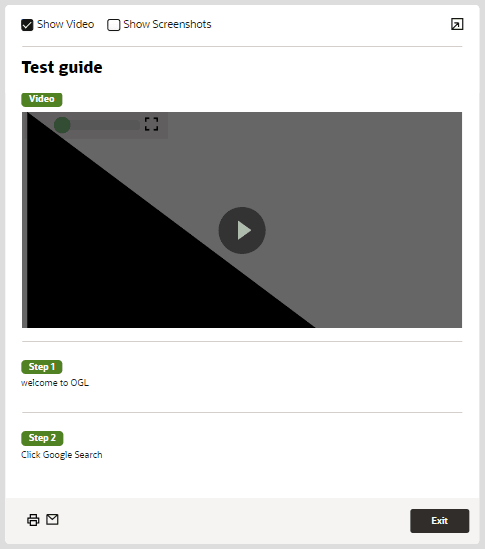 |
/*To change the color of the Step Guide view border*/

.iridize-step-guide-frame {
     border-right: solid 5px #00AAFF;
}

/*To change the font of step guide*/

.ogl-step-guide--step--caption {
    font-family: sans-serif;
}
.ogl-rw-step-guide--title {
    font-family: sans-serif;
}
|
 |
/*to change the Step Guide Exit Button Color*/

.ogl-rw-step-guide--footer--exit-btn {
     background-color: #00AAFF;
}
|
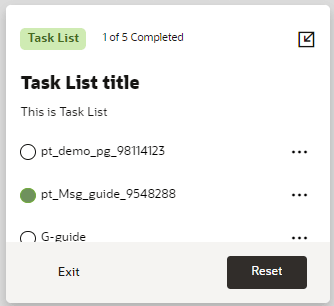 |
/*To change color of the task list footer*/

.ogl-rw-task-list--footer {
     background-color: #3E3834;
}


/*To change task list exit button*/

.ogl-rw-task-list--footer--exit-btn {
    color: white;
    width: 88px;
    height: 36px !important;
    border: none;
    cursor: pointer;
    font-size: 13.75px;
    background-color: transparent;
    font-weight: 600;
    margin-left: 16px;
}


/*To change task list reset button*/

.rw-btn {
    background: #F5F4F2;
}

/*To change the font for task list*/
.ogl-rw-task-list--title {
    font-family: sans-serif;
}
.ogl-rw-task-list--desc{
    font-family: sans-serif;
}
.ogl-rw-task-list--header--completion-text{
    font-family: sans-serif;
}
|
 |
/*To change color of the step guide icon*/ .uc-panel__item__step { color: #00AAFF;}
|
 |
/*To change color of the step guide icon on hover*/ .uc-panel__item__step:hover { color: #00b5ff;}
|
 |
/*To change the smart tip an i with a matching border find div.ir-marker in the theme and replace with the below*/ div.ir-marker {
/*changing this will affect the color of the help icon*/
background-color: #FFFFFF;
border: 2px solid #1b3b3f;
border-radius:15px;
font-weight: bolder;
font-size: 14px;}
/*To change the ? to an i find div.ir-marker:after and replace with the below*/ div.ir-marker:after{
content: 'i';
color: #1b3b3f;}
|
 |
/*To change the background color*/ div.ir-marker {
background-color: #12bc8d;
}
/*To change the ? to another letter, add the following CSS rule to the design kit if it doesn't already exist*/ div.ir-marker:after {content: 'i';}
/*To change the ? to my own custom image, add the following CSS rule to the design kit if it doesn't already exist*/ div.ir-marker:after {content: none;}
div.ir-marker {
background: url(data:[your image goes here])
no-repeat
left center;
}
/*You can use the following service to get the Data URI of your image - https://dopiaza.org/tools/datauri/index.php*/ |
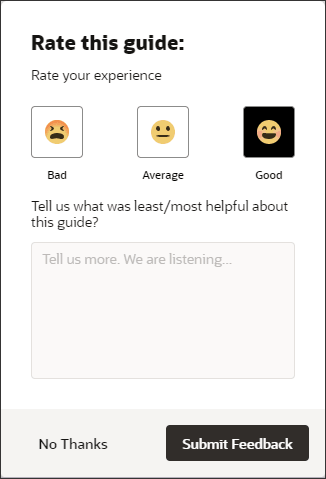 |
/*To change feedback hover over color*/
.ogl-rw-feedback--rating > input:checked + label {

    background-color: #F5F4F2;

}

/*To change feedback footer color*/
.ogl-rw-feedback--footer{
    background-color: #3E3834;
}

/*To change Feedback No Thanks Button*/
.ogl-rw-feedback--no-outline-btn {
    color: #3E3834;
}

/*To change Feedback Submit Button*/
.ogl-rw-feedback--fill-btn {
    background-color: #F5F4F2;

/*To change the button color*/
    color: #FFFFFF;

/*To change color text within button*/
    color: #FFFFFF;
}
|
