Help Panel
Accessing the Help Widget Settings
- On the OGL Console homepage, go to the left navigation panel.
You can see the Settings tab on the left navigation panel.
- Select Help Panel under the Settings tab.
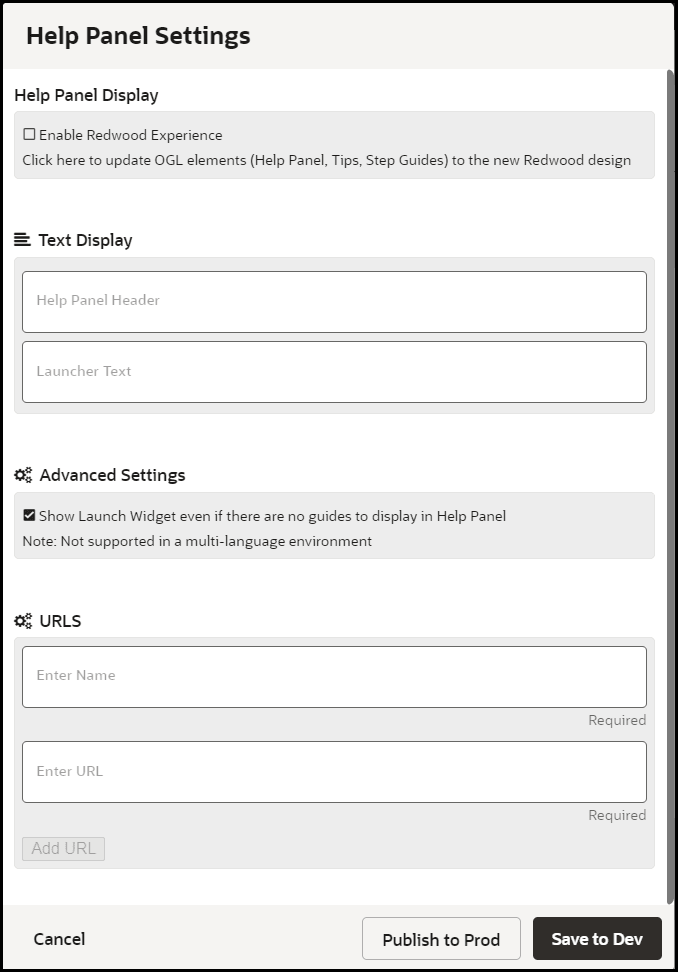
Help Panel Settings window is displayed.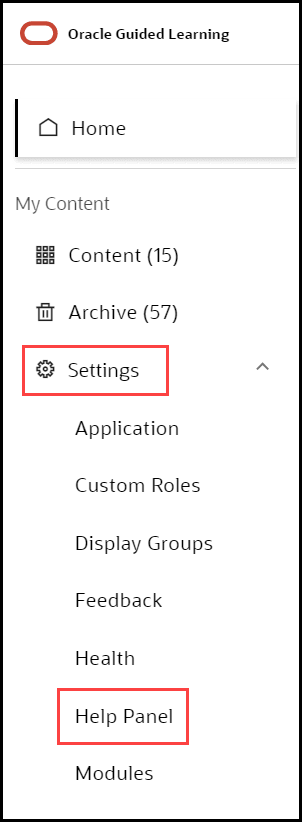
Enabling the new Help Panel
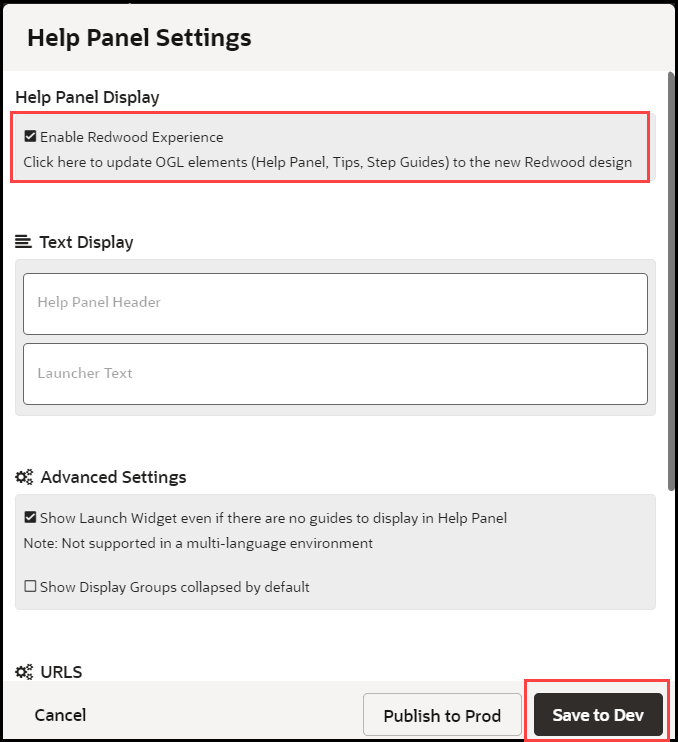
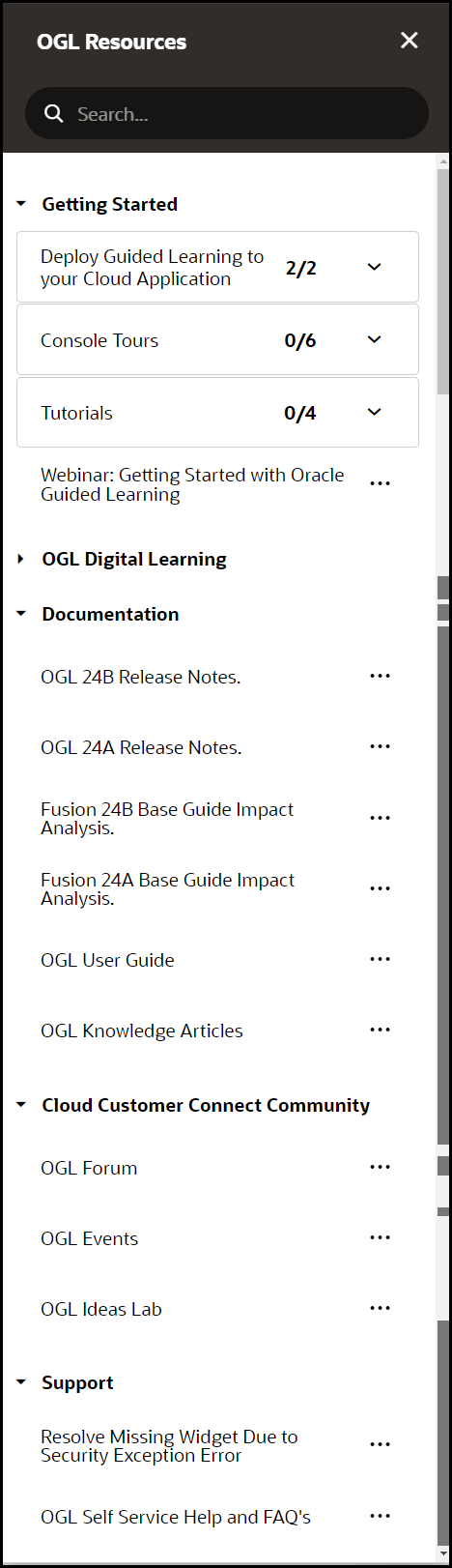
To enable/disable the new Redwood Experience Help Panel, check/uncheck the Enable Redwood Experience, then click Save to Dev (will only display in non-Prod environments) or Publish to Prod (will display in both Development and Production environments) accordingly.