Translation
Oracle Guided Learning is a global platform that caters to users from diverse linguistic backgrounds. It is designed to be inclusive and accessible, allowing you to customize your guides in multiple international languages. The following articles explain the process of translating guides and managing multi-language guide content. Translation of guides allows you to dynamically control which language of the guide will be displayed to the end user. Once the guides are exported you can translate the relevant text in the provided files and import them back to OGL with the new language. You can translate your guides manually using an external translation service or use OGL's new Automated Machine Translation feature.
Note:
- Please remember that with OGL, translations are only available from the generic language of English to other languages. It is not possible to use machine or automated translation to translate guides that were originally created in other languages, including US English.
- Please make sure to create all content in the designated folder Generic Language.
- The guides in the Generic Language folder are the main guides, and all the
edits are done in the main guide, like:
- Additional steps, adding a smart tip, removing a step.
- When creating English guides, it is crucial to consider the possibility of them being translated into foreign languages in the future. For this reason, the tip width of each step should be adjusted accordingly.
- Adding additional selectors for foreign languages.
- Text updates are done in the respective languages using the OGL Content Editor.
- To ensure a successful translation with Machine Translation and Automated Translation, each step in a guide should not exceed 5000 characters, including HTML tags. If a step is longer than 5000 characters, the translation attempt will fail and result in an error.
- Guides must be published or unpublished in all the foreign languages it was translated into.
- If you deactivate a guide in the default OGL language folder, it will also be deactivated in the foreign languages folder, and vice versa.
Multi-Language Functionality
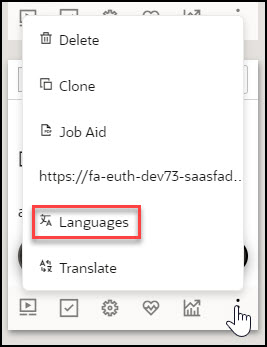
The Multi-Language functionality allows you to create copies of an OGL guide (i.e., process guide, smart tip, etc.) into additional languages (i.e., An English worded OGL item can be made available in Dutch, French, etc.). With this feature, the original guide and all translated versions of the guide will all share the same apiName. Once the guide has been duplicated, you can export the guide contents and properties into a ZIP file to be translated using an external translation service. Once translated, you will be able to import the guide and properties back into your OGL content library to be deployed in their target languages for end users to consume.
Tip:
OGL's multi-language functionality supports supports over 290 languages.Automated Machine Translation
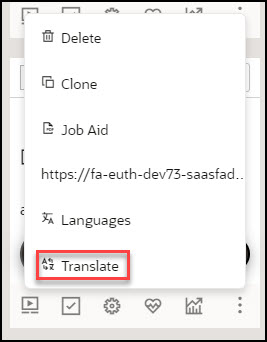
Automated Machine Translation as an enhanced translation method. With this method, you can instantly translate guides into provided languages using AI machine translation directly from within the OGL console, without the need to export/import guides.
See the following subsections to learn more about how to translate your guides.
