Selecting Abnormal Probes in Any Time Range
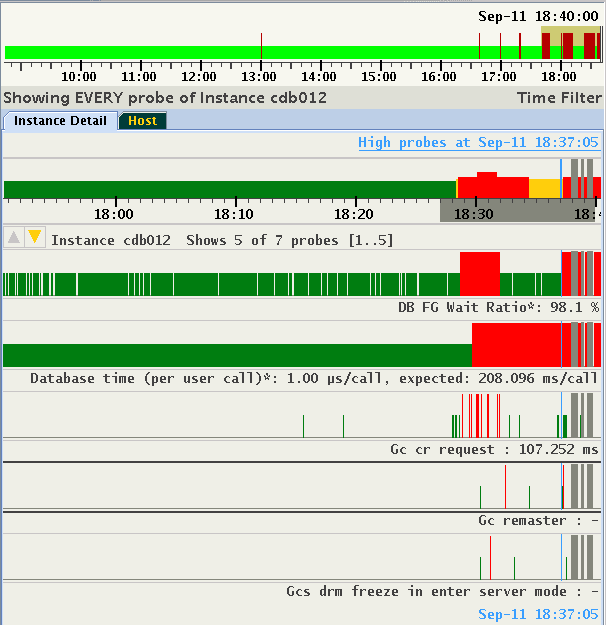
Tracking probes in abnormal state between times points is supported. Move the cursor to the first time point, press the Shift key, press the left mouse key and move the cursor to the second time point, release the mouse button, and then release the Shift key. The selected time range is indicated by a gray bar under the time line. The information strip indicates that a "Time Filter" is active. In the example, a total of 7 probes are indicated high between 18:27 and 18:40, with probes 1 to 5 visible in the display:
Figure 6-18: Selecting Abnormal Probes in any Time Range
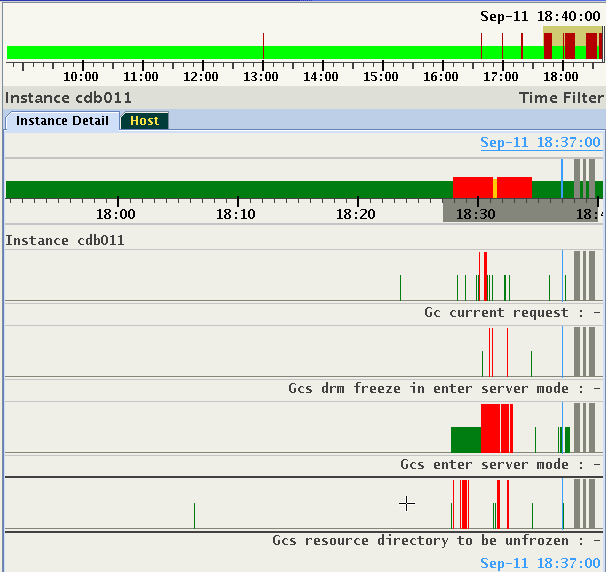
The selection of time range is preserved cluster-wide similar to a selection of pin point. You can change target entities and see the sets of abnormal probes in the selected time range. For example, in the same period in time, only four high probes for another instance of the database are detected.
Figure 6-19: Selecting Abnormal Probes in any Time Range
To deactivate the filter, either select "Reset Time Selection" on the right-click pop-up menu, or hit the Escape key on your keyboard.