Discovering Exascale
Enterprise Manager uses a dedicated target type Oracle Exadata Exascale to monitor Exascale. Exascale targets can be discovered either as part of Exadata Database Machine discovery or separately after Database Machine discovery.
Topics
Exascale Discovery as Part of Oracle Exadata Database Machine Discovery
-
Follow the steps 1 through 10 in Discover the Oracle Exadata Database Machine Target Using the Console for discovering a Database Machine and its components.
-
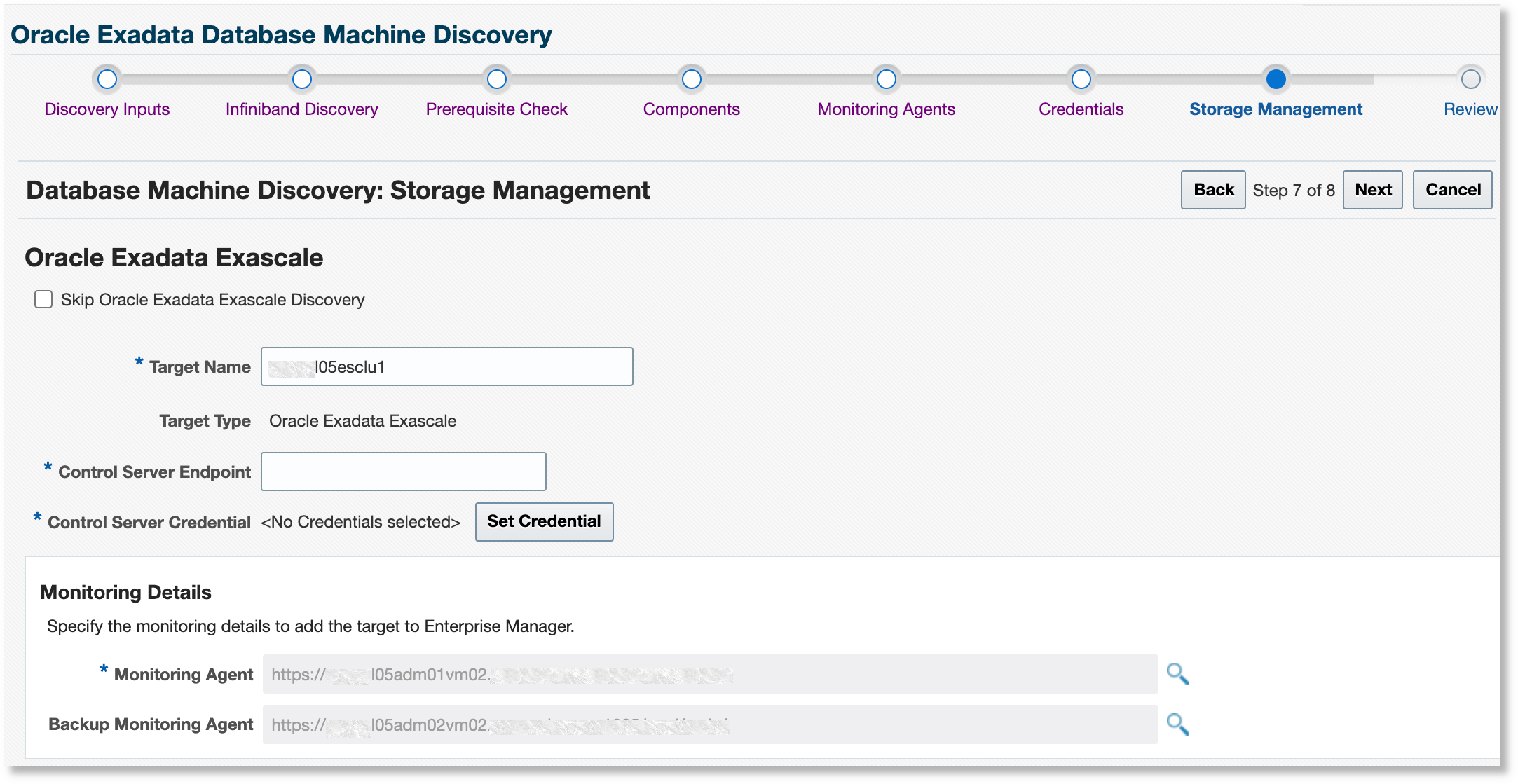
After providing credentials for monitoring agents and storage servers, the discovery wizard checks for the presence of Exascale on the Database Machine. If present, the Storage Management page is displayed to enable Exascale discovery. The Exascale target name is prepopulated with the Exascale cluster name.
-
Specify the Monitoring Agent and Backup Monitoring Agent to monitor the Exascale target.
-
Provide the Control Server Endpoint, as provided by the Exadata administrator. This will be in the format
<fully
                                qualified hostname>:port
. -
Specify the Control Server Credential using the name and private key used in Create an Exascale Monitoring User.
Copy the private key you previously generated and paste into the Private Key and Confirm Private Key fields. Click OK to save. Click Next to proceed.
-
Continue with steps 11 through 12 in Discover the Oracle Exadata Database Machine Target Using the Console.
You can access the Exascale target from the Target Navigation tree. The Exascale target can also be accessed from the All Targets page in the Servers, Storage and Network category.
Exascale Discovery After Oracle Exadata Database Machine Discovery
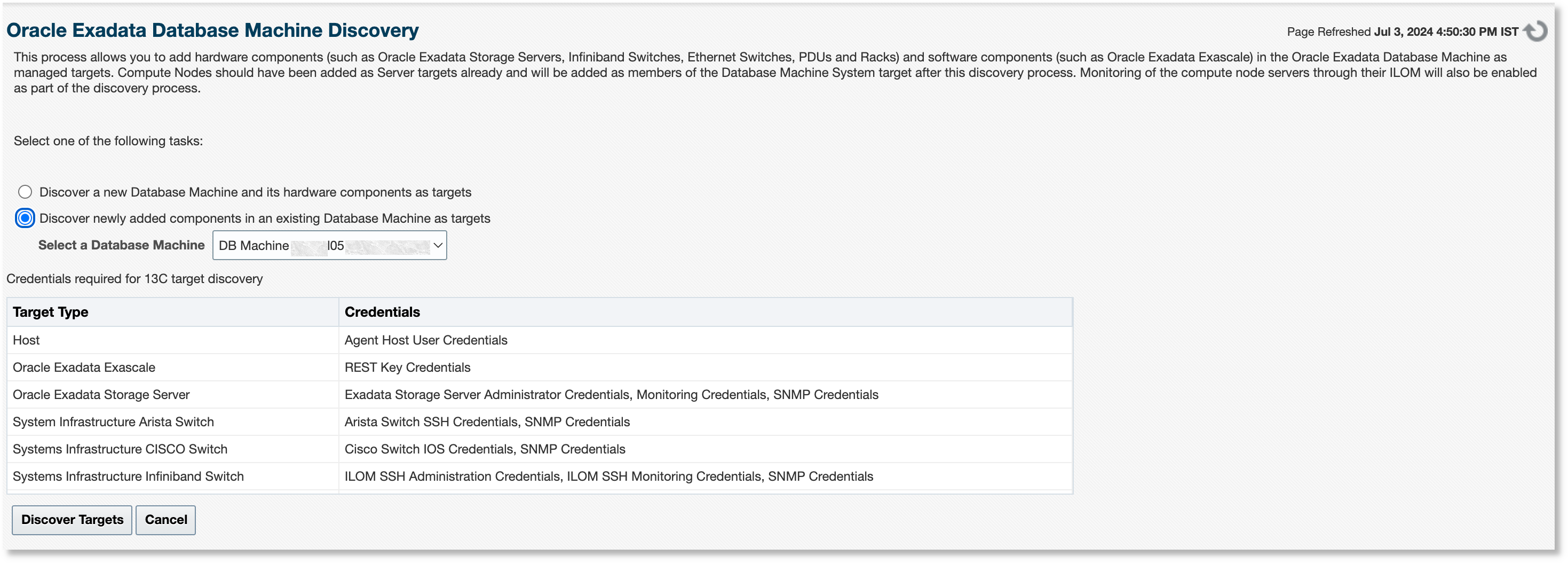
If you want to add Exascale to a Database Machine after the latter is discovered by Oracle Enterprise Manager, then Exascale can be discovered as a newly added component and associated with the existing Database Machine target. In the Database Machine discovery workflow, select the Discover newly added components in an existing Database Machine as targets option. This is the same workflow used to discover other new components, such as storage severs.