4 Viewing Events in the Microsoft SCOM Operations Console
After an event is sent by an Incident Rule in Oracle Enterprise Manager, you can view it in the Microsoft SCOM Operations console.
For information on how to send events, see Sending Events to an Event Connector in Oracle Enterprise Manager Monitoring Guide.
Note:
The content in the Sending Events to an Event Connector section uses IBM Tivoli Netcool/OMNIbus as an example, however, it describes the generic process for sending events to any Event Connector.After an event has been sent to SCOM, you can view it in the Microsoft SCOM Operations console. To do so, select Monitoring, Oracle Enterprise Manager Event Monitoring, and then All Alerts.
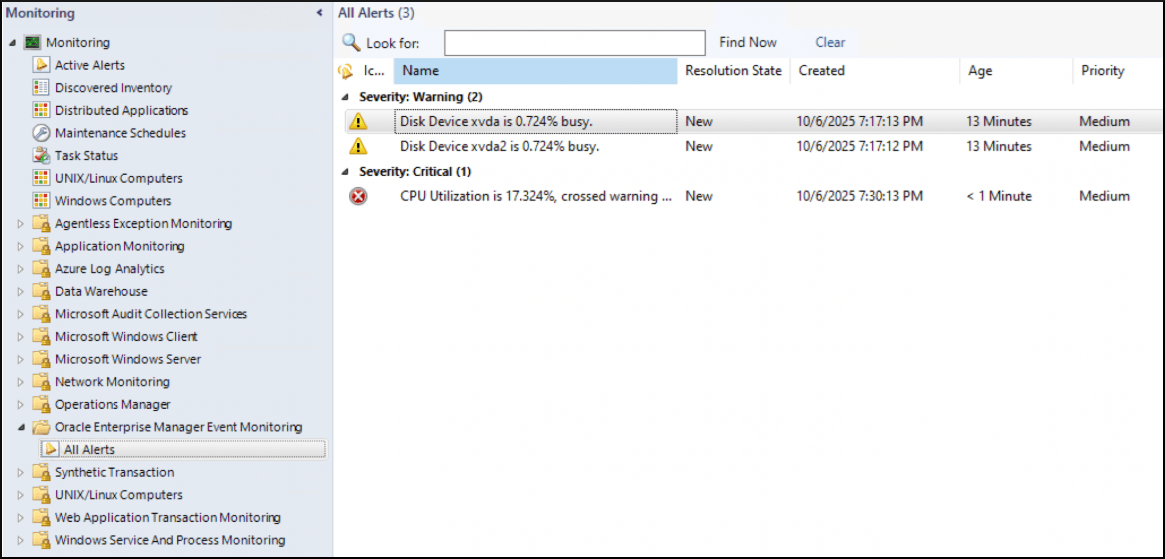
Several custom fields are associated with each incident. There is a limitation that prevents the management pack from renaming these fields, and the following mapping defines the meaning of each custom field:
- Custom Field 1: Target Name
- Custom Field 2: Target Type
- Custom Field 3: Target Host
- Custom Field 4: Create Date
- Custom Field 5: Last Update
- Custom Field 6: URL
- Custom Field 7: Owner
- Custom Field 8: Oracle Enterprise Manager Event ID
- Custom Field 9: Message
- Custom Field 10: Updates Annotated
Note:
The Microsoft SCOM framework does not allow the modification of an alert’s severity once the alert has been created. Because of this, any subsequent severity changes are recorded in Custom Field 10.