3 Messaging Manager Screens
Overview
Introduction
This chapter explains how to use the Messaging Manager (MM) screens. The screens are used to maintain the Messaging Manager configuration database.
Because database data related to any screen can be changed at any time, no attempt is made to explain how the various screens and database content work together. For information about how everything works together, see the chapter on Configuration Scenarios .
Introduction
Database configuration
Parts of the Messaging Manager configuration are located in a database. The database is maintained through the Messaging Manager screens.
Configuration sequence
While the Messaging Manager screens can generally be used in any sequence, some screens depend on information configured by other screens. Consequently, the following sequence is recommended:
- Add all required adapters.
- Add all required schemes.
- For each scheme, add all required domains
- For each scheme, add all path requirements.
- For each scheme path, add all path connection requirements..
- For each scheme domain, add all address screening rule requirements.
- For each scheme, add all routing requirements.
- For each scheme, add all triggering requirements.
- Add all node requirements.
Note:
Originating/ destination address screening rules depend on path prefix, therefore advisable to create paths first, although there is no hard dependency.Example network
For the purposes of this document let us pretend that the network entities that are to be configured to use Messaging Manager are as follows:
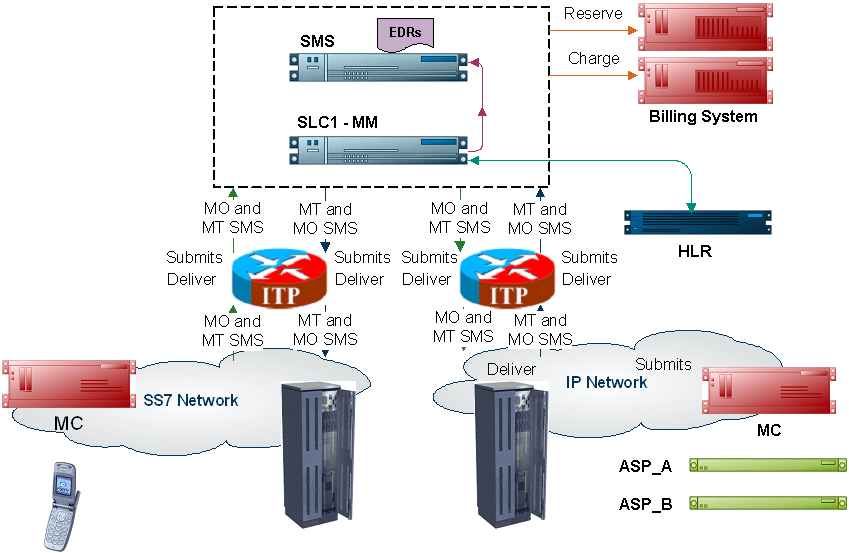
These details will be used throughout the document as we work through examples of setting up and configuring Messaging Manager to perform standard services.
Starting the Messaging Manager Screens
Accessing the application
Before you can open any of the Messaging Manager screens, you must log into Service Management System.
For more information about logging into SMS, see SMS User's Guide.
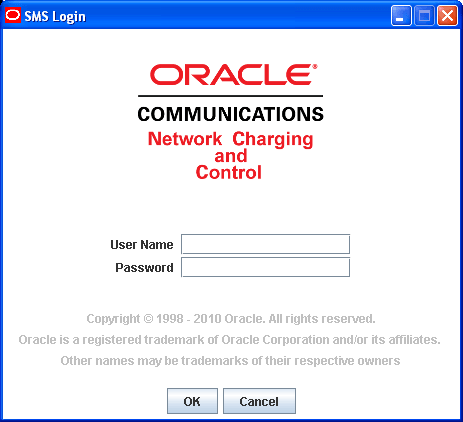
Logging into SMS
Follow these steps to log into SMS.
| Step | Action |
|---|---|
| 1 | In the User Name field, type your username. |
| 2 |
In the Password field, type your password. Notes:
|
| 3 |
Click OK. Result: You see the Service Management System main screen. |
Services Menu
SMS main screen
Here is an example of the Service Management System main menu showing the Messaging Manager menu options.
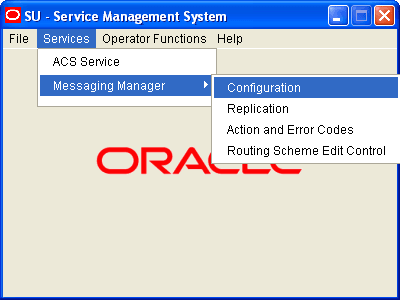
Messaging Manager menu options
This table describes the menu options accessible from the Messaging Manager menu option.
| Menu | Description |
| Configuration |
Provides access to the creation and maintenance screens for triggering, paths, domains, screening, throttling and routing rule configuration. See Messaging Manager Configuration Screen for details. |
| Replication |
Provides access to the creation and maintenance screens for MM node replication configuration. See Messaging Manager Replication Screen for details. |
| Action and Error Codes |
Provides access to the creation and maintenance screens for MM release cause codes. See Messaging Manager Action and Error Codes for details. |
| Routing Scheme Controls |
Provides access to the enabling screen for MM routing scheme components. See Messaging Manager Routing Scheme Edit Control for details. |