Identifying Installed Oracle Flash Accelerator F640 PCIe Cards in BIOS Setup Utility

You can install an operating system on an Oracle Flash Accelerator F640 PCIe Cards without any additional configuration. All installed Oracle Flash Accelerator F640 PCIe Card controllers (two per card) are visible to an OS installer program.

This task uses the BIOS Setup Utility to list all installed Oracle Flash Accelerator F640 PCIe Cards.

Note:

Each Oracle Flash Accelerator F640 PCIe Card supports two 3.2TB drives, each with its own controller. These appear in the BIOS Setup Utility, and in OS installation programs as two separate 3.2TB drives.

  1. Configure the server for a one-time boot to BIOS.
    1. Access the Oracle ILOM web interface.
    2. Navigate to Host Management → Host Control.
    3. Select BIOS from the drop-down list, and select Save.

      This causes the server to boot to BIOS on the next boot.

  2. Access a system console.
  3. Power on or reset the server.

    For example, to reset the server:

    • From Oracle ILOM CLI, type: reset /System.

    • From Oracle ILOM web interface, select Host Management → Power Control, and in the Select Action list box, select Graceful Reset, Reset, or Power On. Click Save, and then click OK.

    • From the local server, press the On/Standby button on the front panel of the server for approximately 1 second to power off the server, and then press the On/Standby button again to power on the server.

    For more details, see Controlling System Power.

    The power-on self-test (POST) sequence begins. The system boots to the BIOS Setup Utility.

  4. When prompted in the BIOS screen, press F2 (Ctrl+E from a serial connection) to launch the BIOS Setup Utility.

    Note:

    The steps and screens in this procedure are examples. What you actually see might differ depending on your system equipment and configuration.

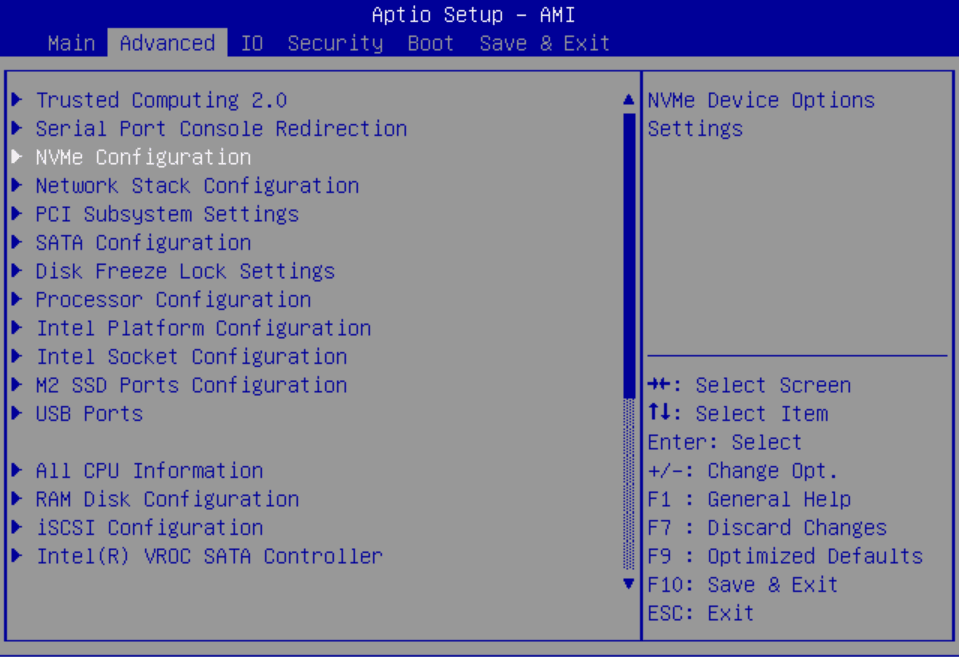
  5. Navigate to the Advanced page.
  6. Select NVMe Configuration.

    Image showing the BIOS Setup Advanced - NVMe screen.

    A list of installed Oracle Flash Accelerator F640 PCIe Cards appears.

  7. You can now install an OS on the logical drive.