Install the Server Into the Slide-Rail Assemblies
Use this procedure to install the server chassis with mounting brackets into the slide-rail assemblies that are mounted to the rack.
Caution:
Personal Injury or Equipment Damage: This procedure requires a minimum of two people because of the weight of the server. Attempting this procedure alone could result in equipment damage or personal injury.Personal Injury or Equipment Damage: Always load equipment into a rack from the bottom up so that the rack does not become top-heavy and tip over. Extend the rack anti-tilt bar to prevent the rack from tipping during equipment installation.
- Push the slide-rails as far as possible into the slide-rail assemblies in the rack.
- Position the server so that the back ends of the mounting brackets are aligned with the slide-rail assemblies that are mounted in the rack.
- Insert the mounting brackets into the slide-rails, and then push the server into the rack until the mounting brackets are flush with the slide-rail stops (approximately 30 cm or 12 inches).
Figure 5-10 Inserting the Server into Slide-Rails and Positioning to Initial Stop
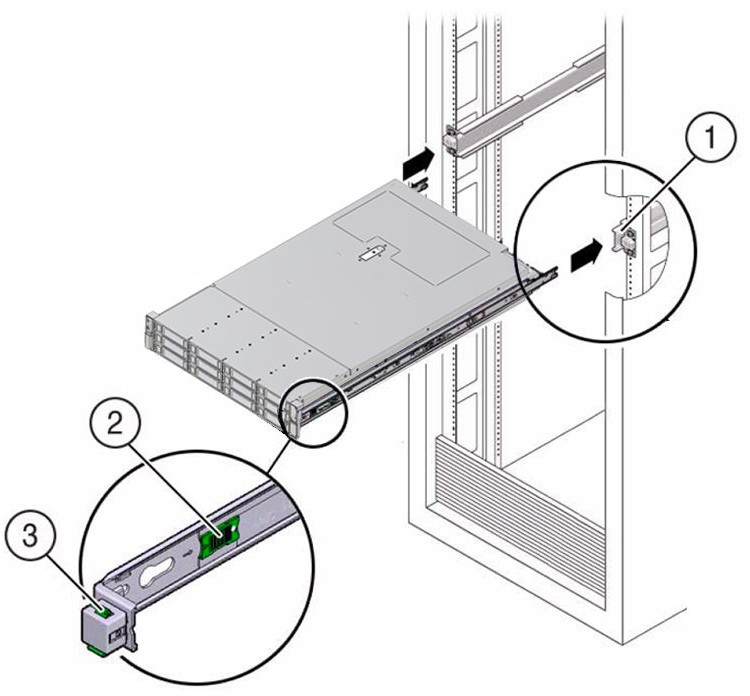
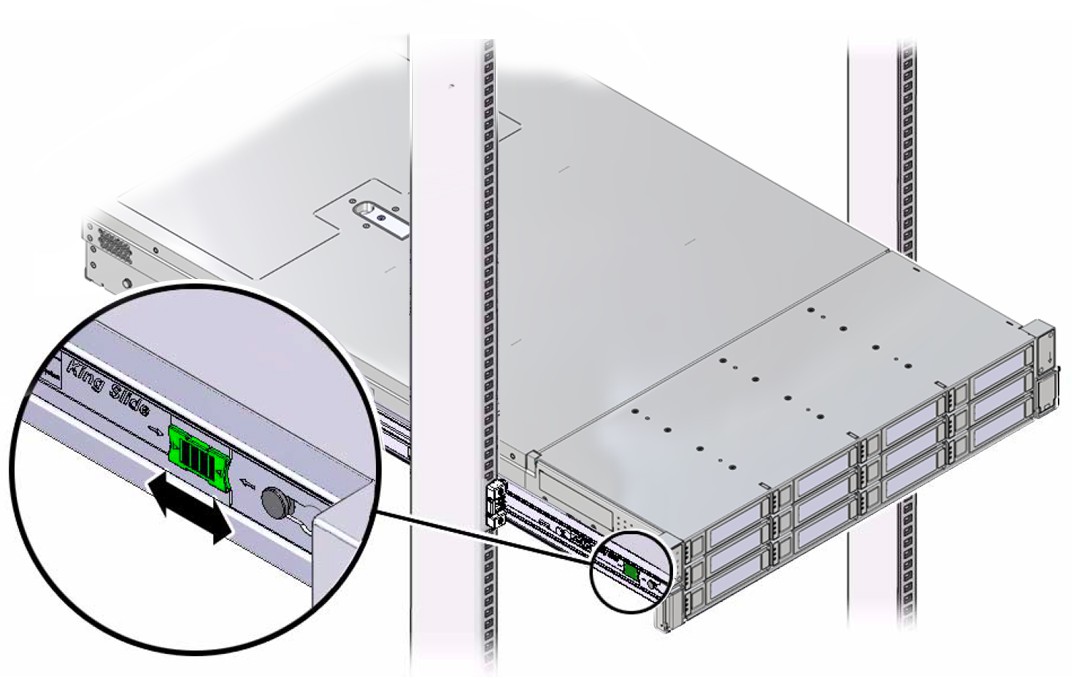
Call Out Description 1 Inserting mounting bracket into slide-rail 2 Slide-rail release button 3 Slide-rail lock - Simultaneously push and hold the green slide-rail release buttons on each mounting bracket while you push the server into the rack. Continue pushing the server into the rack until the slide-rail locks (on the front of the mounting brackets) engage the slide-rail assemblies with an audible click.
Figure 5-11 Engaging Slide-Rail Locks and Securing the Server in the Rack
Caution:
Before you install the optional cable management arm verify that the server is securely mounted in the rack and that the slide-rail locks are engaged with the mounting brackets.