Reset the Service Processor From the Server Back Panel
If the Oracle ILOM SP stops running and you cannot reset it using the Oracle ILOM web interface or the Oracle ILOM CLI, use the following procedure to reset the SP from the server back panel.
- Using a non-conducting stylus, press the Reset SP pinhole button located on the server back panel.
The stylus must be non-conductive with a diameter no more than 1.5 mm. To depress the pinhole button, the stylus must reach 6.5 mm into the chassis. Care must be taken to not over penetrate into the chassis, or probe the sensitive electrical components near the button. See Troubleshooting Oracle ILOM.
Caution:
Using a conductive tool, such as a metal paper clip or graphite pencil, can cause a short that can cause an immediate host power off, and/or circuit damage.
Figure 7-3 Oracle Communications Server E6-2L
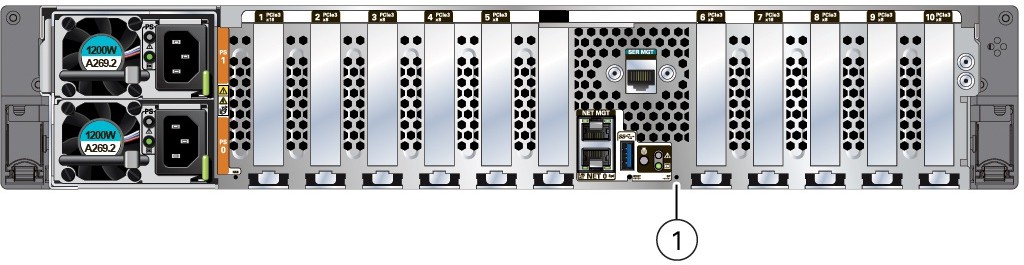
Callout Description 1
SP Reset pinhole button