15 Replace the Front LED Indicator Module
This section describes how to service the front LED indicator module.
The front LED indicator module is a replaceable component that requires you to power off the server before servicing. For more information about replaceable components, see Illustrated Parts Breakdown and Replaceable Components.
Caution:
Ensure that all power is removed from the server before removing or installing the disk backplane. You must disconnect the power cables before performing this procedure.Caution:
These procedures require that you handle components that are sensitive to electrostatic discharge. This sensitivity can cause the component to fail. To avoid damage, ensure that you follow electrostatic discharge safety measures and antistatic practices. See Electrostatic Discharge Safety.Remove
-
Prepare the server for service.
-
Power off the server. See Power Down the Server.
-
Disconnect the power cords from the power supplies. See Disconnect Cables From the Server.
-
Extend the server into the maintenance position. See Extend the Server to the Maintenance Position.
-
Attach an antistatic wrist strap to your wrist, and then to a metal area on the chassis. See Take Antistatic Measures.
-
Remove the server top cover. See Remove the Server Top Cover.
-
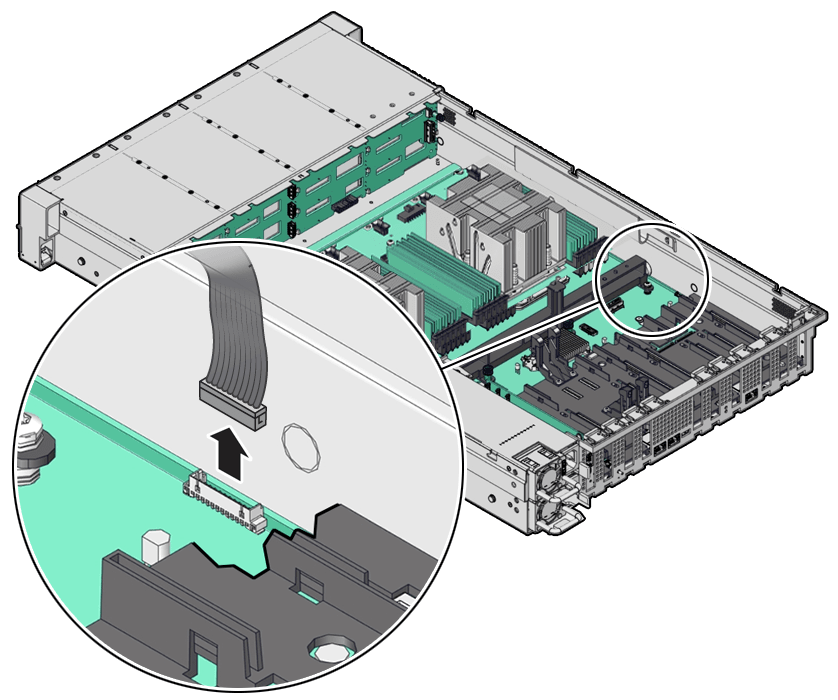
Disconnect the LED indicator module cable from the motherboard. To ease removal of the LED indicator module cable, you might need to lift the disk backplane auxiliary signal cable and SAS cable (if present) from the left-side cable trough.
-
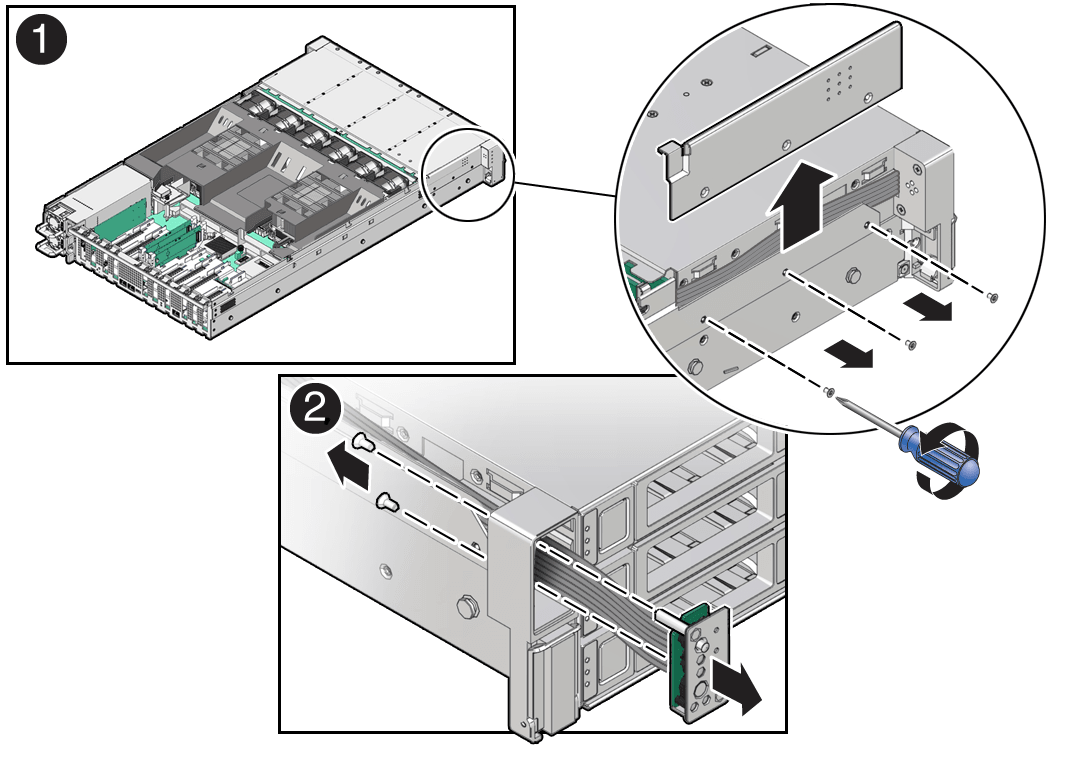
Remove the three No. 2 Phillips screws that secure the FIM cable cover to the chassis [1].
-
Lift up and remove the FIM cable cover from the FIM cable cover slot [1]. Set aside the FIM cable cover.
-
Remove the front LED indicator module [2].
-
Remove the two No. 2 Phillips screws that secure the LED indicator module to the server front panel.
-
Remove the LED indicator module and cable from the server front panel. Remove the LED indicator module cable by carefully pulling the cable through the left-side cable trough.
Install
-
Install the front LED indicator module.
-
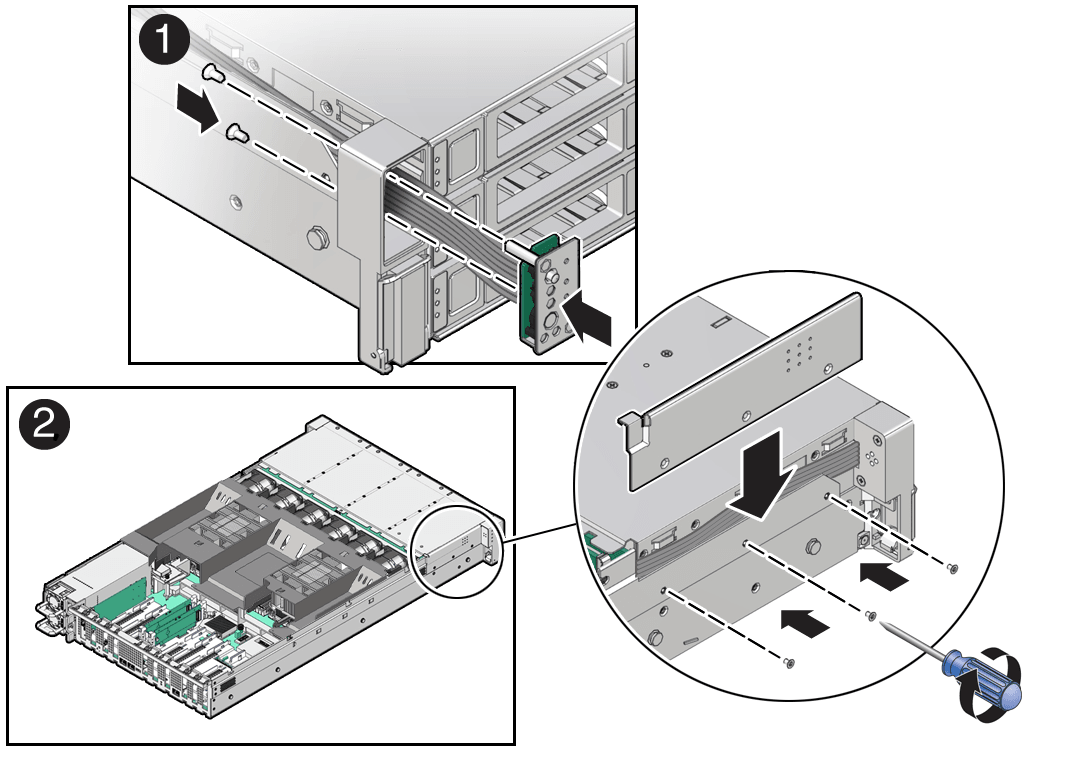
Push the LED indicator module and cable through the LED housing on the server front panel [1].
-
Install the LED indicator module cable by carefully pulling the cable through the left-side cable trough. To ease installation of the LED indicator module cable, you might need to lift the disk backplane auxiliary signal cable and SAS cable (if present) from the left-side cable trough.
-
Insert and tighten the two No. 2 Phillips screws to secure the LED indicator module to the server front panel [1].
-
Install the FIM cable cover to the chassis by inserting it into the FIM cable cover slot [2].
-
Install the three No. 2 Phillips screws to secure the FIM cable cover to the chassis [2].
-
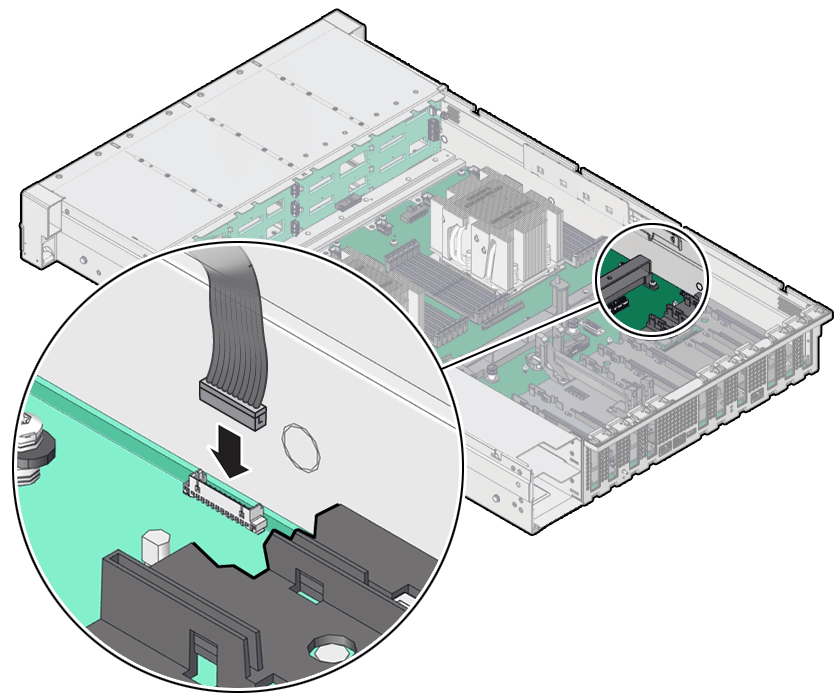
Reconnect the LED indicator module cable to the motherboard.
-
Return the server to operation.
-
Install the server top cover. See Install the Server Top Cover.
-
Return the server to the normal rack position. See Return the Server to the Normal Rack Position.
-
Reconnect the power cords to the power supplies, and power on the server. See Reconnect Power and Data Cables and Power On the Server.