How to Use the Edge Nodes Tab
You can use the Oracle Enterprise Communications Platform (Oracle ECP) Edge Nodes Tab on the Dashboard Page to view the number of Cloud Connectors added to Inventory and the number of Cloud Connectors in each Lifecycle State and Connectivity State.
The following information describes how to use the graphs and charts on the Edge Nodes Dashboard.
States and Counts of Onboarded Cloud Connectors
The following screen capture shows the Edge Nodes tab on the Dashboard page.
Figure 12-2 Edge Nodes Onboarded Line Graph with Lifecycle State and Connectivity State Pie Charts
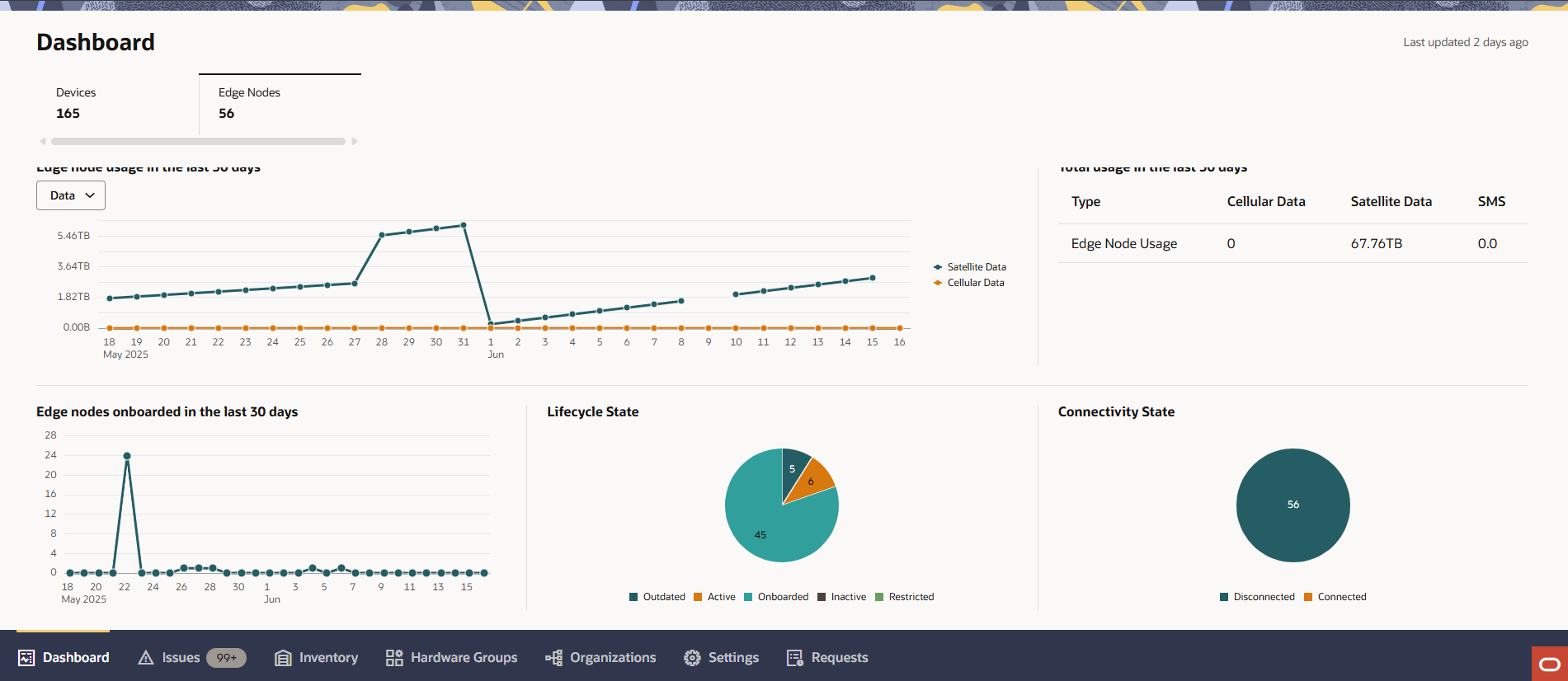
- Hover over or click data points on the line graph to see day-to-day onboarding count for Cloud Connectors.
- Hover over or click a segment of the pie charts to view the count of Cloud Connectors in the corresponding state.
- To view only the states in the pie chart that interest you, click one or more color-coded boxes in the legend below the pie chart to hide the states associated with colors. Click the box in the legend a second time to restore a removed state to the pie chart.
- Right-click a data segment (slice) of any of the graphs to navigate to the Inventory Page and have the state associated with the segment you clicked applied as a filter.