Storage Management
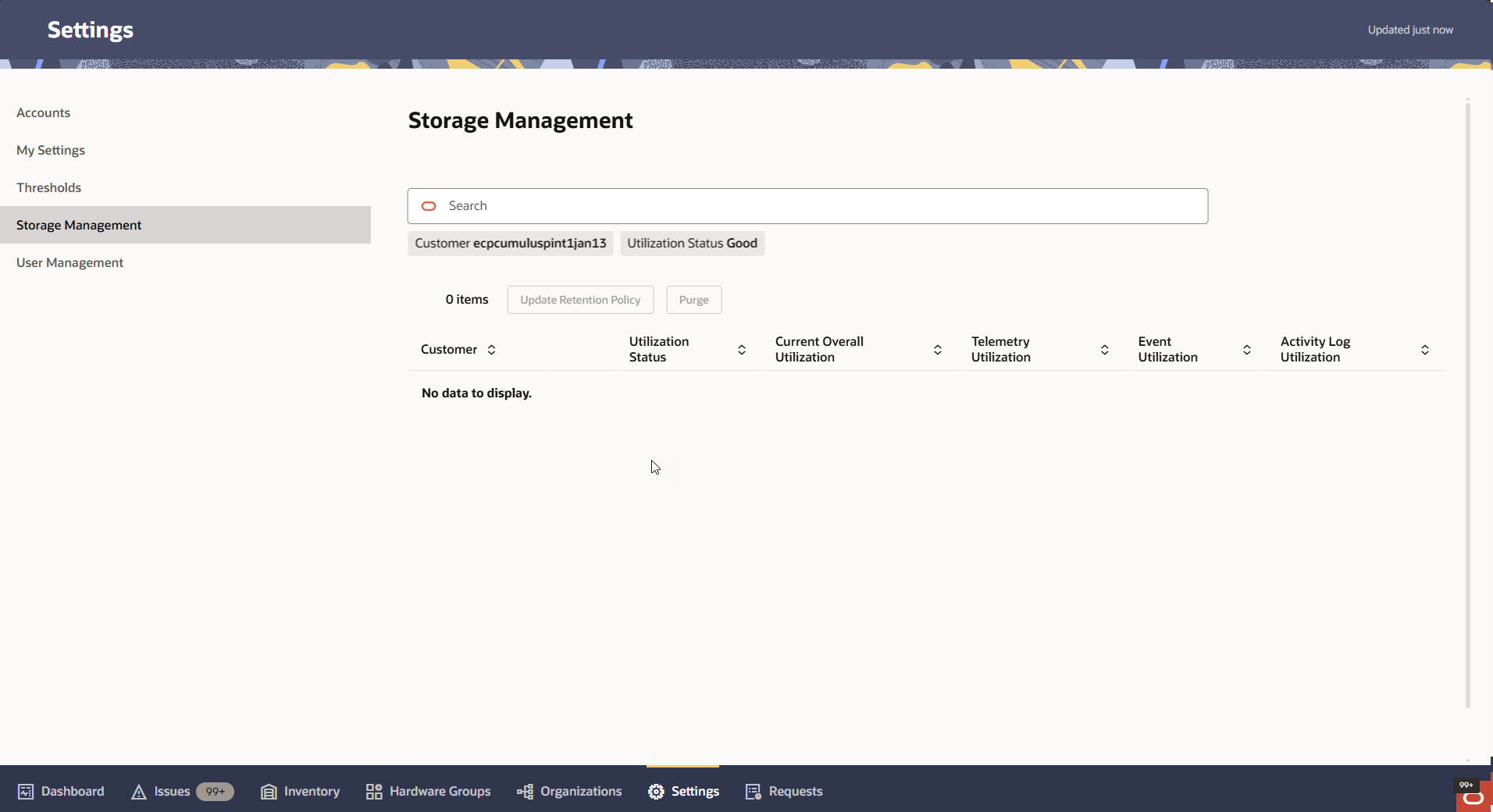
The Storage Management link in the Oracle Enterprise Communications Platform (Oracle ECP) Settings page navigation pane opens the Storage Management page, which displays a table listing all your customers and information about their utilization of the Oracle ECP database.
The following screen capture shows an example of the Storage Management page with the customer database utilization table and management controls. Use the filter chips located below the Search filed to help narrow your search.
| Column | Description |
| GBU | The name of the Global Business Unit hosting the Customer. |
| Customer | The name of the Customer corresponding to the data in the row. |
| Utilization Status |
|
| Current Overall Utilization | When you view the Storage Management page, Oracle ECP calculates database usage versus database capacity and reports the usage as a percentage of capacity at the time you view the page.
The figures reported here may not be purely the summation of Telemetry Utilization, Event Utilization, and Activity Log. The figures may include other data, as well. |
| Telemetry Utilization | The percent of the database used for time-series data from devices and computed attributes used for metrics. Default: 90 days. Configurable range: 30-550 days. |
| Event Utilization | The percent of the database used for events and issues operations. Default: 30 days. Configurable range: 30-90 days. |
| Activity Log Utilization | The percent of the database storage used by tenant-specific requests and activity records, such as onboarding actions. Default: 90 days. Configurable range: 30-90 days. |
Storage Management Controls
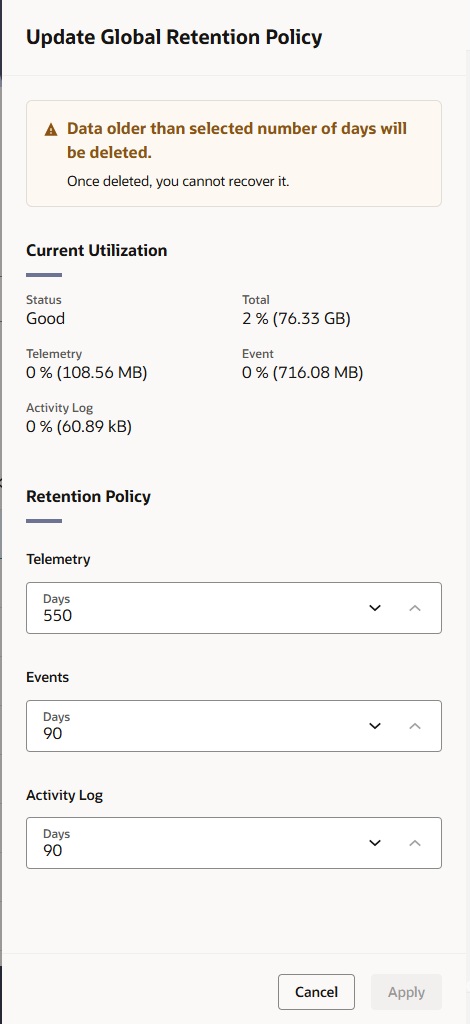
From the Storage Management page, you can update your data retention policy and purge data per record. The page displays buttons and a drop-down list where you can access the controls. Select the row in the table for the record you want to affect and use either the buttons or the drop-down list to open the edit drawer. In the edit drawers, you can set the number of days for Telemetry, Events, and Activity Logs.
Update Retention Policy
The following screen capture shows an example of the Update Global Retention Policy drawer. Use the editable fields to set the number of days to retain data.
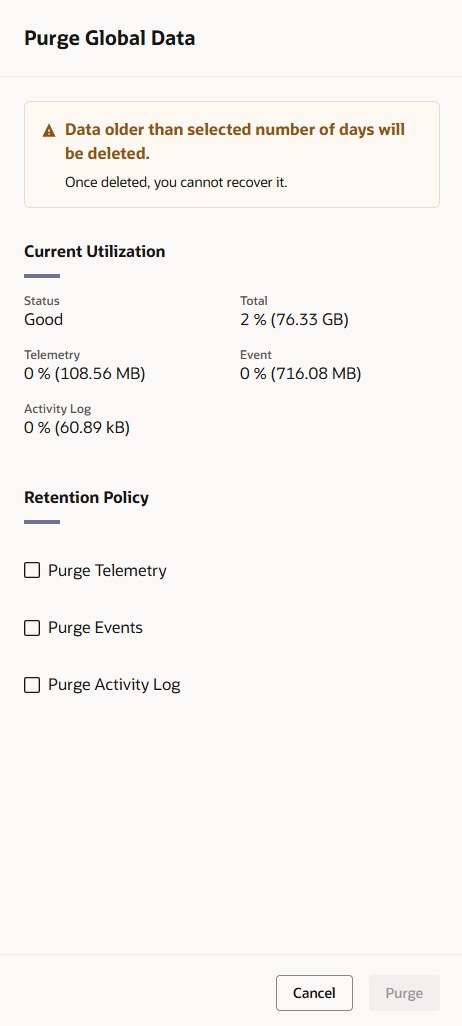
Purge Data
The following screen capture shows an example of the Purge Global Data drawer. Select a policy to display the edit field for setting the number of days after which Oracle ECP purges data.