Accounts Page Display and Operations
When you log in with the Managed Service Provider SIP Trunk license, Oracle® Intelligent Communications Orchestration Network cloud service displays the Accounts Dashboard page with information about your sub-accounts (customers) and controls for adding and editing your customer accounts.
The following screen capture shows an example of the Accounts Dashboard.
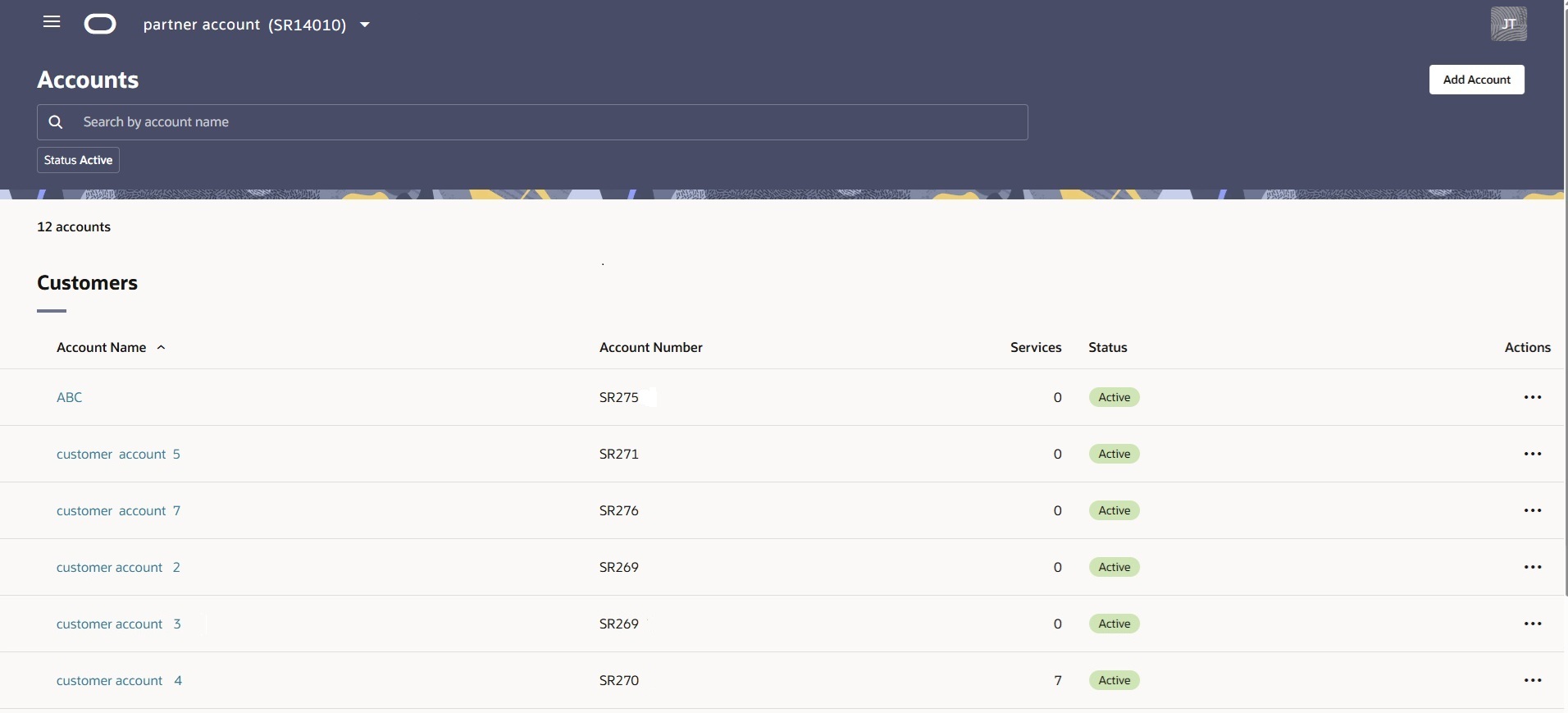
Table 2-1 Table Columns
| Column Name | Description |
|---|---|
| Account Name | The name you configured for the account is a link to the Service page for that account. |
| Account Number | The number Oracle Communications Intelligent Orchestration Network Cloud Service set for the account during account creation. |
| Services | The number of services assigned to the account. |
| Status | Active | Suspended |
| Actions | Edit | suspend | Reactivate |
Table 2-2 Search Filtering
| Control | Description |
|---|---|
| Search | Use to find a customer account by name or number. |
| Status Search Filter | Use to narrow your search by status. Statuses include Active | Canceled | Suspended. Default: Active. |
At the top of the page, the account switcher drop-down list displays the name and identification number of your account followed by a list of your sub-accounts. The drop-down list shows the status of each sub-account account in addition to the name and account number.
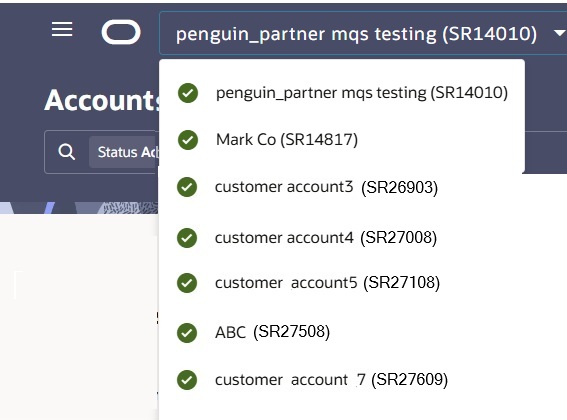
- Green circle with the check mark—Active
- Orange warning triangle with an exclamation mark—Suspended
- Red circle with the X character—Canceled
When you click the name of an account, Oracle® Intelligent Communications Orchestration Network cloud service displays the Services page. To navigate back to the Accounts page, click the name of your account located at the top of the account switcher. When you navigate to a sub-account, the main navigation menu displays Customer navigation pages (Services, Numbers, and Sites). The only way to navigate back to the Accounts page is to use the Account Switcher.
Actions on the Accounts Page
Oracle® Intelligent Communications Orchestration Network cloud service provides the following actions for managing accounts. Click the ellipsis in the Actions column at the end of the row in the Customers table for the customer you want to affect to view the actions menu.
Add Account—Opens the Add Account drawer, where you specify the account details such as the Company Name and Company Address.
Edit—Opens the Customer Account drawer where you can update the Company Address information.