4.7.2 Maturity Instructions as Rollover Principal and Interest

This topic explains the systematic instructions for adding the settlement payout for Maturity Instruction set as Rollover Principal and Interest in the Certificate of Deposit Payout Modification screen.

Note:

The fields marked as Required are mandatory.

To add settlement payout:

  1. In the Payout Instructions section, select the Yes option from the Reinvest field.
  2. From the Maturity Instructions field, select the Rollover Principal & Interest option.
  3. In the Settlement details section, click Add Payout.
    The Add Payout Modes section is displayed.

    Figure 4-26 Add Payout Modes - Rollover Principal
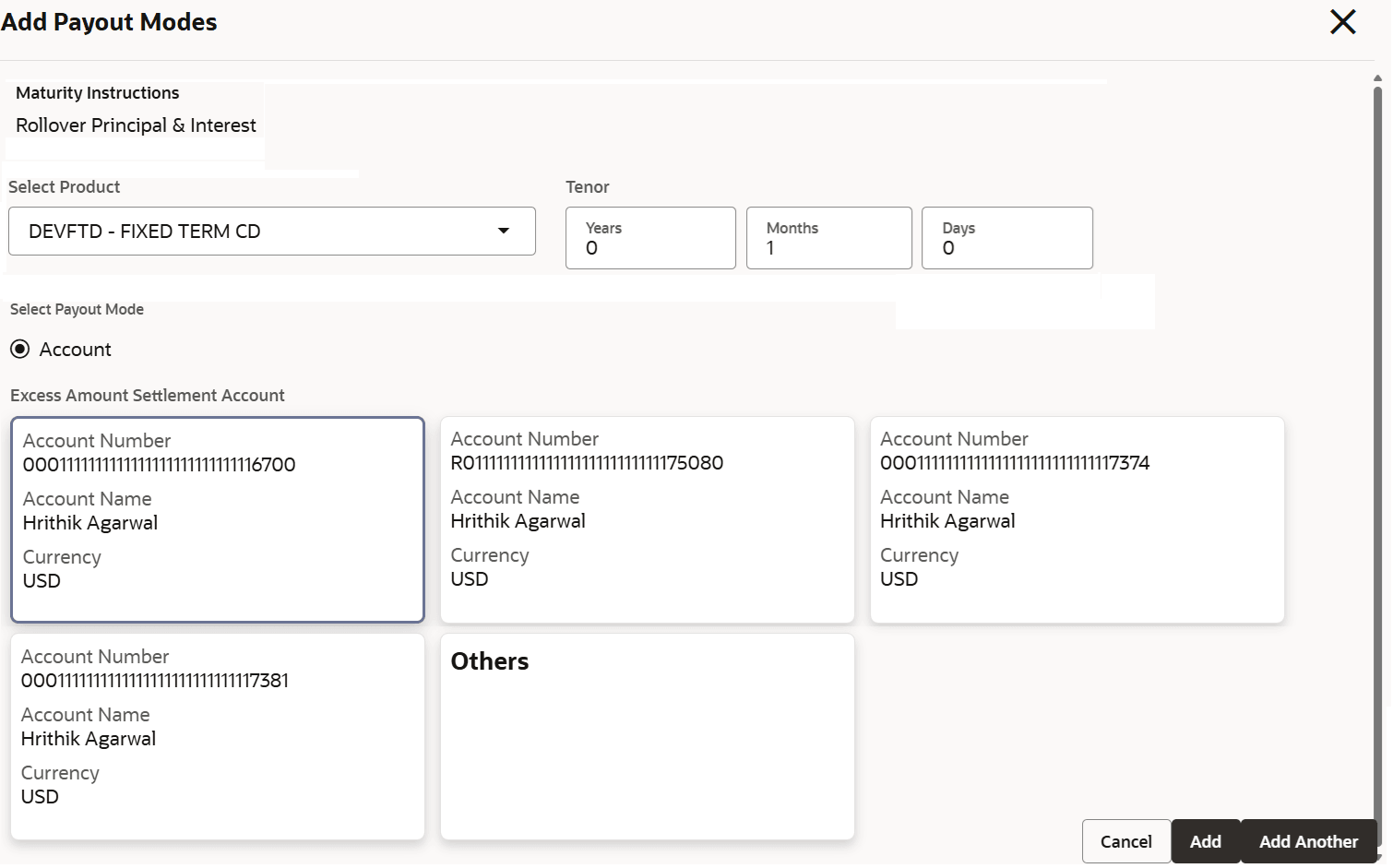


  4. In the Add Payout Modes section, specify the fields. For more information on fields, refer to the field description table.

    Table 4-16 Add Payout Modes - Rollover Principal and Interest – Field Description

    Field Description
    Maturity Instructions Displays the maturity instruction set for the account.
    Select Product Select the product to define the rollover product at the account level.

    During rollover, the product defined at the account level will take precedence. The product drop-down fetches all active deposit business products with their product code, product name, and APY details.

    Tenor Specify the tenor for payout in Years, Months, or Days.

    Select Payout Mode

    By default, the payout mode is selected as Account.

    For more information, refer Payout Modification - Payout Modes.

  5. Click Submit.
    The screen is successfully submitted for authorization.