3.5 Balance Enquiry
This topic explains the systematic instructions to retrieve the account balance details.
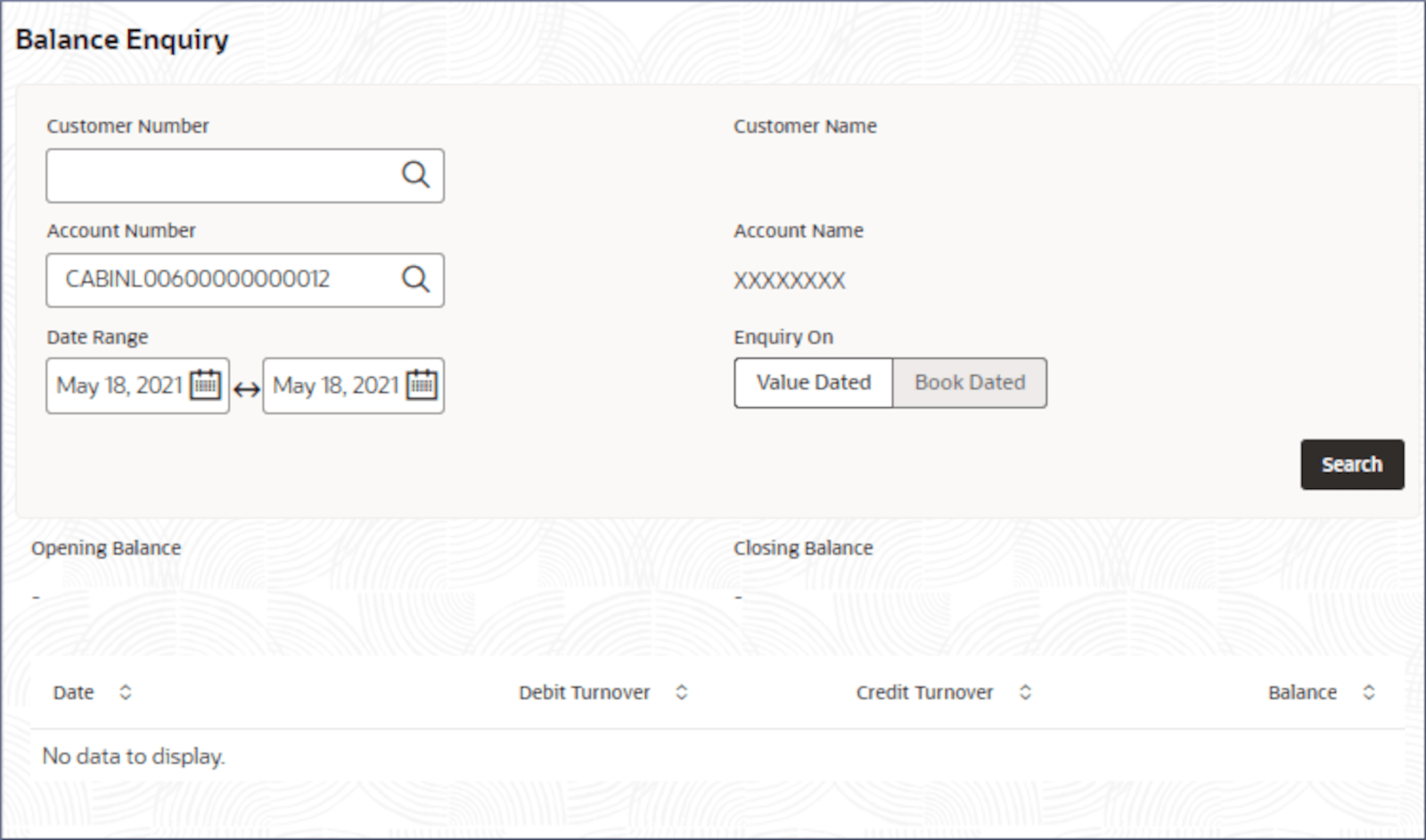
- Click Corporate Account Enquiries under Corporate Account Enquiries. Under Corporate Account Enquiries, click Balance Enquiry.The Balance Enquiry screen displays.
- Click
 .The opening and closing balance for the account is displayed along with a table of accounting entries in the specified date range.
For more information on fields, refer to the field description table below:
Table 3-23 Balance Enquiry - Search Result - Field Description
Field Name Description Opening Balance Displays the opening balance of the account. Closing Balance Displays the closing balance of the account. Date Displays the date of balance computation. Debit Turnover Displays the value dated or book dated debit turnover for the specified date. Credit Turnover Displays the value dated or book dated credit turnover for the specified date. Balance Displays the available balance on the specified date.
Parent topic: Corporate Account Enquiries