3.6 Stop Payment Enquiry
This topic explains the systematic instructions to enquire about the stop payment instructions issued on an account.
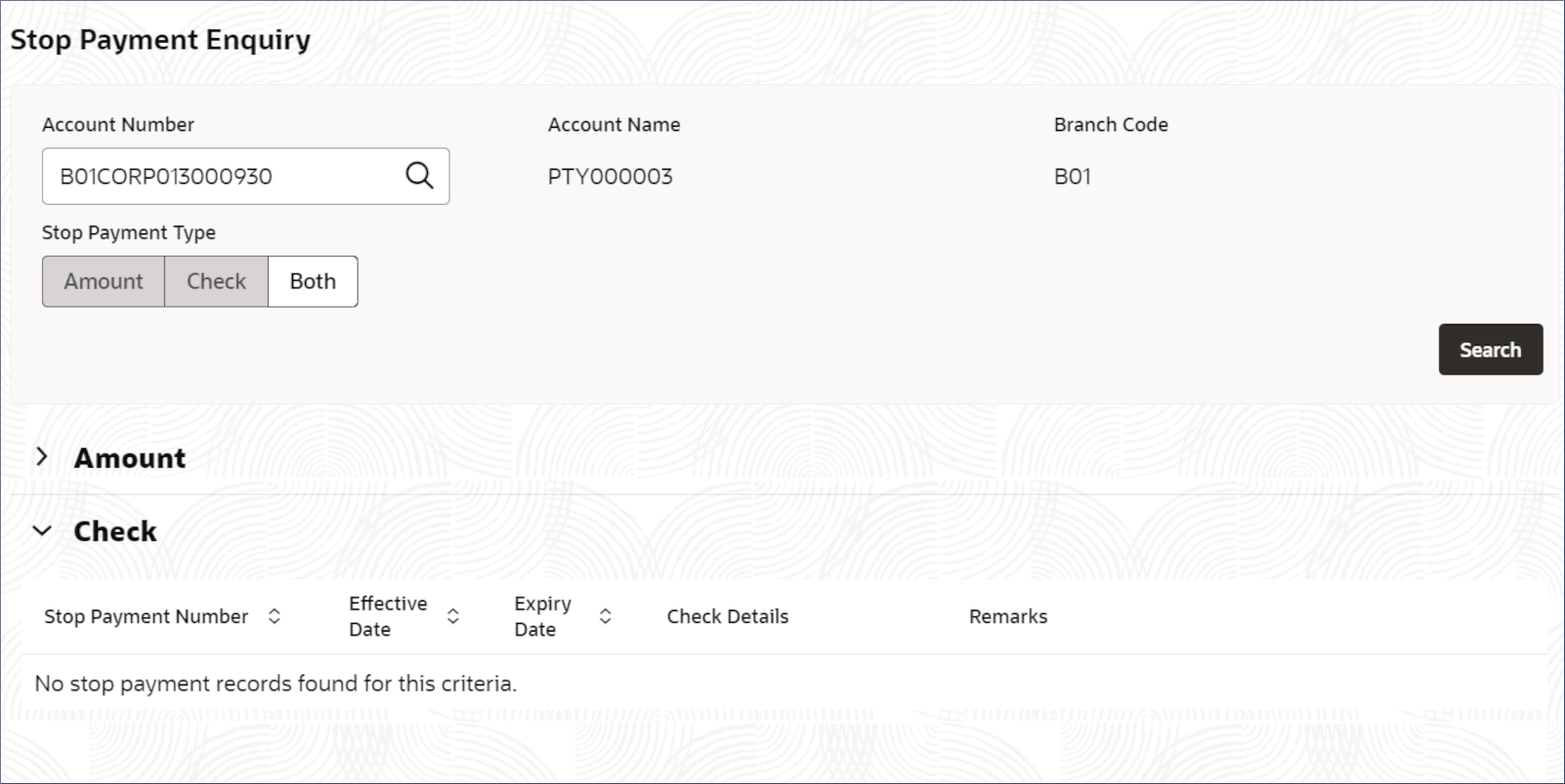
- Click Corporate Account Enquiries and Corporate Account Enquiries. Under Corporate Account Enquiries, click Stop Payment Enquiry.The Stop Payment Enquiry screen displays.
- Click
 .
.The stop payment details display in tables for the specified payment types. For more information on fields, refer to the field description table.
Table 3-25 Enquiry - Search Result - Field Description
Column Name Description Stop Payment Number Displays the number assigned to the stop payment instruction. Effective Date Displays the date from which the stop payment instruction is effective. Expiry Date Displays the date on which the stop payment instruction expires. Amount Displays the amount payment to be stopped. Check Details Displays the check or account number of the stop payment instruction. Remarks Displays the remarks added to the stop payment instruction.
Parent topic: Corporate Account Enquiries