2.10.1.22 Rate Fixing and Billing Preferences
This topic describes the systematic instructions to rate fixing and billing preferences screen. Use Rate Fixing and Billing Preferences screen to enter IRFX holiday, days, currency, notification days, notification holiday and so on.
- In the Operations Enrichment, click Holiday
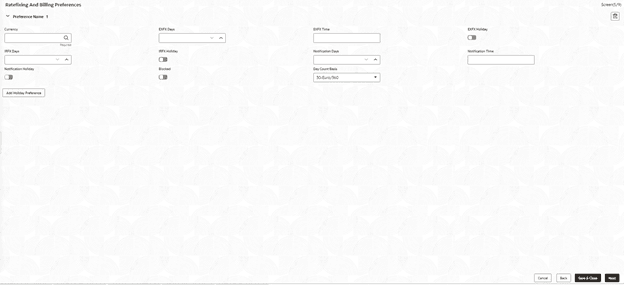
Preferences tab and provide the required details. The Rate Fixing and Billing Preferences screen displays.
Figure 2-34 Rate Fixing and Billing Preferences
For more information on fields, refer to the field description table.
Table 2-35 Rate fixing and Billing Preferences
Field Description Currency Click Search to view and select the currency. EXFX Days Enter the EXFX days. EXFX Time Enter the EXFX time. EXFX Holiday Click the button to select holiday. IRFX Days Enter the IRFX days. IRFX Holiday Click the button to select holiday. Notification Days Enter the notification days. Notification Time Enter the notification time. Notification Holiday Click the button to select holiday. Blocked Click the button to block. Day Count Basis Select the currency type from the drop-down list.
Parent topic: Cash Flow