7.3 Amendment Structuring- Proposal Structuring
This topic describes informtaion about Proposal Structuring of the Amendment Structuring.
This data segment allows the user to set facility limit for the entity based on the information available in Customer Summary and Amendment Summary pages.
Note:
Only the information on setting facility limit is provided in this chapter. For information about filter, add, edit, delete, and layout options available in Facilities, Collaterals, Covenants, and Terms & Conditions tab, refer Amendment Initiation Chapter.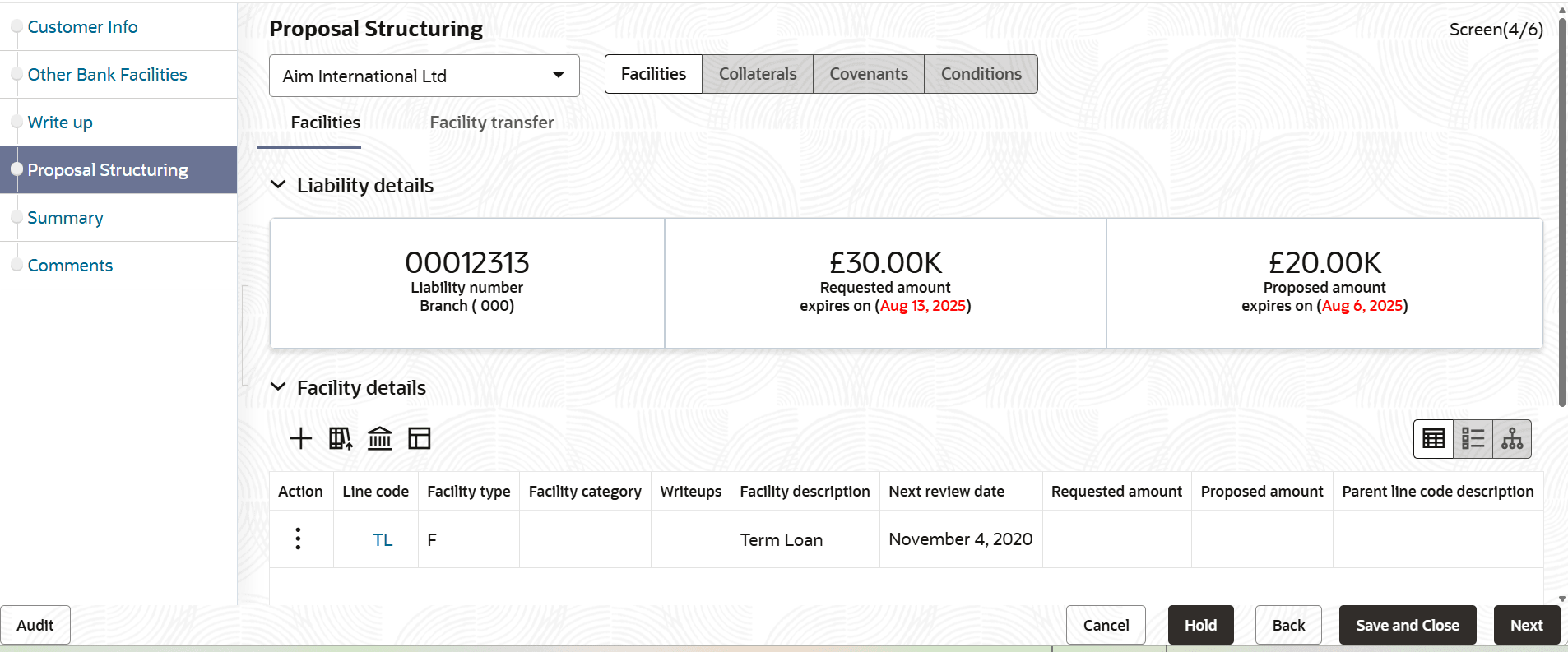
- To set limit for the facility, click the Hamburger icon in corresponding record
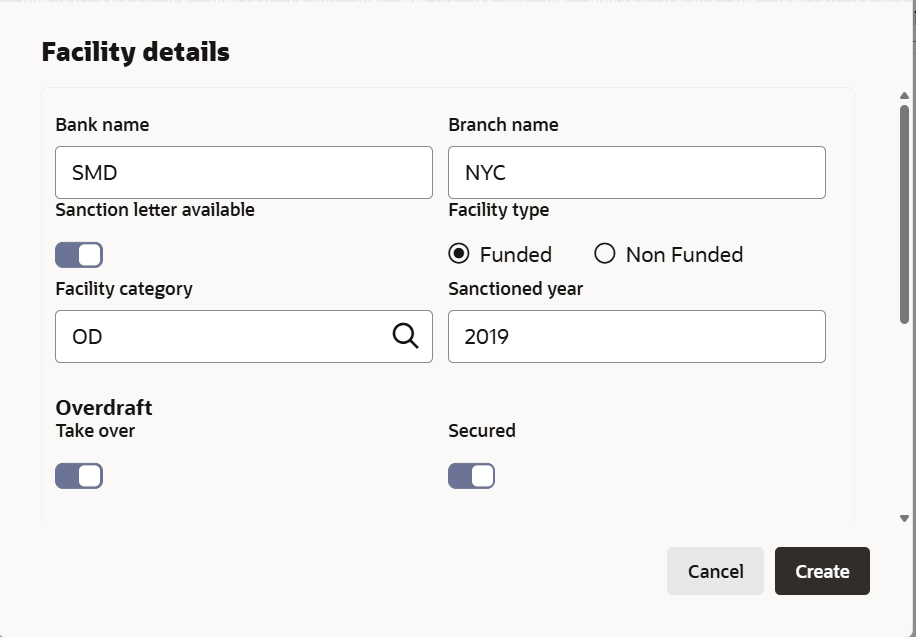
and select the edit icon.The Facility Details window is displayed.
Parent topic: Amendment Structuring