3.4.4 Bill of Exchange
This topic provides systematic instructions about the Bill of Exchange data segment in Evaluation Enrichment stage.
The bill of exchange data segment appears in case Bill of
Exhange is selected as the Collateral Type in
Quick Initiation screen.
Figure 3-21 Enrichement - Bill of Exchange
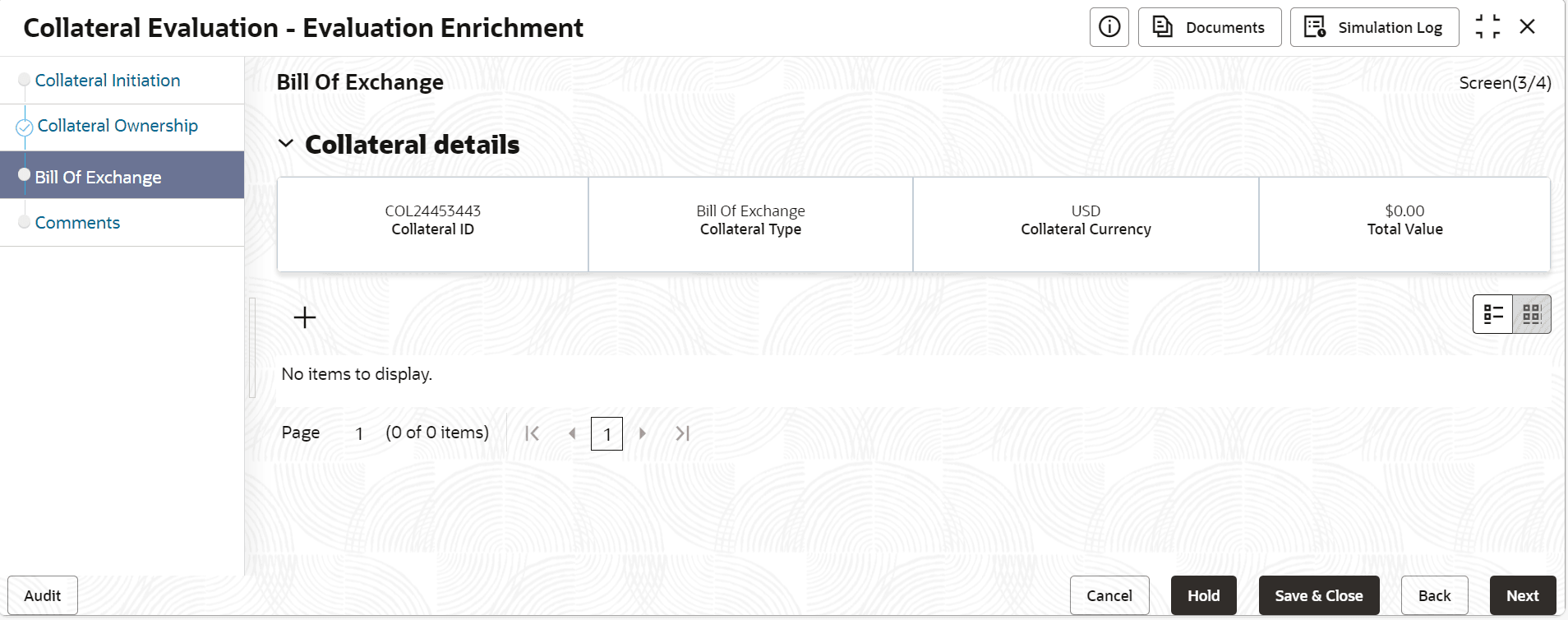
- Click the add icon.The Bill of Exchange Desc screen is displayed.For more information on fields, refer to the field description table.
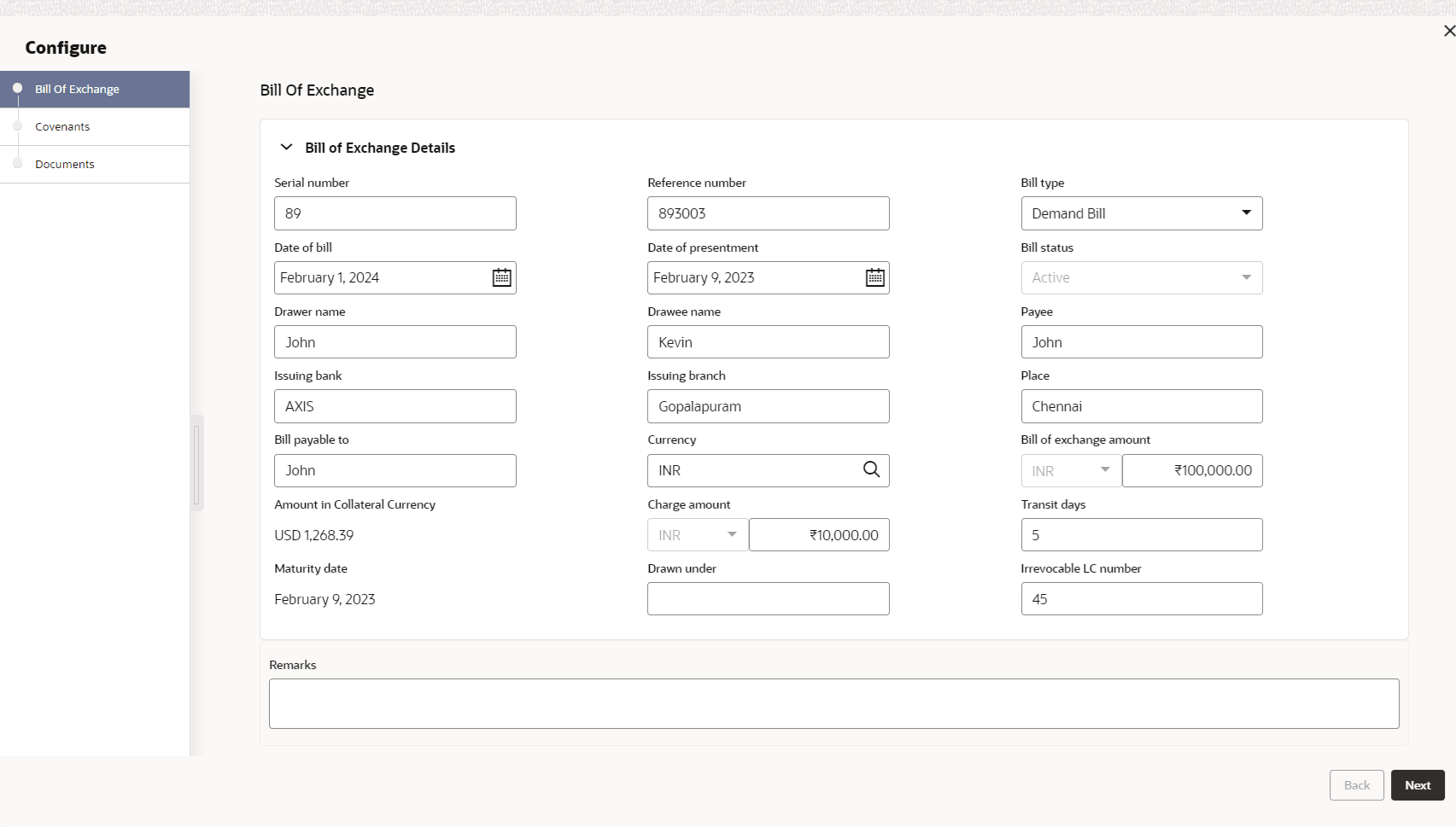
Table 3-16 Bill of Exchange - Field Description
Field Description Amount in Collateral Currency Bill of Exchange amount converted to collateral currency, if the bill of exchange currency and the collateral currency are different. Serial Number Specify the serial number. Reference Number Specify the reference number of the bill of exchange. Bill type Select the bill of exchange type from the drop-down list. The options available are: - Demand Bill
- Usance Bill
Date of Bill Select the date of bill. Status Select the status of the bill of exchange from the drop-down list. The options available are: - Active
- Settled
Drawer Name Specify the drawer name. Drawee Name Specify the name of the bank at which the bill of exchange issued by the entity is to be drawn. Bill type Select the bill of exchange type from the drop-down list. The options available are: - Demand Bill
- Usance Bill
Payee Specify th recipient or bearer of the bill of exchange. Issuing Bank Specify the issuing bank. Issuing Branch Specify the issuing branch. Place Specify the place or address of execution of the bill of exchange. Bill Payable to Bearer/order of payee of the bill of exchange issued by the entity. Currency Click the  icon and select the currency of the promissory
note.
icon and select the currency of the promissory
note.
Bill of Exchange Amount Specify the amount mentioned in the Bill of exchange. Amount in Collateral Category Displays the amount in collateral category. Charge Amount Specify the charge amount. Transit Days Specify the transit days. Maturity Date Displays the maturity date. Drawn Under Irrevocable LC number Specify the irrevocable LC number. Remarks Specify the additional details of the bill of exchange, if any.