3.4.5 Bonds
This topic provide systematic instructions about the Bonds data segment in Evaluation Enrichment stage.
The Bonds data segment appears in case Bonds is selected
as the Collateral Type in Quick Initiation screen.
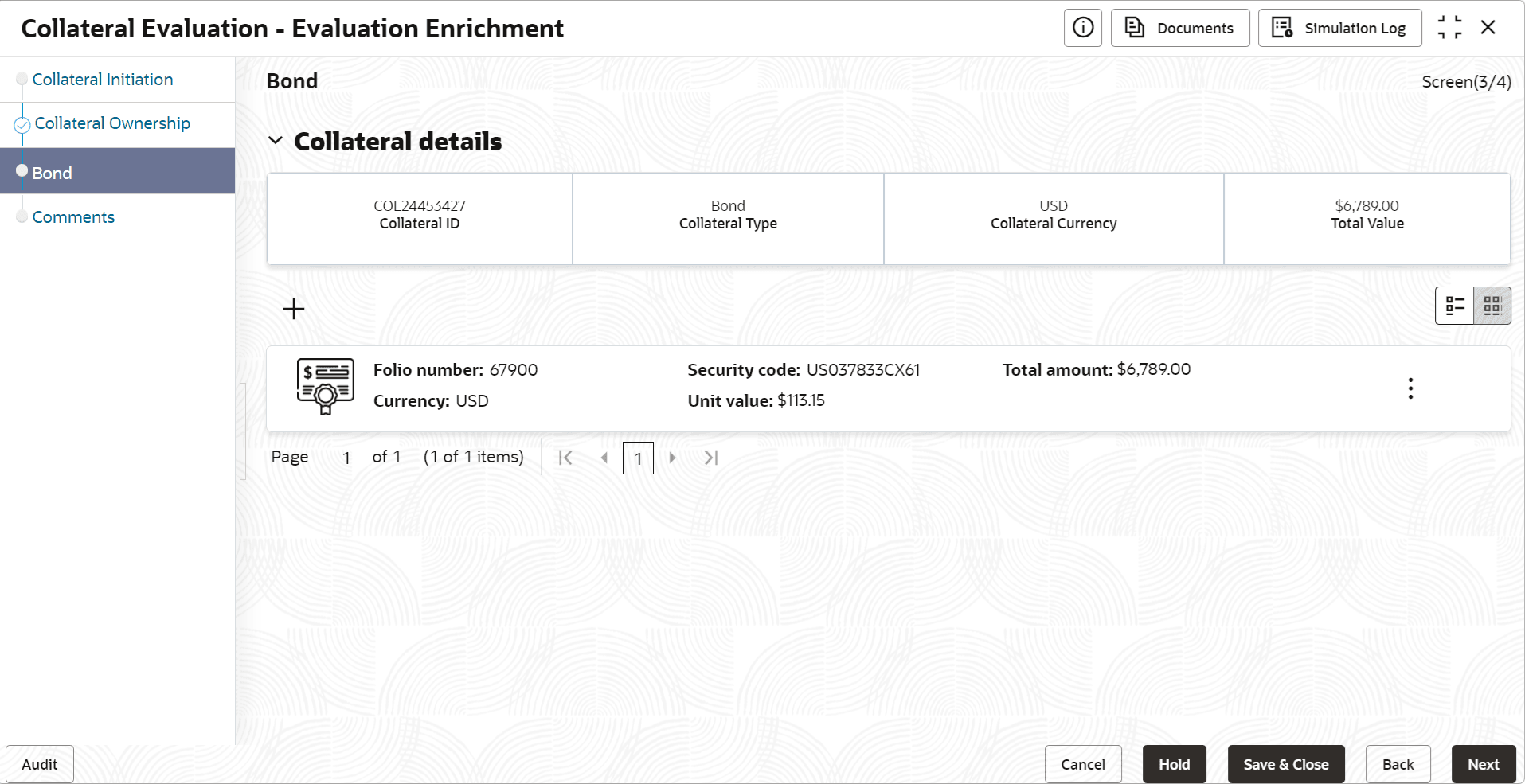
- Click the add icon.The Configure - Bond screen is displayed.
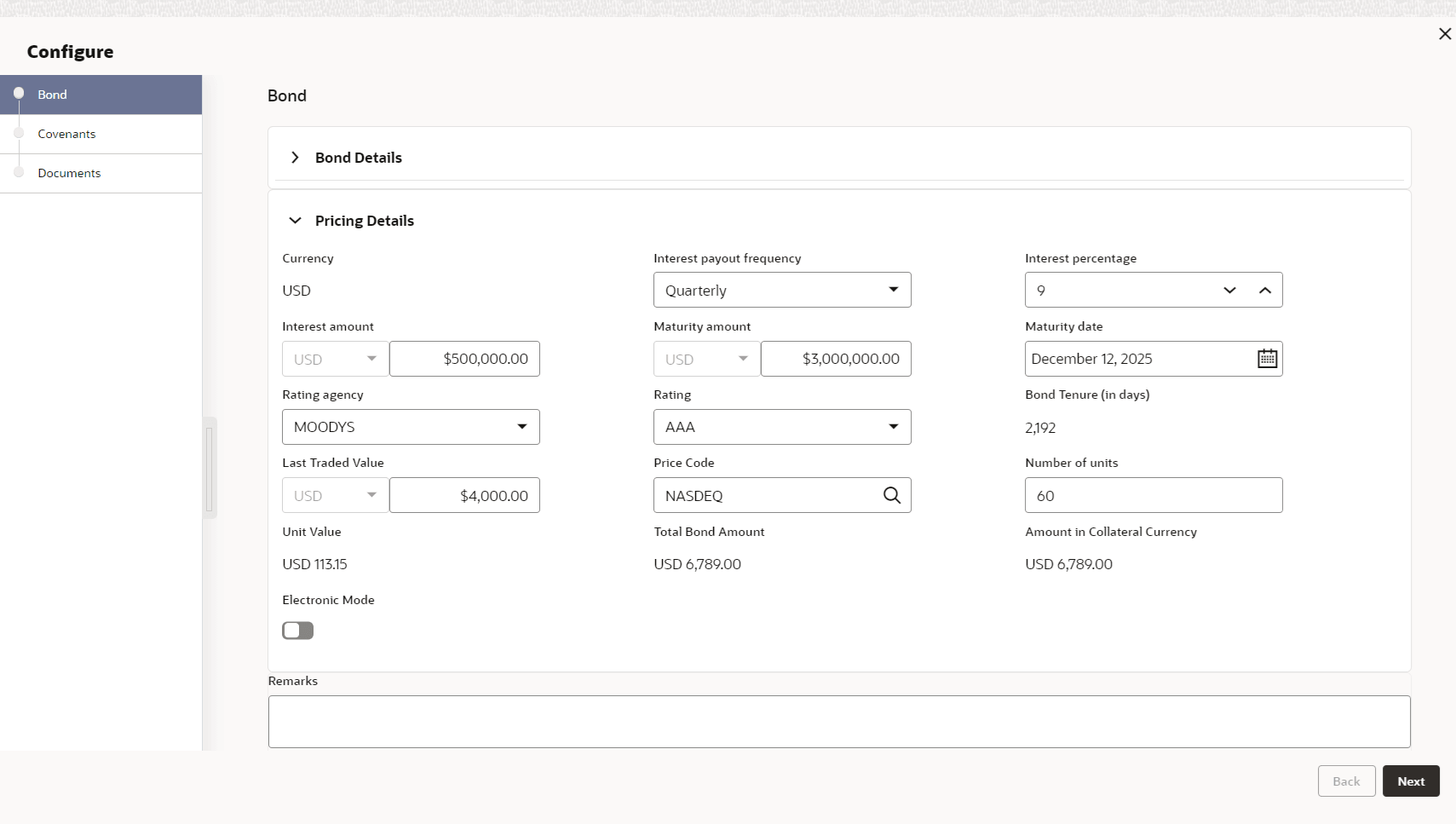
- Provide all the details about the bond in the Configure - Bond
screen.For more information on fields, refer to the field description table below.
Table 3-17 Configure - Bond - Bond Details - Field Description
Field Description Folio Number Specify the bond Folio Number. Security Code Specify the bond Security Code. Issuer Name Specify the bond Issuer Name. Issuer Code Specify the bond Issuer Code. Issue Date Specify the date on which the bond is issued. Security Description Security Description maintained for the selected Security Code is defaulted here. Holder Specify the name of bond holder. Table 3-18 Configure - Bond - Pricing Details - Field Description
Field Description Currency Bond currency is displayed based on the selected Security Code. Interest Payout Frequency Select the frequency in which the interest from the bond is received. Interest Percentage Specify the percentage of interest received from the bond. Interest Amount Select the currency and specify the bond Interest Amount. Maturity Amount Specify the bond Maturity Amount. Maturity Date Specify the Maturity Date of the bond.
Rating Agency Select the Rating Agency from the drop down list, if the bond is rated by any agency. Rating Select the Rating provided for the bond. Bond Tenure (in days) Bond tenure is displayed in days. Last Traded Value Specify the Last Traded Value of the bond. Price Code Search and select the Price Code for bond. Quantity Specify the number of bonds available as collateral. Unit Value Unit Value of the bond is defaulted based on the selected Price Code. Total Bond Amount Total Bond Amount is calculated by multiplying the Quantity with the Unit Value of bond. Amount in Collateral Currency In case bond currency is different from the collateral currency, the bond amount is converted to collateral currency and displayed in this field. Electronic Mode Enable this flag, if the bond was subscribed through electronic mode. - Capture Remarks for the bond, if any.
Note:
This topic contains Bond related fields. For more information, refer Vehicle topic in the Enrichment topic.