3.4.6 Commodity
This topic provides systematic instructions about the Commodity data segment in Evaluation Enrichment stage.
The Commodity data segment appears in case
Commodity is selected as the Collateral
Type in Quick Initiation screen.
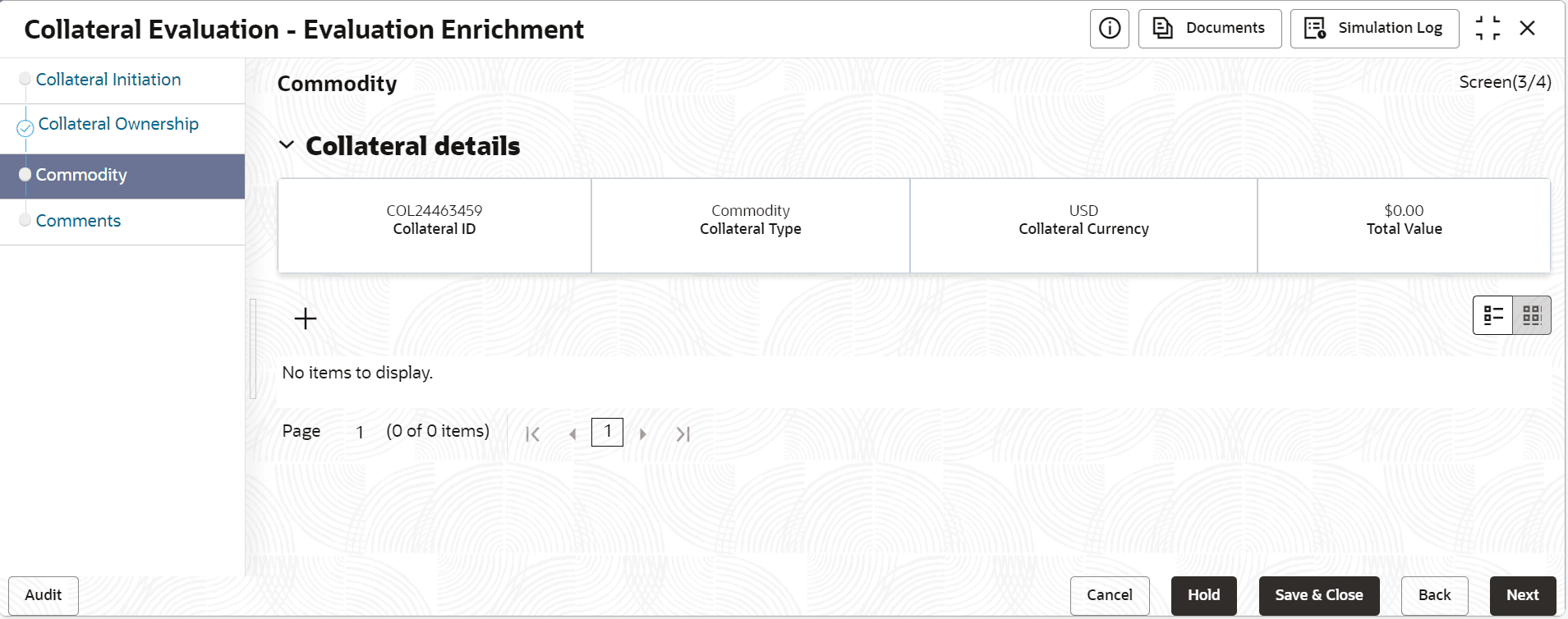
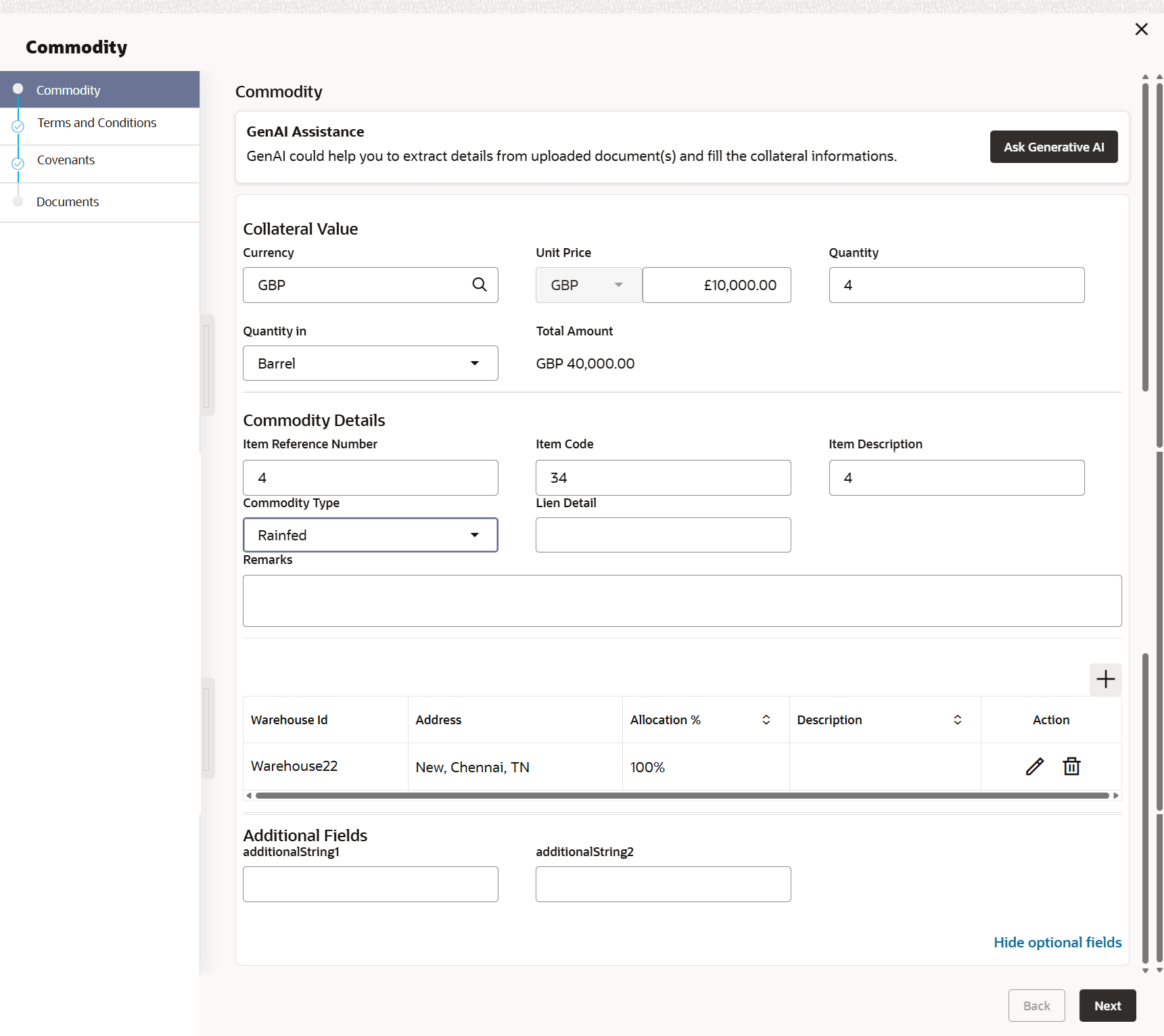
- Click the add icon.The Commodity Details screen is displayed.
For more information on fields, refer to the field description table.
Table 3-19 Commodity Details - Field Description
Field Description Item Reference Name Specify the unique item Reference number. Item code Specify the item code. Item Description Specify the item description. Commodity Type Specify the commodity type from the drop-down list. The available options are: - Irrigated
- Rainfed
Currency If the collateral being is enabled for manual revaluation, then click the  icon and select the currency code from the
list.
icon and select the currency code from the
list.
Amount in Collateral Currency Displays the amount in collateral curreny. Quantity Specify the quantity. Quantity in units Select the quantity in units from the drop-down list. The available options are: - Barrel
- Kg
- MMBTU
- Pound
- Quintals
- Ton
Lien Detail Existing lien details if any against the commodity can be noted. Table 3-20 Warehouse Details
Field Description Warehouse ID Specify the warehouse ID. Allocation % Specify the allocation percentage of the warehouse. Description Specify the description on warehouse. Note:
The Warehouse details fields displays, if Storage Location Required toggle is enabled in Collateral Category Maintenance screen.Table 3-21 External pricing details - Field Description
Field Description Security code When the collateral is enabled for external revaluation, click the icon and select can select the security code from
the adjoining list.
Security description Displays the description of the security code selected. Price Code Search the price code. Unit value Unit value is defaulted for the price code selected. Number of units Specify the number of units of security being considered for collateral creation. Current value Based on unit value and number of units, current value is calculated and displayed. Table 3-22 Storage Details
Field Description Storage Details Specify the storage details. Storage Charges Specify the storage charges. Insurance Coverage Specify the insurance coverage.