3.4.3 Account Receivables
This topic provides systematic instructions about the Account Receivables data segment in Evaluation Enrichment stage.
Figure 3-15 Enrichment - Account Receivables
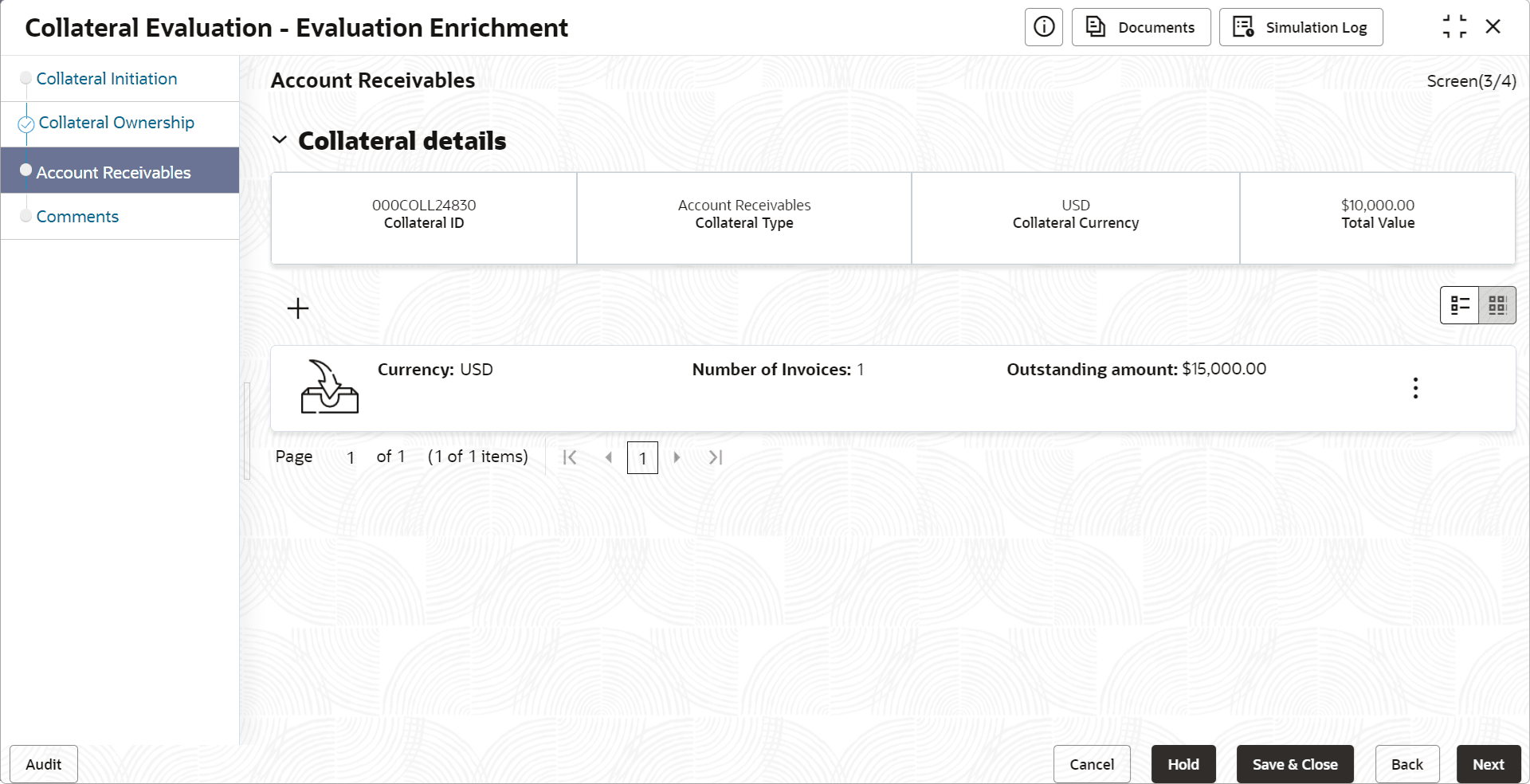
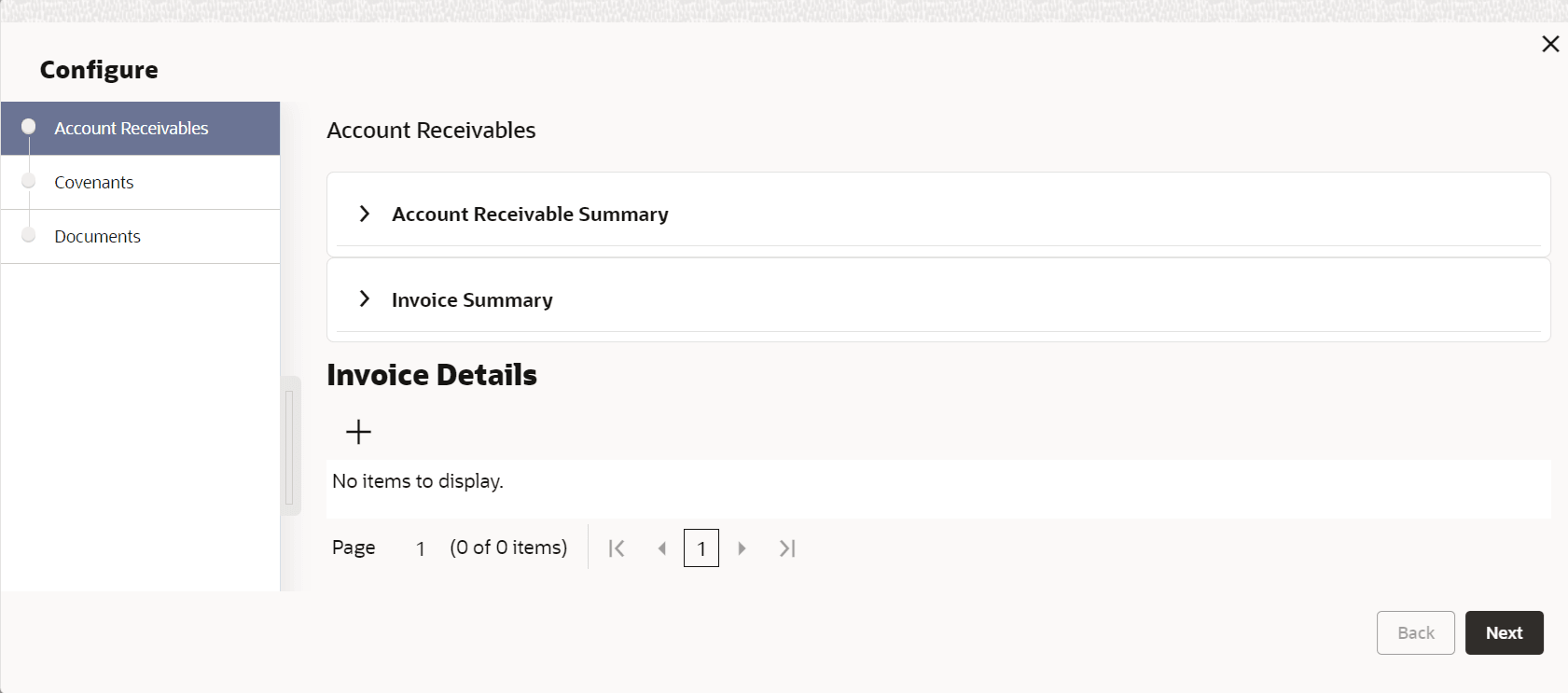
- Click the add icon.The Configure - Account Receivables screen is displayed.
Figure 3-16 Configure - Account Receivables
- Provide all the details about the Account Receivables in the Configure -
Account Receivables screen.For more information on fields, refer to the field description table below.
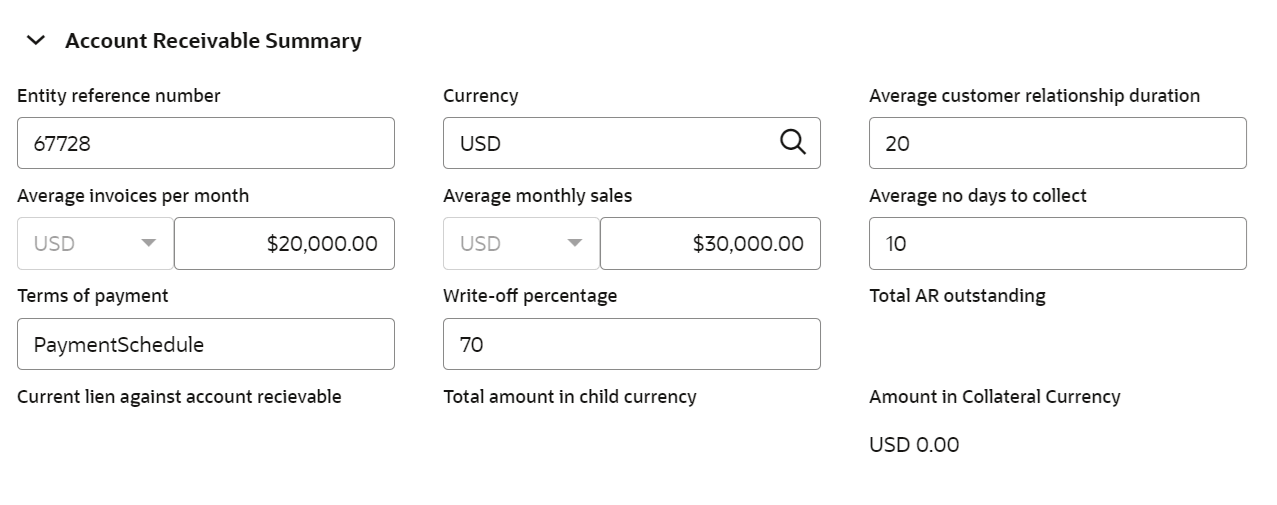
Table 3-12 Account Receivable Summary - Field Description
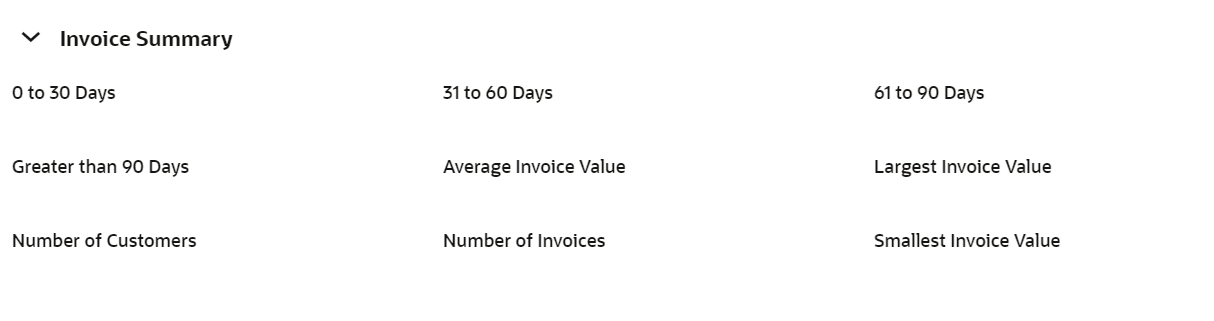
Field Description Currency Select the Currency in account receivable is calculated. Average Customer Relationship Duration Specify the average duration of relationship between the customer and their client. Average Invoices Per Month Specify the average invoice value (per month) of the products or services offered by your customer. Average Monthly Sales Specify the customer's Average Monthly Sales value. Average No Days to Collect Specify the average number of days to collect the payment from customer's client. Terms of Payment Specify the account receivable payment term. Write Off Percentage Specify the account receivable Write off Percentage. Total AR Outstanding The system calculates and displays the total account receivable outstanding based on the invoice details added in the Invoice Details section. Current Lien Against Account Receivable The system calculates and displays the Current Lien Against Account Receivable based on the lien details added in the Lien Details window. Total Amount in Child Currency The total account receivable amount is converted to child collateral currency and displayed in this field. Amount in Collateral Currency The total account receivable amount (account receivable from all the clients of your customer) is displayed in this field. Upon clicking + Add icon under Invoice Details section in the Configure - Account Receivables screen, the Invoice Details window is displayed as shown below.Table 3-13 Invoice Summary - Field Description
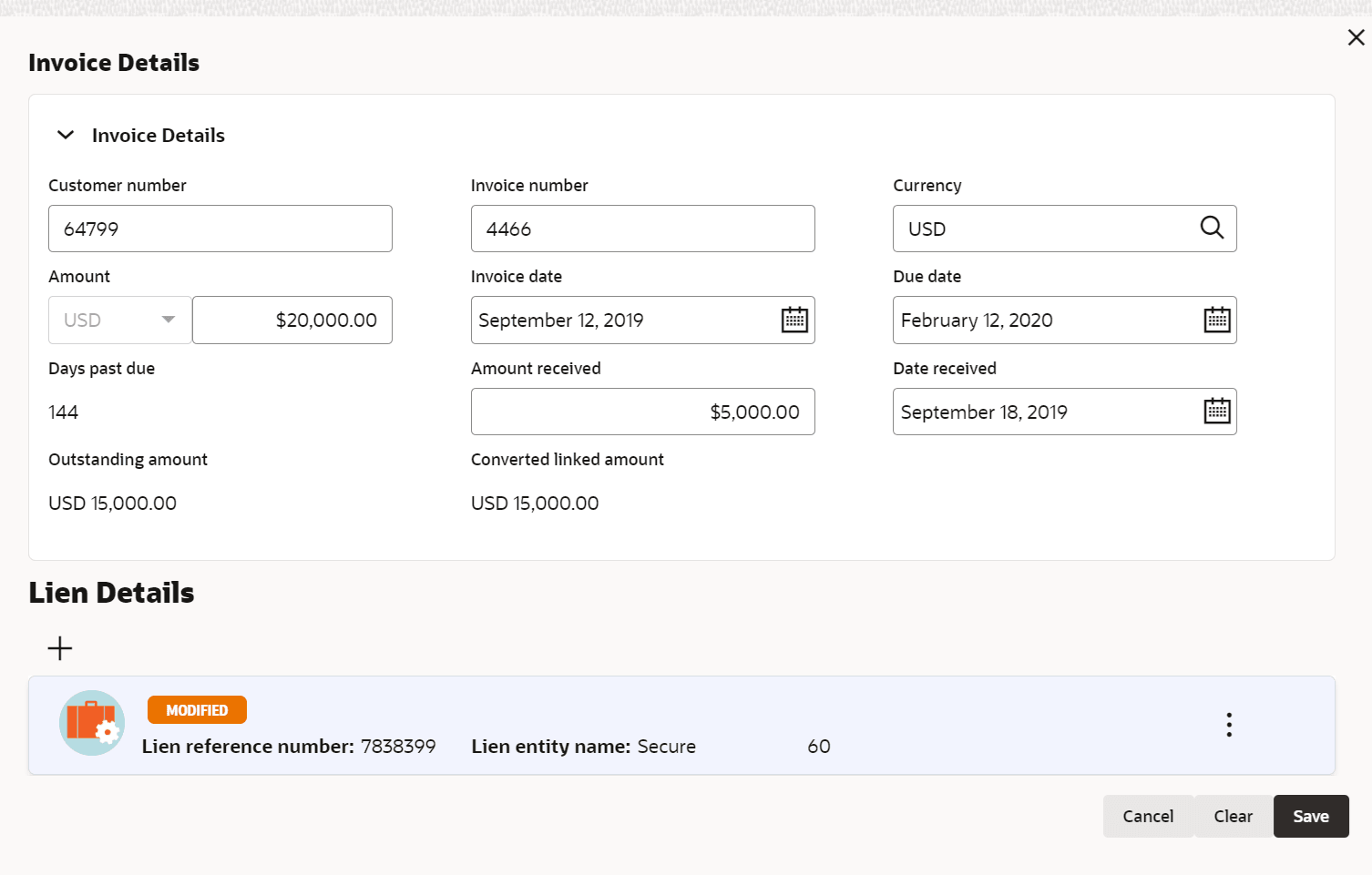
Field Description 0 to 30 Days Displays the account receivable overdue for the past 0 to 30 Days. 31 to 60 Days Displays the account receivable overdue for the past 31 to 60 Days. 61 to 90 Days Displays account receivable overdue for the past 61 to 90 Days. Greater than 90 Days Account receivable overdue for the past 90 days is displayed. Average Invoice Value The system calculates and displays the Average Invoice Value with the invoice details added in Invoice Details window. Largest Invoice Value Displays the Largest Invoice Value among the added invoice value. Number of Customers Displays the Number of Customers based on the number of invoice records added. Number of Invoices Dispalys the Number of Invoices added. Smallest Invoice Value Displays theSmallest Invoice Value among the added invoice value. Upon clicking + Add icon under Lien Details section in the Invoice Details window, the Lien Details window is displayed as shown below.Table 3-14 Invoice Details - Field Description
Field Description Customer Number Specify the Customer Number for adding invoice details for account receivable. Invoice Number Specify the account receivable Invoice Number. Currency Specify the account receivable invoice Currency. Amount Specify the account receivable invoice Amount. Invoice Date Specify the account receivable Invoice Date. Due Date Specify the Account Receivable Due Date.
Days Past Due The system displays the number of days the payment is missed after the due date. Amount Received Specify the account receivable Amount Received already. Date Received Specify the date on which the account receivable amount is received. Outstanding Amount Outstanding Amount is calculated by subtracting the received amount from the account receivable invoice amount. Converted Linked Amount If the line amount is different from the collateral amount, amount linked to the line is converted to collateral currency and displayed. Table 3-15 Lien Details - Field Description
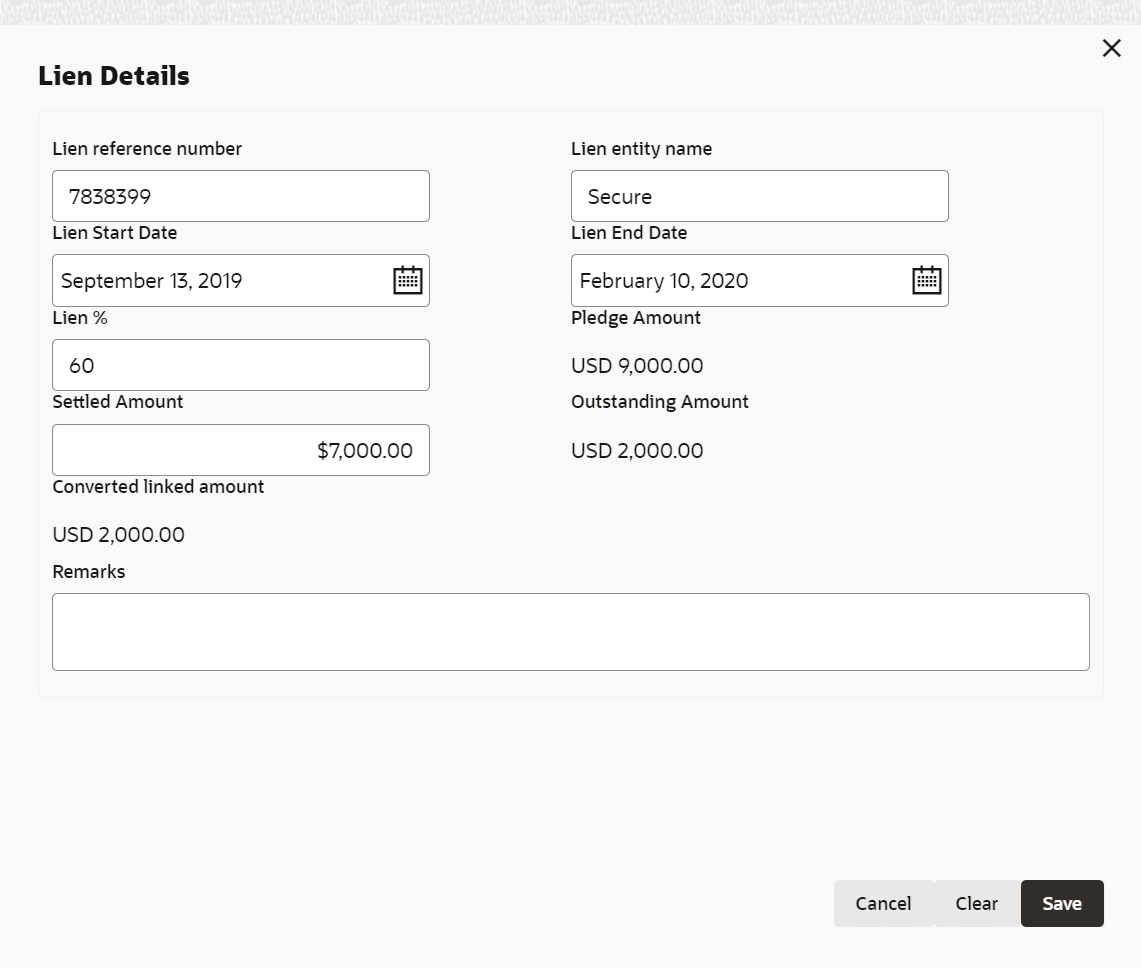
Field Description Lien Reference Number Specify the Lien Reference Number. Lien Entity Name Specify the Lien Entity Name. Lien Start Date Specify the Lien Start Date. Lien End Date Specify the Lien End Date. Lien % Specify the Lien %. Pledge Amount Specify the account receivable amount pledged by your customer.
Settled Amount Specify the account receivable amount settled by your customer. Outstanding Amount Specify the outstanding pledged amount. Converted Linked Amount If the line amount is different from the collateral amount, amount linked to the line is converted to collateral currency and displayed. Remarks Capture Remarks for the lien. Note:
This topic contains Account Receivables related fields. For more information, refer Vehicle topic in the Enrichment section.