3.4.2 Aircraft
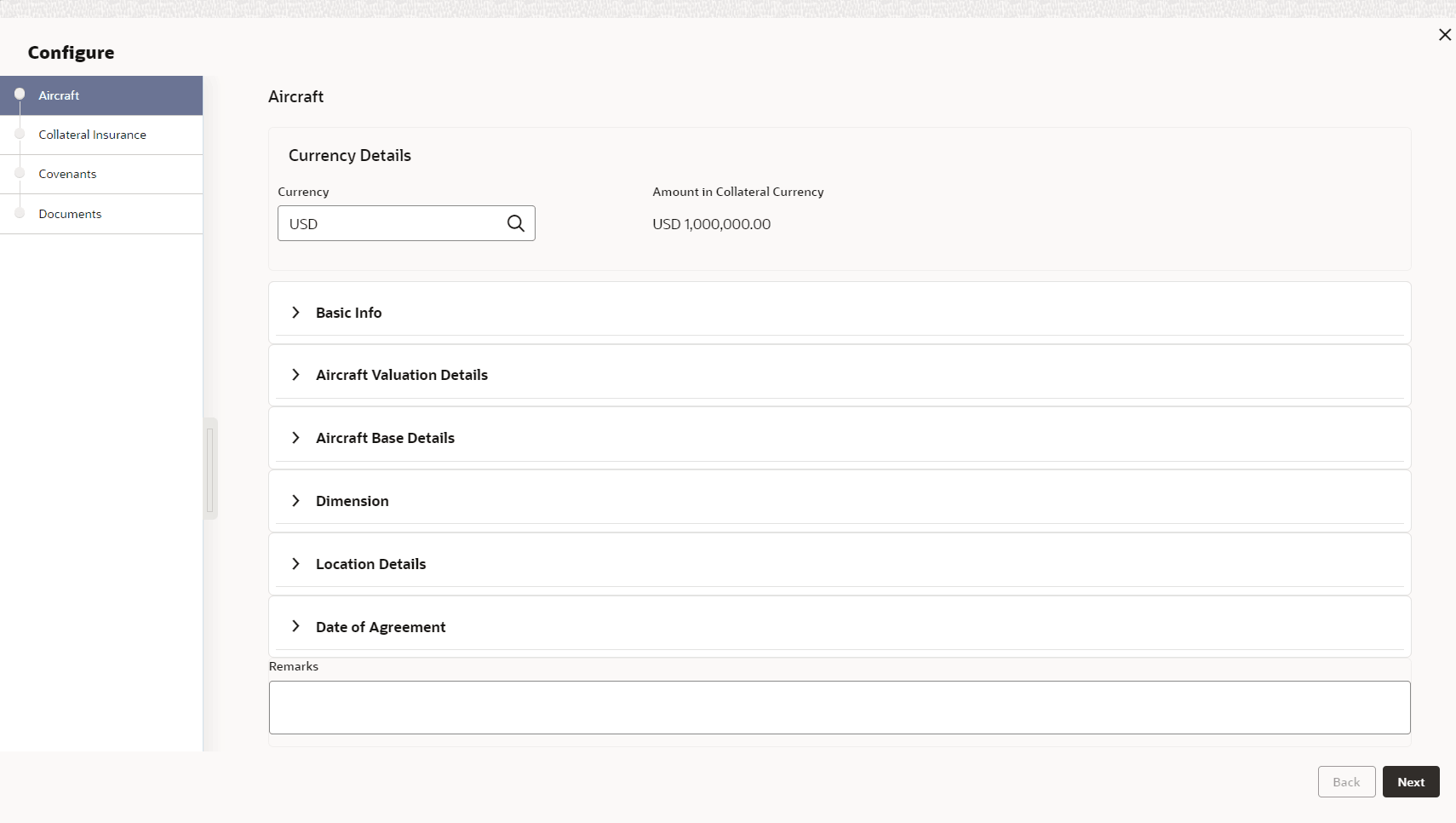
This topic provides systematic instructions about the Aircraft data segment in Evaluation Enrichment stage.
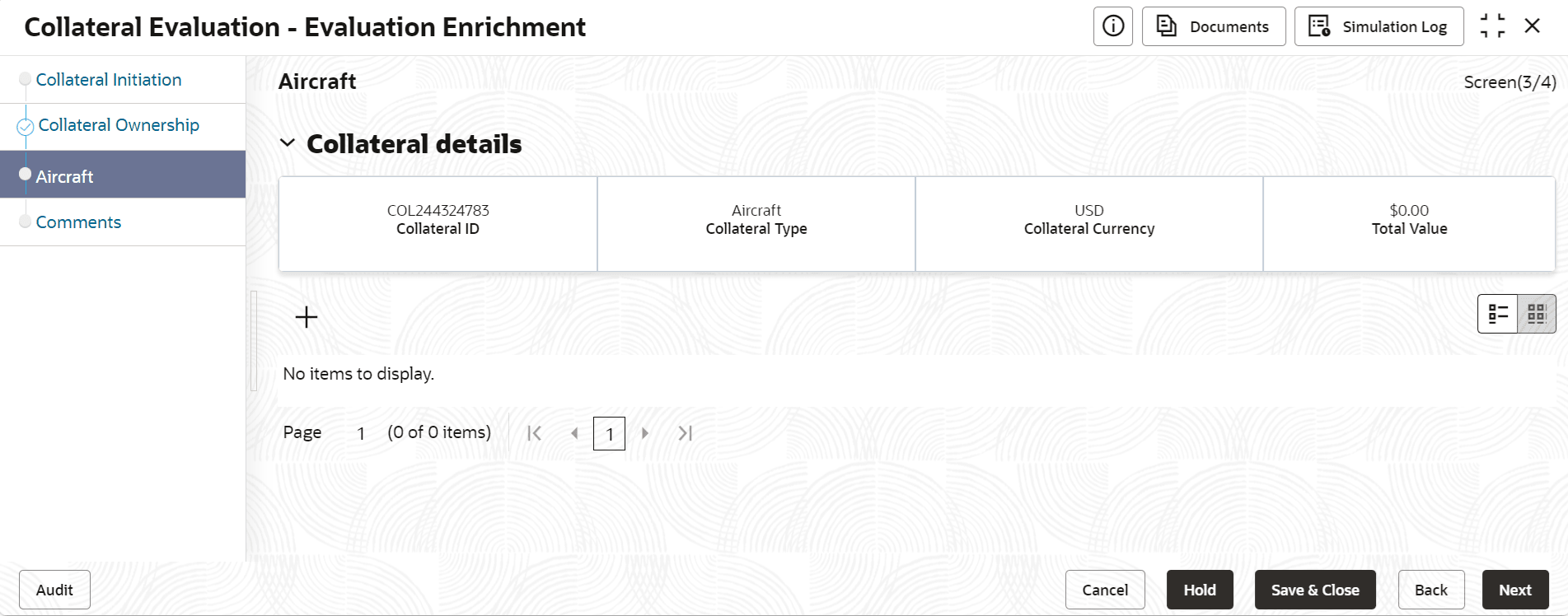
- Click the add icon.The Configure - Aircraft screen is displayed.
- Provide all the details about the aircraft in the Configure - Aircraft
screen.For field level information, refer the following tables.
Table 3-6 Configure - Aircraft - Currency Details - Field Description
Field Description Currency Select the Currency for specifying aircraft values. Amount in Collateral Currency The system converts the collateral amount to collateral currency and displays in this field. Table 3-7 Configure - Aircraft - Basic Details - Field Description
Field Description Registration Number Specify the aircraft Registration Number. Manufactured Date Specify the date on which the aircraft was manufactured. Purchased Date Specify the date on which the aircraft was purchased. Aircraft Condition Select the Aircraft Condition from the drop down list. The options available are: - Exceptional
- Good
- Average
- Damaged
Powered By Specify the source by which the aircraft is powered. The following options are available in the Powered By drop down list. - Fuel
- Wind
Fuel Types Specify the fuel type, if Fuel option is selected in the Powered By field. Select the fuel types from the drop-down list.
The available options are:- Aviation Gasoline
- Jet Fuels
Engine Type Select the aircraft Engine Type from the drop down list. The available options include but are not limited to: - Electric
- Jet
- Piston
- Rocket
- Turboprop
- Turboshaft
- Turbojet
- Turbofan
- Ramjet
- Rotor
Engine Model Specify the aircraft Engine Model detail. Number of Engines Specify the Number of Engines available in the aircraft. Engine Manufacturer Specify the name of aircraft Engine Manufacturer. Engine Manufacture Date Specify the date on which the aircraft engine was manufactured. Aircraft Intended Use Select the Aircraft Intended Use from the drop-down list. The available options in the drop down list are: - Commercial
- Personal
- Recreational
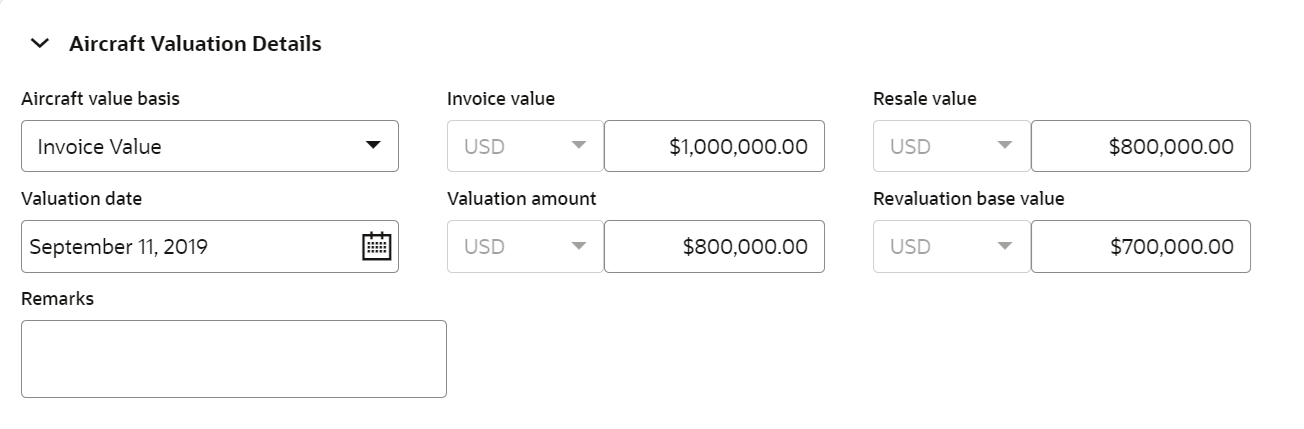
Leased Specify if the aircraft is leased by selecting Yes or No from the drop down list. Leased Term Specify the term till which the aircraft is leased. Lease Rate Specify the Lease Rate, if the aircraft is leased. License Issued Date Specify the date on which the aircraft license was issued. License No Specify the aircraft license number. License Details Capture the aircraft License Details. Figure 3-11 Configure - Aircraft - Aircraft Valuation Details
Table 3-8 Configure - Aircraft - Aircraft Valuation Details - Field Description
Field Description Aircraft Value Basis Select the Aircraft Value Basis from the drop down list. The available options are: - Invoice Value
- Market Value
Invoice Value / Market Value Invoice Value field is displayed, if Invoice Value is selected as the Aircraft Value Basis.
if Market Value is selected as the Aircraft Value Basis, Market Value field is displayed.
Specify the Invoice Value / Market Value of the aircraft.
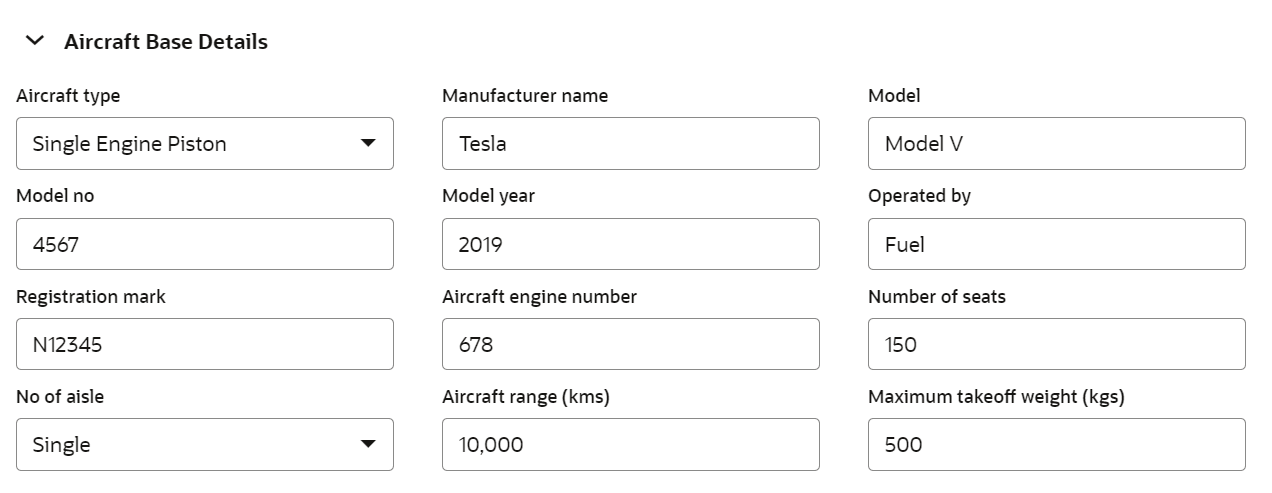
Resale Value Specify the Resale Value of the aircraft. Valuation Date Specify the date on which the aircraft is valuated. Valuation Amount Specify the aircraft Valuation Amount. Revaluation Base Value Specify the aircraft base value for revaluation. Figure 3-12 Configure - Aircraft - Aircraft Base Details
Table 3-9 Configure - Aircraft - Aircraft Base Details - Field Description
Field Description Aircraft Type Select the Aircraft Type from the drop down list. The available optiosn are: - Business Jet
- Helicopter
- Multi Engine Piston
- Single Engine Piston
- Turboprop
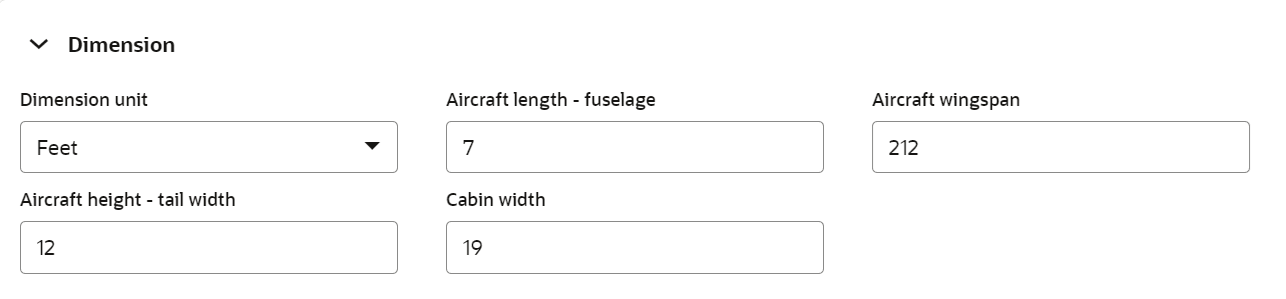
Manufacturer Name Specify the aircraft Manufacturer Name. Manufacturer Model Specify the aircraft model detail. Manufacturers Number Specify the aircraft Manufacturers Number. Model Year Specify the year in which the mentioned aircraft model was released. Aircraft Operated By Select the aircraft's source of power from the drop down list. Registration Mark Specify the Registration Mark displayed on the aircraft for identification. Engine No Specify the aircraft engine number. Number of Seats Specify the Number of Seats available in the aircraft. Number of Aisle Specify the Number of Aisle in the aircraft. Aircraft Range(kms) Specify the maximum distance an aircraft can fly between takeoff and landing in kilometers. Maximum Takeoff Weight (Kgs) Specify the maximum weight at which the pilot is allowed to attempt to take off in kilograms. Figure 3-13 Configure - Aircraft - Dimension
Table 3-10 Configure - Aircraft - Dimension - Field Description
Field Description Dimension Unit Select the unit for specifying aircraft dimension. The options available are: - Feet
- Meter
Aircraft Length - Fuselage Specify the length of aircraft fuselage in selected Dimension Unit. Aircraft Wingspan Specify the Aircraft Wingspan in selected Dimension Unit. Aircraft Height - Tail Width Specify the width of Aircraft tail in selected Dimension Unit. Cabin Width Specify the aircraft Cabin Width in selected Dimension Unit. Figure 3-14 Configure - Aircraft - Aircraft Location
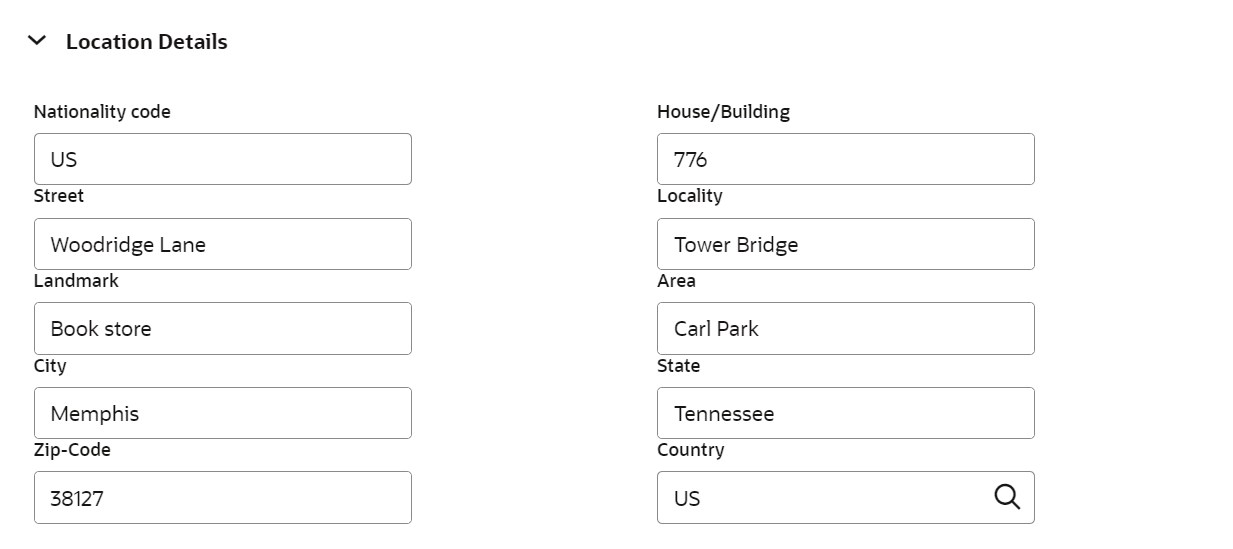
Table 3-11 Configure - Aircraft - Aircraft Location - Field Description
Field Description Nationality Code Specify the Nationality Code for the aircraft location House/Building Specify the port of aircraft. Street Specify the Street in which the port is located. Locality Specify the Locality of the port. Landmark Specify the Landmark for the port. Area Specify the Area in which the port is located. City Specify the City in which the port is located. State Specify the State in which the port is located. Zip-Code Specify the Zip-Code of the aircraft location. Country Specify the Country in which the port is located. Note:
This topic containsAircraft related fields. For other information, refer Vehicle topic in the Enrichment chapter.