3.4.1 Account Contracts
This topic provides systematic instructions about the Account Contracts data segment in Evaluation Enrichment stage.
The Accounts Contracts data segment appears in case Account
Contracts is selected as the Collateral Type in
Quick Initiation screen.
Figure 3-7 Enrichment - Accounts Contracts
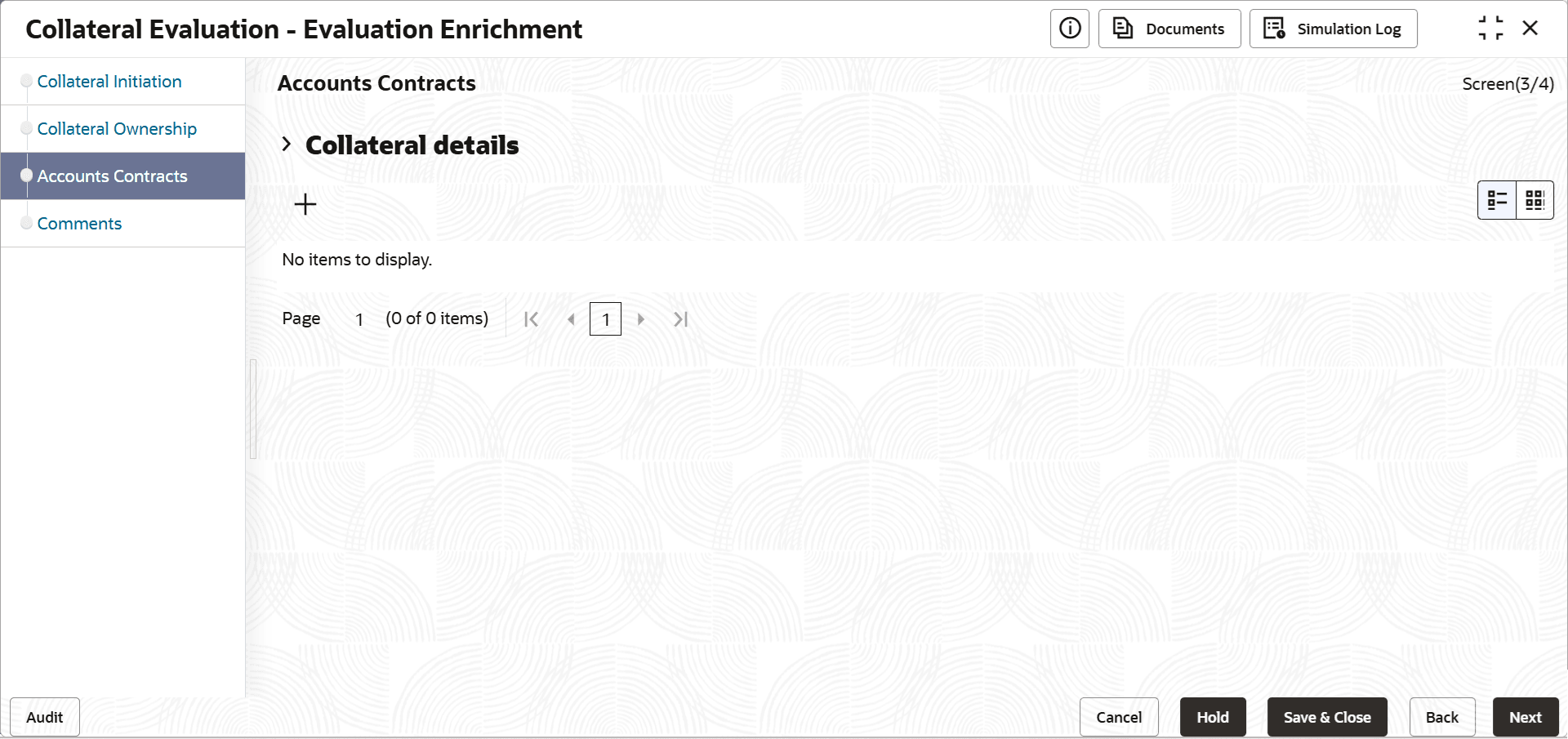
- Click the add icon.The Configure - Accounts Contracts screen is displayed.
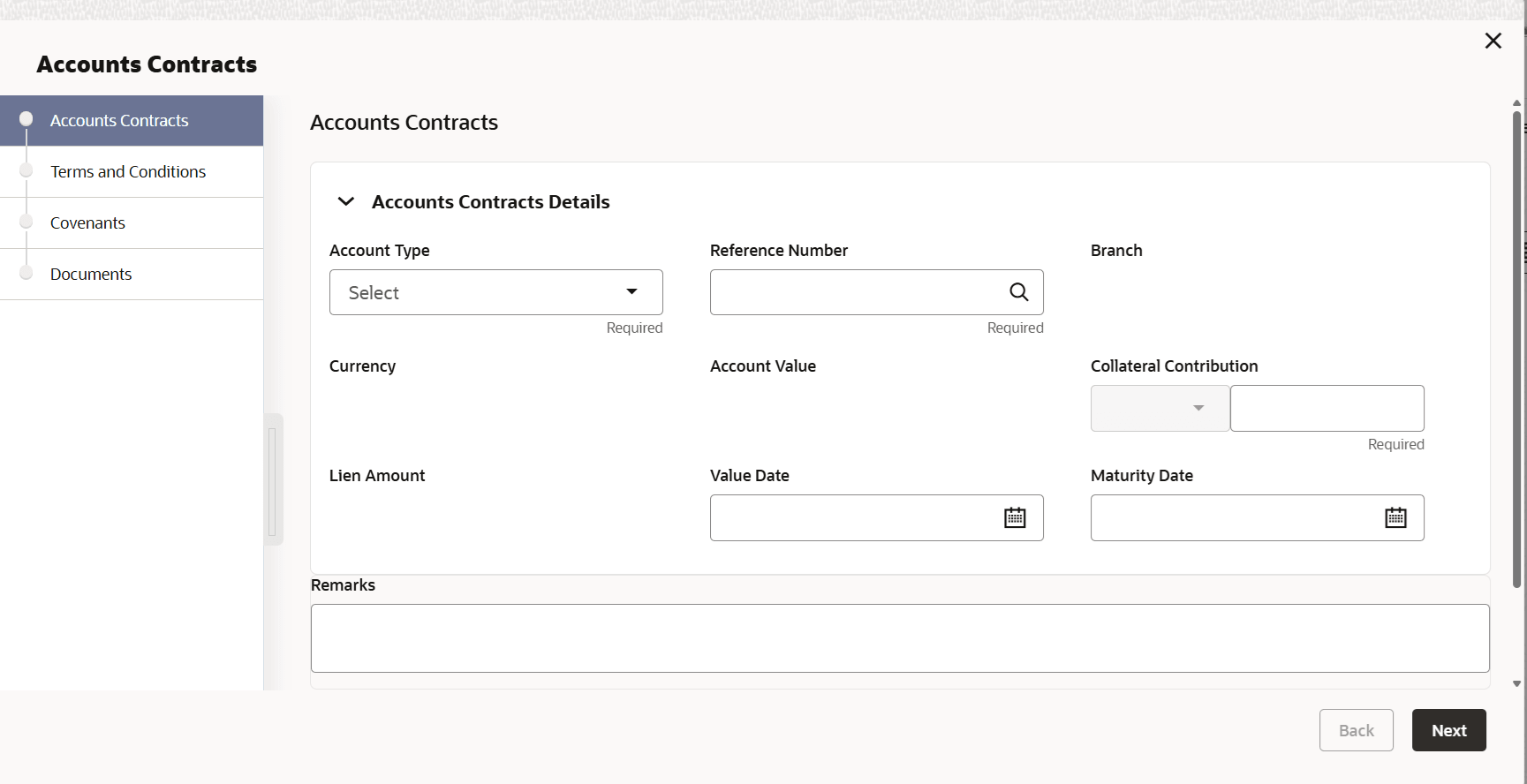
- Provide the Account Contract details in the Configure - Account
Contracts screen.For more information on fields, refer to the field description table below.
Table 3-5 Configure - Account Contracts - Field Description
Field Description Account Type Select the Account Type from the drop down list. Reference Number Specify the Account Contract Reference Number. Branch Name Select the branch in which the account is maintained. Currency Select the currency for specifying Account Value. Account Value Specify the overall Account Value. Amount in Collateral Currency Displays if the Account Value is specified in different currency, the Account Value is converted to collateral currency. Collateral Contribution Specify the amount for Collateral Contribution. Lien Amount Specify the Lien Amount. Value Date Specify the contract Value Date. Maturity Date Specify the contract Maturity Date. - Capture Remarks for the Account Contract, if any.
Note:
This topic contains Account Contract related fields. For other information, refer Vehicle topic in the Enrichment section.

