3.18 Advisors
Detailed infrmation about the Advisors data segment in Enrichment Stage.
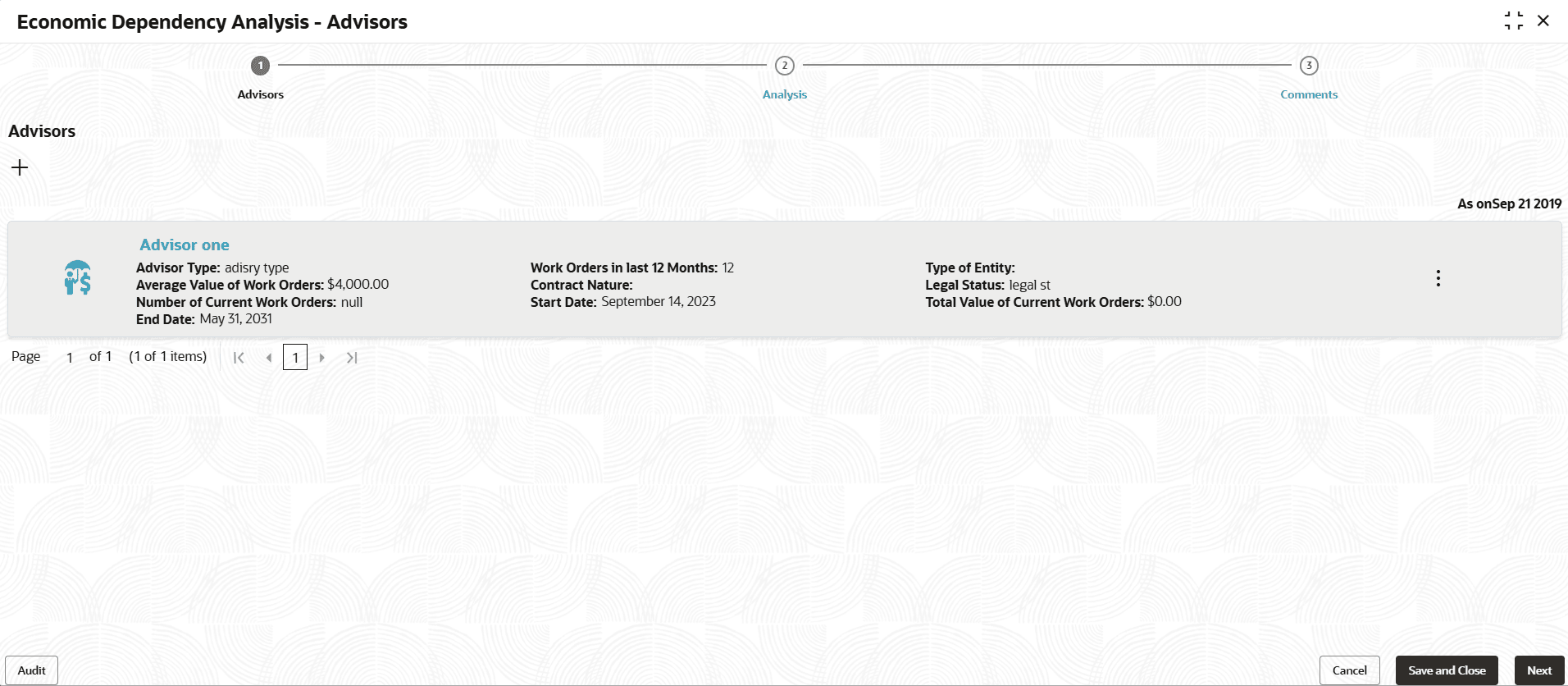
Information about the Advisors in your customer organization can be captured from this tile.
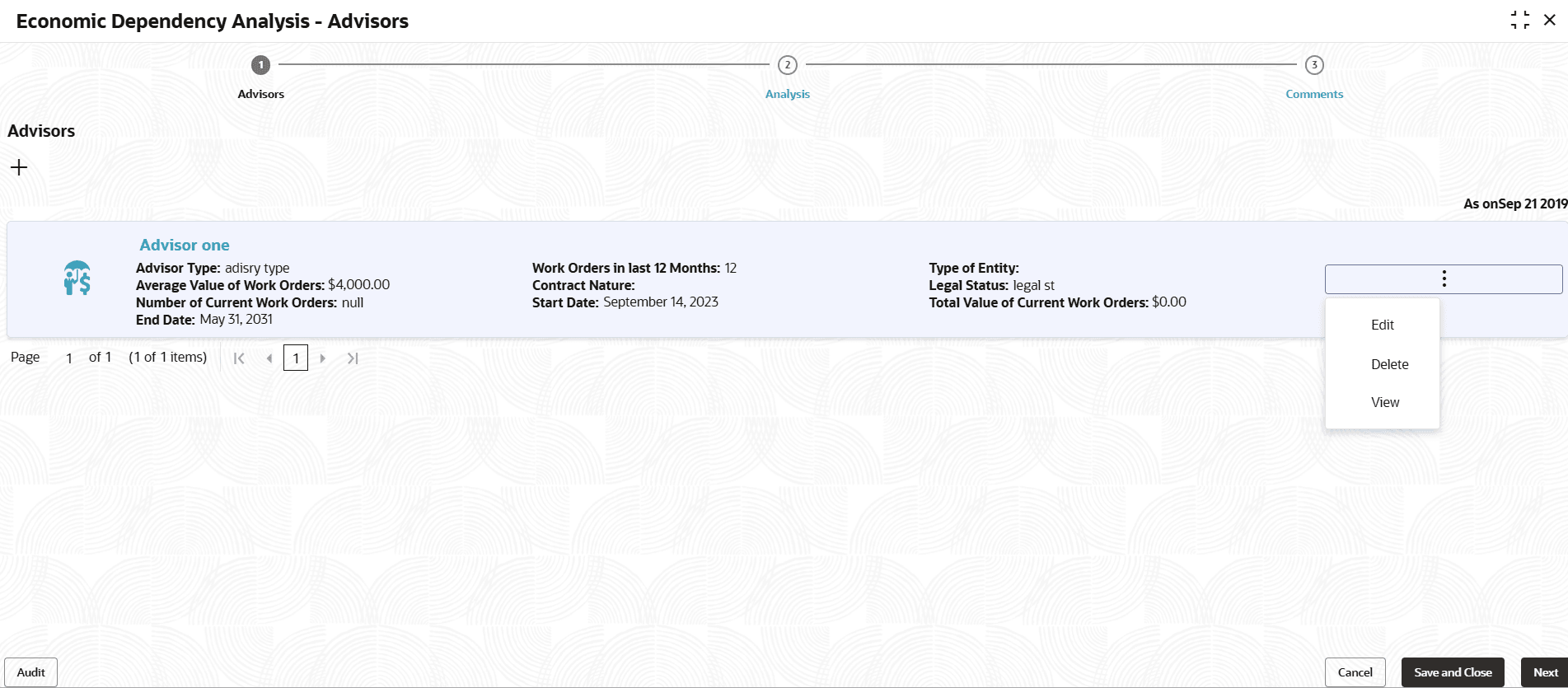
- Click the capture icon in the Advisors tile.The Advisors screen is displayed.
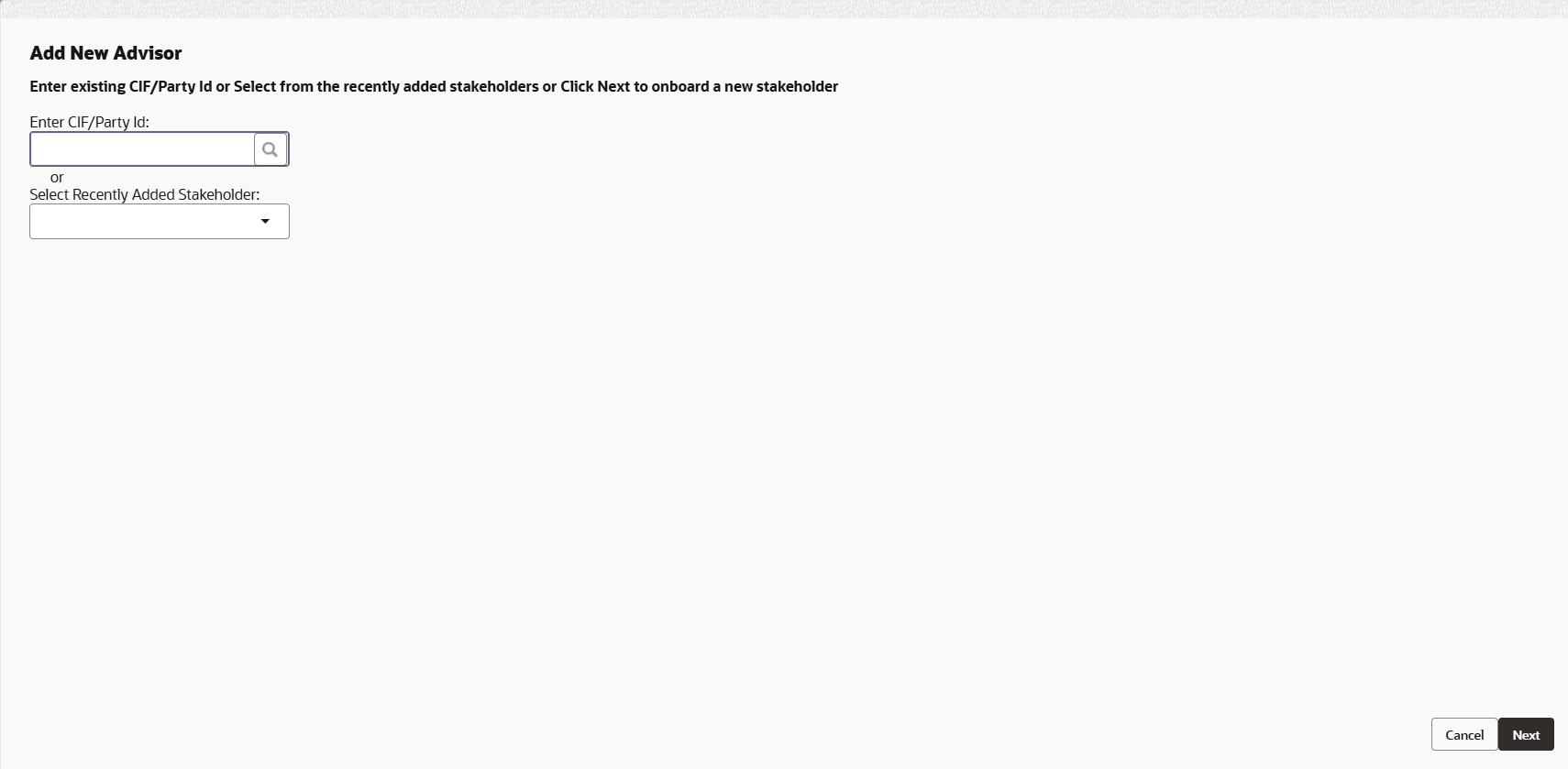
- To add the Advisor details, click the add icon. The New Advisor window
is displayed.
For information on fields in the New Advisor screen, refer the below table.
Table 3-90 New Advisor
Fields/ Icons Description fields Type the following details of the advisor in corresponding fields: - Role
- Responsibility
- Experience summary
- Legal status
- Advisory Dept
Advisor name Type the Advisor name. Type of advisor Select the Type of advisor from the drop down field. Signed contract If the advisor has signed contract with your customer, enable the Signed contract switch. Signed contract If the Signed contract switch is enabled, select the Start date and End date of the contract by clicking the calendar icon. Contract nature If the Signed contract switch is enabled, select the Contract nature. Work orders in last 12 months In the Work orders in last 12 months field, specify the work orders taken by the Advisor in last 12 months. Currency Search and select the Currency for the average value of work orders. Average value of work orders Specify the Average value of work orders taken in the last 12 months. No of current work orders Specify the No of current work orders. Total value of current work orders Specify the Total value of current work orders.
In the Current work order section:
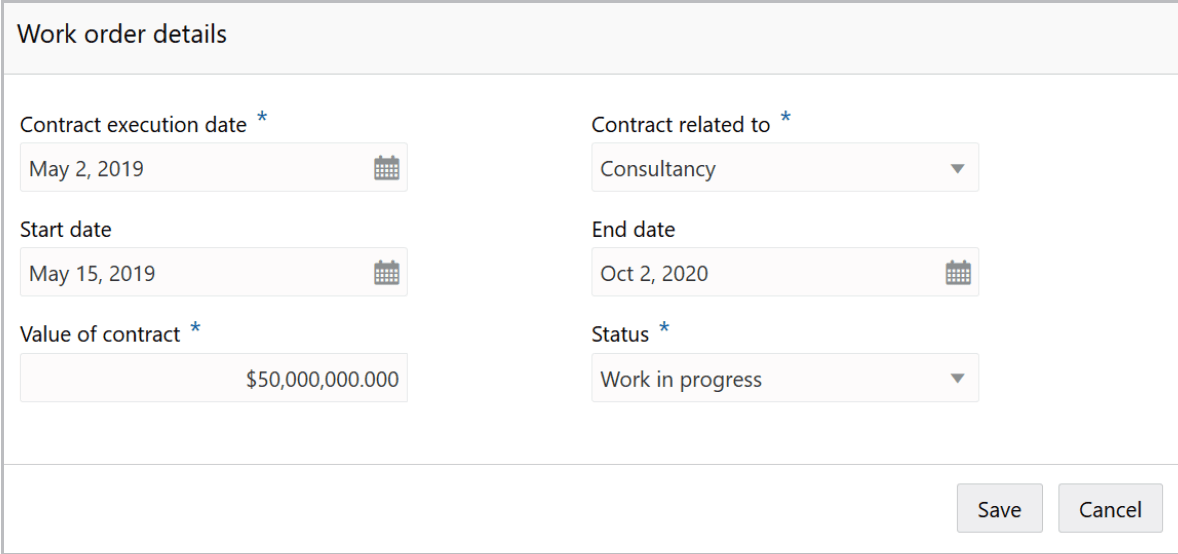
- Click the add icon. The Work Order Details screen is
displayed.
For information on fields in the Work Order Details screen, refer the below table.
Table 3-91 Work Order Details
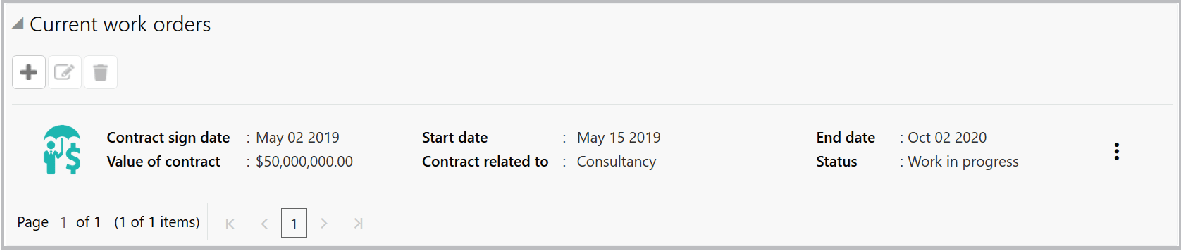
Fields/ Icons Description Contract execution date Select the date in which contract with the Advisor is signed, by clicking the calendar icon in the Contract execution date field. Contract related to Select the department to which the Advisor contract is related from the Contract related to drop down list. Start date and End date Select the contract Start date and End date by clicking the calendar icon. Value of contract Specify the Value of contract. Status Select the work Status from the drop down field. - Click Save. Current work order details are added and listed in the
Current work orders section as shown below:
For information on fields in the Current work orders screen, refer the below table.
Table 3-92 Current work orders
Fields/ Icons Description edit To modify the added current work order detail, select the required item and click the edit icon. delete To delete the added current work order detail, select the required item and click the delete icon.
In the Our Customers section:
Figure 3-179 Our Customers

Description of "Figure 3-179 Our Customers"
For information on fields in the Our Customers screen, refer the below table.
Table 3-93 Our Customers
| Fields/ Icons | Description |
|---|---|
| Internal rating | Select your bank’s Internal rating for the Advisor. |
| Is borrower | If the Advisor is a borrower in your bank, enable the Is borrower switch. |
| Currency | Search and select the Currency for the Total exposure. |
| Total exposure | Specify the Advisor's Total exposure amount in your bank. |
| Deposit account held | If the Advisor holds a deposit account in your bank, enable the Deposit account held switch. |
| Deposit account held | If the Deposit account held switch is enabled, specify the No of deposit accounts held by the Advisor. |
| Currency | Search and select the Currency for the total deposit amount. |
| Total deposit amount | In the Total deposit amount field, specify the total amount deposited by the Advisor in your bank. |
In the Alternate Advisors section:
Figure 3-180 Alternate Advisors
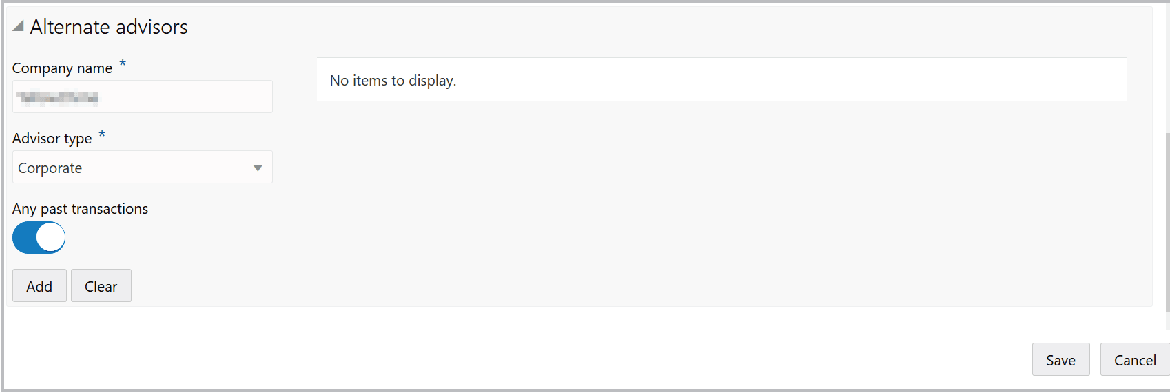
Description of "Figure 3-180 Alternate Advisors"
For information on fields in the Alternate Advisors screen, refer the below table.
Table 3-94 Alternate Advisors
| Fields/ Icons | Description |
|---|---|
| Company name | Type the alternate Advisor's Company name. |
| Advisor type | Select the Advisor type from the drop down list. |
| Any past transactions | Enable the Any past transactions switch, if the alternate Advisor has past transactions record. |
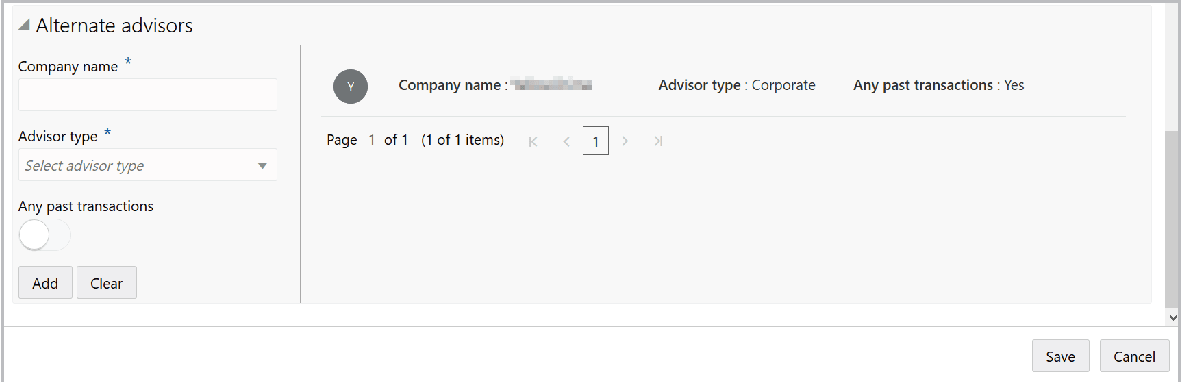
- Click Add. Alternate Advisor detail is added as shown below:
- Click Save in the New Advisor window. Advisor details are added and
displayed in the Advisors page.
Analyzing Advisor Details
- To analyze the Advisor details, click Next in the Advisors page.The Analysis screen is displayed.
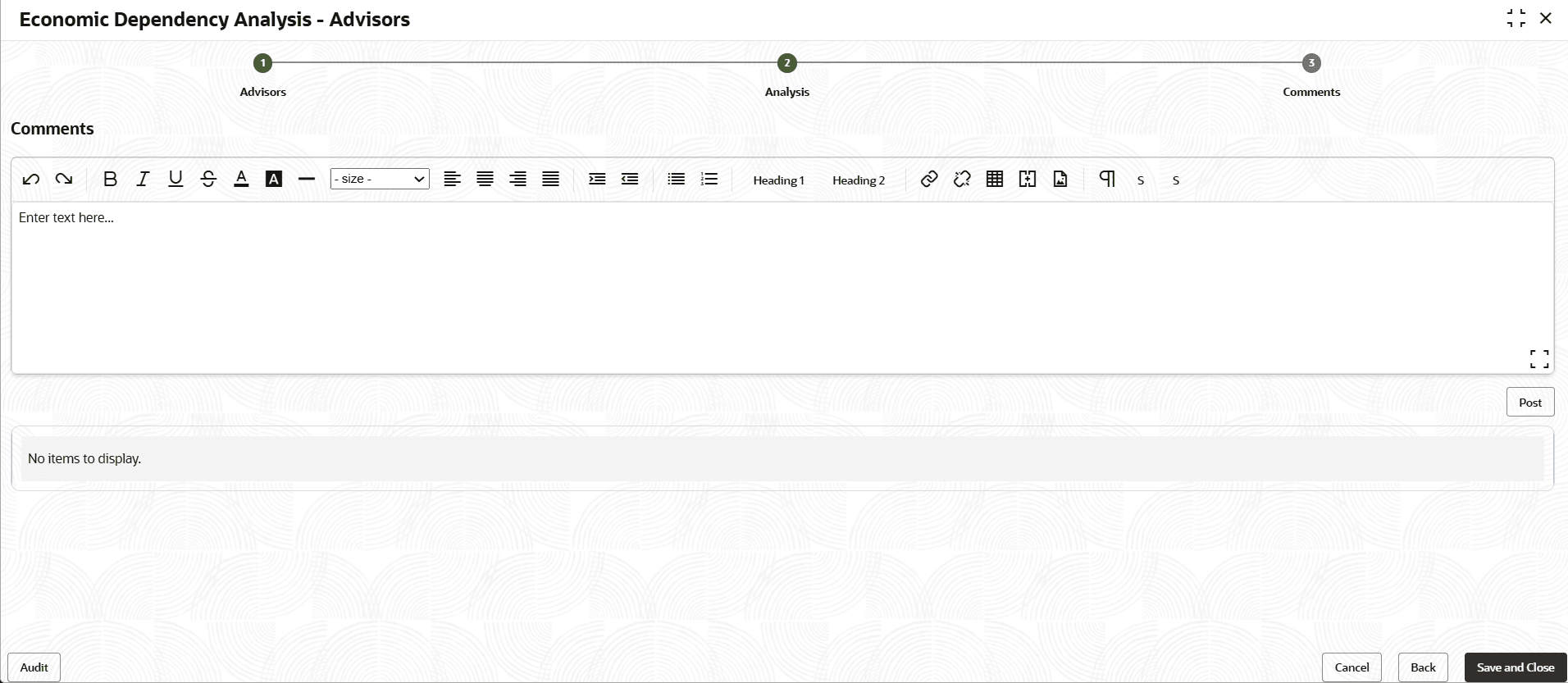
- Click Next.The Comments screen is displayed.
For information on fields in the Comments screen, refer the below table.
Table 3-95 Comments
Fields/ Icons Description Comments Type the overall Comments for the Advisor Analysis. Post Click Post. Comments are posted below the Comments box. Submit Click Submit.
Viewing Dependency Trends
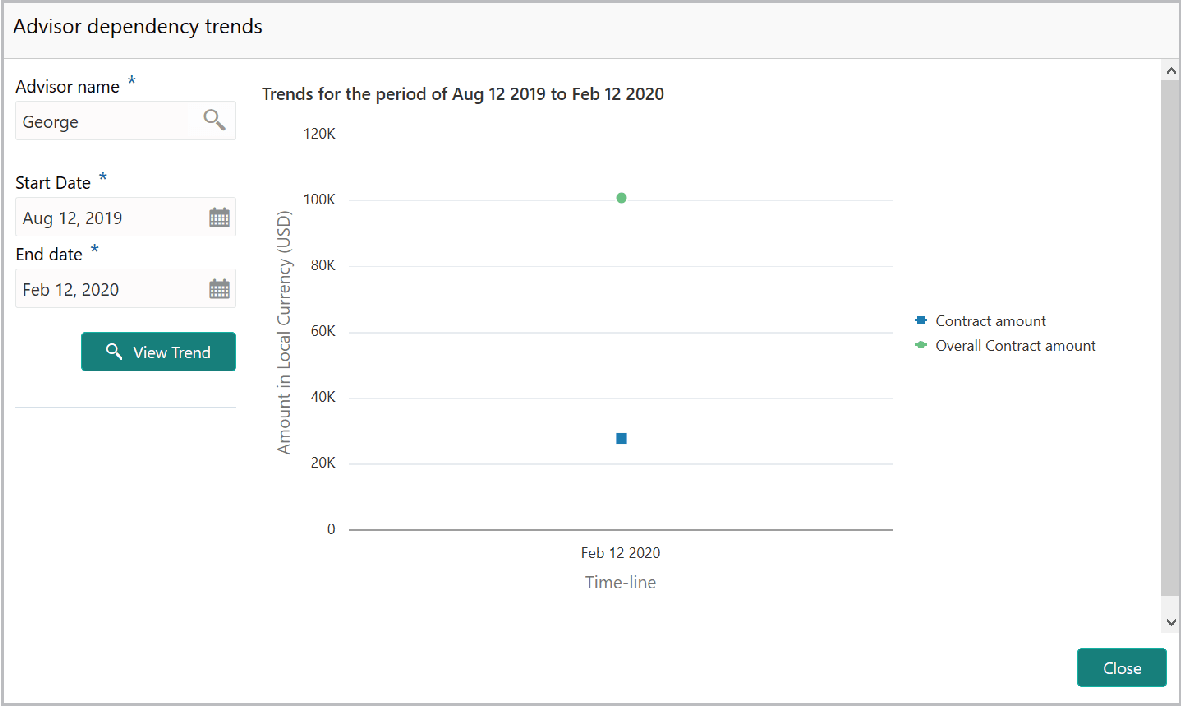
- To view the Advisor dependency trends, click the trend analysis icon beside the
capture icon in Advisors tile. The Advisor Dependency Trends window is
displayed.
For information on fields in the Advisor Dependency Trends screen, refer the below table.
Parent topic: Enrich and Analyze