3.10 Currency Exposure
This topic provides systematic instructions about the currency expsoure.
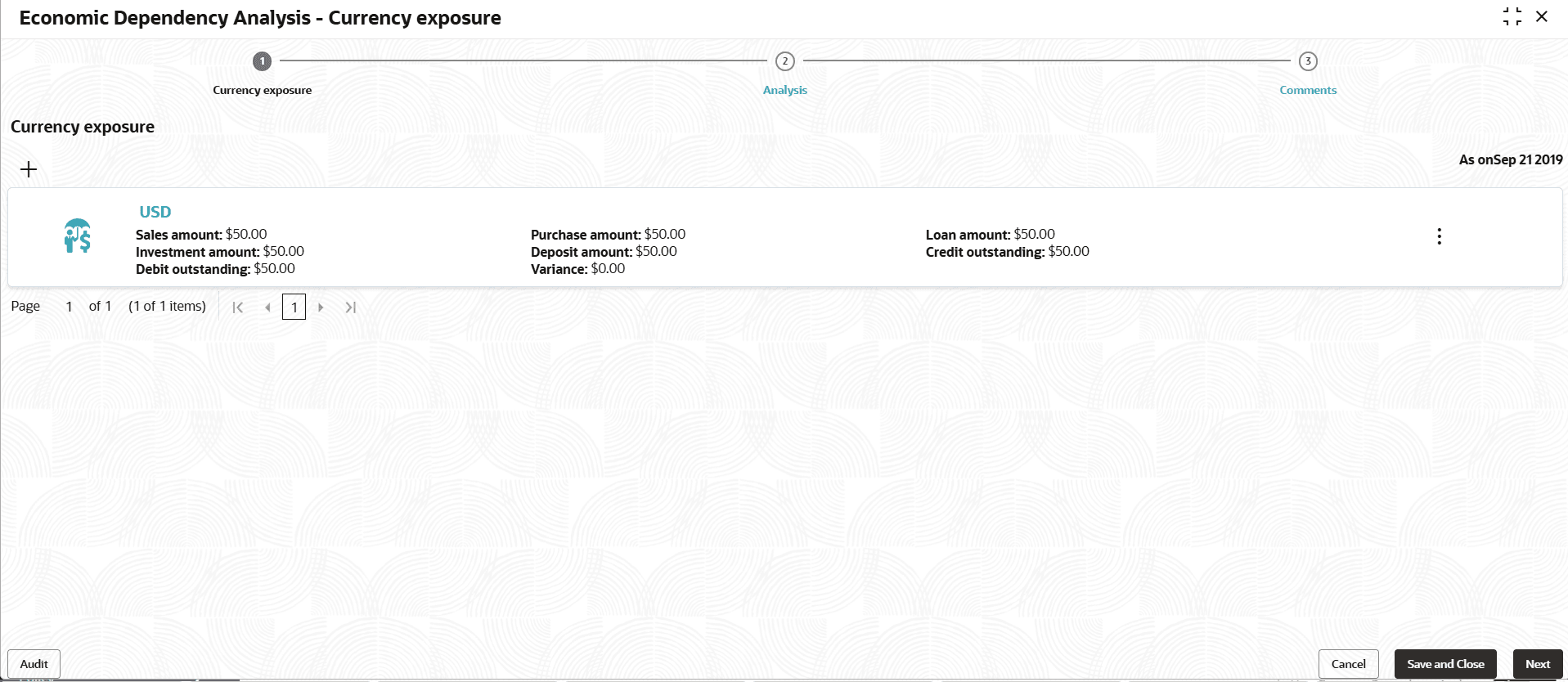
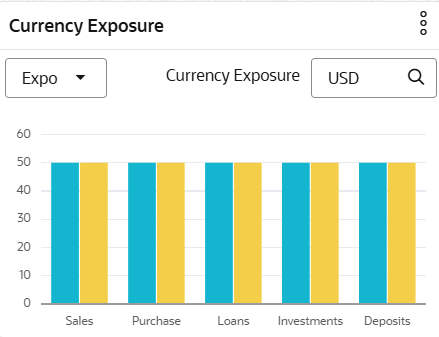
This tile allows to capture your customer’s currency-wise exposure in terms of sales, purchase, loans, investments, deposits, credit and debit outstandings, and variance. Variance is the difference between the credit and debit outstandings. If the variation is negative for a specific currency, then the hedging analysis is required to be performed for that currency.
- Click the capture icon in the Currency Exposure tile. The Currency
Exposure screen is displayed.
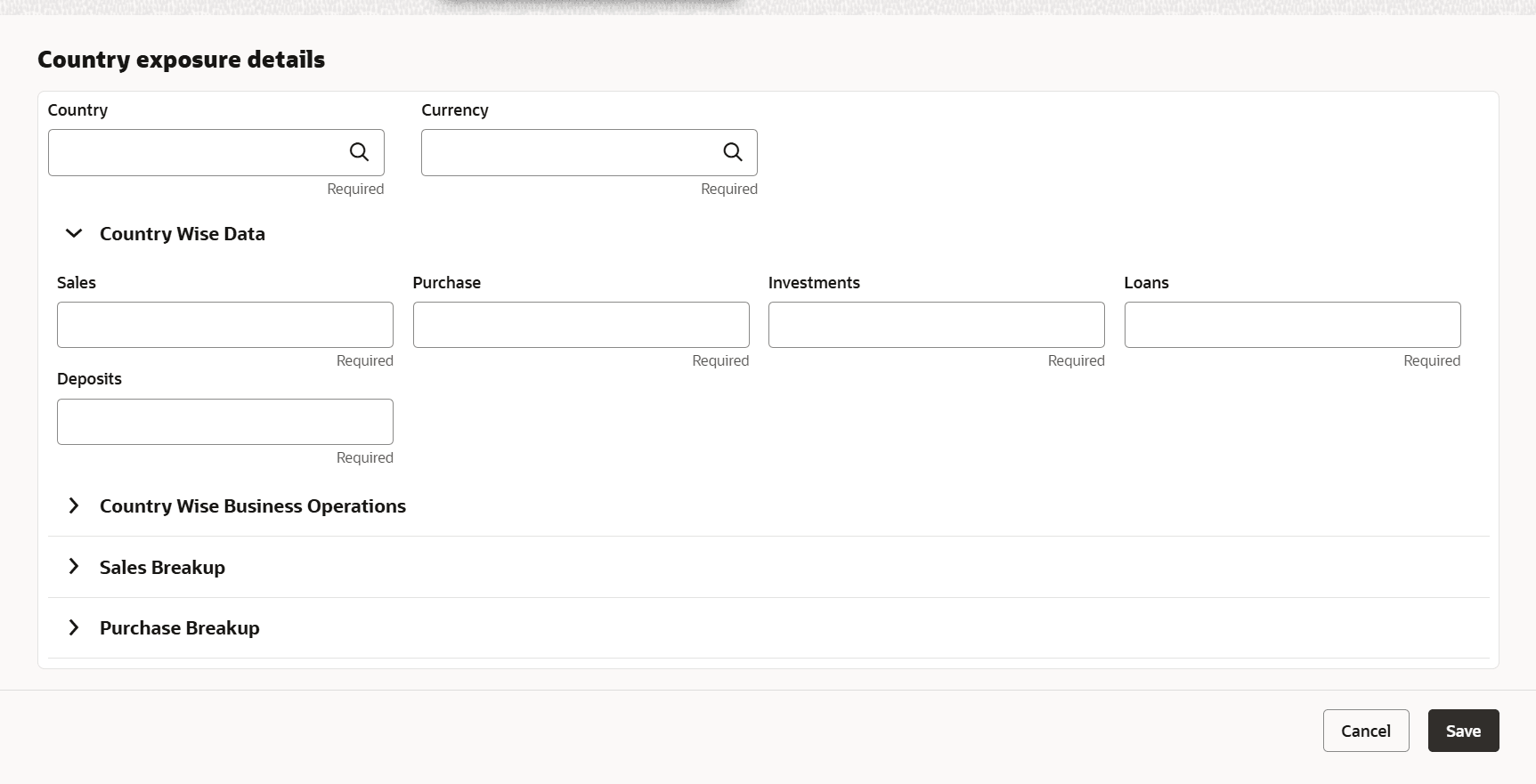
- To add the currency exposure details, click the add icon. The Currency
Dependency Details window is displayed.
For information on fields in the Currency details screen, refer the below tables.
Table 3-38 Currency details
Fields Description Currency Search and select the Currency. Sales Amount Specify your customer's Sales Amount in the selected currency. Sales Percentage Specify your customer's Sales Percentage with respect to the selected currency. Purchase Amount Specify your customer's Purchase Amount in the selected currency. Purchase Percentage Specify your customer's Purchase Percentage with respect to the selected currency. Loan Amount Specify the Loan Amount availed by your customer in the selected currency. Loan Percentage Specify your customer's Loan Percentage with respect to the selected currency. Investment Amount Specify your customer's Investment Amount in the selected currency. Investment Percentage Specify your customer's Investment Percentage with respect to the selected currency. Deposit Amount In the Deposit Amount field, specify the amount deposited by your customer in the selected currency. Deposit Percentage In the Deposit Percentage field, specify the percentage of amount deposited by your customer in the selected currency. For information on fields in the Hedging Details screen, refer the below tables.
Table 3-39 Hedging Details
Fields Description Credit Outstanding Specify the Credit Outstanding amount in the selected currenc Debit Outstanding Specify the Debit Outstanding amount in the selected currency. Variance Upon entering the Credit and Debit Outstanding amounts, the system calculates and displays the Variance. Hedging required Enable the Hedging required switch, if hedging analysis is required. In the Future Currency Requirement - Loan Repayment section:
Figure 3-90 Future Currency Requirement - Loan Repayment

Description of "Figure 3-90 Future Currency Requirement - Loan Repayment"For information on fields in the Loan Repayment screen, refer the below tables.
Table 3-40 Loan Repayment
Fields Description Outstanding Loan Amount Specify your customer's Outstanding Loan Amount in selected currency. Repayment in current year In the Repayment in current year field, specify the loan amount to be repaid in the current year. Repayment in Next 3 Years In the Repayment in Next 3 Years field, specify the loan amount to be repaid in next three years. Figure 3-91 Future Currency Requirement - Creditor Payment
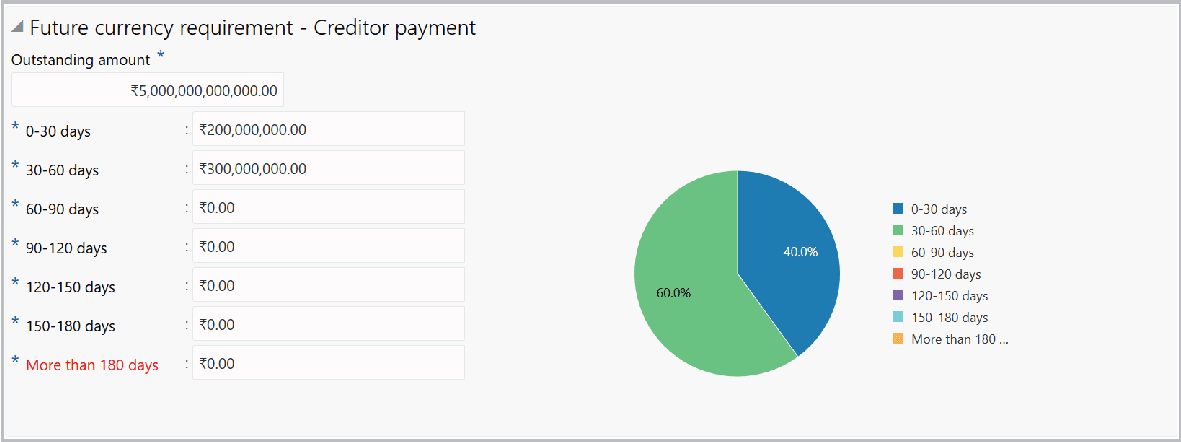
Description of "Figure 3-91 Future Currency Requirement - Creditor Payment"For information on fields in the Creditor Payment screen, refer the below tables.
Table 3-41 Creditor Payment
Fields Description Outstanding Amount Specify the Outstanding Amount to be paid by your customer’s creditor in selected currency. 0-30 days Specify the outstanding amount to be received in 0-30 days. 30-60 days Specify the outstanding amount to be received in 30-60 days. 60-90 days Specify the outstanding amount to be received in 60-90 days. 90-120 days Specify the outstanding amount to be received in 90-120 days. 120-150 days Specify the outstanding amount to be received in 120-150 days. 150-180 days Specify the outstanding amount to be received in 150-180 days. More than 180 days Specify the outstanding amount to be received after 180 days in the More than 180 days field. In the Future currency credit - Debtor payment section:
For information on fields in the Interests screen, refer the below tables.
Table 3-42 Interests
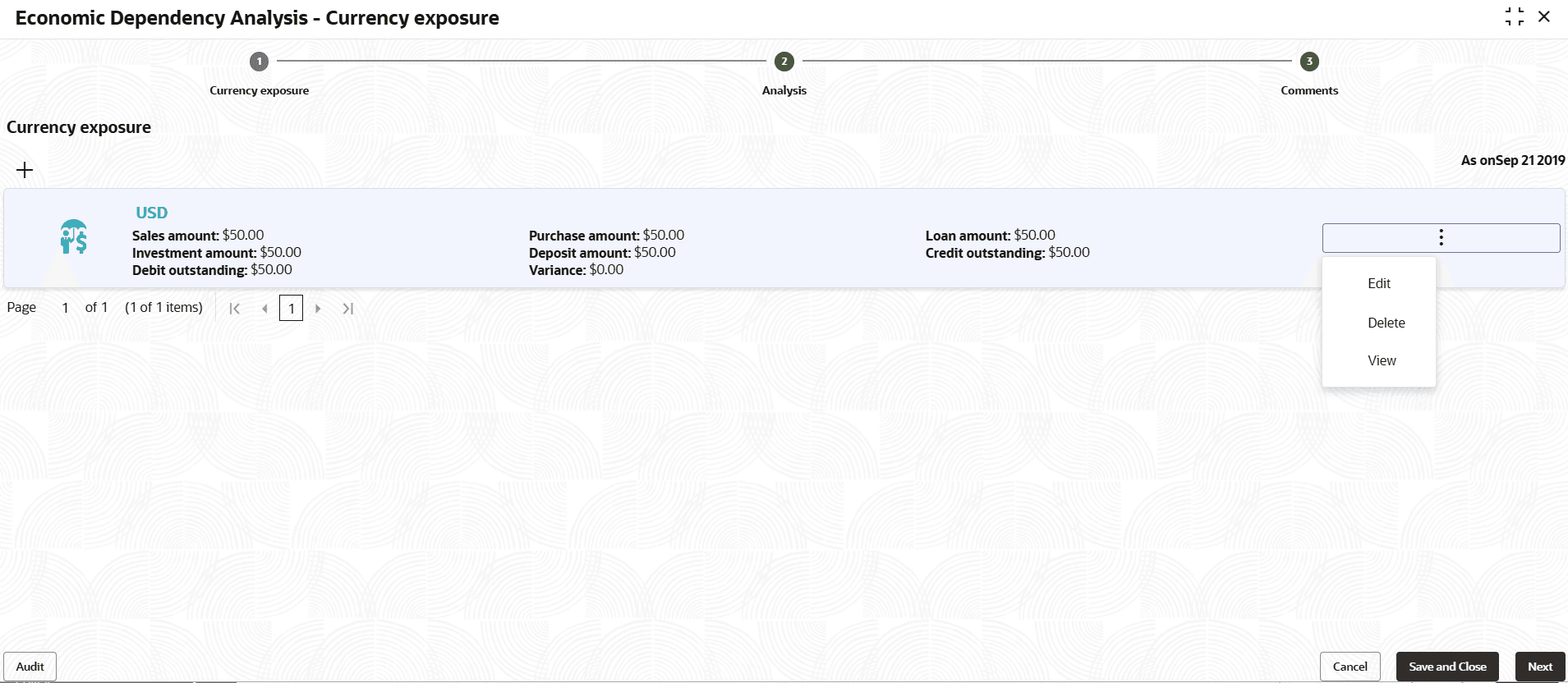
Fields Description Investment amount interests In the Investment amount interests field, specify the interest to be received for the amount invested in selected currency. Interest expected in current year In the Interest expected in current year field, specify the interest to be received in the Current year. Interest expected in next 3 years In the Interest expected in next 3 years field, specify the interest to be received in the next 3 Years. - Click Save in the Currency Dependency Details window. Currency exposure
details are added and listed in the Currency Exposure screen.
- To analyze the currency exposure, click Next in the Currency Exposure
page. The Analysis screen is displayed.
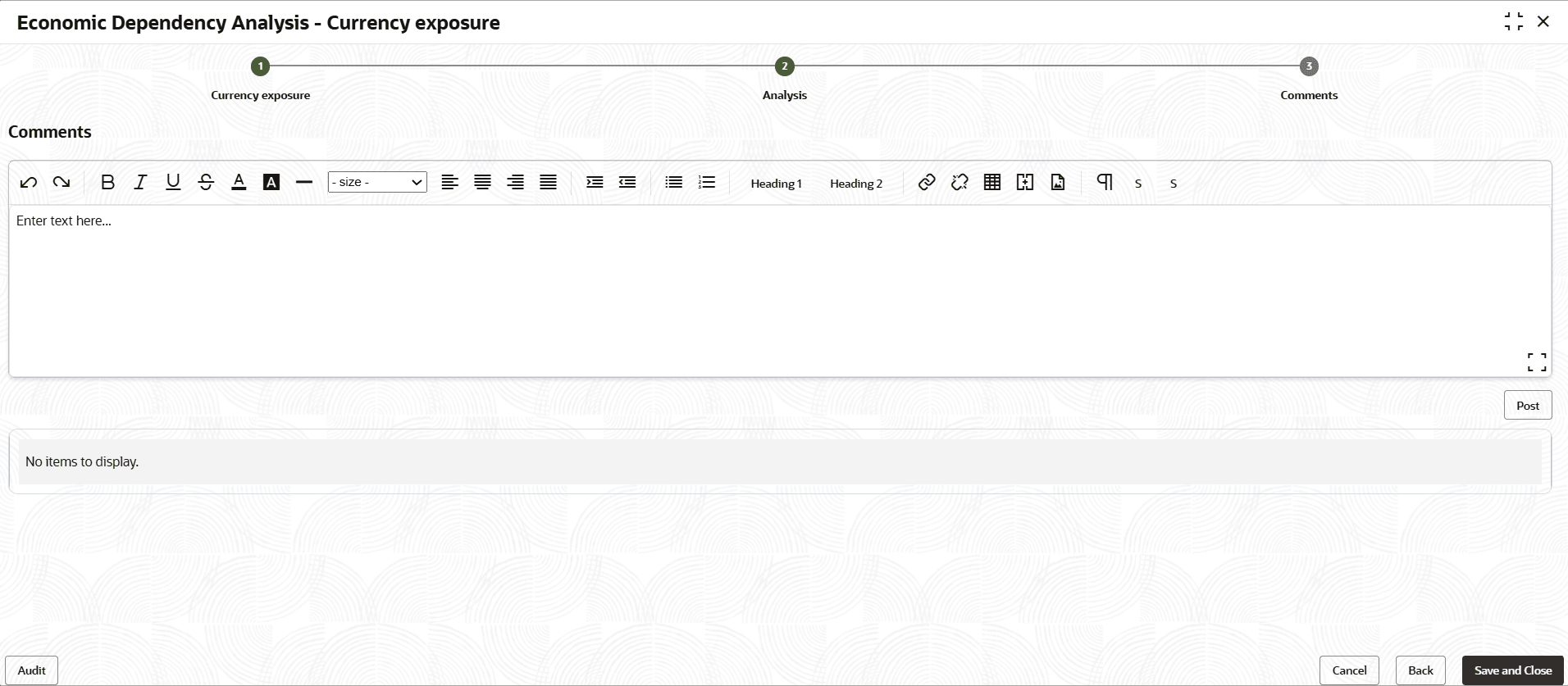
- Click Next. The Comments screen is displayed.
For information on fields in the Comments screen, refer the below tables.
Table 3-43 Comments
Fields/ Icons Description Comments Type the overall Comments for the Currency Exposure Analysis. Post Click Post. Comments are posted below the Comments box. Submit Click Submit. - To view the currency dependency trends, click the trend analysis icon
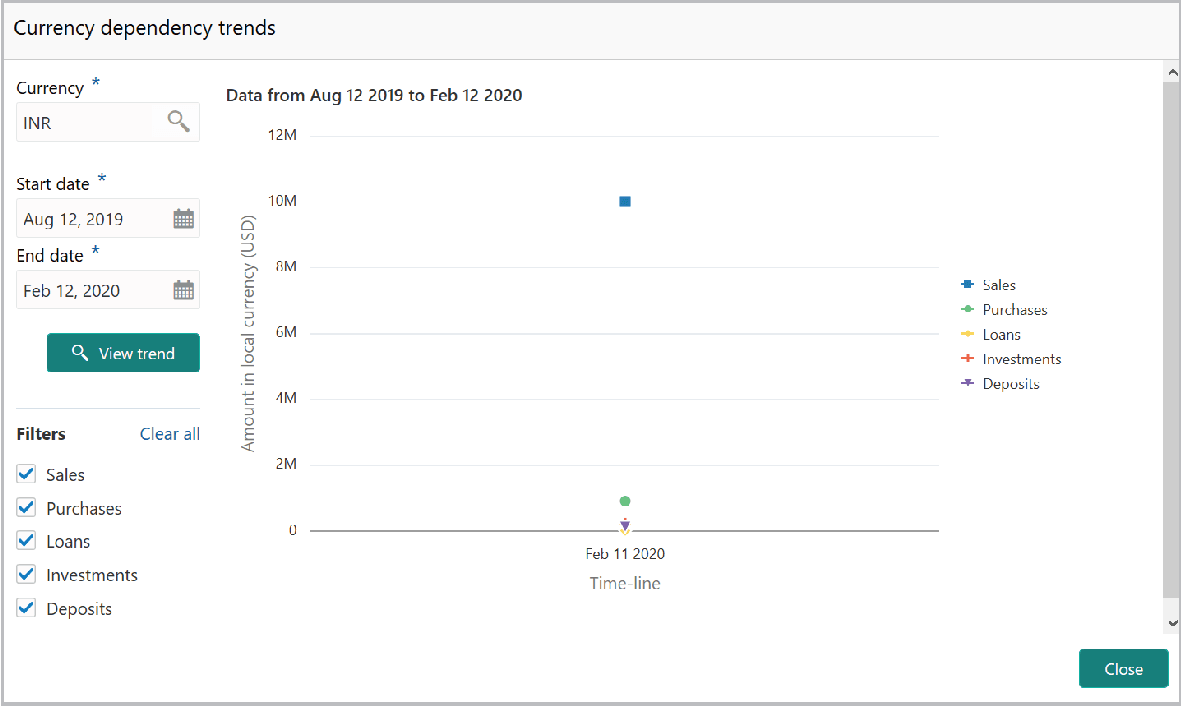
beside the capture icon in Currency Exposure tile. The Currency Dependency Trends window is displayed.
For information on fields in the Currency Dependency Trends screen, refer the below tables.
Table 3-44 Currency Dependency Trends
Fields Description Currency Search and select the Currency. Start date and the End date Specify the Start date and the End date by clicking the calendar icon. View Trend Click View Trend. Currency dependency trend for the selected period appears. Filters To filter the data to be displayed in the trends graph, select the required option in the Filters section. Trends appear based on the selected parameter. - To exit the Currency dependency trends window, click Close.
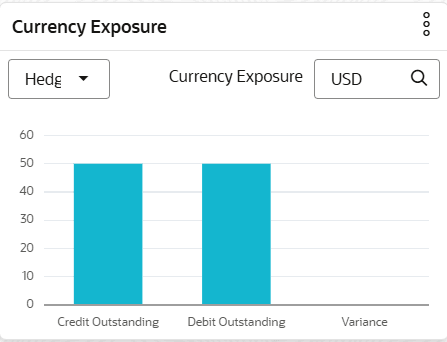
In the Currency exposure graph, select exposure from the drop down list to view the exposure details.
The Currency exposure graph with Exposure data is shown below for reference:


Parent topic: Enrich and Analyze