3.11 Shareholders
This topic provides systematic instructions about the shareholders.
This tile allows to capture and analyze information about the shareholders in your customer’s organization.
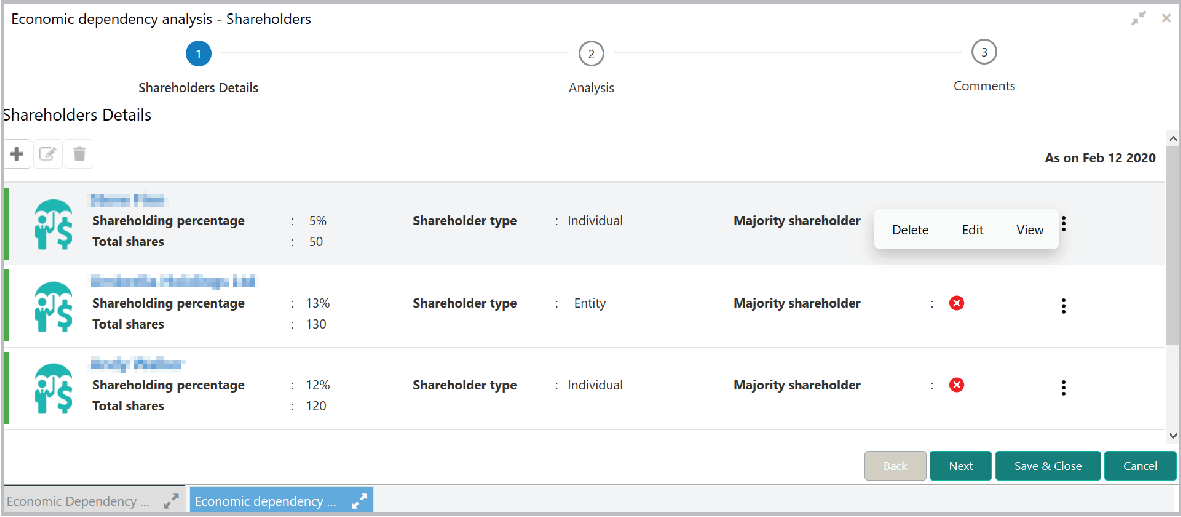
- Click the capture icon in the Shareholders tile.The Shareholders Details screen is displayed.
- To add the shareholder information, click the add icon.The New Shareholder window is displayed.
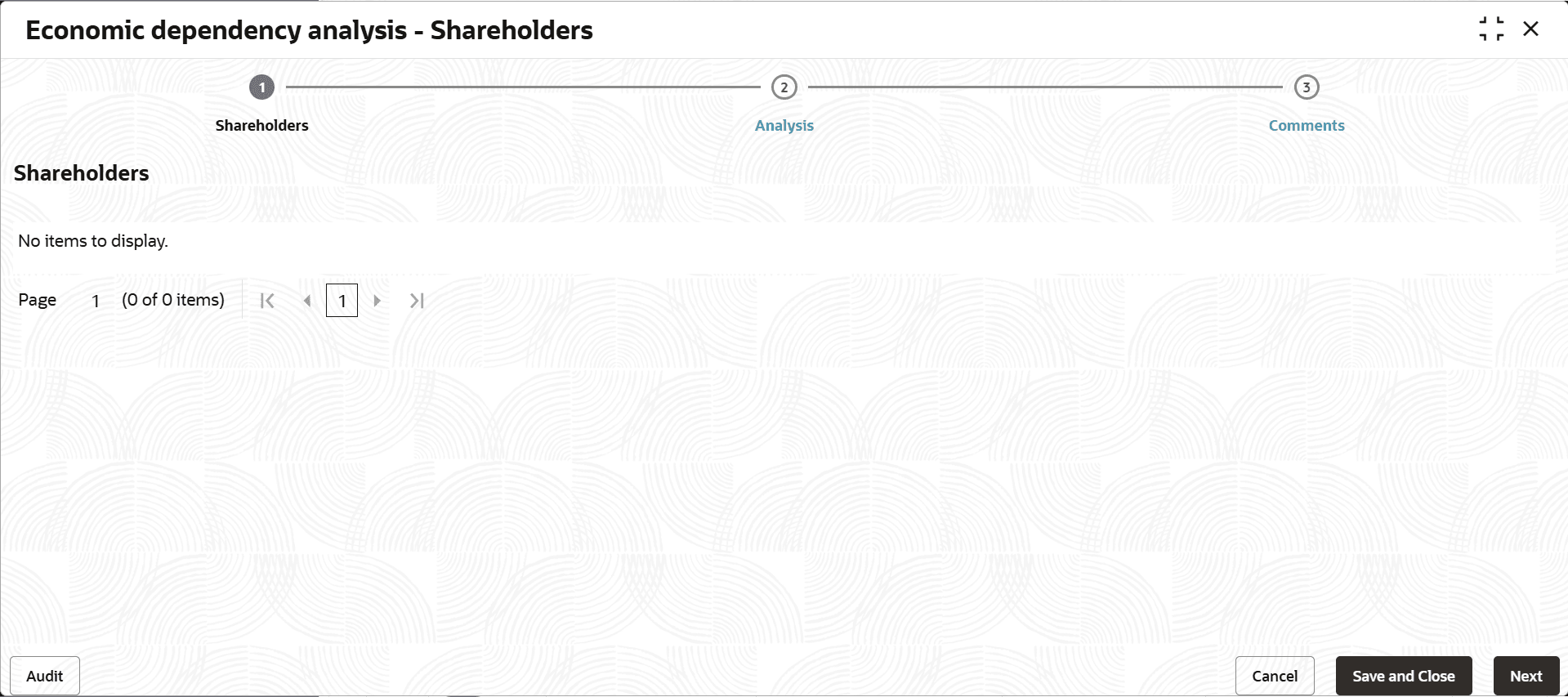
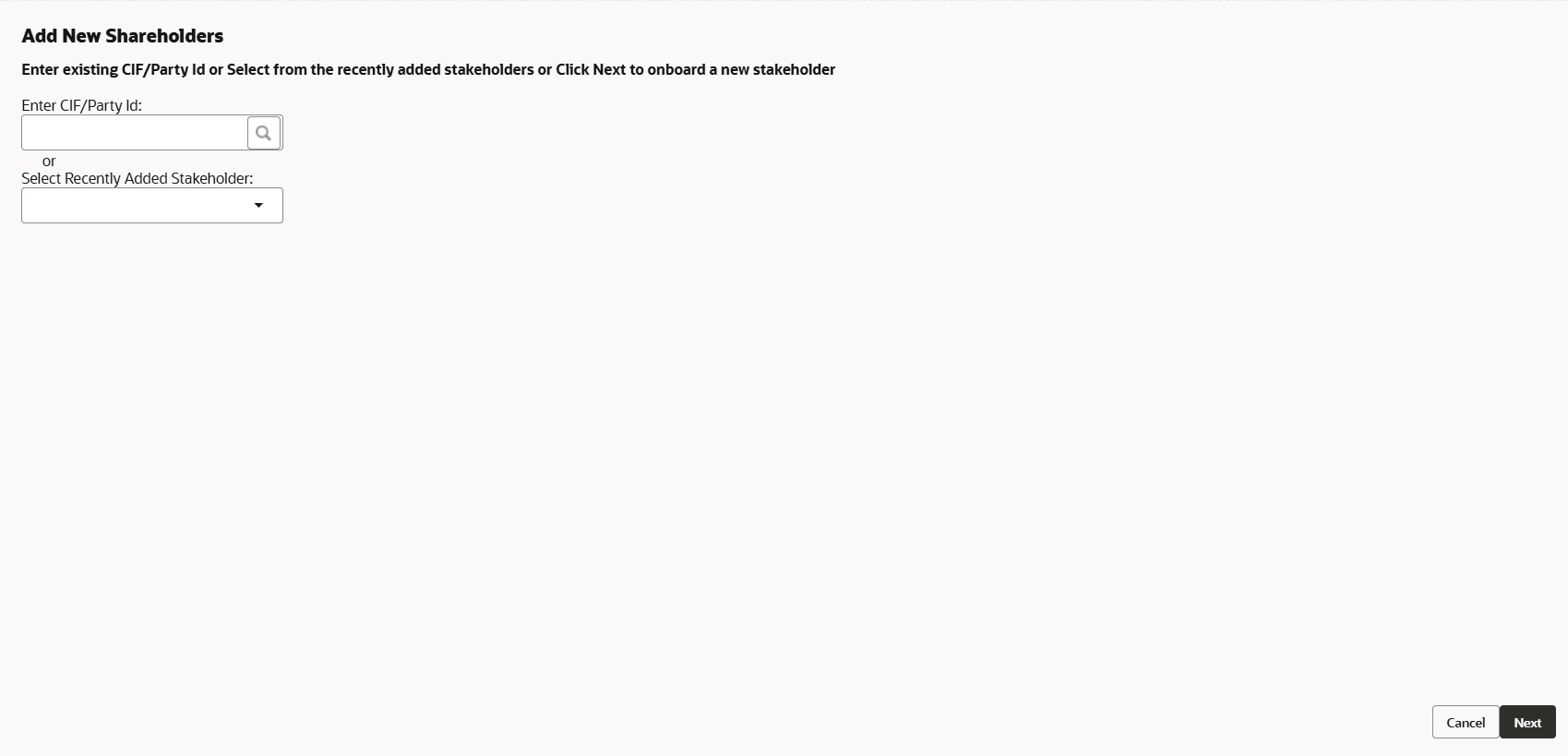
For information on fields in the New Shareholder screen, refer the below tables.
In the Shareholder general details section:
Table 3-45 New Shareholder
| Fields | Description |
|---|---|
| Shareholder name | Type the Shareholder name. |
| Shareholder type | Select the Shareholder type. The options available are: Entity and Individual. |
| Percentage of shareholding | Specify the Percentage of shareholding. |
| Majority shareholder | If the shareholder has major share in the customer’s organization, select the Majority shareholder button. |
| Voting rights? | If the shareholder has voting rights in the customer’s organization, enable the Voting rights? button. |
| Board Position | If the shareholder was in a board position, enable the Board position held? switch and specify the Board position start date and Board position end date. |
| Years of association | Mention the shareholder’s Years of association in your customer’s organization as Board member. |
In the Shareholder relationship with company section:
Figure 3-101 Shareholder relationship with company

Description of "Figure 3-101 Shareholder relationship with company"
For information on fields in the Shareholder relationship with company screen, refer the below table.
Table 3-46 Shareholder relationship with company
| Fields | Description |
|---|---|
| Association with company in years | Mention the shareholder’s Association with company in years. |
| Relationship with company | Select the Relationship with company from the drop down list. |
| Part of founder/ promoters? | If the shareholder is one of the founder or promoter, enable Part of founder/ promoters? switch. |
| Board position held? | If the shareholder was in a board position, enable the Board position held? switch. |
Figure 3-102 Shareholder detailed info
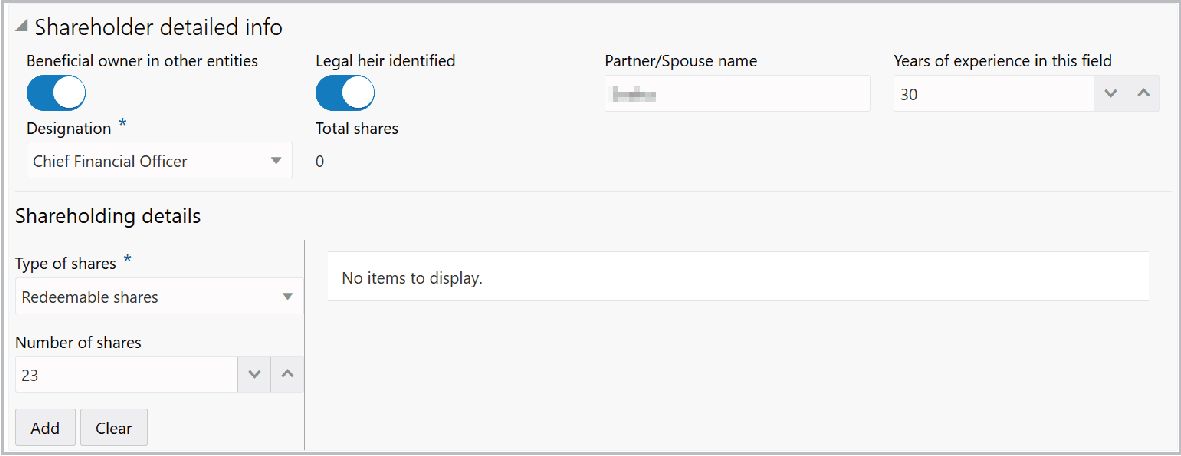
Description of "Figure 3-102 Shareholder detailed info"
For information on fields in the Shareholder detailed info screen, refer the below tables.
Table 3-47 Shareholder detailed info
| Fields | Description |
|---|---|
| Beneficial owner in other entities | If the shareholder is a owner in other organizations, enable the Beneficial owner in other entities switch. |
| Legal heir identified | If the shareholder has a legal heir, enable the Legal heir identified switch. |
| Partner/Spouse name | Type the shareholder’s Partner/Spouse name. |
| Years of experience in this field | Mention the shareholder’s Years of experience in this field. |
| Designation | Select the Designation of the shareholder from the drop down list. |
| Total shares | Specify the Total shares. |
In the Shareholding details section:
Table 3-48 Shareholding details
| Fields | Description |
|---|---|
| Type of shares | Select the Type of shares from the drop down list. |
| Number of shares | Specify the Number of shares. |
- Click the Add button. Shareholding details are added and listed as shown
below:
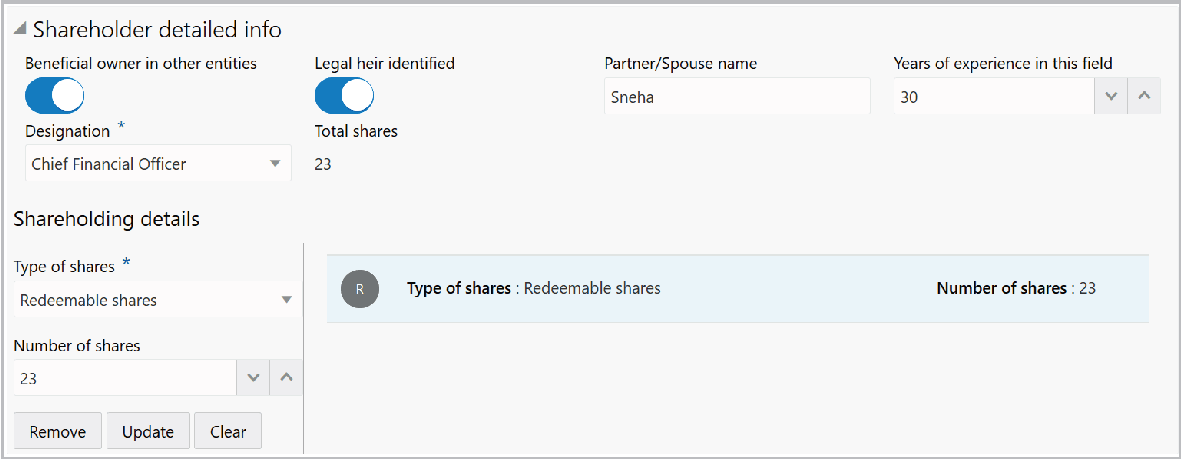
In the Company details with more than 5% share section:
Figure 3-104 Company details with more than 5% share
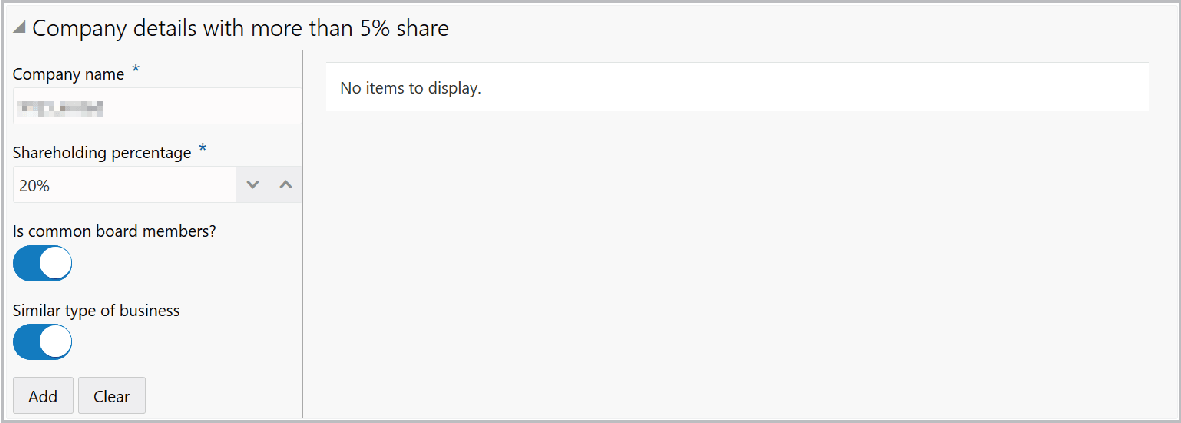
Description of "Figure 3-104 Company details with more than 5% share"
- Click Add. Details are added and listed as shown below:
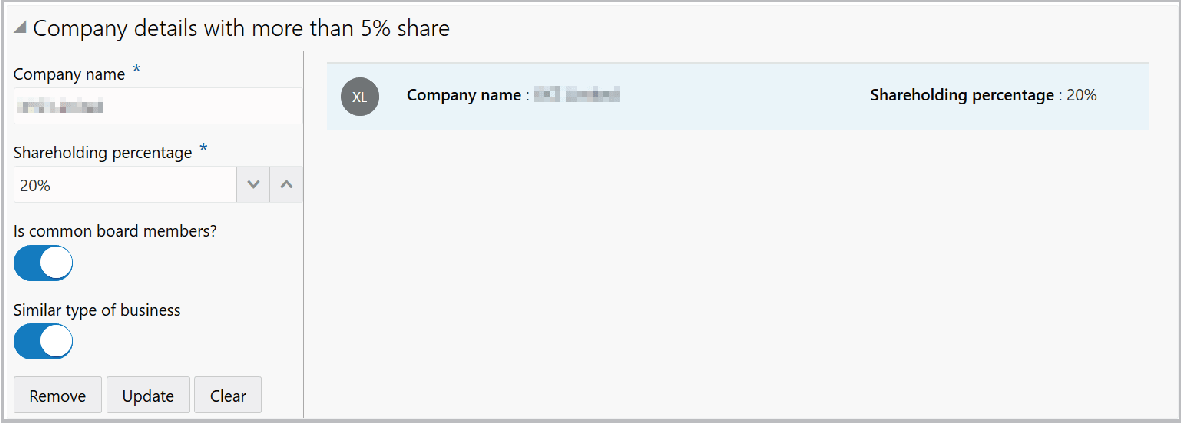
Figure 3-106 Transaction
details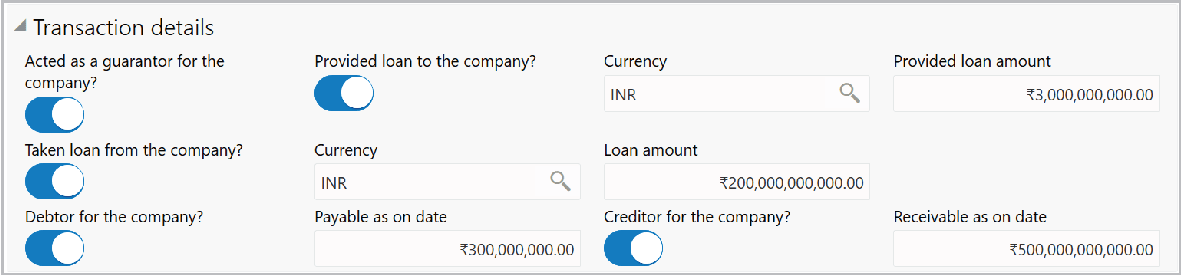
Description of "Figure 3-106 Transaction
details"
For information on fields in the Transaction details screen, refer the below table.
Table 3-49 Transaction details
| Fields | Description |
|---|---|
| Acted as a guarantor for the company? | If the shareholder is a guarantor for your customer, enable the Acted as a guarantor for the company? switch. |
| Provided loan to the company? | If the shareholder has Provided loan to the company?, enable the corresponding switch. Provided loan amount field is enabled. |
| Currency | Search and select the Currency for the Provided loan amount value. |
| Provided loan amount | Specify the Provided loan amount. |
| Taken loan from the company? | If the shareholder has Taken loan from the company? (your customer), enable the corresponding switch. Loan amount field is enabled. |
| Loan amount value | Search and select the Currency for the Loan amount value. |
| Loan amount | Specify the Loan amount. |
| Debtor for the company? | If the shareholder is a debtor for your customer, enable the Debtor for the company? switch. Payable as on date field is enabled. |
| Payable as on date | Specify the amount to be paid by the shareholder in Payable as on date field. |
| Creditor for the company? | If the shareholder is a creditor for your customer, enable the Creditor for the company? switch. Receivable as on date field is enabled. |
| Receivable as on date | Specify the amount to be received from the shareholder in Receivable as on date field. |
- Click Save in the New Shareholder window. Shareholder details are added
and listed in Shareholder Details page.
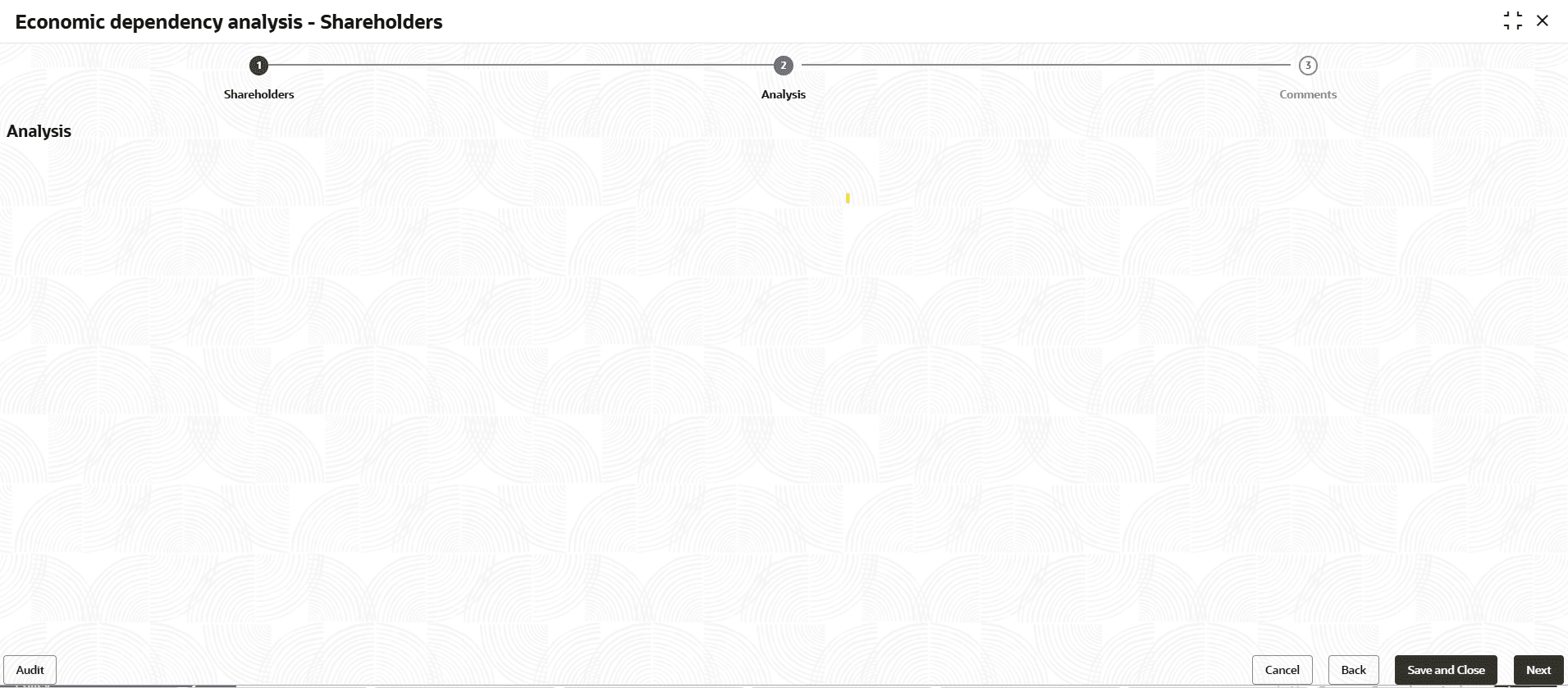
- To analyze the Shareholder information, click Next in the Shareholders
details page. The Analysis page appears:
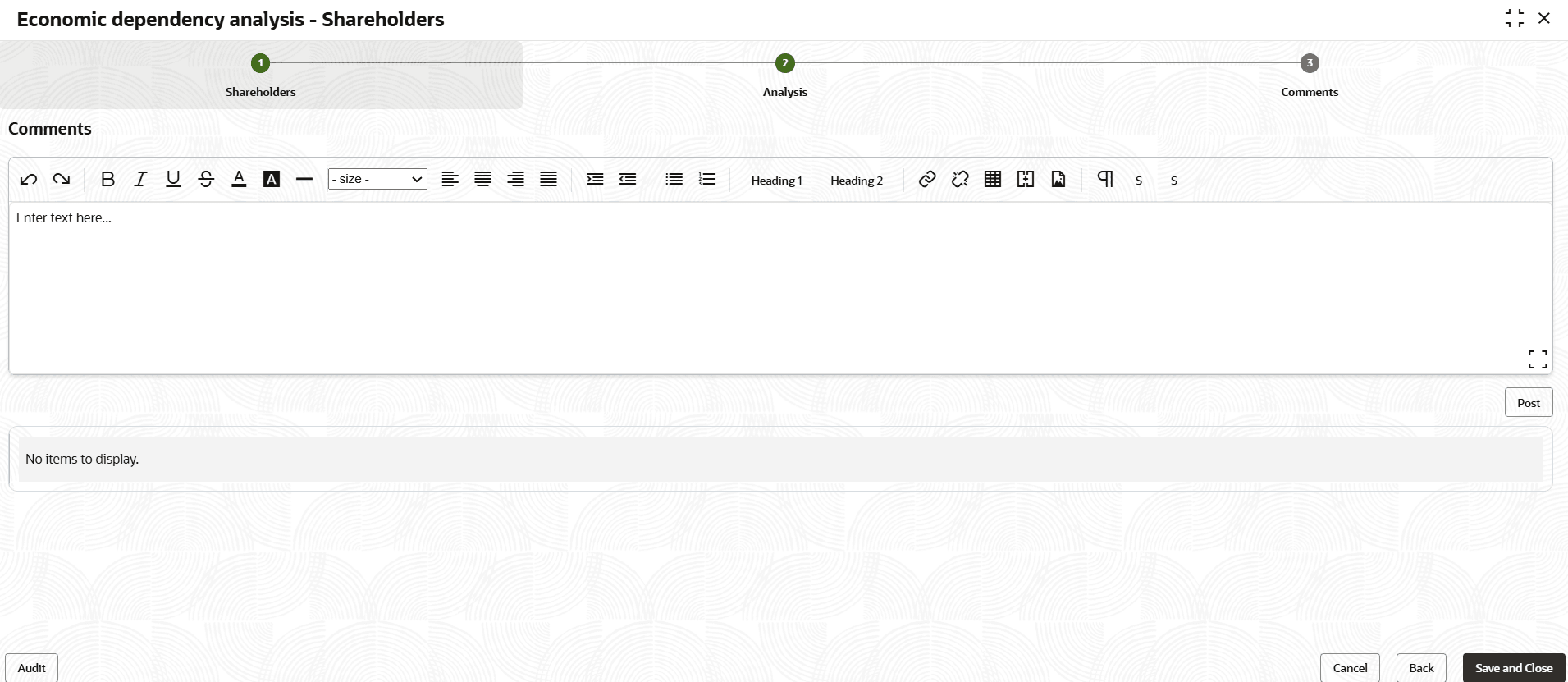
- Click Next. The Comments screen is displayed.
- To view the shareholder dependency trends, click the trend analysis icon beside
the capture icon in Shareholders tile. Shareholder Dependency Trends
window is displayed.
Figure 3-110 Shareholder Dependency Trends
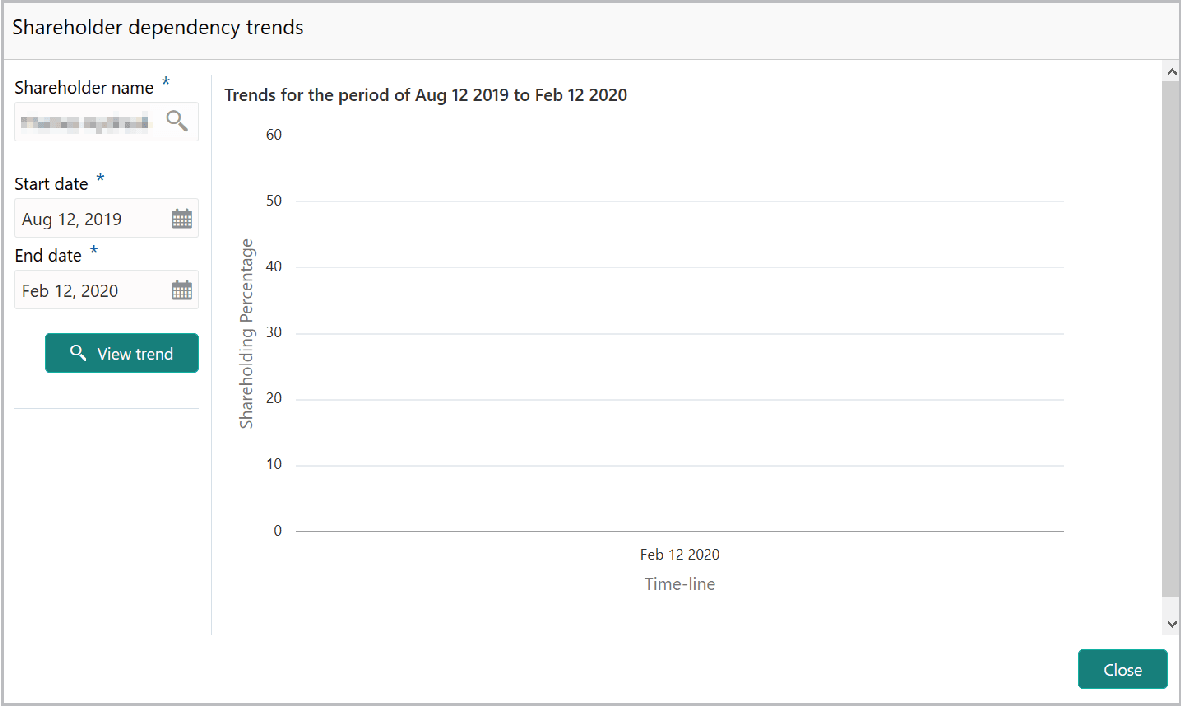
Description of "Figure 3-110 Shareholder Dependency Trends"For information on fields in the Shareholder Dependency Trends screen, refer the below table.
Table 3-50 Shareholder Dependency Trends
Fields Description Shareholder name Search and select the Shareholder name. Start date and End date Specify the Start date and End date. View Trend Click the View Trend button. Shareholder dependency trends for the selected period appears. Close To exit the Shareholder dependency trends window, click Close.
Parent topic: Enrich and Analyze