3 Credit Extension Initiation
This topic provides systematic insructions about the Credit Extension Initiation stage in the Credit Proposal Extension Process.
In this stage, the Relationship Manager or other user responsible for this
stage must select the required party and initiate the Credit Extension
process.
To initiate Credit Proposal Extension process:
Figure 3-1 Navigation Menu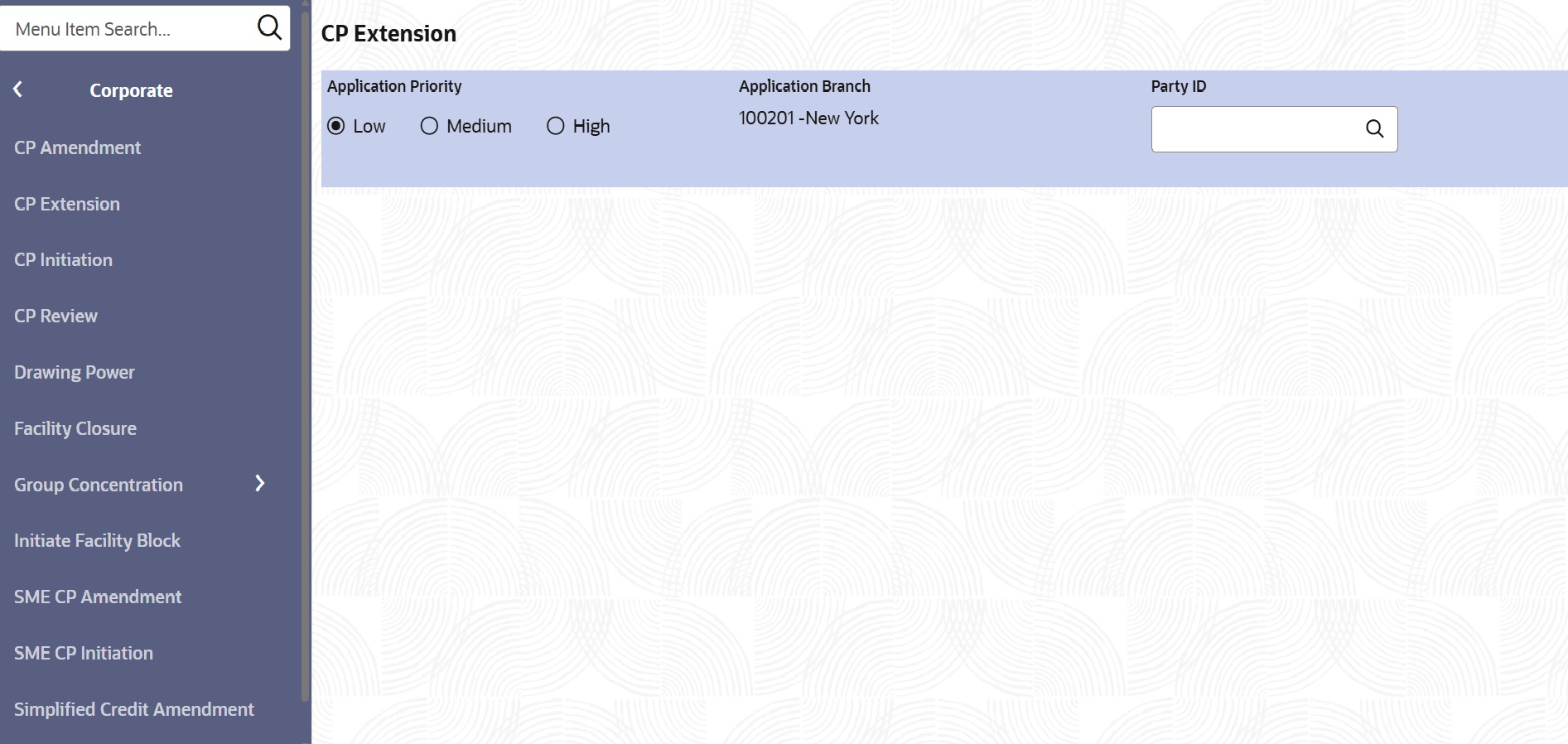
- On Home screen, select Credit
Facilities. Under Credit Facilities, select
Corporate. Under Corporate, select CP
Extension.The CP Extension screen is displayed.
Figure 3-2 CP Extension
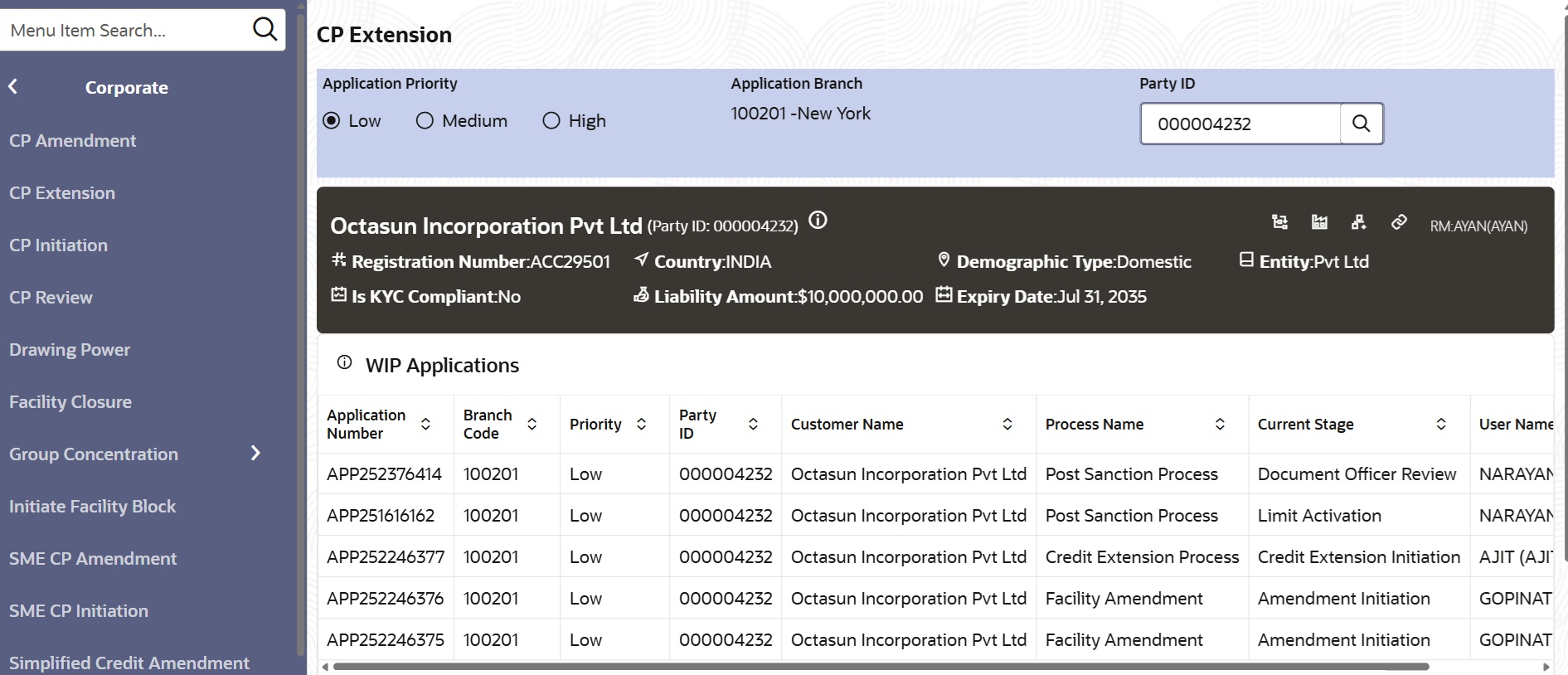
Upon selecting the Party Id, the system displays the Customer Information and the WIP Applications created for the party and enables the Initiate Credit Extension Process button.
- Customer Creation
This topic provides systematic instructions about the Customer Creation data segment in the Credit Extension Initiation stage. - Liability
This topic provides systematic instructions about the procedure to extend the expiry date of all the facilities in Credit Extension Initiation stage. - Funding Requirement
This topic provides systematic instructions about the procedure to extend the expiry date of a single facility in Credit Extension Initiation stage. - Comments
This topic provides systematic instructions about the procedure to add overall comments for the Credit Extension Initiation stage. - Summary
This topic provides systematic instructions about the procedure to view the Summary and submit the Initiation task.