3.2 KYC Evaluation
This topic provides systematic nstructions about the KYC Evaluation of the Credit Initiation.
This data segment allows you to update the KYC details of the
Financial Institution captured in FI Credit Proposal Initiation process. KYC details
must be up to date as it is necessary to determine the originality of the Financial
Institution.
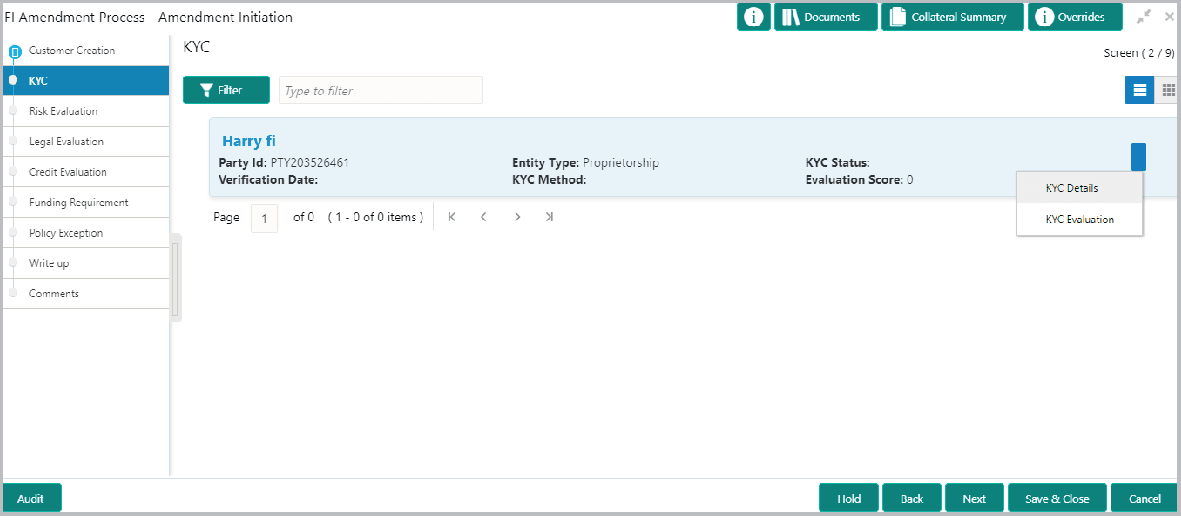
Description of "Figure 3-49 FI Credit Process - Credit Initiation"
Figure 3-49 FI Credit Process - Credit Initiation
Description of "Figure 3-49 FI Credit Process - Credit Initiation"
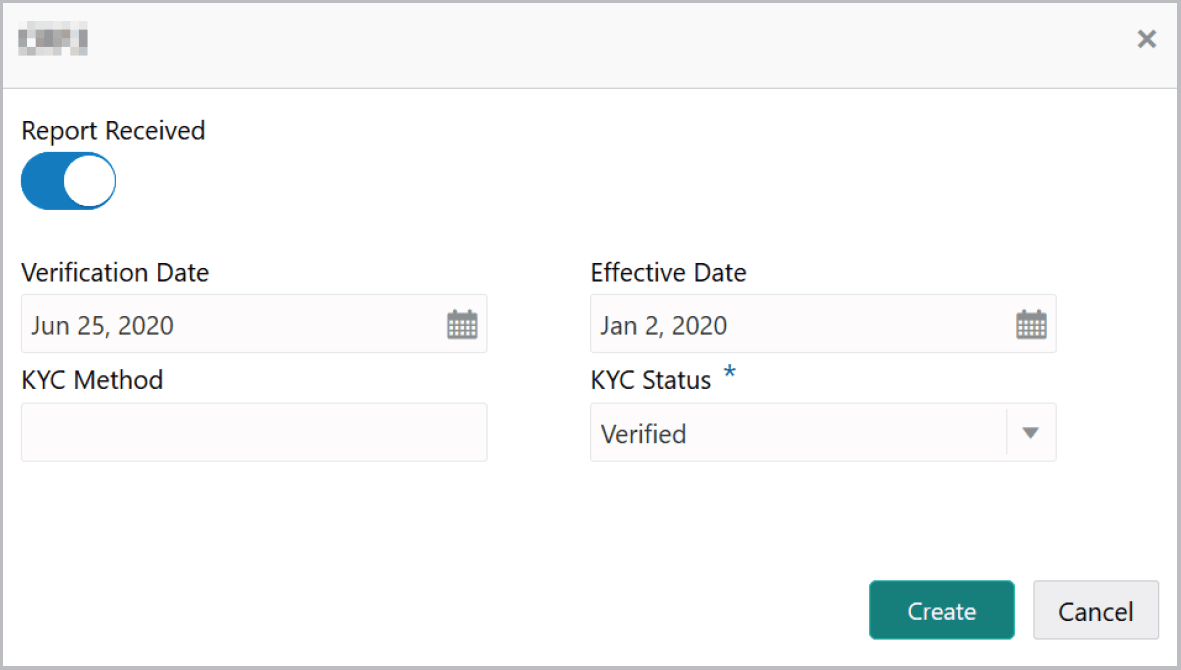
- To add the KYC Details, click KYC Details option. The KYC Details
screen is displayed.For information on fields in the KYC Details screen, refer the below table.
Table 3-33 KYC Details
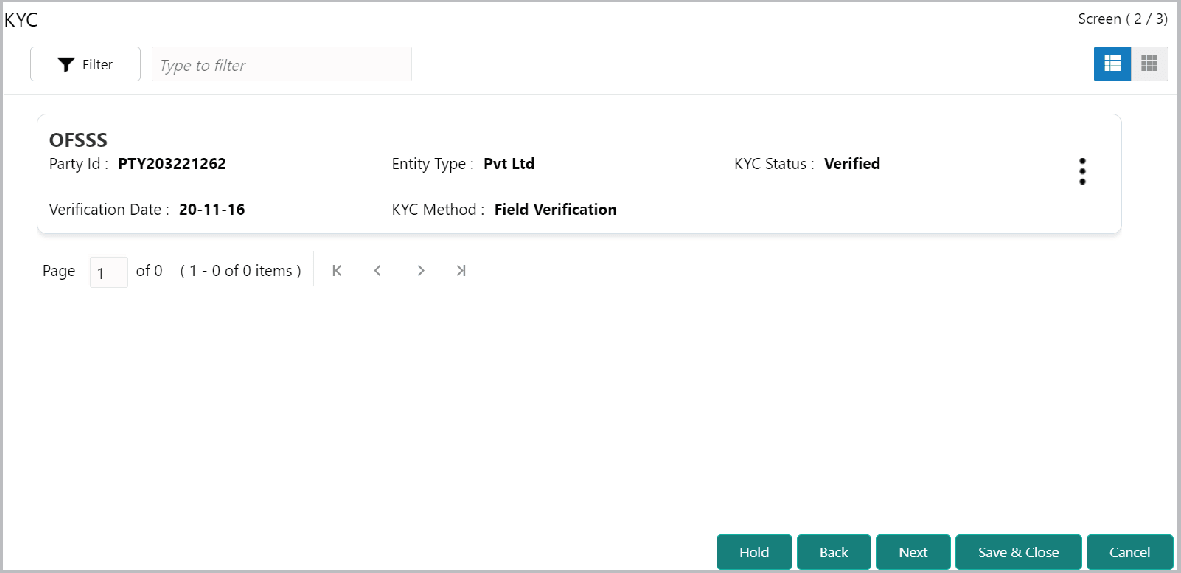
Fields Description Report Received If KYC report is available for the Financial Institution, enable the Report Received switch. Verification Date Click the calendar icon and select the KYC Verification Date. Effective Date Click the calendar icon and select the Effective Date on which the KYC verification is approved. KYC Method Type the KYC Method. For example: Field verification is a KYC Method. KYC Status Select the KYC Status. The options available are Verified, Yet To Verify, and Verification Failed. - Click Create. KYC details are updated in the KYC page as shown
below.
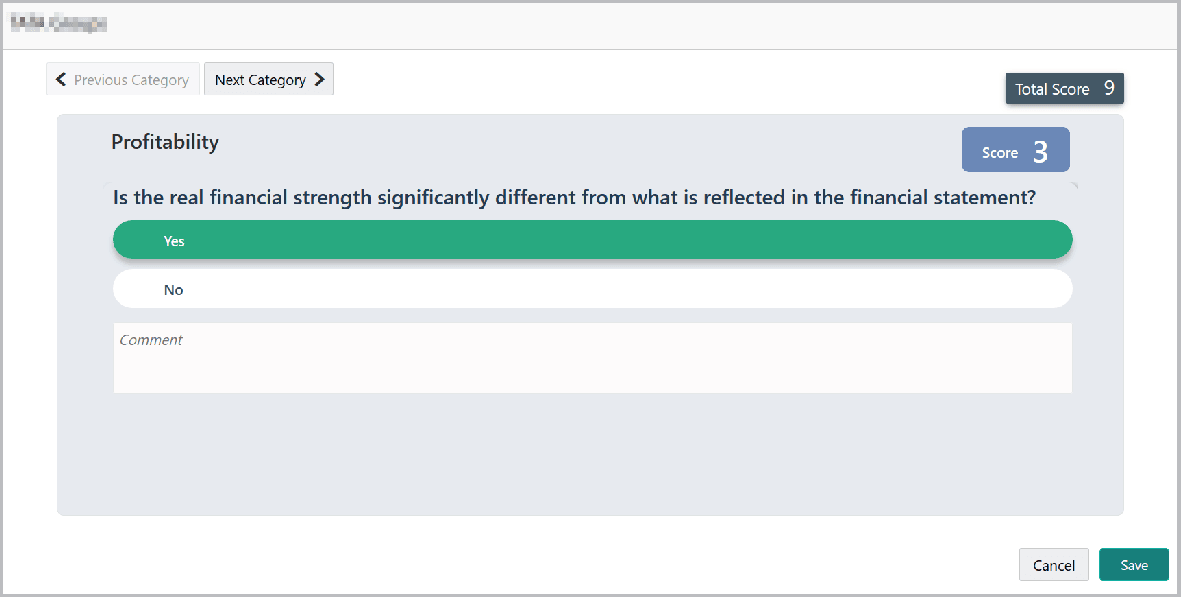
- To perform KYC evaluation, click the hamburger icon and select KYC
Evaluation. Questionnaire maintained for the KYC evaluation is
displayed.
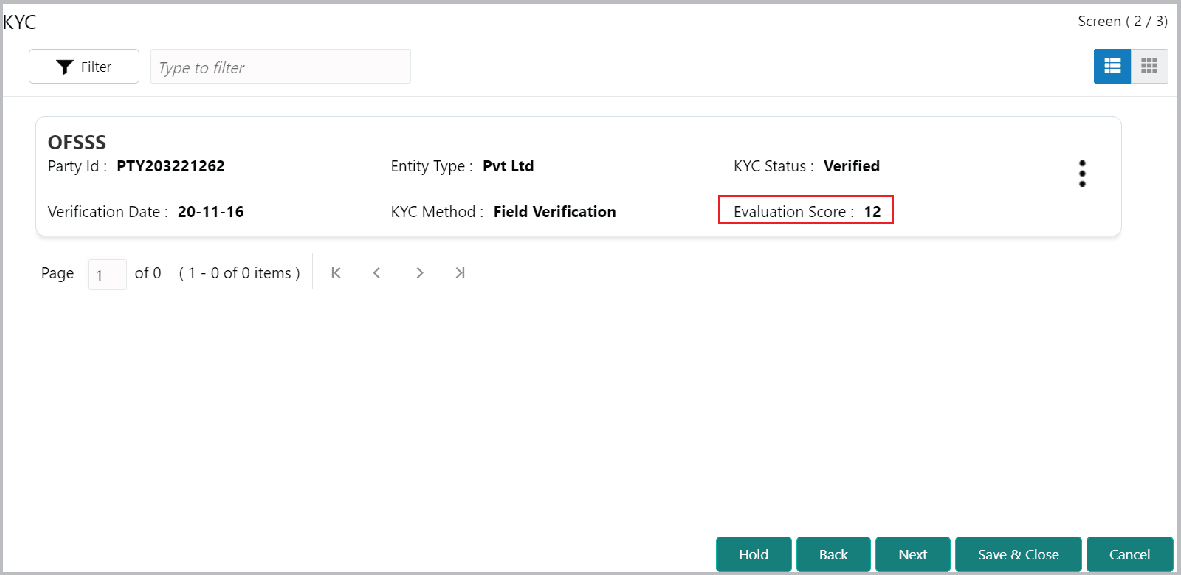
- Click Save. The KYC page is updated with the Evaluation Score as shown
below.
Parent topic: Credit Initiation