3.3 Add Customer
This topic provides systematic instructions about Add Customer.
- To add a child party, right click on the party / child party icon and click
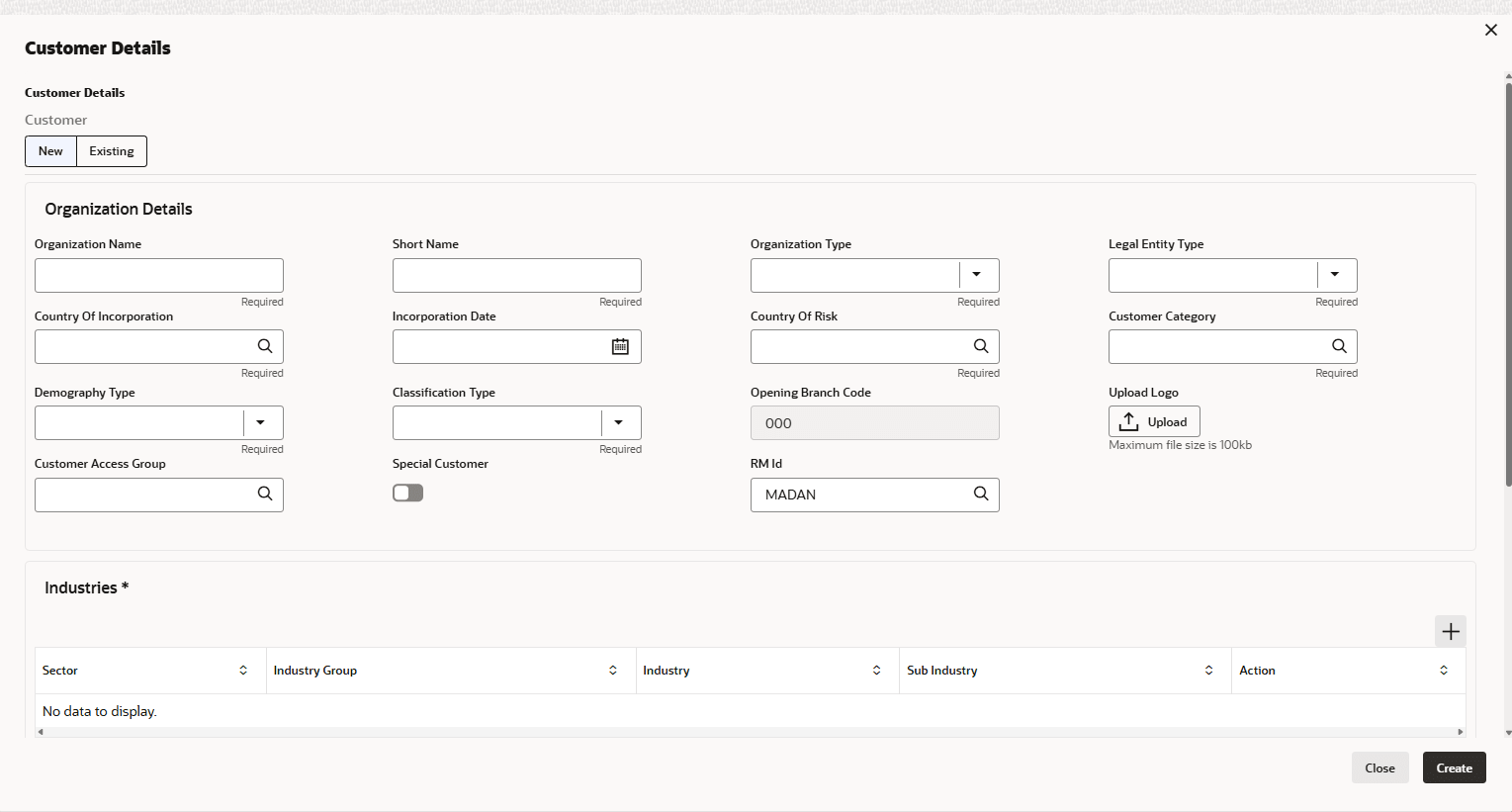
Add Customer.The Customer Details window is displayed.
Organization details
For information on fields in the Organization details page, refer the below table.
Table 3-3 Organization details
Fields Description Organization Name Enter the child party name in the Organization Name field. Organization Type Select the Organization Type from the drop-down list. The options available are Single and Conglomerate. Entity Type Select the Entity Type from the drop-down list. The options available are Proprietorship, Pvt Ltd, Public Ltd, Govt Owned, Trusts, Clubs, Society, Associations, Limited Liability Partnership, Foreign Bodies, NGO and Others. Demography Type Select the Demography Type from the drop-down list. The options available are Domestic and Global. Select Global option, the Geographical Spread field appears.
Geographical Spread Search and select all the countries in which the child party is operating as Geographical Spread. Country of incorporation Select the Country of incorporation. Incorporation date Click the calendar icon and select the Incorporation date. Country of risk Select the Country of risk for organization from the drop-down list.
Parent topic: Proposal Initiation