3.34 Creating Facility with Template
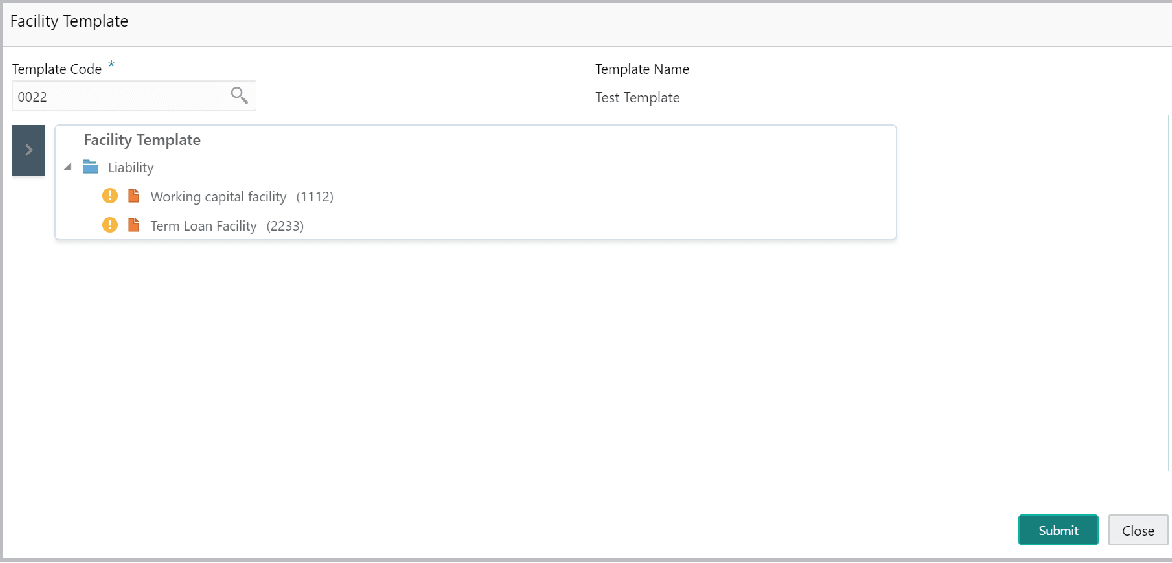
- To create the facility using template, click the Facility Template (T)
icon.The Facility Template window is displayed.
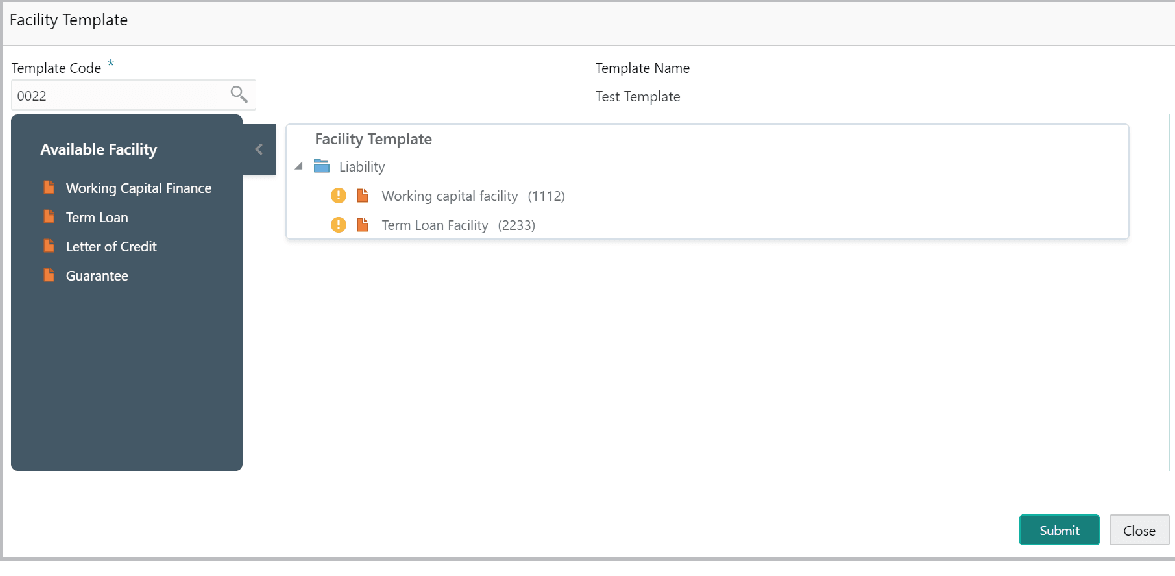
- To add additional facility to the Facility Template, click the right arrow at
the left side. Available Facility section expands as shown below:
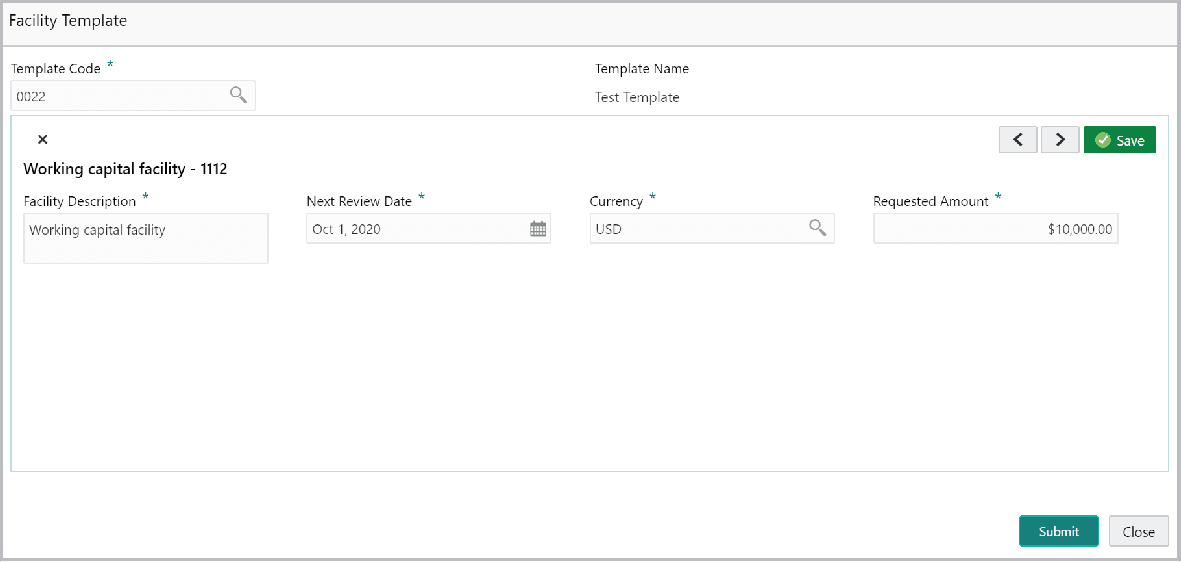
- To capture the facility details, click the facility in the Facility
Template section. Fields related to the facility appear as shown
below:
For field level information refer the below table.
Table 3-34 Facility Template
Fields Description Facility Description Enter the Facility Description. Next Review Date Select or specify the Next Review Date for the facility. Currency Search and select the Currency for the Requested Amount. Requested Amount Specify the Requested Amount. Save Click Save. Submit After providing details for all the facilities in the Facility Template section, click Submit. Facility is created and listed in the Basic Info page.
Parent topic: Proposal Initiation