3.38 Link Existing Facilities

If the Take Over check box is not enabled while adding other bank facilities in credit proposal process, you can link the other bank facilities with the created facility using this option.

  1. Click the Link Existing Facilities icon next to the Add New Facility icon.
    The Link Existing Facilities window listing all the other bank facilities appears:

    Figure 3-83 Link Existing Facilities
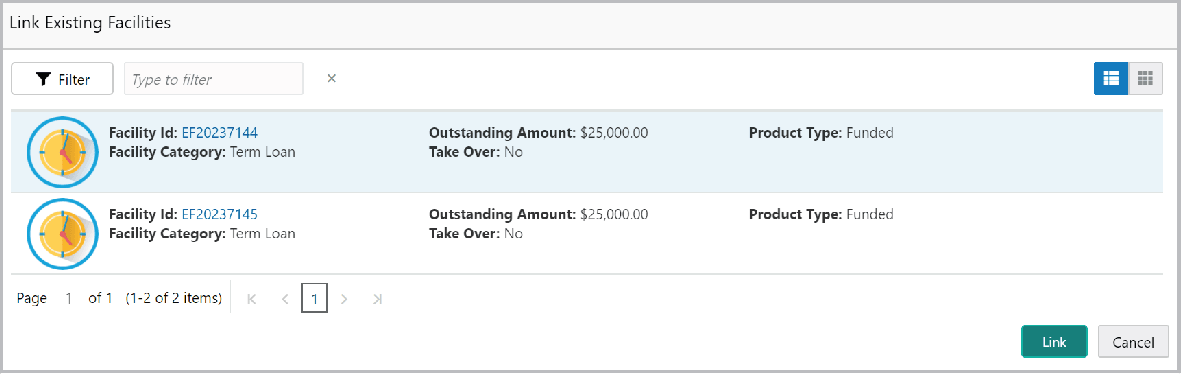
    Add New Facility details such as facility Id and category
  2. To filter the required other bank facility, click the Filter icon and select the search parameters or directly specify the other bank facility detail in the Type to filter text box.
  3. To change the layout of the Link Existing Facilities window, use the List View and Table view icons at the top right corner.
  4. Select the required other bank facility and click Link. Other bank facility is linked to the created facility.