4 Business Recommendation
In this stage, Business Head in the bank verifies the policy details
defined by the Policy Analysts and recommends the necessary changes.
Note:
In this Chapter, only the actions that must be performed by the Business Head are explained. Refer Initiating Policy Definition chapter for field level explanations.- To acquire the Business Recommendation task, navigate to Tasks > Free
Tasks from the Navigation Menu.
- Click Acquire and Edit and acquire the required task. Sector
Evaluation page is displayed.
Figure 4-2 Business Recommendation_Sector Evaluation
In Sector Evaluation page, business head can perform re-evaluation and capture comments for the evaluation.
- Right click the sector, industry group, industry and sub - industry and then
click Evaluate Now. Sector Evaluation window is displayed.
For information on fields in the Sector Evaluation screen, refer the below table.
Table 4-1 Sector Evaluation
Fields/Icons Description Edit To perform re-evaluation, click Edit. Comments To capture comments for the evaluation, click Comments. Close Click Close to close the window. - In Section Evaluation page, click Next. Headroom
Definition page is displayed.
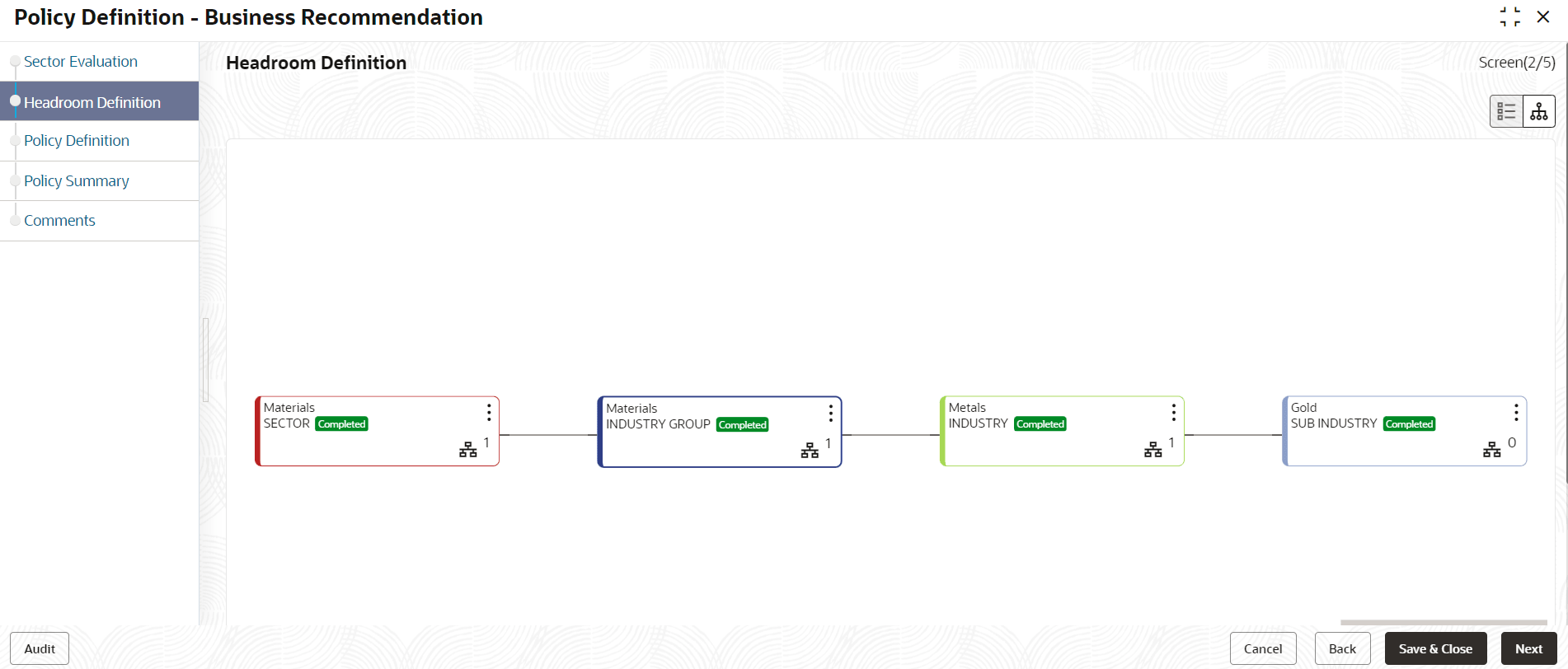
Figure 4-4 Business Recommendation_Headroom Definition
- Right click the sector, industry group, industry and sub - industry and then
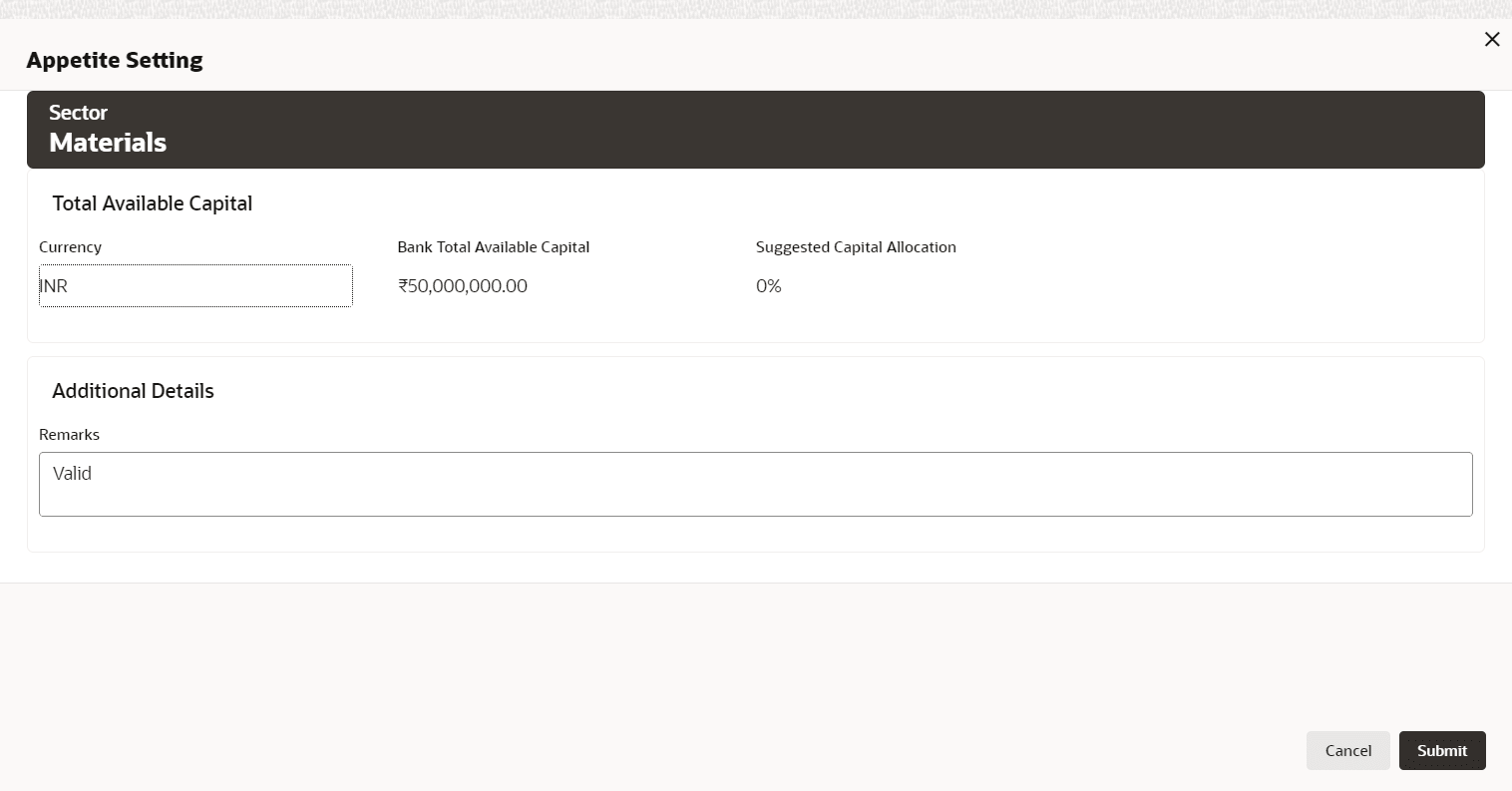
click Define Appetite. Appetite Setting window is displayed.
Figure 4-5 Business Recommendation_Appetite Setting
In Appetite Setting window, the values cannot be modified. - In the Headroom Definition page, click Next. Policy
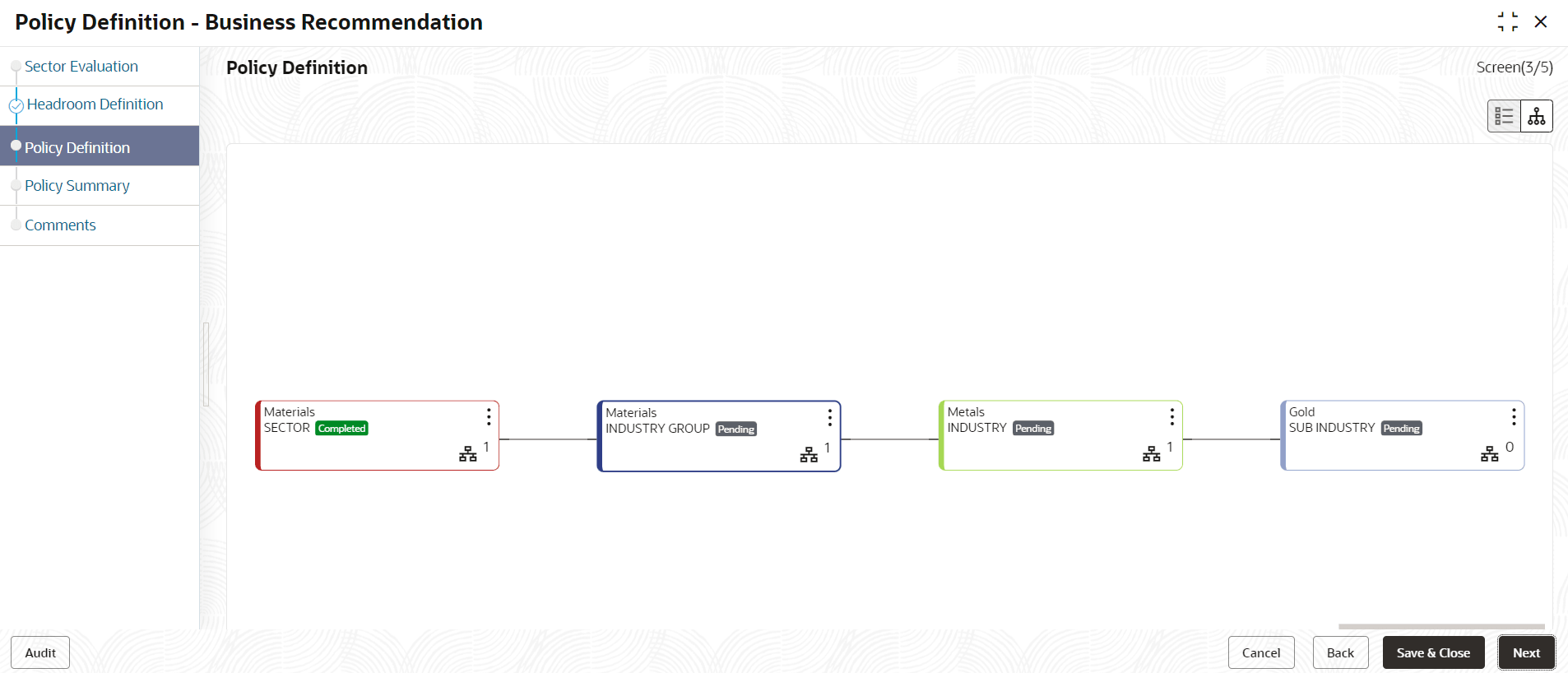
Definition page is displayed.
Figure 4-6 Business Recommendation_Policy Definition
- Right click the sector, industry group, industry and sub - industry and then
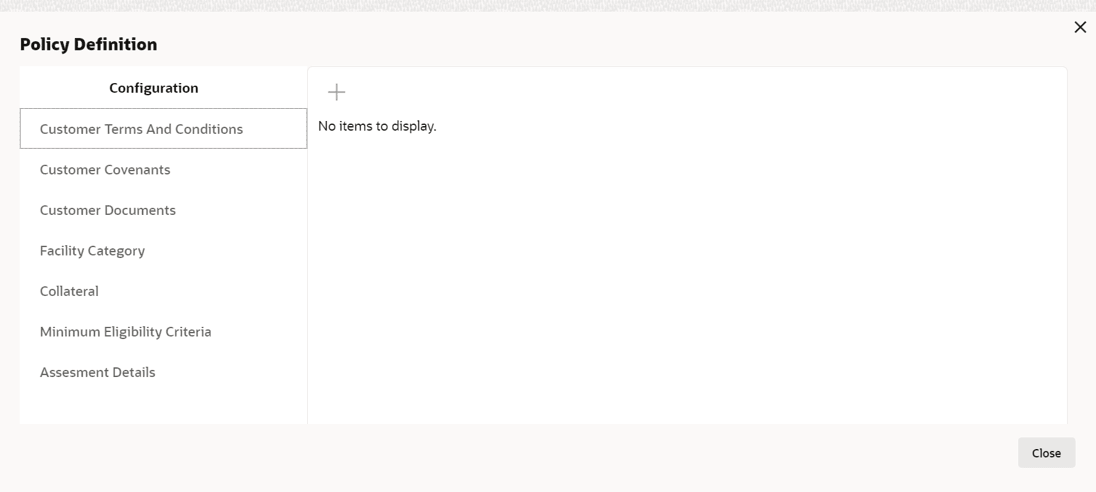
click Configure. Policy Definition Configuration window is
displayed.
Figure 4-7 Policy Definition Configuration