3.3 Headroom Definition
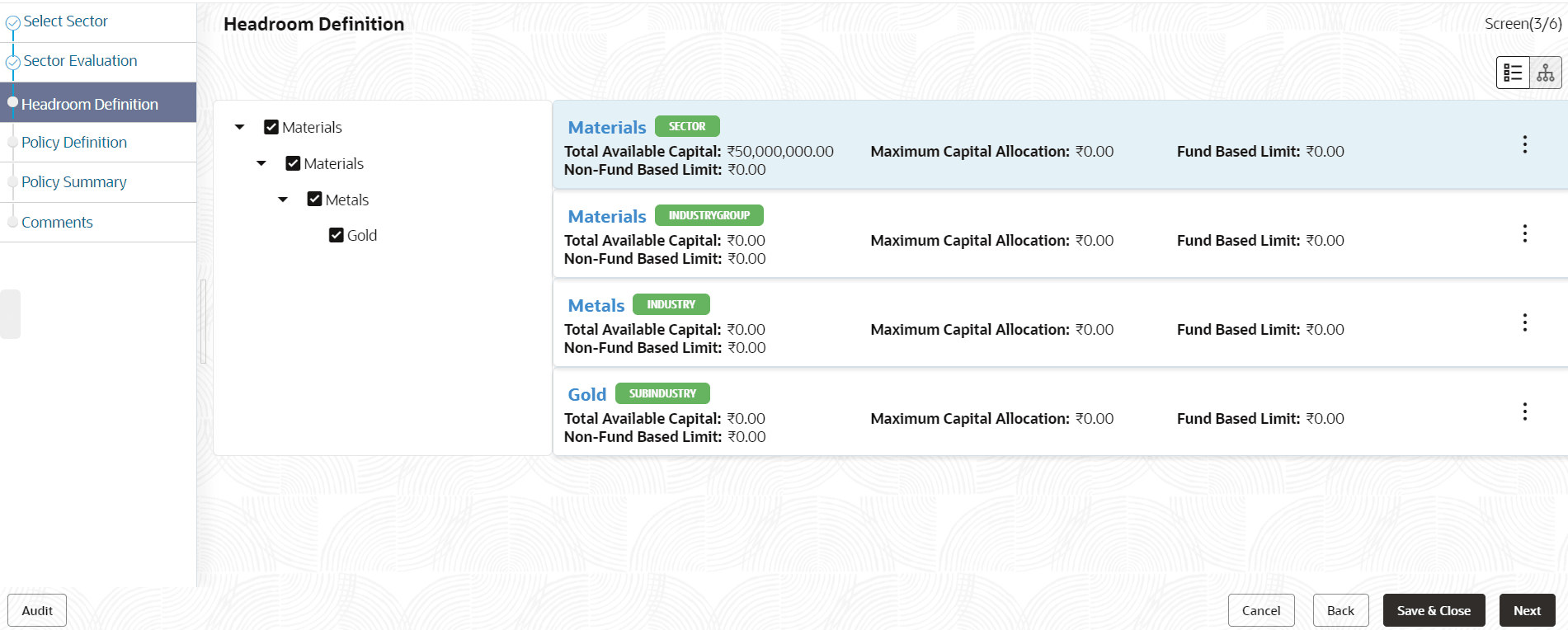
In this data segment, the Policy Analysts can define headroom for the selected sector, industry group, industry and sub -industry based on the capital available in the Bank.
Figure 3-13 Policy Initiation_Headroom Definition

- To change the tree view to list view, click the list icon at the top left
corner. Headroom Definition page view is changed as shown below:
- To define appetite for the sector, click Define Appetite
button in list view or right click the sector icon in tree view.
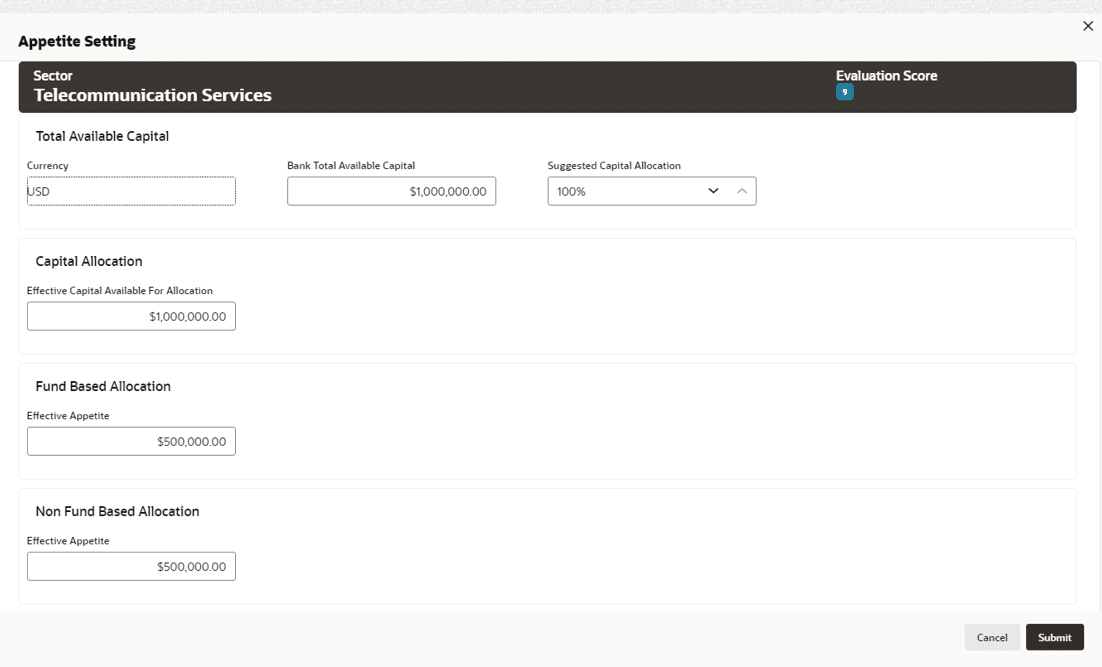
The Appetite Setting window appears:
Note:
In Appetite Setting page, all the amount specified will be considered in Currency selected in the Policy Initiation page.For information on fields in the Appetite Setting screen, refer the below table.
Table 3-2 Appetite Setting
Fields/Icons Description Total Available Capital Enter fields given in Total Available Capital. The Currency is displayed by default. Bank Total Available Capital Specify Bank Total Available Capital. Suggested Capital Allocation Specify percentage to be allocated for the selected sector in Suggested Capital Allocation field. Note:
Suggested Capital Allocation can be specified either by directly entering the percentage or selecting the increment/decrement option on the right.
Decrement option will be enabled, if the value entered in Suggested Capital Allocation field is greater than zero. Use Decrement option to reduce the percentage.
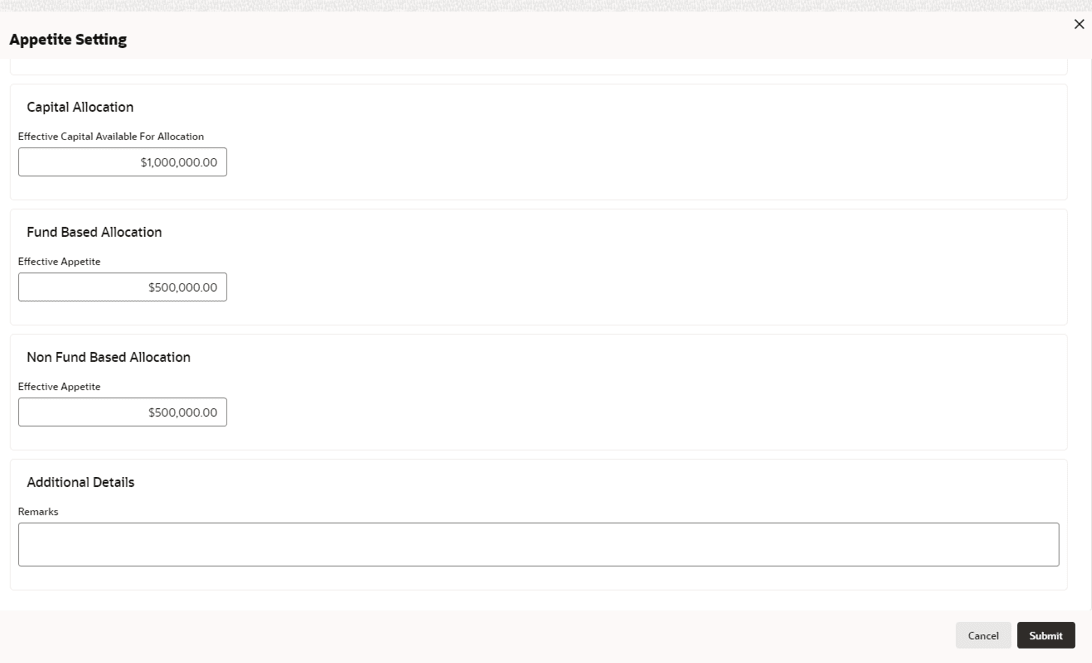
Capital Allocation Enter Effective Capital Available For Allocation field for Capital Allocation. Fund Based Allocation Enter Effective Appetite field for Fund Based Allocation. Non Fund Based Allocation Enter Effective Appetite field for Non Fund Based Allocation Additional Details Enter Remarks fields for Additional Details. - Click Submit. Allocated amount is displayed in Appetite Setting
page as shown below:
- Define Appetite for the Industry Group, Industry and all the Sub - Industry.
- Click Next.


Parent topic: Policy Initiation